Largest Size File Gmail Can Send The Android Version Of Gmail Can Now Undo Sent Emails How To Send Large File By Gmail Gmail Part 5 YouTube Gmail Can Now Receive Attachments Upto 50MB In Size The Book Of How To Email Large Files With Gmail Google Drive And Dropbox YouTube How To Send File In Gmail From Laptop Attach File In Gmail How To Start by locating the file you want to compress Then right click it and select Send to Compressed zipped folder Compressing a file may circumvent Gmail s attachment size limit Once you ve done that you ll get the compressed file in a zipped folder However bear in mind that compression can only do so much
The file size limit when sending an email using an Android device is 20MB Follow the steps to send attachments using an Android device Open the Gmail app on your device Click compose an email Tap the paperclip icon at the bottom to attach files Choose to attach a file or insert from Drive Key Takeaways Most email services can send files up to 20 MB without a problem If you need to send something larger than that upload the file to a cloud storage service first then forward a link to that file via your email instead of attaching the file directly Many email servers refuse to accept email attachments over a certain size
How To Send File In Gmail From Laptop Attach File In Gmail How To Gmail File Size Limit 10 Biggest Features Of New Gmail For Web You Need To Use How To Send File Using Drive In Gmail YouTube Designerfragrancenow How Big Of A File Can Gmail Send How To Find The Large Mails In Size In Gmail YouTube How To Send A Zip File In Gmail On Your Computer How To Send A PDF By Email From Acrobat Screenshot ASP Upload Script ASP Upload Multiple File Upload Script
Largest Size File Gmail Can Send
 Largest Size File Gmail Can Send
https://art-u3.infcdn.net/articles_uploads/4/4639/Gmail.png
If you ve ever had to send a large file attachment via Gmail you ve probably run into the 25MB file size limitation Here s how to get around that Written by Jack Wallen Contributing Writer
Templates are pre-designed documents or files that can be used for various purposes. They can save effort and time by supplying a ready-made format and design for creating various sort of material. Templates can be utilized for personal or professional projects, such as resumes, invitations, flyers, newsletters, reports, presentations, and more.
Largest Size File Gmail Can Send
How To Find All Emails With Large Attachments Using Gmail Size Search
.png "Gmail File Size Limit")
Gmail File Size Limit
10 Biggest Features Of New Gmail For Web You Need To Use
How To Send File Using Drive In Gmail YouTube
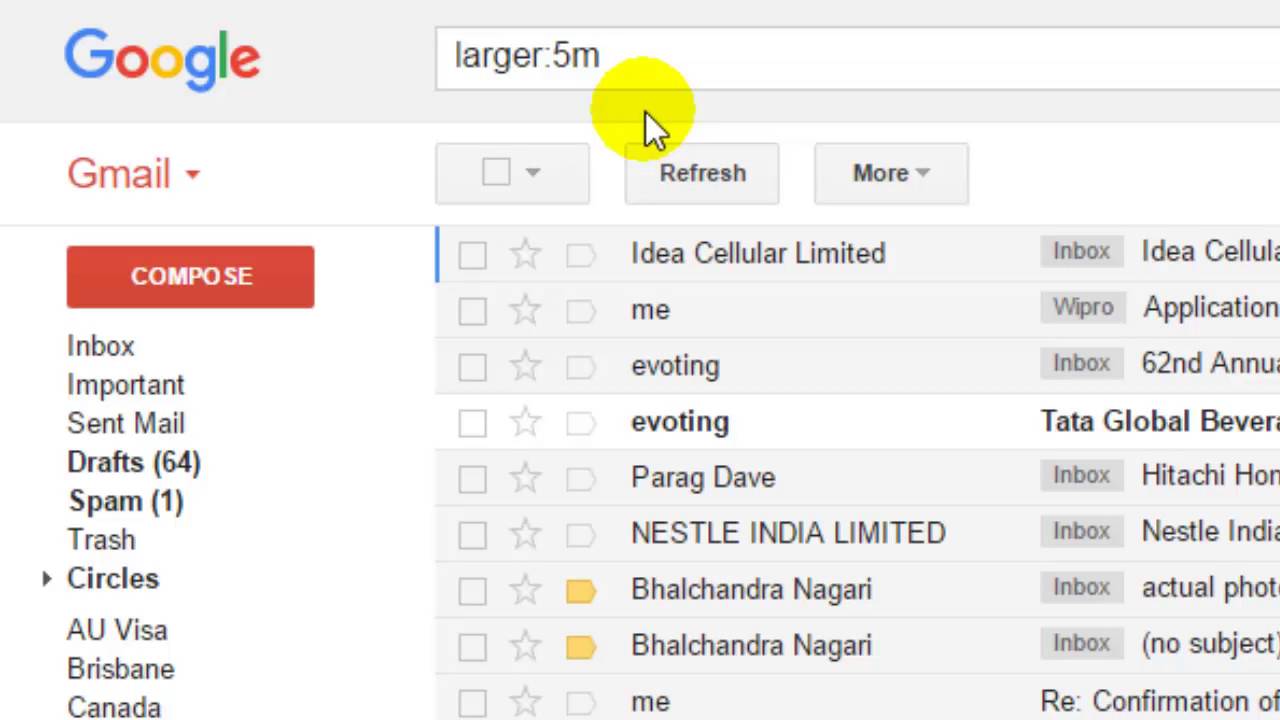
How To Find The Large Mails In Size In Gmail YouTube
How To Send A Zip File In Gmail On Your Computer
On your desktop you can compress files easily Highlight all your intended files then right click and highlight Send to Then send all these files to a compressed zip folder This will reduce the functional size of your attachment oftentimes getting under the Gmail attachment size limit

On your computer go to Gmail Click Compose Click Attach Choose the files you want to upload In the bottom right of the window click Turn on confidential mode Tip If you ve already turned on confidential mode for an email go to the bottom of the email then click Edit Set an expiration date and passcode

Use these steps to send large files via Gmail on your Android device When composing the email select the attachment icon the paperclip and select Insert from Drive Browse or search for the file you want to send through Gmail from Google Drive Choose Select Repeat the first two steps to add more files
Insert the file Select the file s you want to send and if they are over 25MB then a Drive link will automatically generate If a file is under 25MB you can manually click Drive Link to send
What to Know The Gmail message and attachment size limit is 25 MB Messages sent to your account that exceed the limit are returned to the sender To send larger files select Google Drive Upload Choose a file from your device and select Drive link Upload Send the message Like most email providers Gmail limits the size of messages and
The Gmail file size limit may be 25 MB but that doesn t mean you can t share files larger than that Find out how to send big files using Google Drive Streak zipped folders and more The easiest way to send large files in Gmail is to simply attach the file and let Gmail upload it as a Google Drive link Alternatively you can upload Use a large file sharing service Another effective way to send large files via Gmail is by using cloud storage services like Dropbox OneDrive or WeTransfer These services offer more generous file size limits and simplify the sharing process These services let you upload a file and then simply send a link for your recipient to retrieve it
Click the Attach files icon at the bottom of the New Message form It looks like a paper clip The File Upload window appears To open the File Upload window click the Attach Files icon Navigate to the folder where your attachment file is located Make sure the file size is less than 25 MB