Lan Not Working Windows 10 Lan Cable Not Working On Pc Windows 10 How To Fix Lan Connected But Fix Minecraft LAN Not Working Issue On Windows 7 8 10 Gigabyte Z390 Aorus Master Wake On Lan Not Working Windows 10 Forums Networking LAN Connection Not Working In Network With Two Routers Gigabyte Z390 Aorus Master Wake On Lan Not Working Windows 10 Forums Web Windows 10 lets you quickly check your network connection status And if you re having trouble with your connection you can run the Network troubleshooter to try and fix it Select the Start button then select Settings gt Network amp Internet gt Status Check your network connection status
Web Feb 22 2021 nbsp 0183 32 Please make sure the network cable is firmly connected at both the back of the PC and at the router or network connection point If this resolves your issue then it was caused by a loose physical connection If this does Web Mar 29 2021 nbsp 0183 32 Ethernet not detected etc You can fix LAN not working on Windows with ease by using the following methods 1 Check Connection It is a very obvious solution that people sometimes forget to try Make sure that the network connection is enabled and not causing Ethernet connected but no internet problem Right click on the Start button and
Gigabyte Z390 Aorus Master Wake On Lan Not Working Windows 10 Forums FIX Windows 11 Ethernet Not Working Driver Issues YouTube Wake On Lan Not Working On Driver Higher Than 1 0 1 4 For Intel L225 V Realtek Wireless Lan Windows 10 Settings Lasopaarm Wake On Lan Not Working On Intel Ethernet 1219 V Intel Community Wake on LAN Not Working On Windows Computer 7 Ways To Solve Minecraft LAN Not Working Issue On Windows PC Touchpad Scroll Not Working Windows 10 2021 Wake On Lan Not Working On Driver Higher Than 1 0 1 4 For Intel L225 V
Lan Not Working Windows 10
 Lan Not Working Windows 10
https://i.ytimg.com/vi/c09Pc_Hkm78/maxresdefault.jpg
Web How to fix network connection issues with Windows Troubleshooter Windows 10 Windows 11 Lenovo Support US Support
Pre-crafted templates use a time-saving service for developing a varied series of files and files. These pre-designed formats and layouts can be made use of for different individual and expert projects, including resumes, invites, leaflets, newsletters, reports, presentations, and more, simplifying the content creation process.
Lan Not Working Windows 10
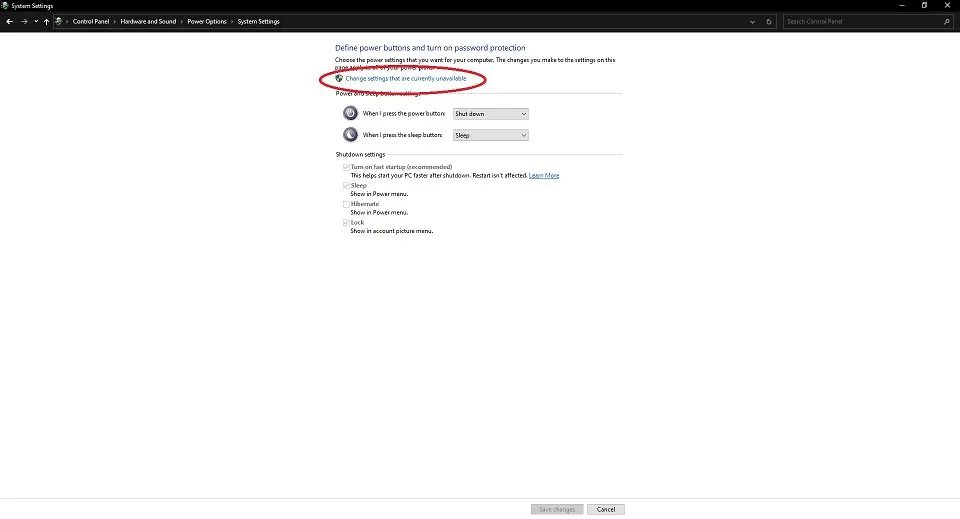
Wake On LAN Not Working Windows 10 And Ubuntu TechOwns

FIX Windows 11 Ethernet Not Working Driver Issues YouTube

Wake On Lan Not Working On Driver Higher Than 1 0 1 4 For Intel L225 V
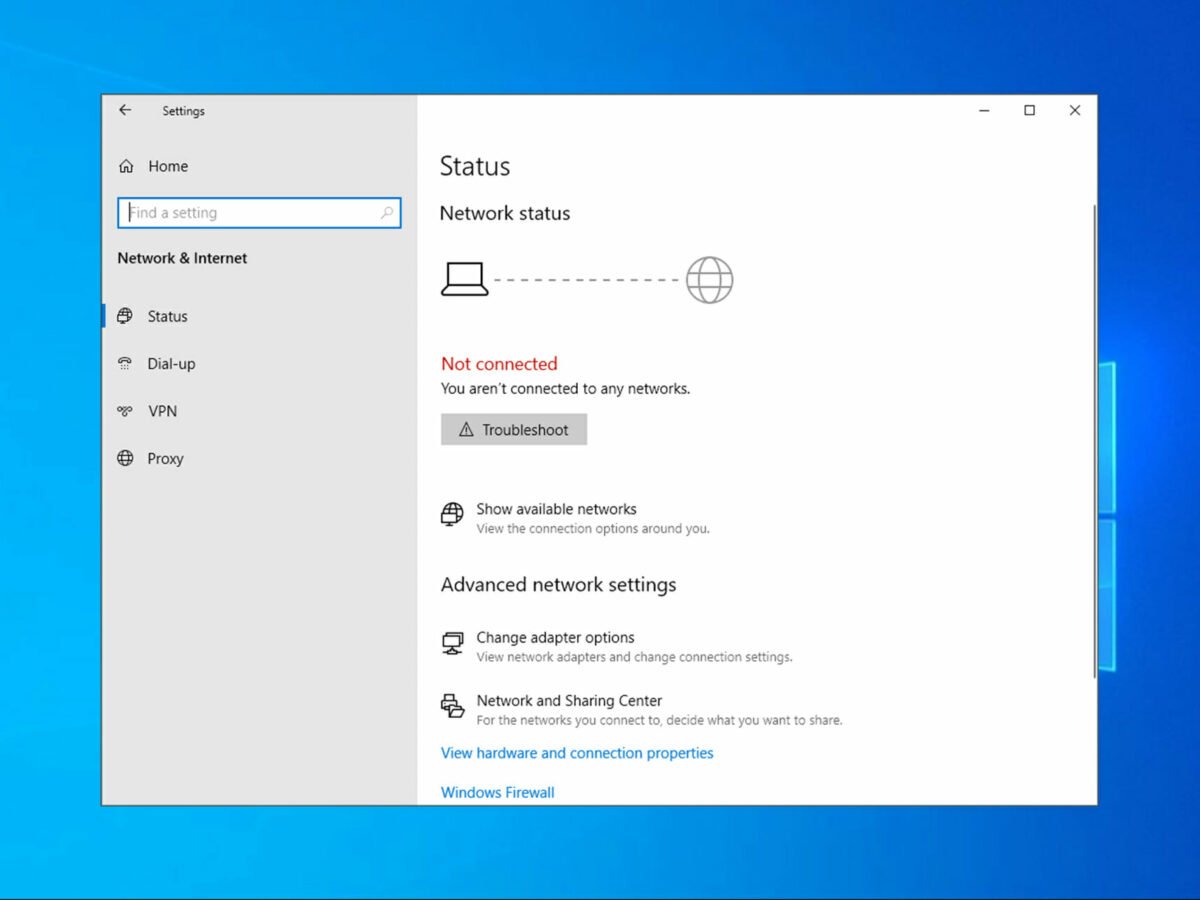
Realtek Wireless Lan Windows 10 Settings Lasopaarm

Wake on LAN Not Working On Windows Computer

7 Ways To Solve Minecraft LAN Not Working Issue On Windows PC

Web Apr 8 2023 nbsp 0183 32 Fix Ethernet Not Working in Windows 10 SOLVED Method 1 Run Network Troubleshooter Method 2 Reset the Ethernet Adapter Method 3 Enable Ethernet Device and Update Drivers Note If it s already enabled then skip this step Method 4 Enable Ethernet Connection Method 5 Temporarily Disable
Web Jul 14 2021 nbsp 0183 32 If your PC or laptop uses a proxy server over LAN you might experience issues using an Ethernet connection To fix it you should disable the proxy settings Here s how In the Start menu search bar search for run and select Run as administrator Into the Run box type inetcpl cpl and click OK

Web Apr 10 2020 nbsp 0183 32 ethernet and wifi not working in windows 10 i am using windows 10 home 64 bit few days ago my laptop suddenly disconnected to network right now i am using ethernet though it donot shows and wifi is also not working all the microsoft store and other preinstalled softwares are not working i have tried every thing still no change

Web Nov 29 2021 nbsp 0183 32 How To Fix Ethernet Not Working in Windows 10 1 Disable and Enable Ethernet 1 Reinstall Ethernet Driver 3 Enable Ethernet Driver in Device manager 4 Change to Google DNS 5 Running network commands 6 Fix Ethernet Not Working In Windows 10 by Updating Ethernet Driver 7 Use Windows Troubleshooter

Web Fix network connection issues in Windows Make sure Wi Fi is on Select Start gt Settings gt Network amp internet then turn on Wi Fi Next select More options gt See if you can use the Wi Fi network to get to websites from a different device If you can t restart your modem Try turning Wi Fi
Web Jan 7 2021 nbsp 0183 32 Step 1 Press the Windows button Step 2 Search for Windows Security and click on Firewall amp network protection Step 3 Click on the Private network Step 4 Turn off the Microsoft Defender Web Oct 25 2022 nbsp 0183 32 How to Fix Ethernet Not Working Issues on Windows 10 amp 7 Method 1 Try different ports on the router If the port being used is broken or doesn t work well you cannot be Method 2 Update the network card driver The connection problem can be caused by faulty network drivers To fix the Method
Web Jul 7 2016 nbsp 0183 32 1 Is the computer connected to the domain network 2 What is the make and model of the computer where windows 10 is installed 3 What is the error message or error code you are getting when you are opening the webpage Run the network troubleshooter to check if the system has internet connection first