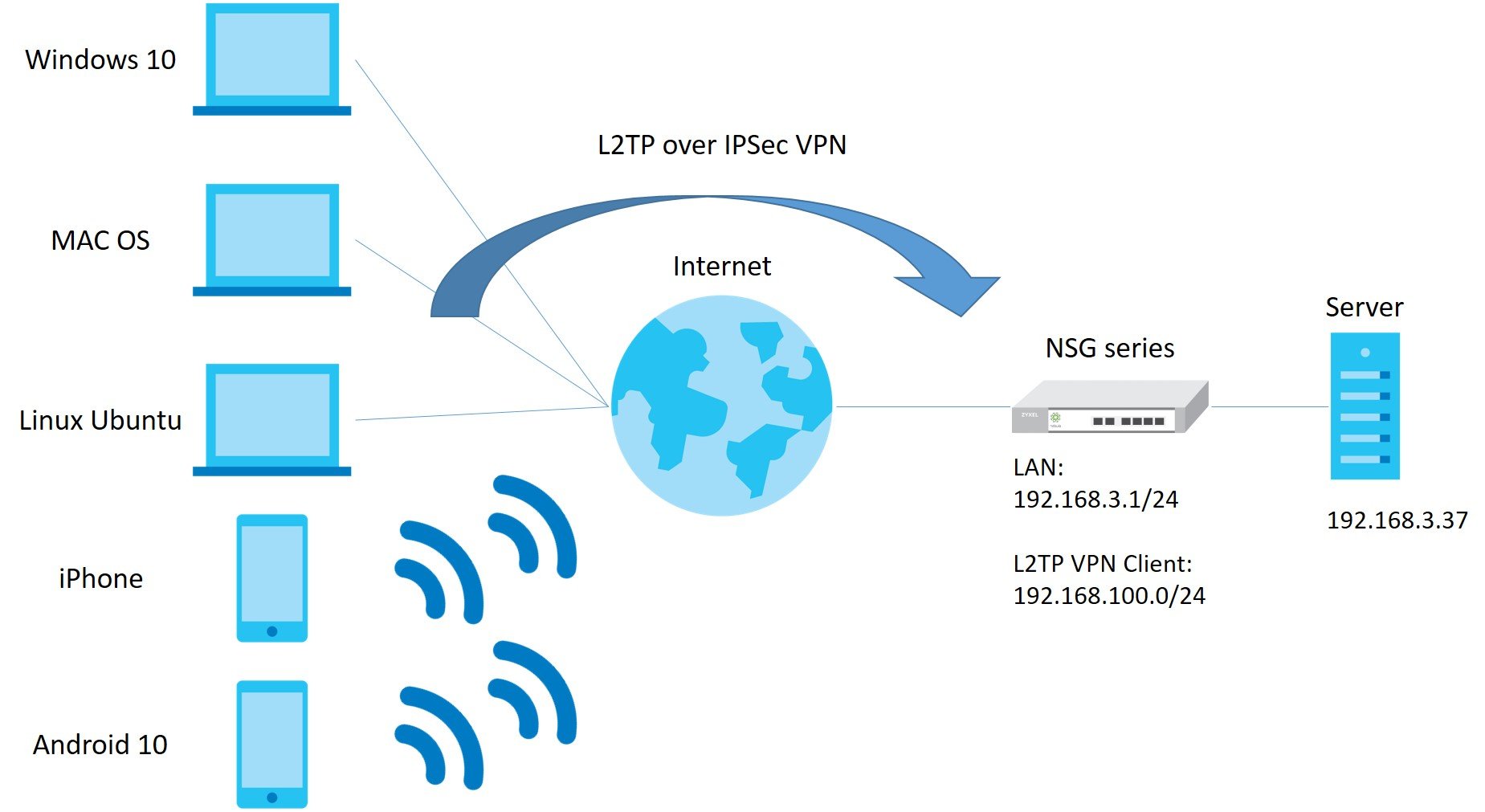
L2tp Vpn Client NEBULA How To Set L2TP Over IPSec VPN On NSG And End Devices Zyxel EdgeRouter VPN L2TP With Radius Cyberfront Tech Blog VPN Verbindung L2TP Over IPSEC Funktioniert Nach Januar Update Nicht Mac OS X L2TP Client Setup SoftEther VPN Project Fix The L2TP Connection Attempt Failed Because The Security Layer Web Click Start then Settings Click Network amp Internet then VPN Click Add VPN Enter your details as follows VPN Provider Windows built in Connection name e g ExpressVPN Chicago Server name or address name ca expressvpn OR ip address 123 456 678 9 VPN Type L2TP IPsec with pre shared key Pre shared key enter your
Web Windows L2TP Client Setup Here is the instruction how to connect to your SoftEther VPN Server by using L2TP IPsec VPN Client which is built in on Windows XP 7 8 RT Server 2003 2008 and 2012 On this instruction we use Windows 7 screens Windows XP and Windows 8 are similar however there are a little number of changes 1 Web Aug 1 2023 nbsp 0183 32 The Layer 2 Tunneling Protocol L2TP is a virtual private network VPN protocol that creates a connection between your device and a VPN server without encrypting your content Due to its lack of encryption and authentication L2TP is usually paired with Internet Protocol Security IPsec protocol IPsec uses encryption algorithms and
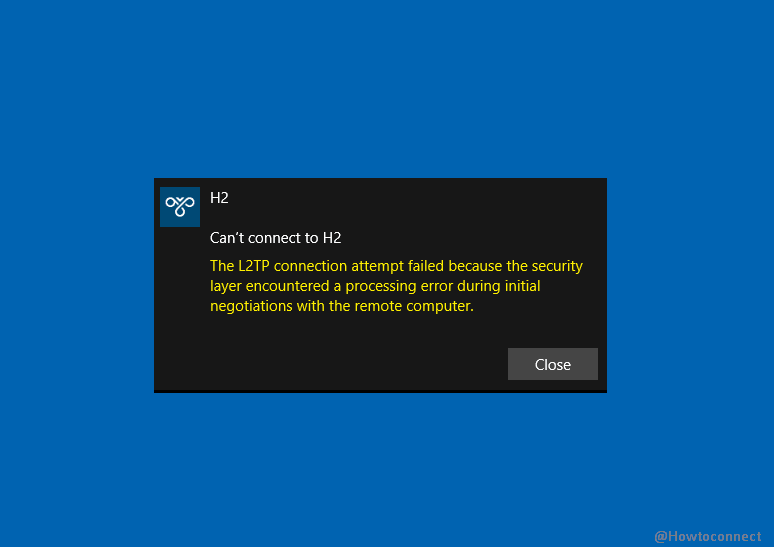
Fix The L2TP Connection Attempt Failed Because The Security Layer Thepro4sonal VPN How To Connect To An L2TP IPsec VPN On Windows 10 Snel Replacements Of OpenVPN SoftEther VPN Project How To Configure OpenVPN Client On OpenWrt Router VPN Unlimited How To Setup L2TP VPN Client On Windows 10 YouTube Getting Windows Server L2TP VPN With IPSEC Behind NAT Working In Que Faire Si Vous Souhaitez Acc der Internet Avec La Passerelle How To Configuration L2TP IPsec VPN YouTube
L2tp Vpn Client
 L2tp Vpn Client
https://us.v-cdn.net/6029482/uploads/editor/2q/q4thumfnc3us.jpg
Web Click on the VPN Accounts tab and select VPN Accounts Summary from the drop down 4 Click Account Setup Instructions as shown below 5 Scroll down and follow the steps below to generate the IPsec key i Click on PPTP L2TP ikev2 below Manual setup ii Select your preferred country and city in the fields below and click on the Get
Pre-crafted templates use a time-saving service for producing a diverse range of documents and files. These pre-designed formats and designs can be used for various personal and expert tasks, consisting of resumes, invites, flyers, newsletters, reports, presentations, and more, streamlining the content creation procedure.
L2tp Vpn Client

Best Free Open Source VPN Client For Your Windows PC
Thepro4sonal VPN

How To Connect To An L2TP IPsec VPN On Windows 10 Snel

Replacements Of OpenVPN SoftEther VPN Project

How To Setup L2TP VPN Client On Windows 10 YouTube
Getting Windows Server L2TP VPN With IPSEC Behind NAT Working In
Web Windows Supports PPTP L2TP L2TP IPsec IPsec IKEv2 OpenVPN WireGuard and SSL VPN Download Version 5 6 4 View Release Note Download File Checksum macOS

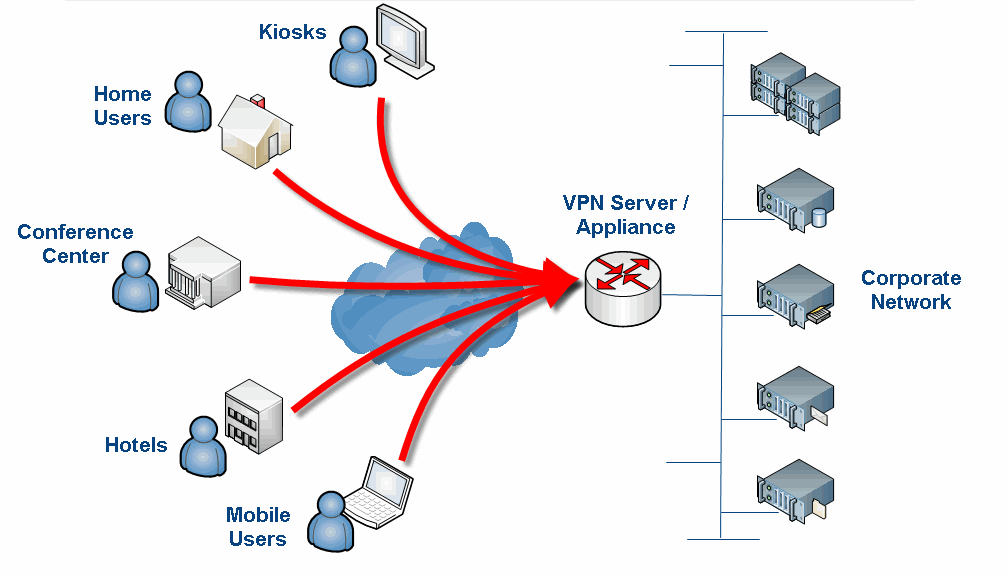
Web SoftEther VPN Server supports additional VPN protocols including L2TP IPsec OpenVPN Microsoft SSTP L2TPv3 and EtherIP These realizes the interoperability with built in L2TP IPsec VPN clients on iPhone iPad Android Windows and Mac OS X and also with Cisco s VPN routers and other vendors VPN products

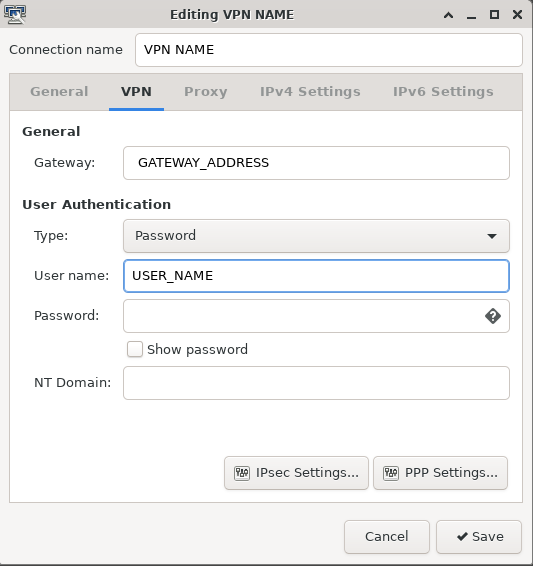
Web To prepare a Windows 10 computer to make an L2TP VPN connection you must configure the L2TP connection in the network settings The procedure in this topic is an example only The steps you must follow might differ because of
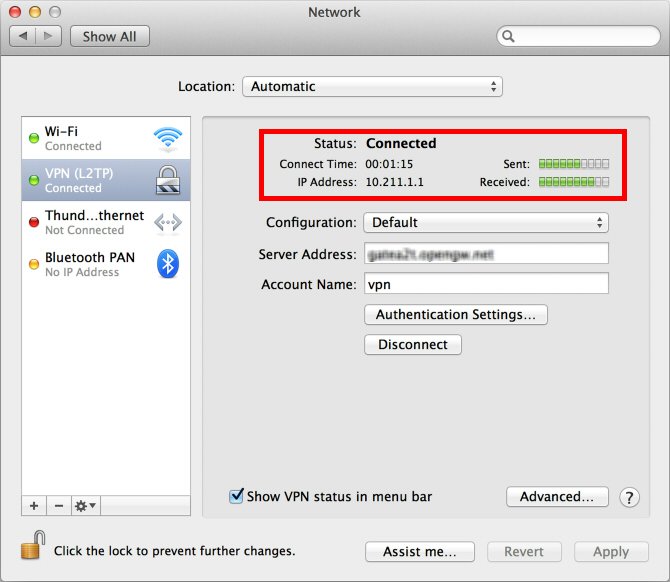
Web Jan 26 2022 nbsp 0183 32 L2TP Layer 2 Tunneling Protocol is a tunneling protocol used in creating VPN connections However it only provides tunneling bundling up data for private transportation over public networks For VPN functionality it uses IPsec which provides encryption and confidentiality
Web L2TP IPsec VPN Client is built in on Windows Mac iOS and Android It is easier to configure than using OpenVPN L2TP IPsec VPN is recommended before you try to use OpenVPN However some networks or firewalls block L2TP IPsec packets If L2TP IPsec fails try OpenVPN
[desc-11] [desc-12]
[desc-13]