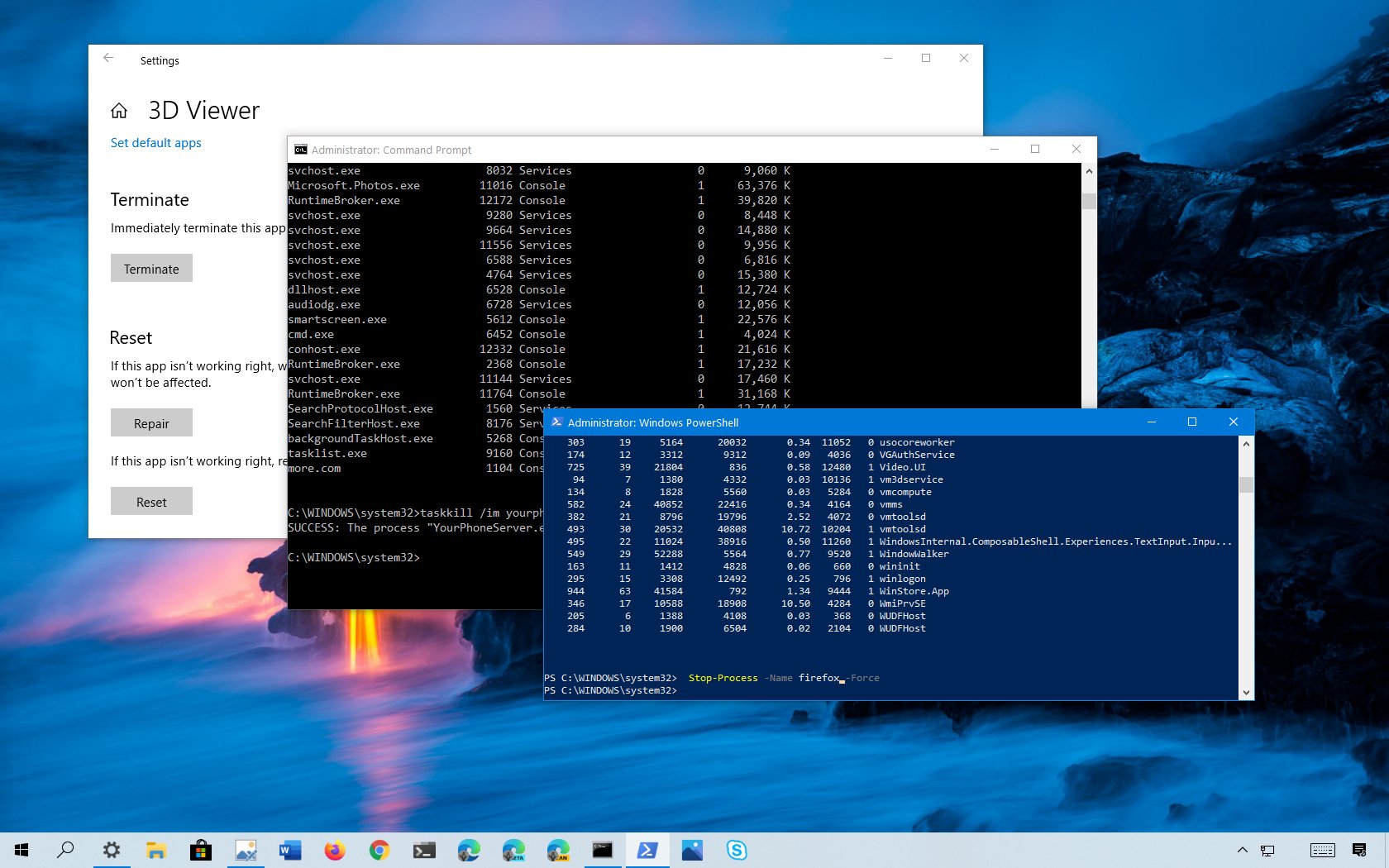
Kill All Windows Processes By Name How To End Process On Windows 10 Pureinfotech AppleScript Kill All Windows Without Saving Free On Mac YouTube Visualize Processes Power Automate Microsoft Learn Kill All Windows YouTube How To Kill All The Processes In Windows 10 11 EaseUS WEB Oct 4 2023 nbsp 0183 32 Open Command Prompt by pressing the Window s key R typing cmd and then hitting Ctrl Shift Enter Type the command below and hit Enter This command will forcefully terminate all processes with the image name process name matching any name The symbol means any process name taskkill f im
WEB Jun 9 2024 nbsp 0183 32 To kill a process in Windows using cmd open the Command Prompt with administrator permission and enter this command to find all the processes Tasklist fo table WEB Kill a Process by Name To kill a process by its name we use the IM option In the following example we run the taskkill command to terminate the notepad exe process taskkill im notepad exe The t option tells Windows to terminate the specified process and all child processes
How To Kill All The Processes In Windows 10 11 EaseUS How DopplePaymer Hunts Kills Windows Processes CrowdStrike Plastic Additives Found To Contaminate The Sea And Selectively Harm CORE WINDOWS PROCESSES InfinitumIT The Scroll Of Processes Deciphering Linux s Kill Command How To Kill A Process In Windows How To Kill A Process In Windows Core Processes In Windows System Cutting Windows Processes In HALF YouTube
Kill All Windows Processes By Name
 Kill All Windows Processes By Name
https://pureinfotech.com/wp-content/uploads/2020/05/windows-10-kill-process_.jpg
WEB Kill processes by name or process ID Syntax PsKILL t computer u user p passwd process name process id Key computer The computer on which the process is running Default local system p passwd Specify a password for
Pre-crafted templates provide a time-saving option for creating a diverse variety of files and files. These pre-designed formats and designs can be made use of for numerous personal and professional projects, consisting of resumes, invitations, leaflets, newsletters, reports, discussions, and more, streamlining the material development process.
Kill All Windows Processes By Name

CORE WINDOWS PROCESSES InfinitumIT
How DopplePaymer Hunts Kills Windows Processes CrowdStrike

Plastic Additives Found To Contaminate The Sea And Selectively Harm
CORE WINDOWS PROCESSES InfinitumIT
How To Kill A Process In Windows
How To Kill A Process In Windows
WEB Sep 12 2019 nbsp 0183 32 The taskkill command in Windows serves for terminating tasks by name or by process id PID In this note i am showing how to find and kill a process by its name

WEB pkill handles the quot every process containing the word lt word gt quot part natively without creating more pipes or processes See the f option for full process name searching to eliminate the need for pgrep

WEB Feb 12 2020 nbsp 0183 32 Run taskkill im process exe f t as Administrator If you include that command in a bat file batch script you can run the bat file as an Administrator by Create a shortcut for the bat file Right click the shortcut and select properties In the shortcut tab select quot Advanced quot

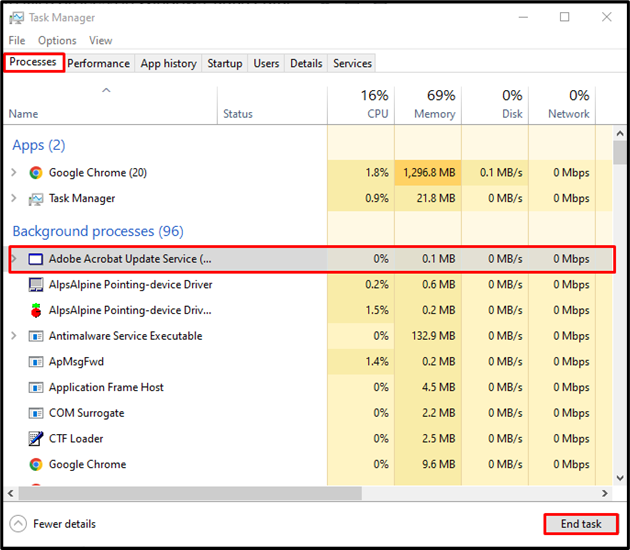
WEB Feb 20 2024 nbsp 0183 32 How to Identify and Kill Any Process in Windows 11 and Windows 10 We show you how to kill a process in Windows 10 with Task Manager Command Prompt s

WEB My solution is to use Process GetProcess for listing all the processes By filtering them to contain the processes I want I can then run Process Kill method to stop them var
WEB Feb 16 2023 nbsp 0183 32 This tutorial will show you how to add or remove the Kill all not responding tasks desktop context menu for all users in Windows 11 The Kill all not responding tasks desktop context menu item will allow users to to quickly kill any quot not responding quot task processes all at once WEB Feb 16 2023 nbsp 0183 32 To Kill Process using Name A Type the command below into PowerShell and press Enter see screenshot below Stop Process Name quot ProcessName quot Force Substitute ProcessName in the command above with the actual ProcessName ex quot OneDrive quot from step 2 above for the process you want to kill
WEB From a command prompt type the following wmic Path win32 process Where quot CommandLine Like jar selenium server jar quot Call Terminate Edit I replaced the alias process by it full path path win32 process as is Aviator s port