Jira System Dashboard Filter The Ultimate Jira Dashboard Guide Old Street Solutions What Can I Do On A Board Jira Work Management Cloud Atlassian Support User Guide Rich Filters For Jira Dashboards Cloud Documentation Jira Core Dashboard Your Project Status At A Glance Jira Dashboard CompareCamp WEB Controls are interactive elements that can filter or change the way data looks on your dashboard Setting up a control is a two part process First you ll create the control Next you ll connect the control to one or more charts in
WEB May 2 2024 nbsp 0183 32 Add dynamic filters Open the configuration page of your rich filter as described in the first tutorial Click on the Dynamic Filters menu entry on the left side of the screen Add new Dynamic Filters based on Assignee WEB Apr 7 2022 nbsp 0183 32 How to build a Jira Dashboard based on a filter Owned by Karen Jennings Last updated Apr 07 2022 4 min read Anyone should be able to create a Dashboard in Jira By default all Dashboards are Private when created You will need to Share the Dashboard and any related Filters Queries in order for others to view it Step by step
Jira Dashboard CompareCamp Introducing Rich Filters PDF Reports For Jira How To Create A Filter In Jira Power BI Jira Integration Set Up Tutorial Update 2023 Jira dashboards filter search criteria Test Management How To Set Up Salesforce To Jira Integration TechRadar Save Page Filter Values In JIRA Dashboard Questions Answers Geschichte Unterseite Aktuelle Nachrichten Add Jira Filter To 4 Apps To Report On Jira Dashboards For Multiple Projects
Jira System Dashboard Filter
 Jira System Dashboard Filter
https://www.oldstreetsolutions.com/wp-content/uploads/2022/10/Screenshot-showing-dashboard-reporting-in-Jira-2048x1156.png
WEB Create a dashboard in Jira In the top navigation click the Dashboards dropdown and select Create dashboard Give your dashboard a name and description Add viewers and editors as necessary Click Add gadget in the top right Search for and add the gadget that best suits your needs Optional Update the layout of the dashboard by selecting
Pre-crafted templates provide a time-saving option for developing a varied range of files and files. These pre-designed formats and layouts can be utilized for different individual and expert jobs, including resumes, invites, flyers, newsletters, reports, presentations, and more, simplifying the material development procedure.
Jira System Dashboard Filter

JIRA INSIGHTS USING CLOUDMUNCH DEVOPS INTELLIGENCE PLATFORM R jira

Introducing Rich Filters PDF Reports For Jira
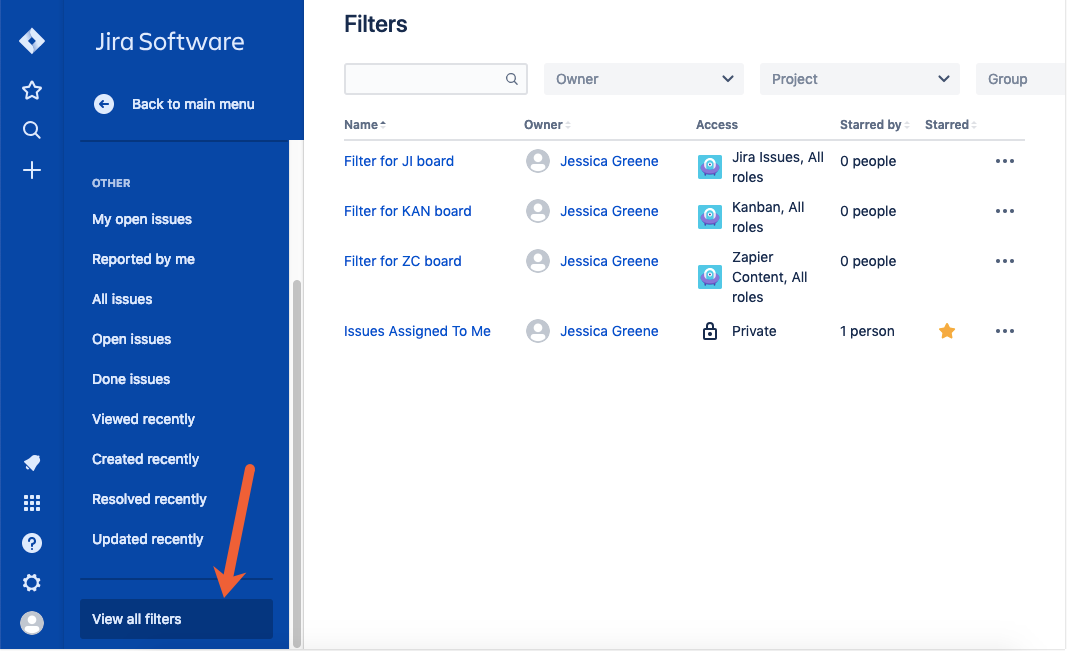
How To Create A Filter In Jira
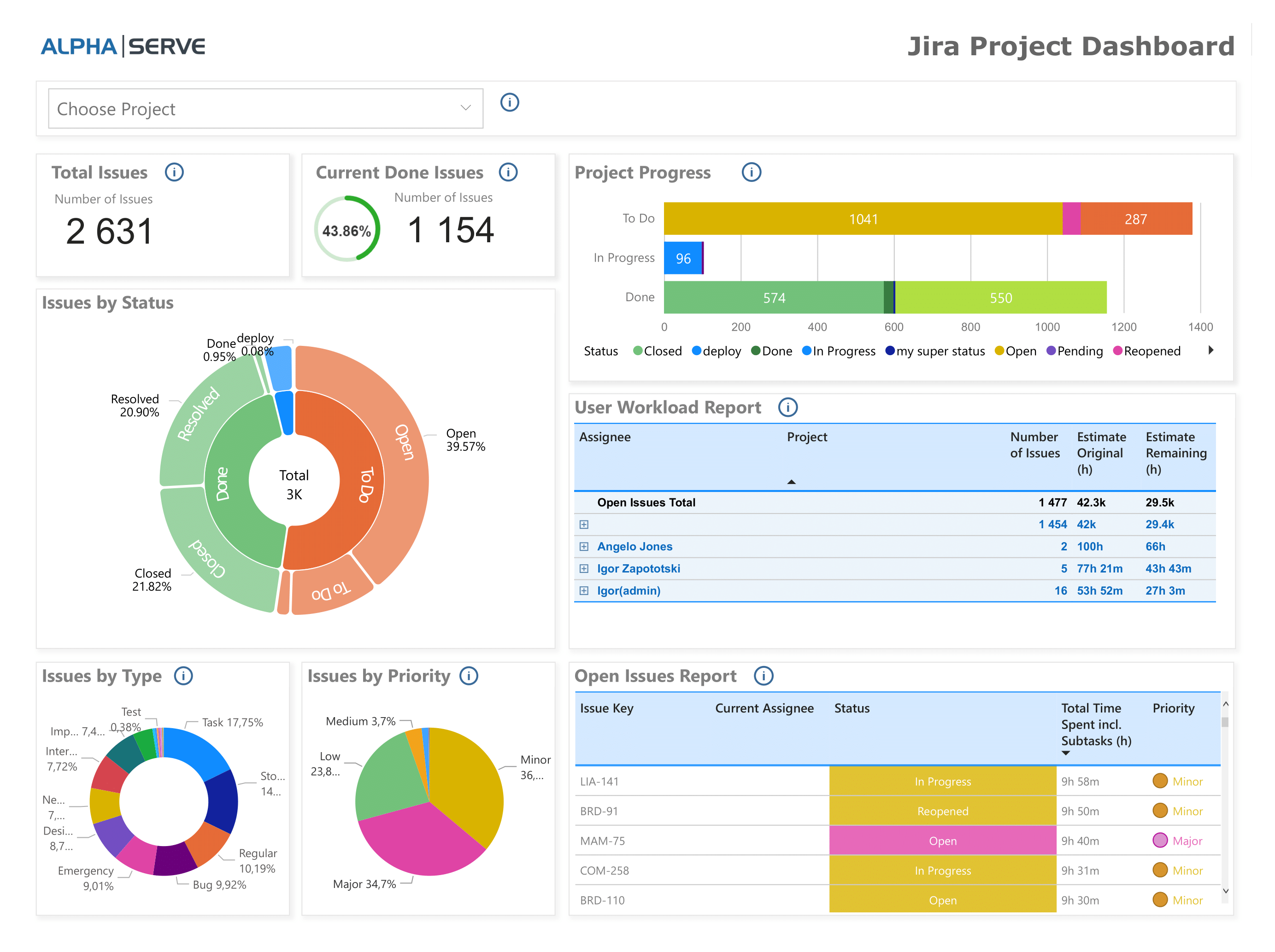
Power BI Jira Integration Set Up Tutorial Update 2023
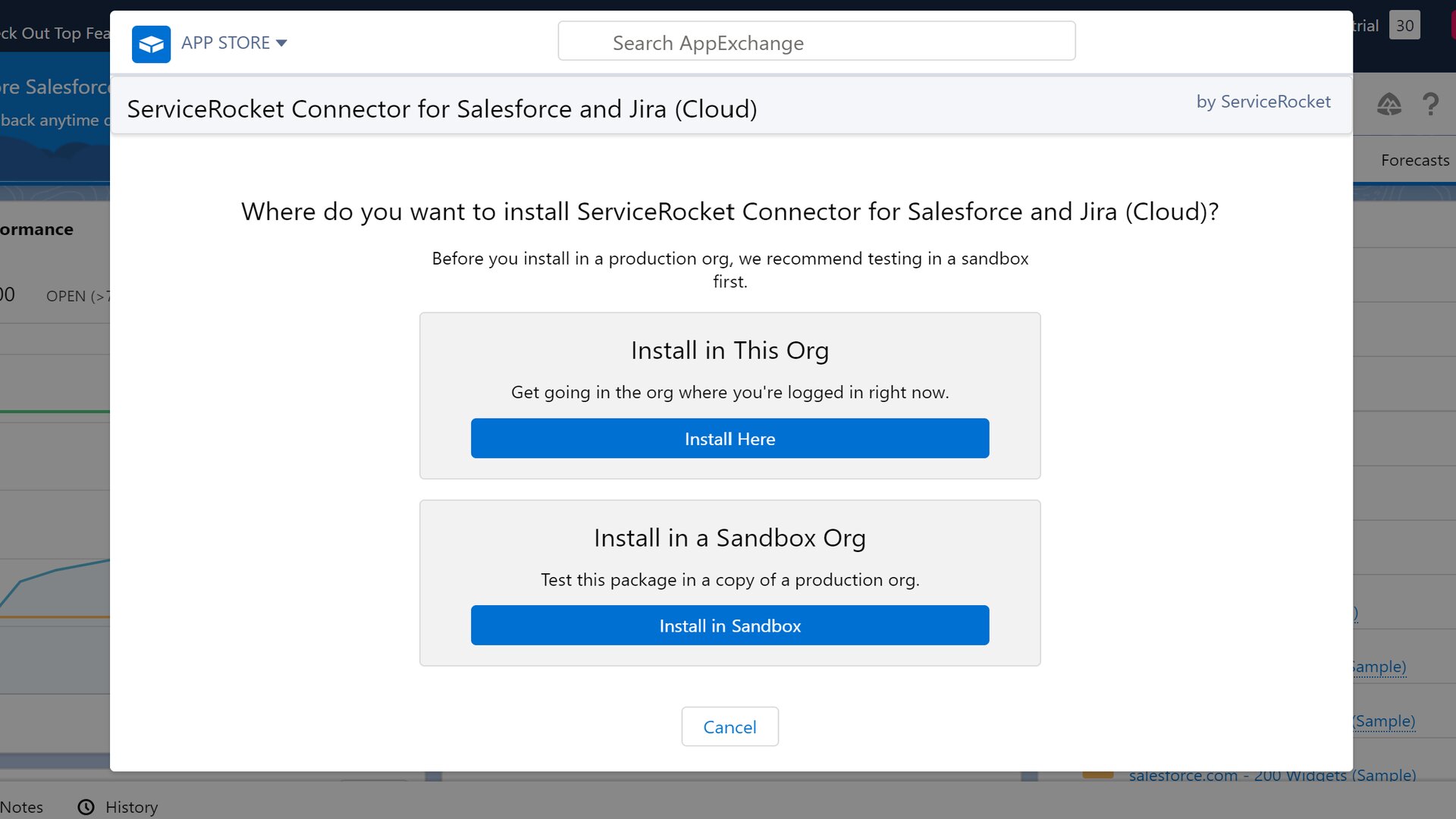
How To Set Up Salesforce To Jira Integration TechRadar

Save Page Filter Values In JIRA Dashboard Questions Answers

WEB Jira provides you with dashboards that can be customized to your requirements and filters you can setup and save Both dashboards and filters allow you to see exactly where you are with your particular project The start of all this is then is the System Dashboard

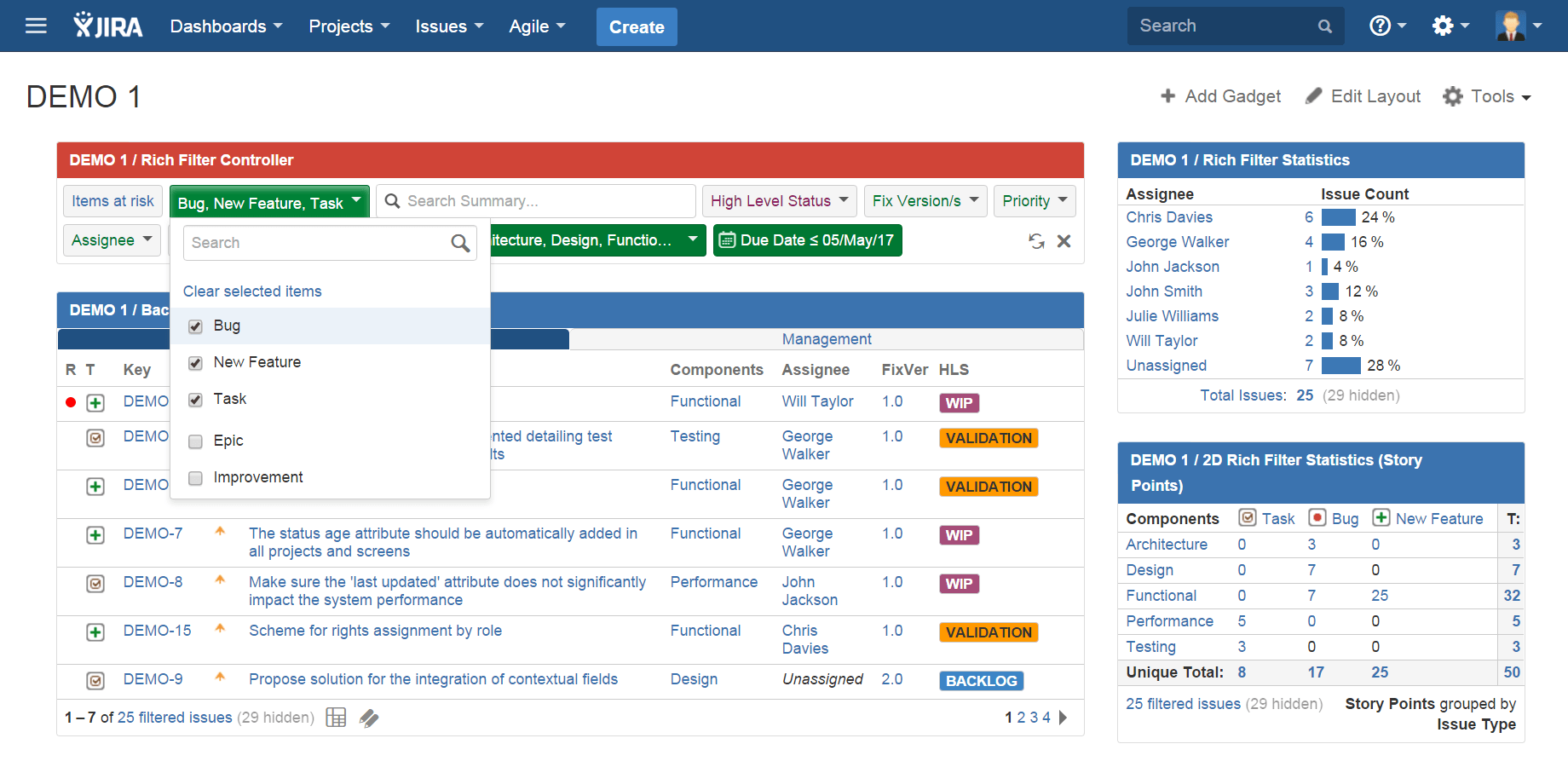
WEB May 6 2024 nbsp 0183 32 You can replace multiple Jira dashboards with one rich filter powered dashboard keeping all your functionality in one place and drastically improving productivity Key features include Simple and complex filters are combined to generate precise real time data views Multiple views for different requirements and job roles

WEB On the Filters page you can view and configure both private and shared filters Find your filter Type to find the filter by name or search for filters by owners projects or groups Name Select the filter name to open it From here you can edit the filter s search criteria add or change existing shares and manage the subscriptions
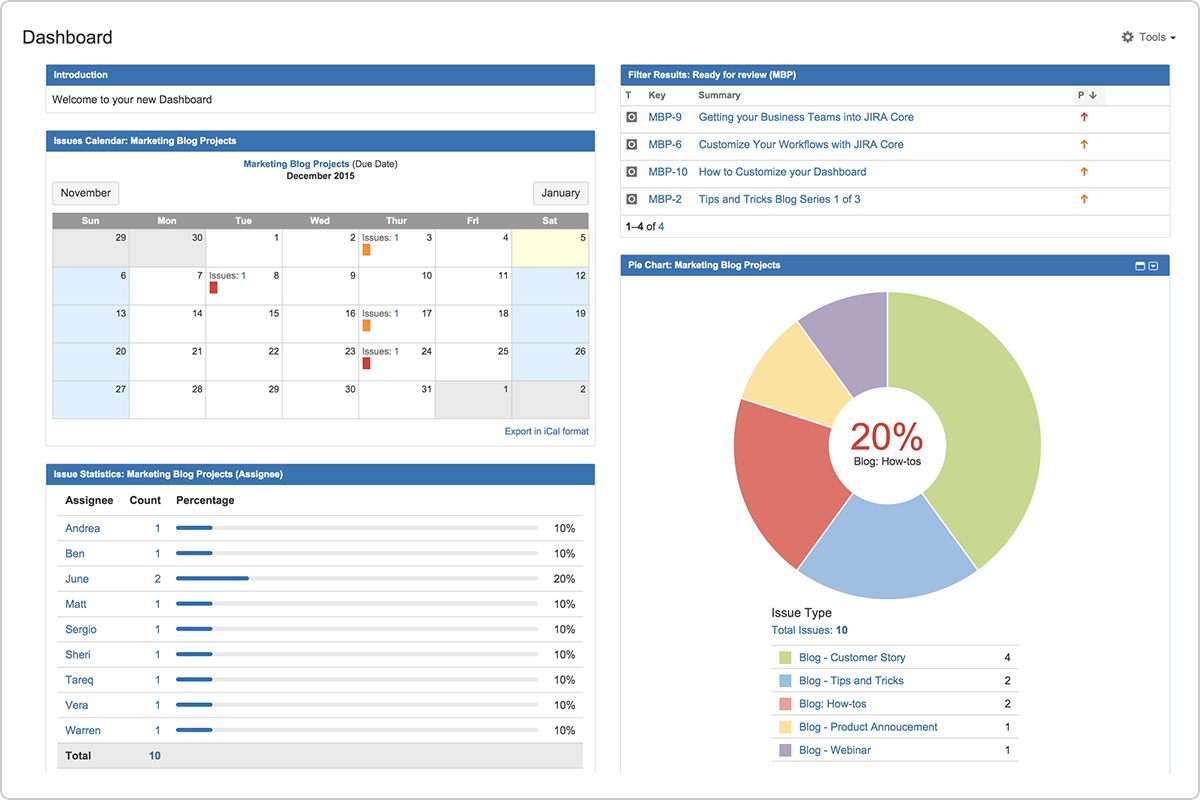
WEB Jan 16 2024 nbsp 0183 32 Guide to Customizable Jira Dashboards and Analytics January 16 2024 In Jira a dashboard is a customizable interactive page visually representing relevant information from your projects Dashboards help users track analyze and share information about their projects and team progress
WEB May 3 2021 nbsp 0183 32 Keep an eye on orphaned issues add a Filter Results gadget with a filter that selects all issues in your project where fixVersion changed to EMPTY Some people like charts better than percentage bars so display work breakdowns visually try the Heat Map or Pie Chart gadget with your filter Issues in Next Fix Version
WEB The System Dashboard is the default Jira dashboard for everyone on your instance Managing the system dashboard is a great way of directing attention to the points that really matter for example providing calendar views to assist with the allocation of work or flagging issues that have been open for a long time WEB Apr 30 2024 nbsp 0183 32 Build a simple interactive Jira dashboard Owned by Cristian Oancea Last updated Apr 30 2024 by Praveena Manohar 4 min read By the end of this tutorial you will know how to build a simple Jira dashboard with two interactive gadgets a Rich Filter Controller gadget and a Rich Filter Results gadget
WEB March 19 2024 The following solution works for me Create personal filter Issues gt Search Issues Then you should enter your JQL Query and use the quot Save as quot button Use assignee currentUser so it will work for any teammate Add additional conditions if required I use and resolution Unresolved and updated gt startOfMonth