Jenkins Environment Variables Vs Parameters Using Environment Variables In Jenkins Pipelines With Examples Tom How To Use Env Variables Parameters And Groovy Scripts In Jenkins Identifying Variables Storyboard By Oliversmith How To Create And Use Environment Variables And The env File In How To Use Environment Variables In Codesphere As discussed in the Defining a Pipeline in SCM a Jenkinsfile is a text file that contains the definition of a Jenkins Pipeline and is checked into source control Consider the following Pipeline which implements a basic three stage continuous delivery pipeline Jenkinsfile Declarative Pipeline
In the build configuration window we select the Inject environment variables option in the Add build step combo box We can then add the required environment variables in the properties content text box 5 Usage Now we can use any of our environment variables by surrounding the name in Parameters and environment variables Jenkins Tutorial From the course Learning Jenkins Start my 1 month free trial Buy this course 29 99 Transcripts Parameters and environment
How To Use Environment Variables In Codesphere Jenkins Zadig Introductory Statistics What Is A Parameter Includes Examples Of 16 Jenkins Environment Variable Set How To Set Environment Variable How To Set Environment Variables In Jenkins Stack Overflow Jenkins example environment variables Jenkinsfile 5 At Main Darinpope 16 Jenkins Environment Variable Set How To Set Environment Variable Managing Environment Variables In React create react app Qovery Jenkins Pipeline Tutorial Environment Variables Explained YouTube
Jenkins Environment Variables Vs Parameters
 Jenkins Environment Variables Vs Parameters
https://tomd.xyz/assets/img/jenkins-env-vars-header.jpg
The agent section specifies where the entire Pipeline or a specific stage will execute in the Jenkins environment depending on where the agent section is placed The section must be defined at the top level inside the pipeline block but stage level usage is optional Differences between top level agents and stage level agents
Templates are pre-designed documents or files that can be used for numerous functions. They can conserve time and effort by offering a ready-made format and layout for developing various sort of material. Templates can be utilized for individual or expert jobs, such as resumes, invites, leaflets, newsletters, reports, presentations, and more.
Jenkins Environment Variables Vs Parameters

Environment Variables Low Code Lewis

Jenkins Zadig
Introductory Statistics What Is A Parameter Includes Examples Of

16 Jenkins Environment Variable Set How To Set Environment Variable
Jenkins example environment variables Jenkinsfile 5 At Main Darinpope

16 Jenkins Environment Variable Set How To Set Environment Variable

Commonly used variable types in Jenkins include env environment variables currentBuild params parameters and docker access to Docker functions Jenkins saves all current environment variables in list form How to See Environment Variables in Jenkins There are two ways to list all Jenkins environment variables

This approach to defining environment variables from within the Jenkinsfile can be very useful for instructing scripts such as a Makefile to configure the build or tests differently to run them inside of Jenkins See Using Environment Variables for more details on using environment variables in Pipelines

An introduction to Jenkins environment variables parameters and use of groovy scripts Emmanuel Kipchirchir Langat Aug 30 2022 5 min read Table of contents 1 How to configure and use variables in a JenkinsFile 2 Parameters in your Jenkins This is the third article in the series Deploy a Django app to AWS EC2 instance using Jenkins

Handling Environment Variables It is common for build scripts executed by Jenkins to be passed parameters in the form of environment variables For example parameterized freestyle projects pass parameter values to Shell and Batch build steps as environment variables
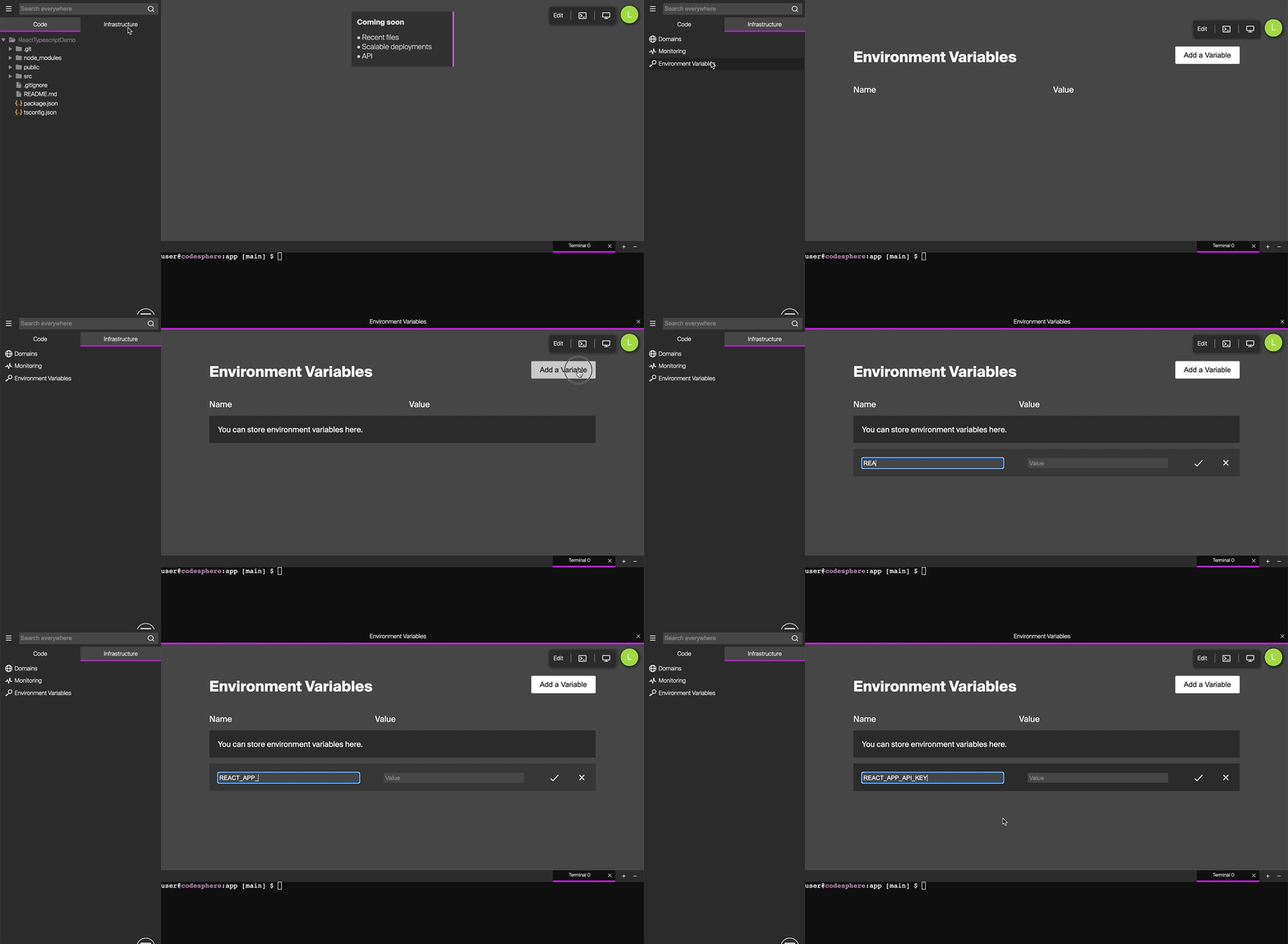
The parameters are available as environment variables So e g a shell FOO FOO or Ant env FOO can access these values Defining Parameters First you need to define parameters for your job by selecting This build is parameterized then using the drop down button to add as many parameters as you need
1 Answer Sorted by 3 You need to use double quotes instead of single quotes Single quoted strings don t perform string interpolation For instance parameters string name DEPLOY BUILD NUMBER defaultValue BUILD NUMBER description Fresh Build and Deploy OR Deploy Previous Build Number Share Improve this answer Follow Jenkins Pipeline supports overriding environment variables There are a few rules you need to be aware of The withEnv env value block can override any environment variable The variables set using environment block cannot be overridden using imperative env VAR value assignment
In this tutorial you used withEnv to pass environment variables to shells inside Jenkins jobs You started with a job that echoed the variable to the console From there you passed them to shell scripts and finally used withEnv to pass a build parameter to a shell Jenkins Pipeline offers a set of powerful functions for creating advanced jobs