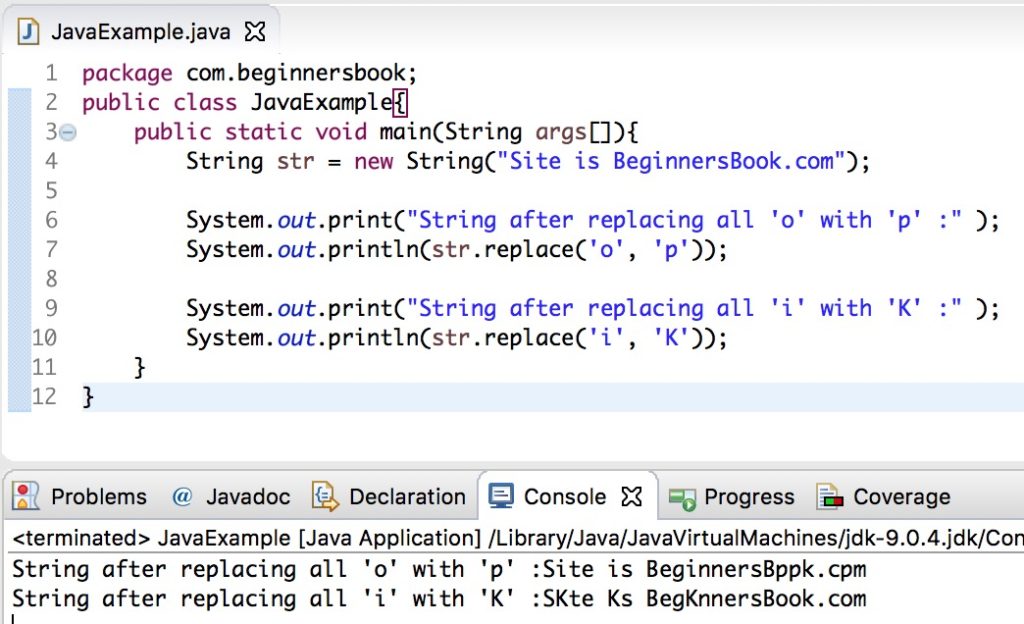
Java Code To Find And Replace Text In File How To Search And Replace Text In A File In Python GeeksforGeeks How To Find And Replace Text In Canva With Only One Click Find And Replace Text In Word Instructions And Video Lesson How To Find And Replace Text In Word For Mac Excel VBA To Find And Replace Text In A Column 2 Examples It is important to note that the replace method replaces substrings starting from the start to the end For example zzz replace zz x xz The output of the above code is xz not zx It s because the replace method replaced the first zz with x If you need to replace substrings based on a regular expression use the Java String
First we need to read the file We ll put it in the resources folder to make it available in the classpath This way we ll get an InputStream For a doc document we ll create a POIFSFileSystem object based on this InputStream Lastly we can retrieve the HWPFDocument object we ll modify Java program to replace strings in a file In this tutorial we will learn how to read strings from a file how to modify the contents and then again write them back in the same file We are not taking any inputs from the user In this example after reading the contents of the file we are replacing all new words with old For example if the file contain one string This is a new
Excel VBA To Find And Replace Text In A Column 2 Examples How To Find And Replace Words In Microsoft Word Documents Simul Docs Keep Your Casing With Case preserving Find And Replace Visual Studio Blog Find And Replace In File PyCharm Documentation Find And Replace Words In Powerpoint 2010 For Windows Riset Java Replace All Chars In String Find Replace Text In JavaScript With Replace Examples Microsoft Word Find And Replace All Carbonhopde Learn New Things Shortcut Key For Find And Replace Text
Java Code To Find And Replace Text In File
 Java Code To Find And Replace Text In File
https://media.geeksforgeeks.org/wp-content/uploads/20210902183250/replacetextusingregexmodule.png
The replace method searches a string for a specified character and returns a new string where the specified character s are replaced Syntax public String replace char searchChar char newChar Parameter Values Technical Details String Methods
Templates are pre-designed documents or files that can be utilized for different purposes. They can conserve time and effort by supplying a ready-made format and layout for developing different type of material. Templates can be used for personal or professional projects, such as resumes, invitations, leaflets, newsletters, reports, presentations, and more.
Java Code To Find And Replace Text In File
How To Find And Replace Text In Notes App In IOS 16 On IPhone IGeeksBlog
How To Find And Replace Words In Microsoft Word Documents Simul Docs

Keep Your Casing With Case preserving Find And Replace Visual Studio Blog

Find And Replace In File PyCharm Documentation
Java Replace All Chars In String
Find Replace Text In JavaScript With Replace Examples

Search and Replace Content inside a File Today We are going to see how to search a file for specific content and replace the content and write to a new File Let us create a text document with some content in it Now we are going to write a code to change File 1 into File 2 The content will be Sample Content in File 2

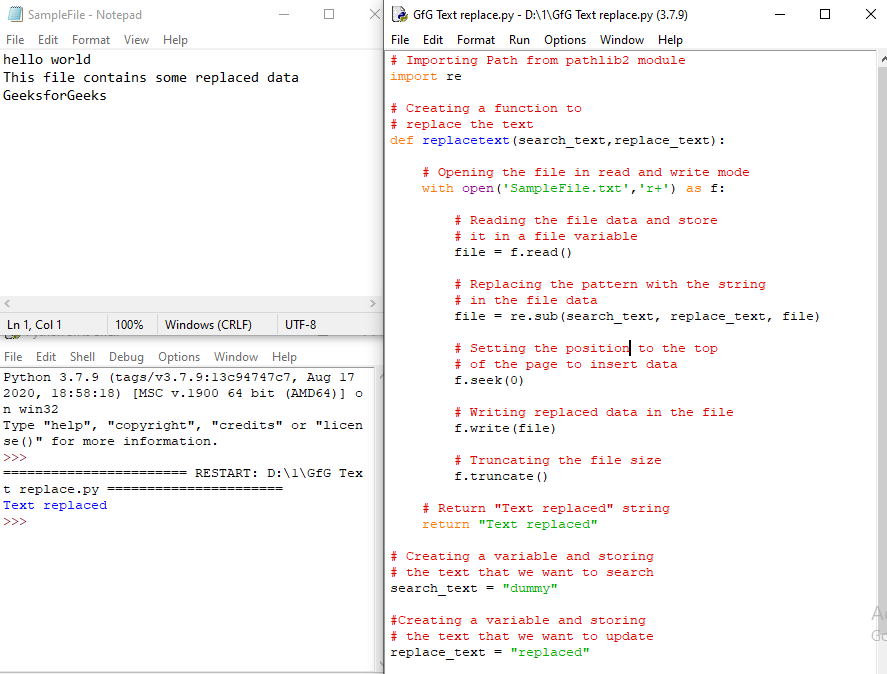
The basic idea is that we shall read the content of the text file replace the string with new string in the content of file and then write this new content back to the text file

Find the search string in a project Go to Edit Find Find in Files Ctrl Shift 0F In the search field type your search string Alternatively in the editor highlight the string you want to find and press Ctrl Shift 0F IntelliJ IDEA places the highlighted string into the search field To see a list of your previous searches press Alt

A quick example and explanation of the replace API of the standard String class in Java A quick example and explanation of the replace API of the standard String class in Java Start Here

Replace text in the current file Press Ctrl 0H or choose Edit Find Replace from the main menu The search and replace pane appears on top of the active editor If necessary specify the search and replace options In the search field start typing the search string As you type the matching occurrences are highlighted in the editor
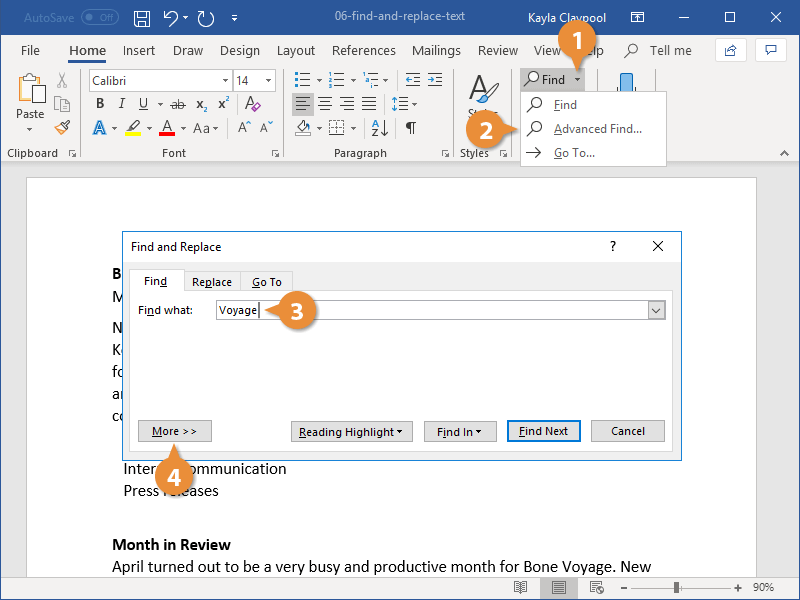
The find and replace feature in the Java Word Library allows you to find text and replace it with any desired text image hyperlink paragraph table part of a document or entire document It also allows you to quickly search for text by matching case and whole words There are two types of replace methods in Java String class public String replace char oldChar char newChar public String replace CharSequence target CharSequence replacement The second replace method is added since JDK 1 5 Parameters oldChar old character newChar new character target target sequence of characters
The detailed steps of finding and replacing text with images are as follows Create a Document class instance Load a Word document using Document loadFromFile method Find all the strings matching deer in the document using Document findString method Loop through the matches to replace all of them with the picture