Ip Route Add Example ip Route Add Add Route In Linux LinuxTect Adding Persistent Static Routes On Centos IT FROM ZERO Linux Set Up Routing With Ip Command NixCraft How To Add Static Route With Netplan On Ubuntu 22 04 Jammy Jellyfish Ich Beschwere Mich Thespian Roboter Linux Ip Route Show Norden Besen Ip route is used to manipulate entries in the kernel routing tables Route types unicast the route entry describes real paths to the destinations covered by the route prefix unreachable these destinations are unreachable Packets are discarded and the ICMP message host unreachable is generated
What Are Routing Tables View the Windows Routing Table Add a Static Route to the Windows Routing Table Remove a Static Route from the Windows Routing Table Key Takeaways Adding a static route to the Windows routing table can be useful in specific situations such as managing multiple internet connections or directing traffic to specific subnets EXAMPLES ip ro Show all route entries in the kernel ip route add default via 192 168 1 1 dev eth0 Adds a default route for all addresses via the local gateway 192 168 1 1 that can be reached on device eth0 ip route add 10 1 1 0 30 encap mpls 200 300 via 10 1 1 1 dev eth0 Adds an ipv4 route with mpls encapsulation attributes attached to it
Ich Beschwere Mich Thespian Roboter Linux Ip Route Show Norden Besen How To Add A Static TCP IP Route To The Windows Routing Table YouTube No IP Route In Cisco Packet Tracer YouTube Teile Bakterien Automat Linux Show Route Kalligraphie Pakistan H hle Configuring IPv4 Static Routes Ip Route Add Default Example How To Add Permanent Static Routes In Ubuntu Solved YouTube GNU Linux Adding A Static Route Using The Route Command i e TCP IP Default Static Route
Ip Route Add Example
 Ip Route Add Example
https://linuxtect.com/wp-content/uploads/2021/07/image-16.png
Ip COMMAND CHEAT SHEET MODIFYING ADDRESS AND LINK PROPERTIES USEFUL NETWORKING COMMANDS NOT NECESSARILY PROVIDED FROM IPROUTE COMPARING NET TOOLS VS IPROUTE PACKAGE COMMANDS 12 14
Templates are pre-designed files or files that can be utilized for numerous purposes. They can save effort and time by supplying a ready-made format and design for developing various type of material. Templates can be used for personal or professional projects, such as resumes, invitations, flyers, newsletters, reports, presentations, and more.
Ip Route Add Example

How To Add And Delete Static Route In Linux Using Ip Command Www
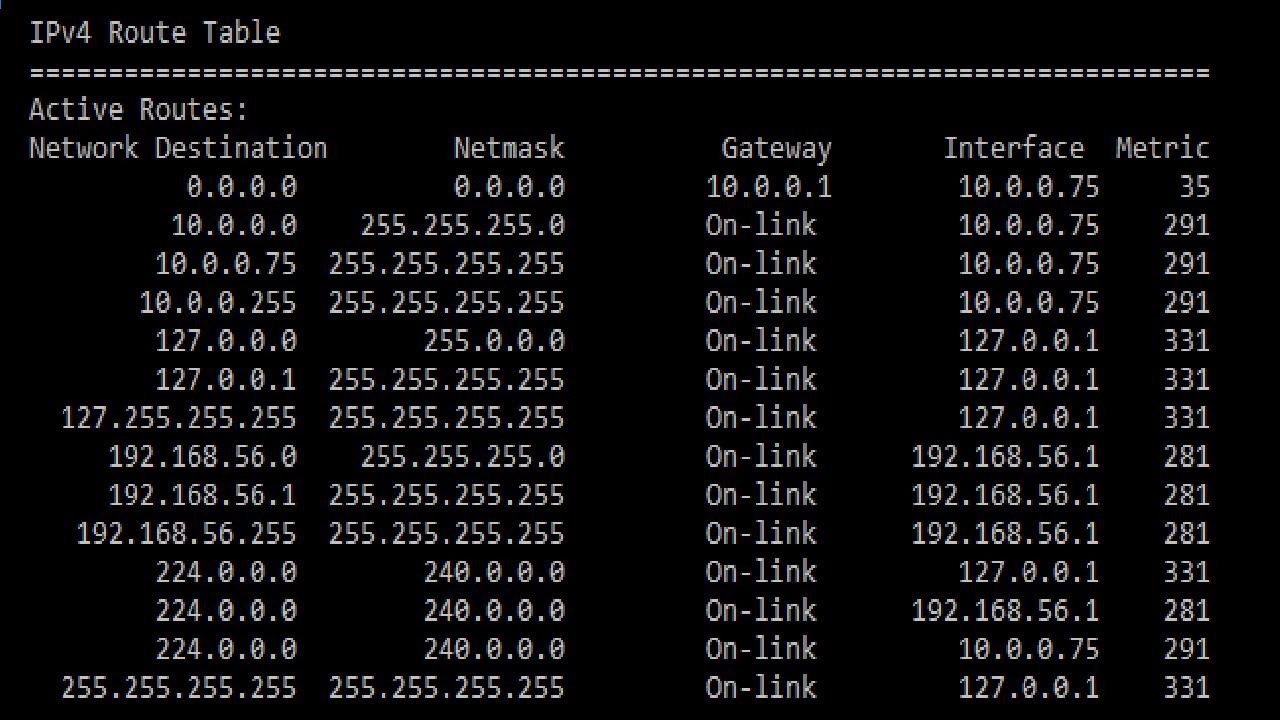
How To Add A Static TCP IP Route To The Windows Routing Table YouTube

No IP Route In Cisco Packet Tracer YouTube
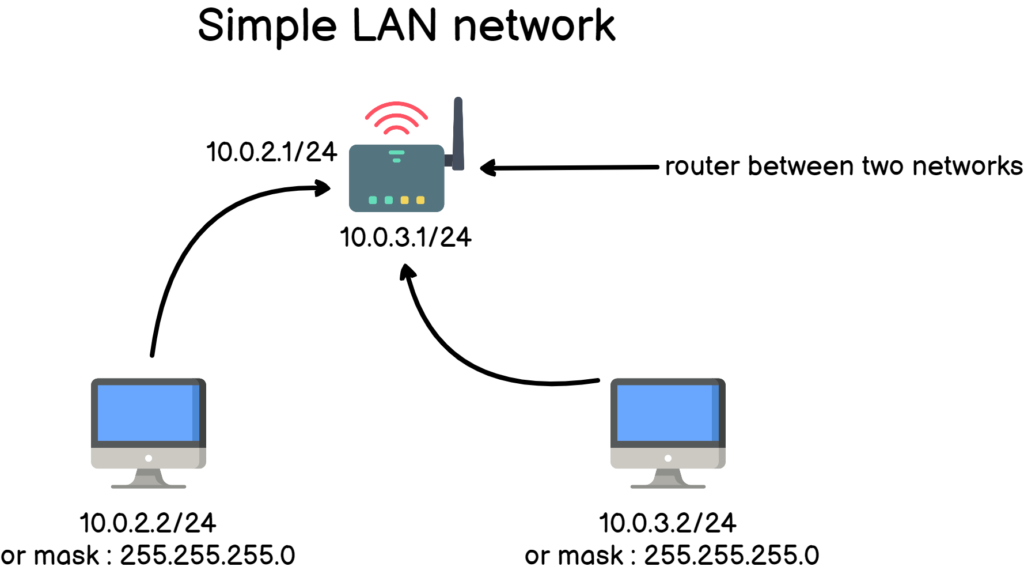
Teile Bakterien Automat Linux Show Route Kalligraphie Pakistan H hle

Ip Route Add Default Example

How To Add Permanent Static Routes In Ubuntu Solved YouTube
The ip route add command can be used with a device name as destiantion gateway The specified network interface or network device gateway address is used automatically as the gateway In the following example we set the eth1 network interface as destiantion device for the network 10 0 0 0 8

The easiest way to add a route on Linux is to use the ip route add command followed by the network address to be reached and the gateway to be used for this route ip route add network ip cidr via gateway ip Example ip route add 10 0 3 0 24 via 10 0 3 1

The ip route command uses two syntaxes It uses the first syntax to specify the local interface to forward data packets to the destination network and the second syntax to specify the IP address of the next hop router that can send data packets to the destination network

The ip route commands take the following form ip route add del change append replace destination address See the ip route 8 man page for more details on the options and formats To add a static route to a host address in other words to a single IP address ip route add 192 0 2 1 via 10 0 0 1 dev interface

Ip command Display or manipulate routing devices policy routing and tunnels on Linux The route command is deprecated under Linux networking Hence use the ip route command I kept route command examples here for historical and backward compatibility reasons Display your current routing table
To delete a single IP route in a subnet run the command sudo ip route del 10 0 2 15 via 192 168 43 223 dev enp0s3 To delete default route run sudo ip route del default To add a default route run below ip route add command sudo ip route add default via ip address dev interface For example Syntax Description Specifies the IP route prefix for the destination Specifies the prefix mask for the destination Specifies the IP address of the next hop that can be used to reach that network Specifies the metric of the route The default metric is 6 Valid range is from 1 255
In the above example In the first ip command we are adding subnet 19 86 100 with a netmask 255 255 255 with the source IP address 19 86 100 176 device eth1 to the admin table In the second ip command we are adding the route 19 86 100 1 to the admin table This way all the rules defined in admin table routes traffic through device eth1