Interactive Rebase Not Working How Do I Enable disable The Interactive Rebase Editor Gitkraken Problem With Interactive Rebase Fixup It Is Not Working In Git Tower In Public Beta Here s What s New Tower Blog 7 Fix Spatial Audio Not Available On Mac Greyed Out Squashing Commits With An Interactive Git Rebase Ona Web Nov 28 2019 nbsp 0183 32 i interactive Make a list of the commits which are about to be rebased Let the user edit that list before rebasing This mode can also be used to split commits see SPLITTING COMMITS below The commit list format can be changed by setting the configuration option rebase instructionFormat A customized instruction format will
Web SEE SOLUTION Learn Git with Bitbucket Cloud Read tutorial Usage The primary reason for rebasing is to maintain a linear project history For example consider a situation where the main branch has progressed since you started working on a feature branch Web Oct 7 2019 nbsp 0183 32 git rebase i origin develop it will open the editor and remove all commits that are NOT yours then close the editor if there are conflicts fix it manually save and commit it git rebase
Squashing Commits With An Interactive Git Rebase Ona AI Assets AI4EU Unable To Squash The Selected Set Of Commits Ongoing Interactive Git Client That Has A Interactive Graph Which Allow Drag drop And Copy Git Rebase A Guide To Rebasing In Git DNT Webstorm Git Rebase Is Not Behaving As Expected Stack Overflow 22 04 01 TIL A Guide To Git Interactive Rebase With Practical Examples SitePoint Interactive Rebase In Sourcetree Work Life By Atlassian
Interactive Rebase Not Working
 Interactive Rebase Not Working
https://user-images.githubusercontent.com/641685/102309169-31ba2a00-3f36-11eb-8b26-050c7d83fa3f.png
Web Jan 21 2024 nbsp 0183 32 Interactive git rebase is a method that enables developers to interactively edit reorder or squash commits during the rebase process This allows for a cleaner and more organized commit history
Templates are pre-designed documents or files that can be utilized for different functions. They can save time and effort by providing a ready-made format and design for creating various type of material. Templates can be used for personal or professional tasks, such as resumes, invitations, flyers, newsletters, reports, discussions, and more.
Interactive Rebase Not Working

What Is A Rebase Split
AI Assets AI4EU

Unable To Squash The Selected Set Of Commits Ongoing Interactive

Git Client That Has A Interactive Graph Which Allow Drag drop And Copy

Webstorm Git Rebase Is Not Behaving As Expected Stack Overflow
22 04 01 TIL
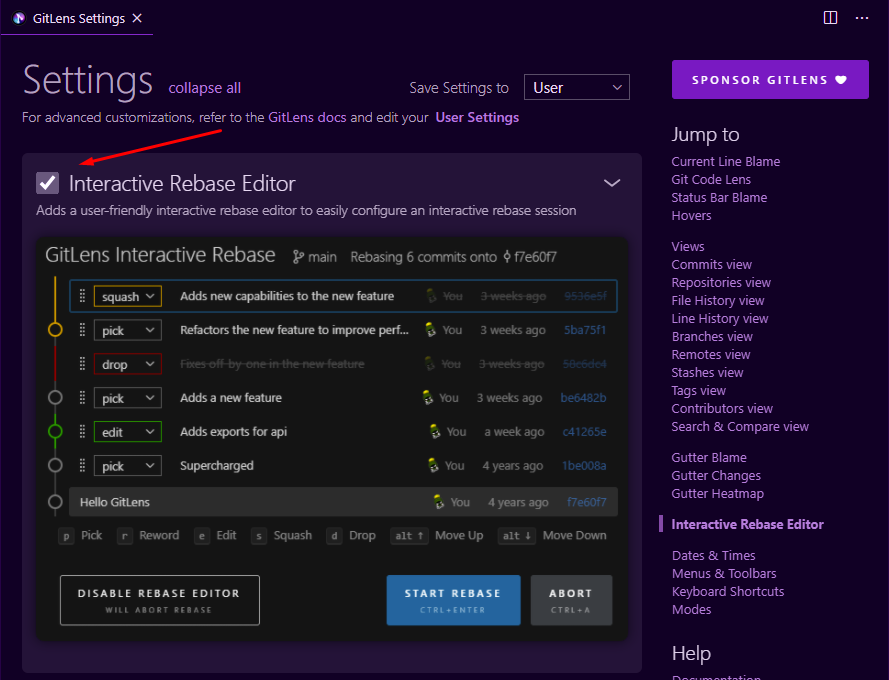
Web May 6 2021 nbsp 0183 32 3 Answers Sorted by 11 100 Please check if the interactive rebase editor option is checked from within the GitLens settings in VS Code Ctrl Shift P gt GitLens Open Settings You should then be able to invoke the interactive rebase editor from both the VS Code command palette or from the terminal as follows
Web May 8 2012 nbsp 0183 32 git rebase abort or if the rebase is really wedged see reference below as git checkout f Foo After that you can safely try the rebase again to try to debug why the FATAL occurs Here is a case where rebase fails when running out of memory and git rebase abort doesn t work edited May 23 2017 at 11 53
Web Sep 10 2010 nbsp 0183 32 If you get below state and rebase does not work anymore git status rebase in progress onto null You are currently rebasing all conflicts fixed run quot git rebase continue quot Then first run git rebase quit And then restore previous state from reflog
Web Jul 5 2021 nbsp 0183 32 fix old commits split reopen old commits for editing When to Use Interactive Rebase and When Not To Like a couple of other Git tools interactive rebase rewrites history
Web You will have to resolve any such merge failure and run git rebase continue Another option is to bypass the commit that caused the merge failure with git rebase skip To check out the original lt branch gt and remove the git rebase apply working files use the command git rebase abort instead
Web 274 When I run git status I see this rebase in progress onto 9c168a5 You are currently rebasing branch master on 9c168a5 all conflicts fixed run quot git rebase continue quot nothing to commit working directory clean When I do ls git rev parse git dir grep rebase echo no rebase I see rebase apply I can t commit to origin Web Jan 17 2021 nbsp 0183 32 1 accepted 0 votes Answer accepted Sergei Kulagin January 17 2021 Ok fixed it after going through enough of threads https community atlassian t5 Sourcetree questions Rebase interactively is not working qaq p 1570222 Need to update to version 3 4 2 When you go to the main
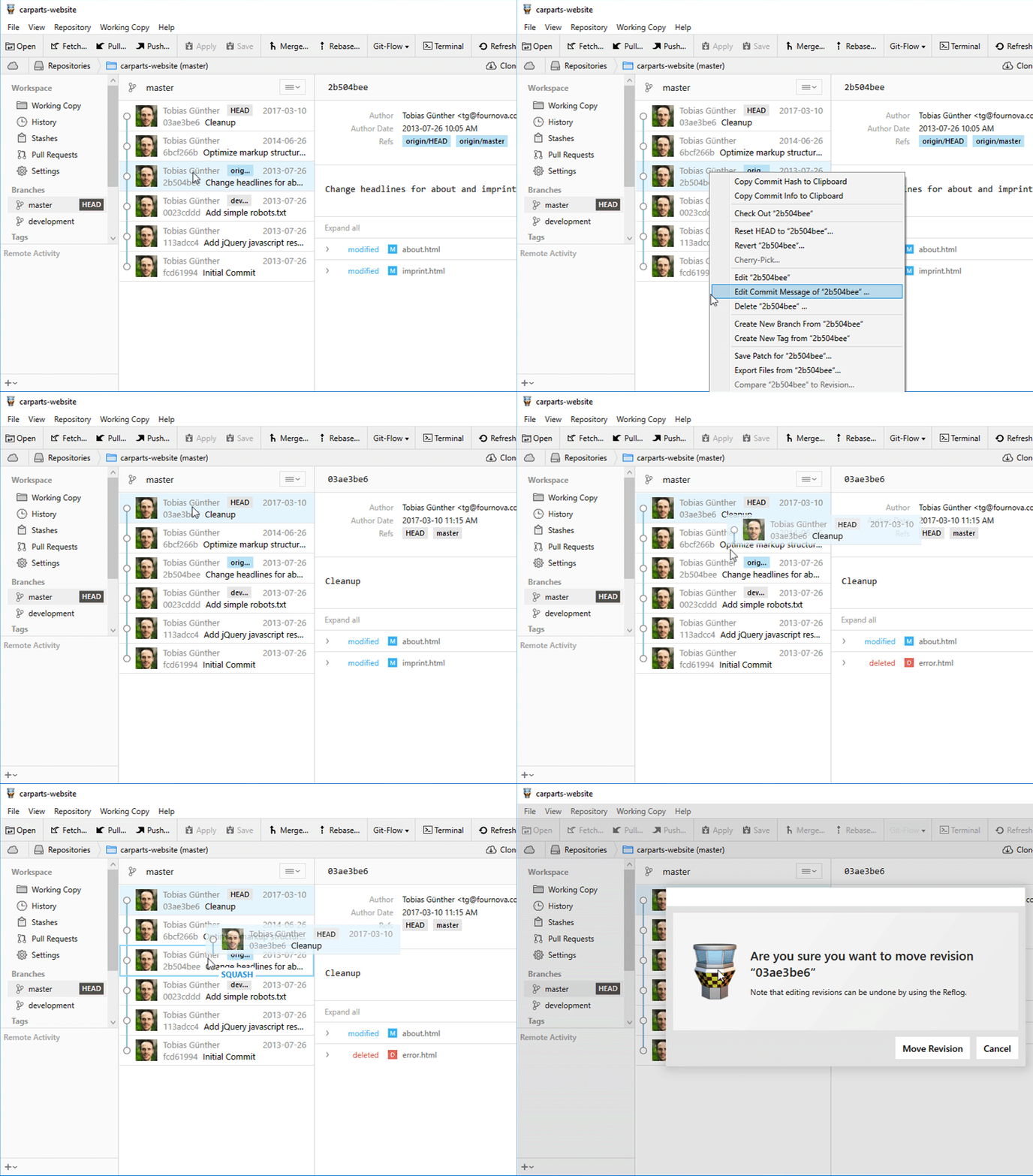
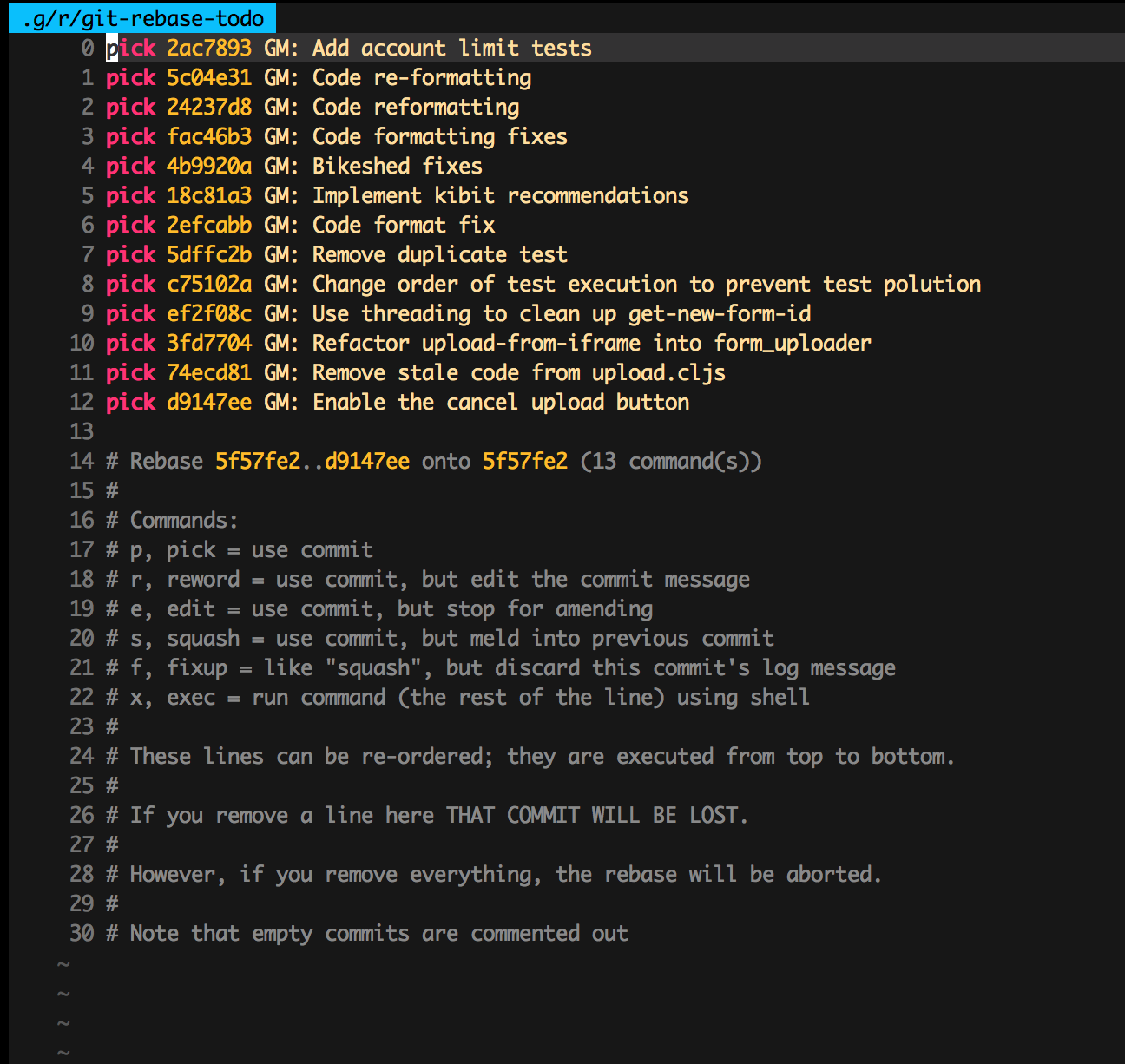
Web Apr 9 2021 nbsp 0183 32 If you re doing an interactive rebase from the command line Git will open an editor where you can issue the commands that result in edits to git rebase todo which is sort of like a runbook that Git will use when executing the rebase Similarly Sourcetree taps into git rebase todo and edits it