Intel Turbo Boost Temperature Limit Intel Turbo Boost 3 0 Download Free For Windows 7 8 10 Get Into Pc Intel Turbo Boost Technology Monitor Application Vastchess Intel Turbo Boost Technology Monitor Software Application Collectionstide Intel Turbo Boost Download Intel Turbo Boost 3 0 2 0 For Windows Qu Es Intel Turbo Boost As Es Como Funciona Intel Core i9 10900K All Core Turbo Boost and Power Consumption That s right at the Intel specified temperature limit It s surprising to see the sheer amount of power consumed and heat
Intel Turbo Boost monitors the usage of an Intel Core CPU to determine how close the processor is to its maximum thermal design power or TDP The processor TPD is the maximum amount of power the processor is supposed to use If the Intel Turbo Boost Technology sees that the CPU is operating well within limits the Turbo Boost can kick in Turbo boost high temp Share Followers 2 Go to solution Solved by krkeshav123 October 30 2020 On 10 28 2020 at 12 04 PM unclewebb said I had a second look at your log file Your Nvidia GPU is being limited to 64 C Looks like some update has set the GPU thermal throttling temperature to a super low value You can thank Lenovo for this
Qu Es Intel Turbo Boost As Es Como Funciona Intel Turbo Boost Technology Monitor 2 5 Stopped Working Bettaholiday Intel Turbo Boost Technology Scatter Web Intel Turbo Boost 2 0 Free Download What Is Turbo Boost Intel Empiremusli Intel Turbo Boost Max Technology 3 0 Intel What Is Turbo Boost Sysdelta Cpu Intel Turbo Boost Temperature Safety Limits Super User Intel Turbo Boost Intel
Intel Turbo Boost Temperature Limit
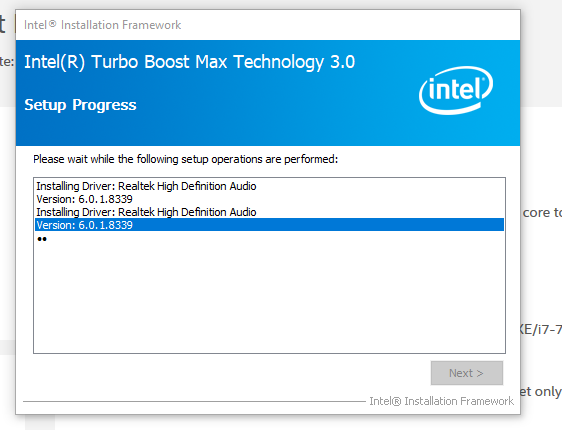 Intel Turbo Boost Temperature Limit
https://getintopc.today/wp-content/uploads/2022/01/intel-turbo-boost-3.0.png
Posted June 9 2020 Solution You can run ThrottleStop instead of XTU It allows you to run as much or as little turbo boost as you like You can also setup multiple profiles and easily switch from one to the other even while in game On 6 9 2020 at 10 32 AM Zando Bob said most laptop chips aren t tunable
Pre-crafted templates use a time-saving service for creating a diverse variety of files and files. These pre-designed formats and layouts can be utilized for different individual and expert jobs, including resumes, invitations, leaflets, newsletters, reports, discussions, and more, enhancing the material development process.
Intel Turbo Boost Temperature Limit

Intel Turbo Boost Max Technology 3 0

Intel Turbo Boost Technology Monitor 2 5 Stopped Working Bettaholiday

Intel Turbo Boost Technology Scatter Web
Intel Turbo Boost 2 0 Free Download

Intel Turbo Boost Max Technology 3 0

Intel What Is Turbo Boost Sysdelta
I recently got an Intel X15 NUC gaming laptop with Intel i7 11800H which I really like One of the the problem however is that it can get very loud and noisy There is a setting in the laptop to adjust the TDP of the RTX 3070 either 80W or 115W but it gets loud regardless I found that the CPU turbo boost behavior is the culprit

Gaming Guides Boost Your CPU s Performance How Intel Technologies Boost Your CPU s Performance Innovations like Adaptive Boost Technology make 11th Gen CPUs faster Learn how Turbo Boost Thermal Velocity Boost and Adaptive Boost Technology work together below 1 2 3 Turbo Boost 2 0 Turbo Boost Max 3 0 Thermal Velocity Boost

Intel Turbo Boost Technology is an energy efficient solution to this imbalance it lets the CPU run at its base clock speed when handling light workloads then jump to a higher clock speed for heavy workloads

On top of power and thermal limits Turbo also looks at the number of active cores With less cores in use you can increase the speed of the working cores with the extra power the idle cores are not using 2 4GHz dual core Intel Core i5 Turbo Boost to 2 9GHz The temperature of the CPU will determine the speed the CPU runs at For

Intel Turbo Boost Technology opportunistically and automatically allows the processor to run faster than the marked frequency if the part is operating below power temperature and the current limits In a typical system a subset of cores can benefit from higher frequency
Intel Turbo Boost Max Technology 3 0 Frequency 5 40 GHz Performance core Max Turbo Frequency 5 40 GHz Efficient core Max Turbo Frequency 3 90 GHz Cache 36 MB Intel Smart Cache Processor Base Power 55 W Maximum Turbo Power 157 W Minimum Assured Power 45 W Normally tho when doing processing it is bouncing somewhere between 60 77 degrees Celsius I am assuming that is the Intel technology boosting it and then reducing it when it hits higher temps My actual question is is this safe Are temps of 80 dangerous
What is Tcase max temperature Could my processor get damaged from overheating Does Intel provide temperature ranges for each processor How can I check the Tjunction max or Tcase max for my processor Is it bad if my processor frequently approaches or reaches its maximum temperature How can I check if my system cooling solution is adequate