Install Visual Studio 2017 Build Tools V141 VS The Build Tools For V141 Platform Toolset v141 Cannot Be Does Azure DevOps Hosted Pipeline Agent Have Specific Visual Studio C 2017 Build Tools For Visual Studio 2017 Windows Visual Studio 2019 v141 C CX Windows Visual Studio 2019 v141 C CX WEB Jun 10 2022 nbsp 0183 32 I suggest you install VS2022 to use v143 build tools Or you can right click on your project gt Properties gt General gt Platform Toolset and select the corresponding version for your VS Similarly this FeedBack also has reference value
WEB Set the Platform Toolset property to your preferred Windows XP toolset For example choose Visual Studio 2017 Windows XP v141 xp to create code for Windows XP and Windows Server 2003 by using the Microsoft C compiler from Visual Studio 2017 WEB Nov 19 2019 nbsp 0183 32 error MSB8020 The build tools for v141 Platform Toolset v141 cannot be found To build using the v141 build tools please install v141 I suggest to upgrade to a newer version of Visual Studio
Windows Visual Studio 2019 v141 C CX OpenVideoCall MSB8020 The Build Tools For V141 Platform VS MSB802 MSB803 msb802 Java OpenVideoCall MSB8020 The Build Tools For V141 Platform Visual Studio 2017 Build Tools Ricelawpc C 2017 Build Tools For Visual Studio 2017 Download Microsoft Visual Studio 2017 Version 15 6 1 Update With Build OpenVideoCall MSB8020 The Build Tools For V141 Platform Psyllium Casio Download Fashiondesigningcoursedetails
Install Visual Studio 2017 Build Tools V141
 Install Visual Studio 2017 Build Tools V141
https://img-blog.csdnimg.cn/20210518141456350.png?x-oss-process=image/watermark,type_ZmFuZ3poZW5naGVpdGk,shadow_10,text_aHR0cHM6Ly9ibG9nLmNzZG4ubmV0L20wXzM3MTM3OTAy,size_16,color_FFFFFF,t_70
WEB Mar 14 2019 nbsp 0183 32 To build using the v141 build tools please install v141 bui ld tools Alternatively you may upgrade to the current Visual Studio tools by selecting the Project menu or right cli ck the solution and then selecting quot Retarget solution quot
Pre-crafted templates offer a time-saving option for developing a varied series of documents and files. These pre-designed formats and layouts can be used for different personal and expert jobs, consisting of resumes, invitations, flyers, newsletters, reports, discussions, and more, improving the content development procedure.
Install Visual Studio 2017 Build Tools V141
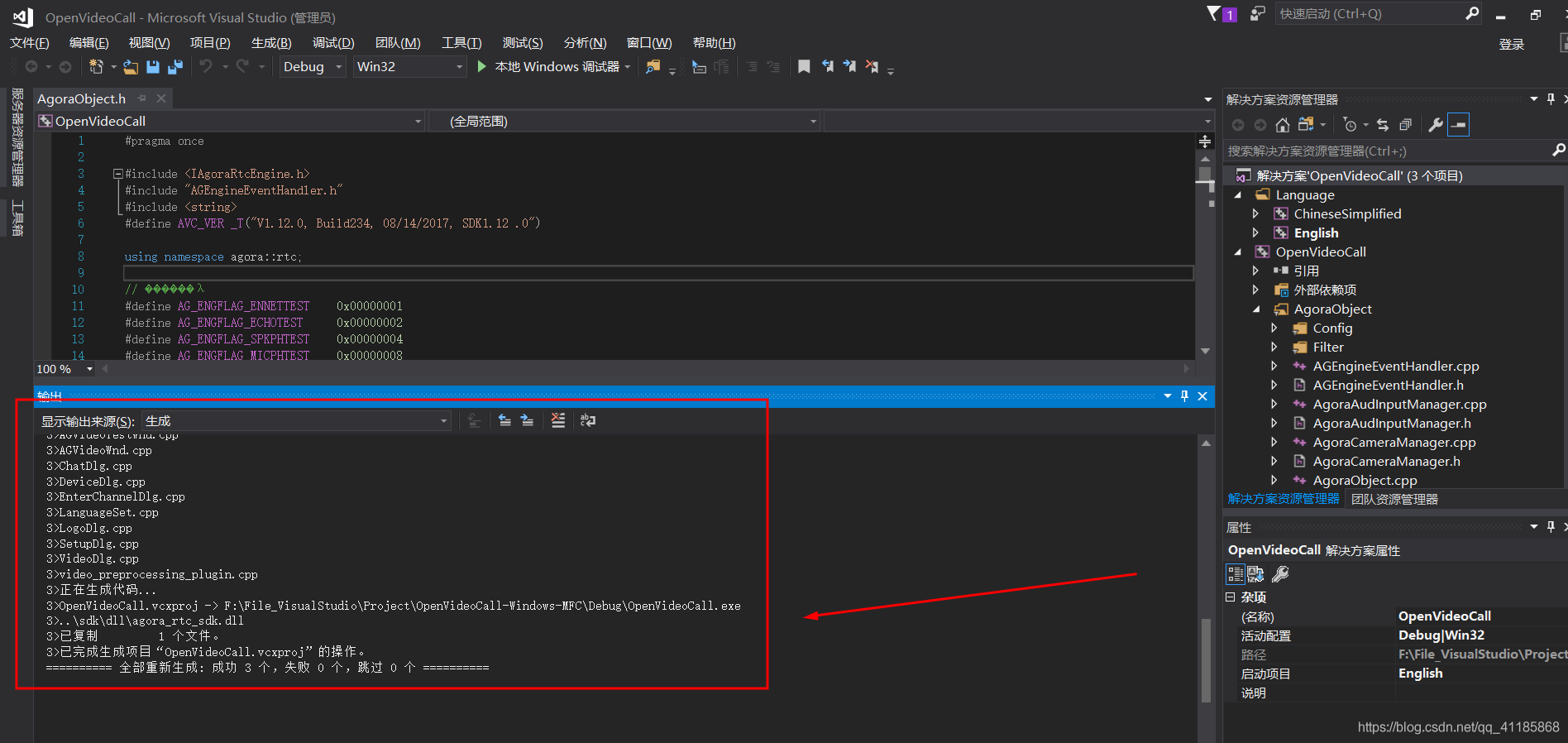
OpenVideoCall MSB8020 The Build Tools For V141 Platform
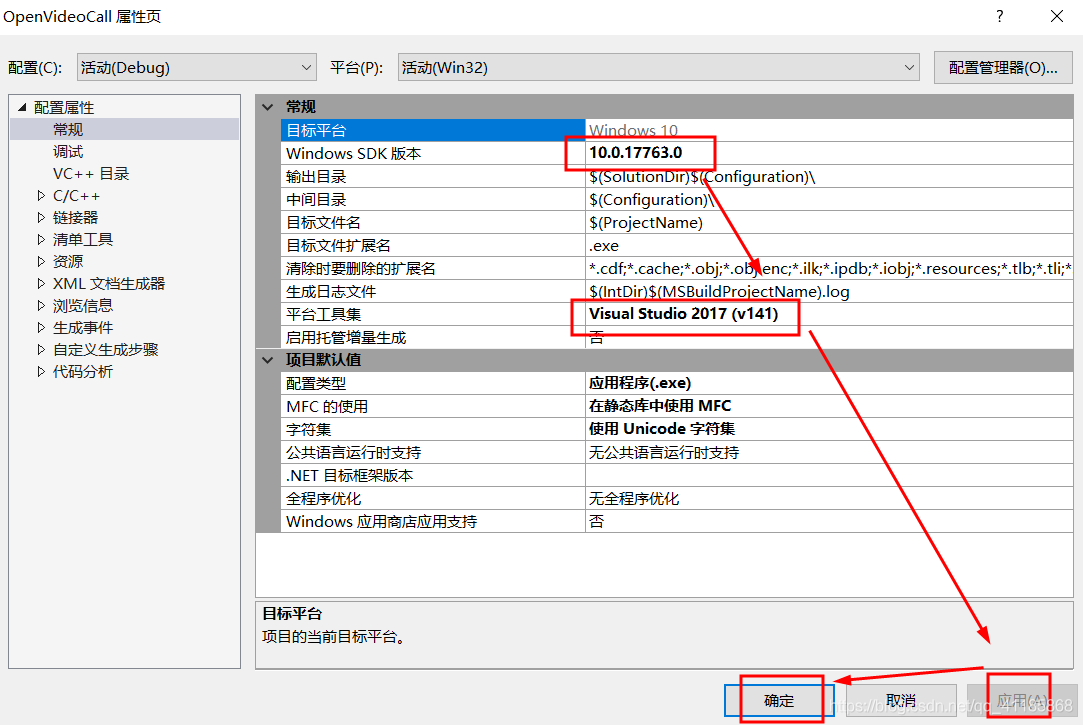
OpenVideoCall MSB8020 The Build Tools For V141 Platform
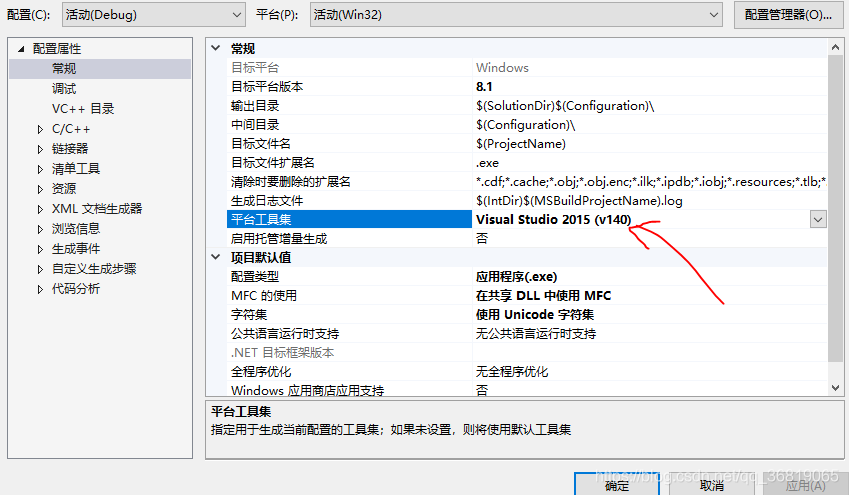
VS MSB802 MSB803 msb802 Java

OpenVideoCall MSB8020 The Build Tools For V141 Platform
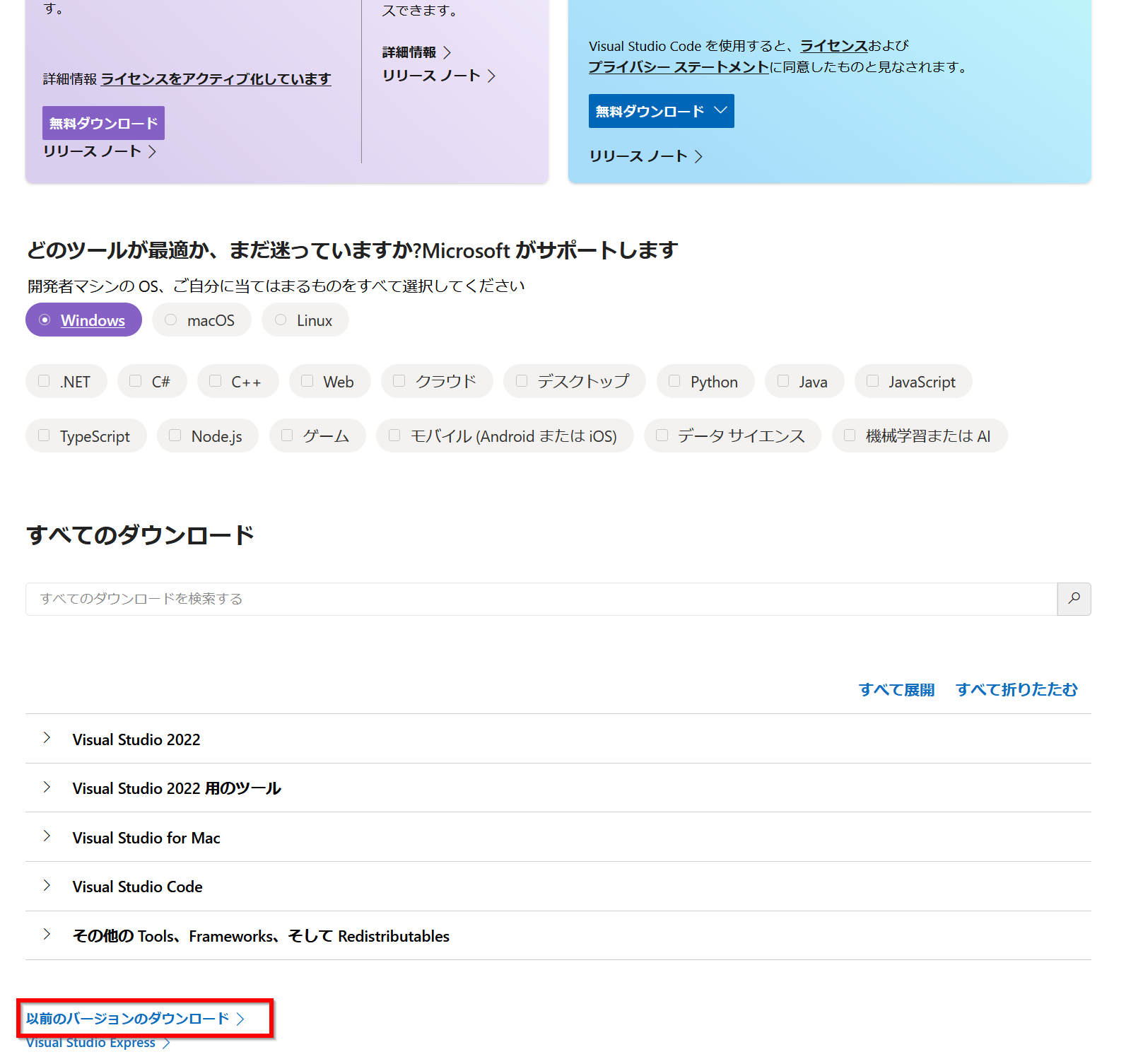
C 2017 Build Tools For Visual Studio 2017

Download Microsoft Visual Studio 2017 Version 15 6 1 Update With Build

WEB Nov 2 2017 nbsp 0183 32 The Visual C build tools workload in the Visual Studio Build Tools will install the latest v141 toolset from VS2017 by default The v140 toolset from VS2015 will install side by side with the v141 toolset

WEB May 18 2017 nbsp 0183 32 So the v141 will not shown in Visual Studio 2015 Platform Toolset listbox in project settings If you want to use v141 build tools you could install the Visual Studio 2017 and update your project to Visual Studio 2017
WEB Apr 10 2017 nbsp 0183 32 To build using the v141 build tools please install v141 build tools I know v141 is from the new version of MSVS 2017 but I do not want to upgrade to as the new version is not compatible with OpenFrameworks

WEB Sep 4 2019 nbsp 0183 32 You can find Build Tools for Visual Studio 2017 here https visualstudio microsoft vs older downloads To download any product from the following list click the download button and log in with your Visual Studio Subscription account when prompted
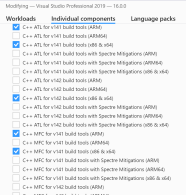
WEB Jul 5 2019 nbsp 0183 32 The Visual C build tools workload in the Visual Studio Build Tools will install the latest v141 toolset from VS2017 by default The v140 toolset from VS2015 will install side by side with the v141 toolset
WEB Download previous versions of Visual Studio Community Professional and Enterprise softwares Sign into your Visual Studio MSDN subscription here WEB Nov 9 2023 nbsp 0183 32 Lists the required Visual Studio and Visual Studio Build Tools components for building without installing the Microsoft Game Development Kit
WEB Dec 16 2019 nbsp 0183 32 To build using the v141 build tools please install Visual Studio 2017 build tools Alternatively you may upgrade to the current Visual Studio tools by selecting the