Install Ubuntu On Virtualbox How To Install Ubuntu On VirtualBox Steps With Screenshots TechOwns How To Install Ubuntu On VirtualBox TecAdmin How To Install Ubuntu On VirtualBox TecAdmin How To Install Ubuntu 19 10 On Virtualbox How To Install Ubuntu On VirtualBox TecAdmin Web Apr 19 2021 nbsp 0183 32 To download Ubuntu Desktop 20 04 LTS point your web browser to the Ubuntu Desktop download page Next click the Download link for Ubuntu 20 04 LTS This automatically starts the download of a file with the ISO extension This file is a so called ISO image which is short for optical disc image
Web Apr 13 2022 nbsp 0183 32 To create a new virtual machine for installing Ubuntu on VirtualBox open VirtualBox and click New Enter a name for your virtual machine e g Ubuntu select Linux as the type and select Ubuntu 64 bit as the version Allocate RAM The memory size depends on your host machine s memory size Web May 11 2022 nbsp 0183 32 Quick Links What Is VirtualBox Installing VirtualBox on Windows Linux and Mac Installing Linux in VirtualBox Installing VirtualBox Extension Pack If you want to try out a Linux distribution you may want to do it in a virtual machine VM before dual booting or completely overwriting your system
How To Install Ubuntu On VirtualBox TecAdmin Install Ubuntu On Virtualbox Galneptun How To Install VirtualBox On Ubuntu Desktop Install Ubuntu On Oracle VirtualBox How To Install Ubuntu On Oracle VirtualBox Installing Ubuntu Inside Windows Using VirtualBox 6 Easy Ways To Install Ubuntu On VirtualBox with Pictures How To Install Ubuntu On VirtualBox In Windows How To Install Ubuntu On VirtualBox GeeksforGeeks
Install Ubuntu On Virtualbox
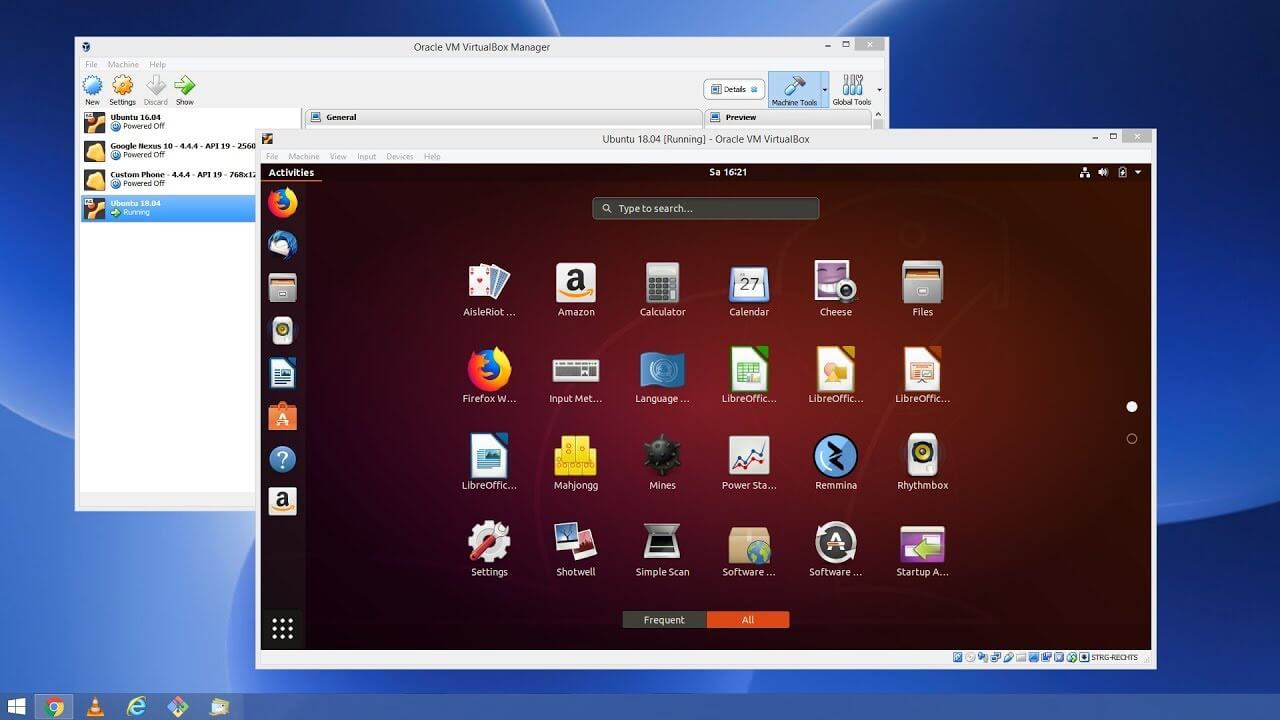 Install Ubuntu On Virtualbox
https://www.techowns.com/wp-content/uploads/2020/04/ubuntu-on-virtualbox.jpg
Web Install virtualbox version 6 1 10 was used to create the text below here Download quot Ubuntu install and live media quot an iso file from e g https ubuntu download Start virtualbox Select Machine gt New from the menu CTRL N Type in a Name e g Ubuntu 20 04 Set Type and Version to Linux and Ubuntu 64 bit click Next
Pre-crafted templates provide a time-saving option for creating a diverse variety of files and files. These pre-designed formats and layouts can be made use of for numerous personal and expert tasks, consisting of resumes, invitations, flyers, newsletters, reports, presentations, and more, enhancing the material development process.
Install Ubuntu On Virtualbox

How To Install Ubuntu On Virtualbox Virtualbox For Ubuntu With 2GB RAM Full Screen YouTube
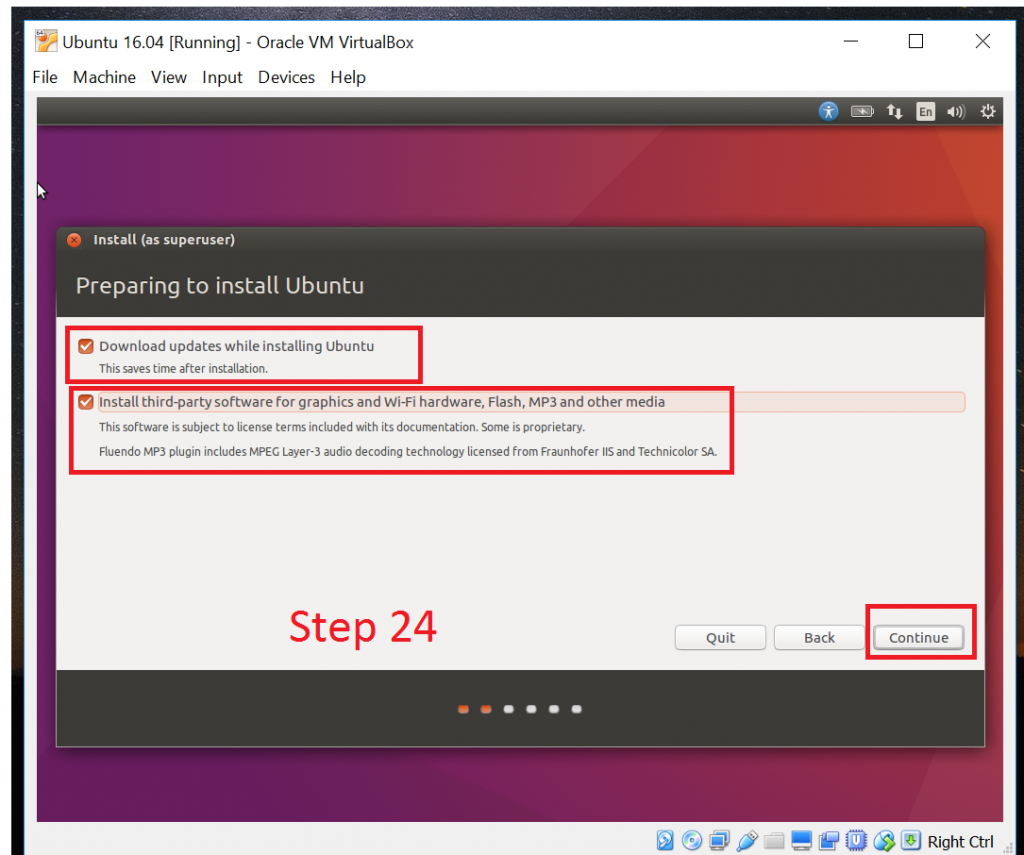
Install Ubuntu On Virtualbox Galneptun
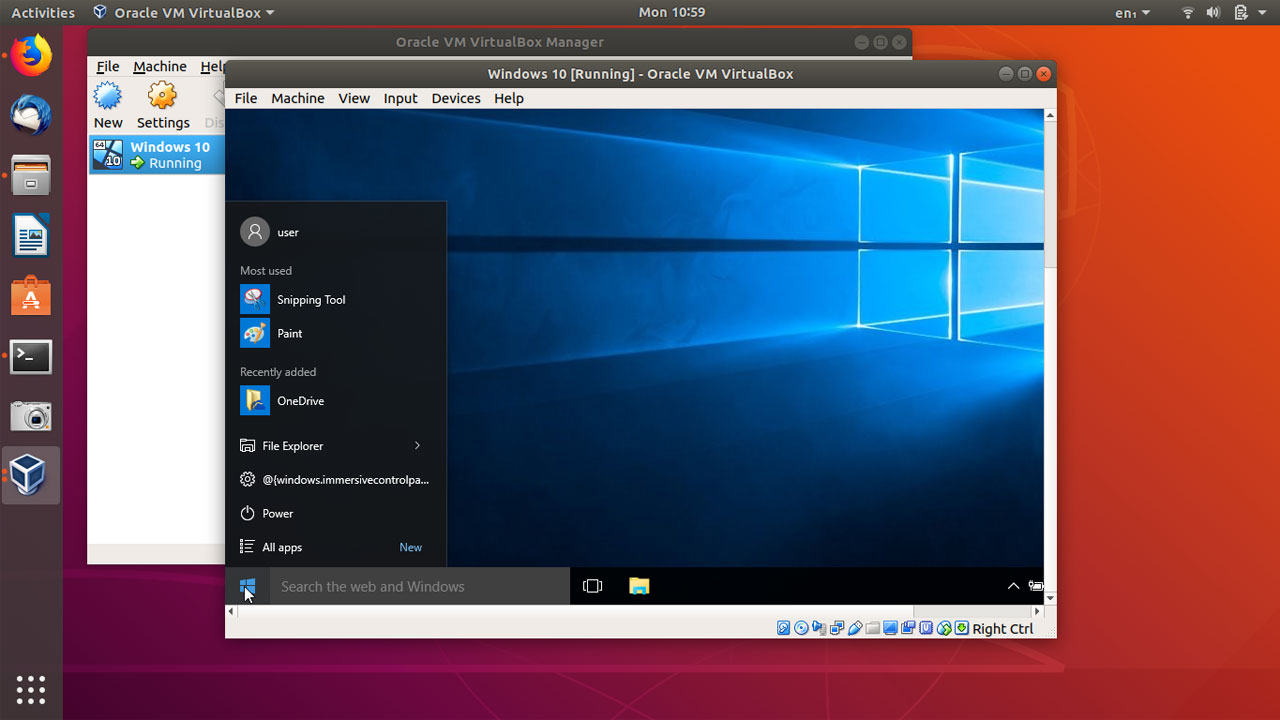
How To Install VirtualBox On Ubuntu Desktop
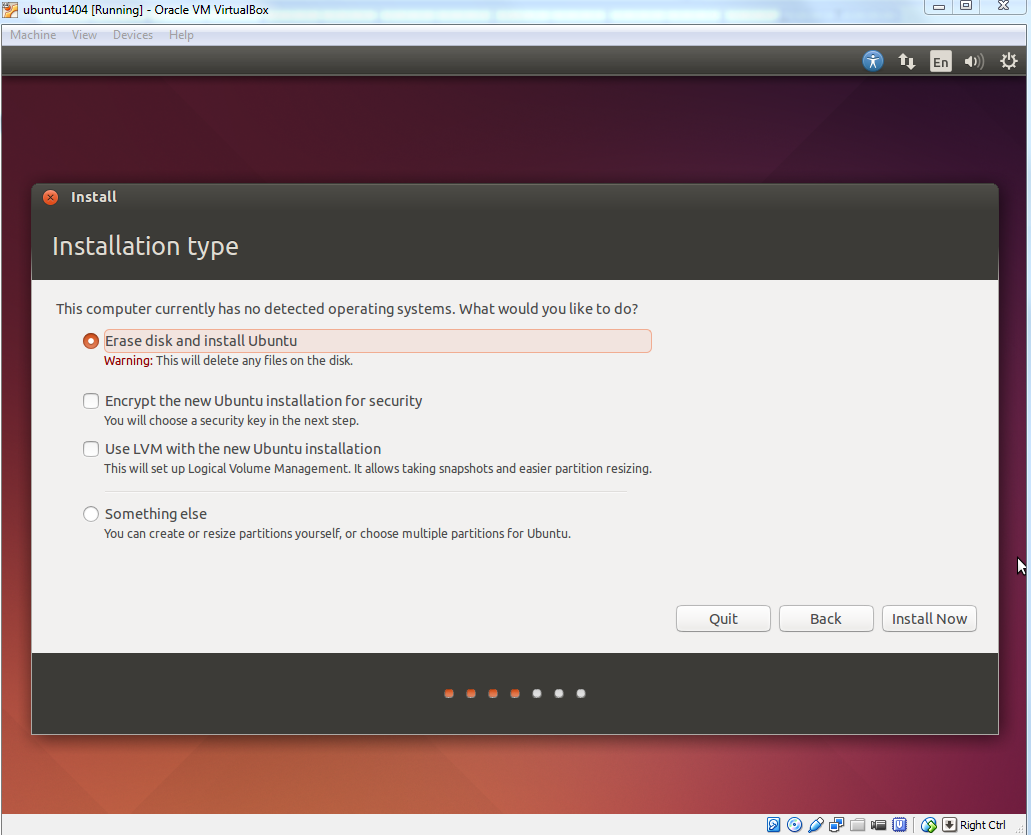
Install Ubuntu On Oracle VirtualBox
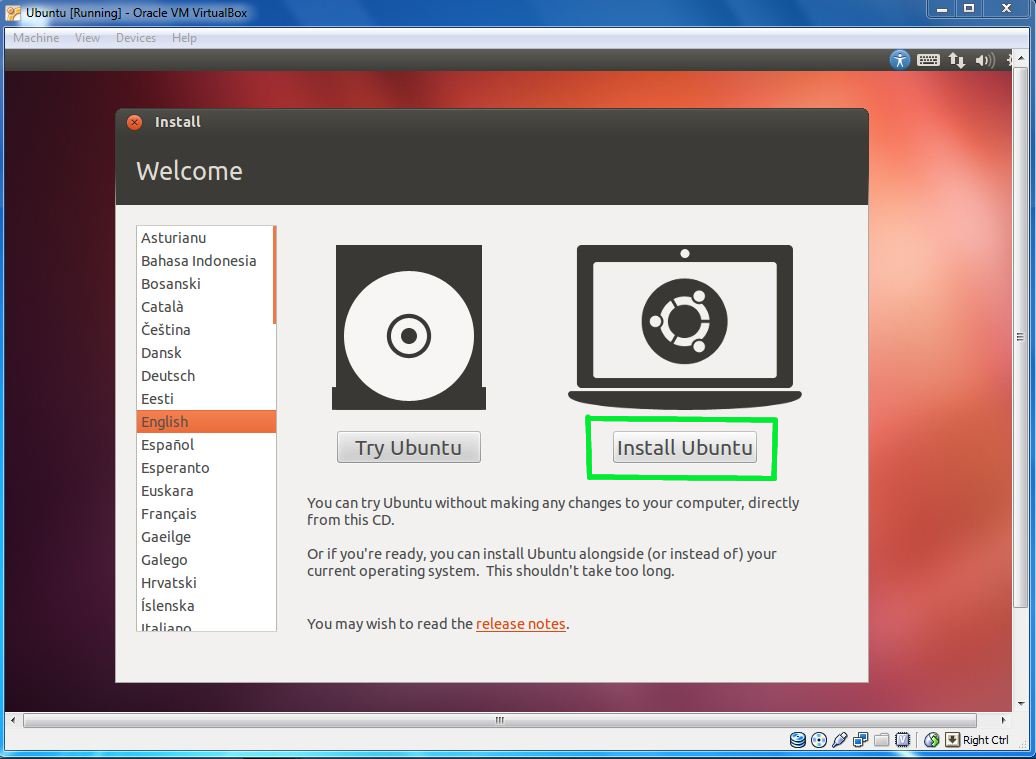
Installing Ubuntu Inside Windows Using VirtualBox

6 Easy Ways To Install Ubuntu On VirtualBox with Pictures

Web In this tutorial we ll walk you through one of the easiest ways to try out Ubuntu Desktop on a virtual machine VirtualBox is a general purpose virtualiser that is available across Linux Mac OS and Windows It s a great way to experience Ubuntu regardless of your current operating system
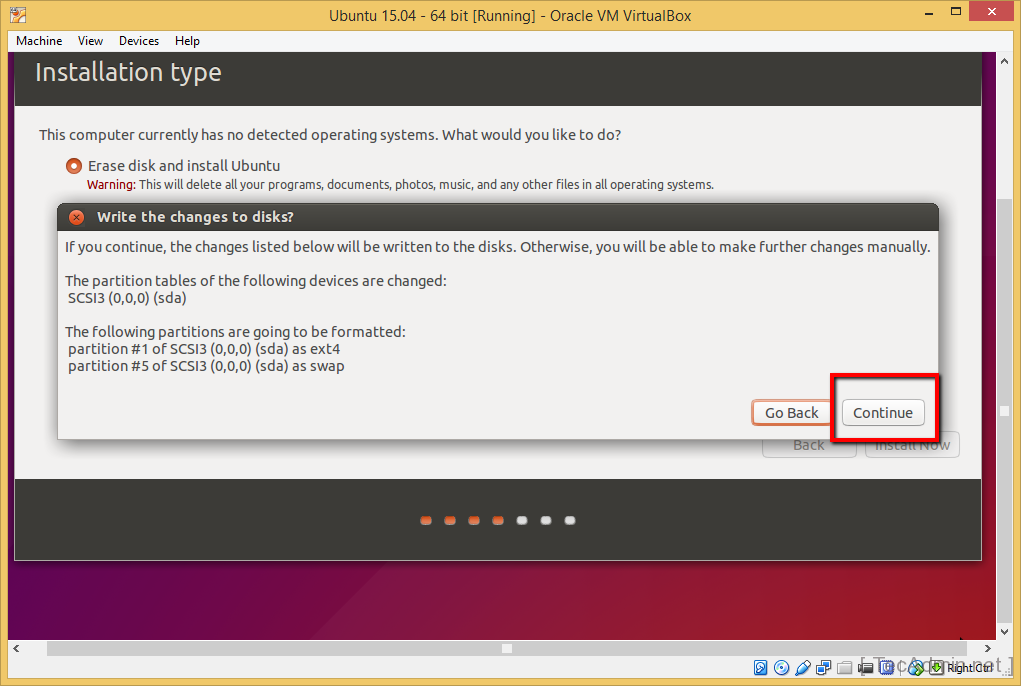
Web Dec 6 2019 nbsp 0183 32 Enter quot Ubuntu quot as the name select quot Linux quot as the type and select Ubuntu 64 bit as the version NOTE Select any amount of memory you wish but don t add more than 50 percent of your total RAM Check the quot Create a virtual hard disk now quot option so we can later define our Ubuntu OS virtual hard disk size
Web Oct 6 2021 nbsp 0183 32 How to install Ubuntu on VirtualBox Step 1 Open VirtualBox and click on the New button Step 2 Give a name to your Virtual Machine and select the location for it to install Step 3 Assign RAM size to your Virtual Machine Step 4 Create a Virtual Hard disk for the machine to store files Step 5

Web Jul 30 2023 nbsp 0183 32 How to Install Ubuntu in VirtualBox 1 Install VirtualBox on Your Computer Start the installation journey by grabbing a copy of VirtualBox and installing 2 Download the Ubuntu 22 04 LTS ISO File You ll need the Ubuntu ISO for VirtualBox to install Ubuntu on your virtual 3 Configure a
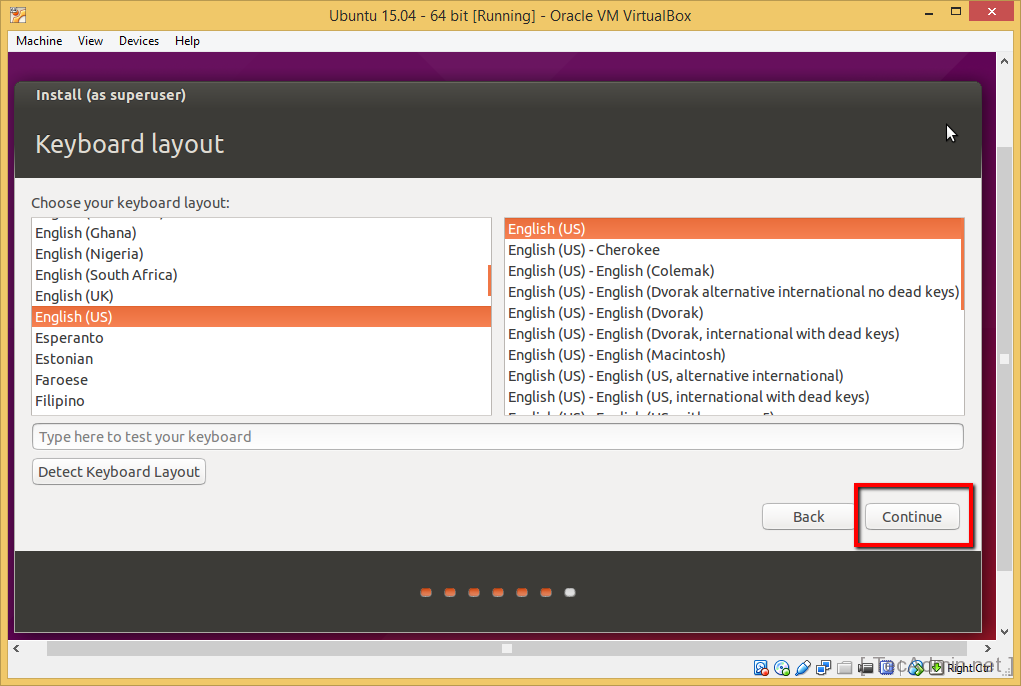
Web Aug 17 2023 nbsp 0183 32 Download 23 04 Download 23 04 Legacy Desktop Installer For other versions of Ubuntu Desktop including torrents the network installer a list of local mirrors and past releases see our alternative downloads How to install Ubuntu Desktop Install Ubuntu Desktop Follow this tutorial to install Ubuntu Desktop on your laptop or PC
[desc-11] [desc-12]
[desc-13]