Install Tensorflow Mac M1 Max MacBook Pro M1 Max TensorFlow Performance Reason town A complete guide to installing tensorflow on m1 mac with gpu Mac M1 tensorflow Mac Tensorflow GPU R Tensorflow On An M1 Mac Without Crashing I m A Chordata Urochordata Web Dec 14 2021 nbsp 0183 32 Use TensorFlow version 2 5 0 To reinstall it do following pip uninstall tensorflow macos pip uninstall tensorflow metal conda install c apple tensorflow deps 2 5 0 force reinstall optional try only if you get error pip install tensorflow mac 2 5 0 pip install tensorflow metal
Web Apr 25 2023 nbsp 0183 32 Step by step guide The Ultimate Python and Tensorflow Set Up Guide for Apple Silicon Macs M1 amp M2 Installing TensorFlow and Python on ARM Macs was never easier Pol Marin 183 Follow Published in Towards Data Science 183 6 min read 183 Feb 24 3 Photo by Ales Nesetril on Unsplash Web Dec 20 2021 nbsp 0183 32 Run conda install c apple tensorflow deps to install Apple s TensorFlow dependencies Run pip install tensorflow metal to install Apple s Metal GPU APIs for TensorFlow Execute pip install tensorflow macos to install MacOS arm64 version of TensorFlow Execute pip install tensorflow datasets pandas jupyterlab to install
R Tensorflow On An M1 Mac Without Crashing I m A Chordata Urochordata TensorFlow M1 7 GPU Installing TensorFlow On Mac M1 Under Anaconda Environment YouTube How To Install TensorFlow And TensorFlow Probability nightly On Mac Python TensorFlow 2 5 Mac M1 Installing Problem Compatibility With TensorFlow M1 7 GPU Problema De Codificaci n Lindo Programador Clic How To Install TensorFlow On Mac M1 M2 Chips Archyde Mac M1 m2 GPU pytorch tensorflow AI
Install Tensorflow Mac M1 Max
 Install Tensorflow Mac M1 Max
https://i4.ytimg.com/vi/B7CNMHeZ4Ys/sddefault.jpg
Web May 2 2021 nbsp 0183 32 There are quite a few things to do in order to install TensorFlow on the Macbook M1 chip First install Python 3 8 9 I have tried on this version not sure about any other versions Go to your project dir install hdf5 by running brew install hdf5 if you do not have brew you can download it here https brew sh
Pre-crafted templates offer a time-saving option for creating a varied series of documents and files. These pre-designed formats and layouts can be used for numerous individual and expert projects, including resumes, invitations, leaflets, newsletters, reports, discussions, and more, streamlining the content creation procedure.
Install Tensorflow Mac M1 Max
Install TensorFlow On M1 Macs Mission It s possible Oliver Barreto
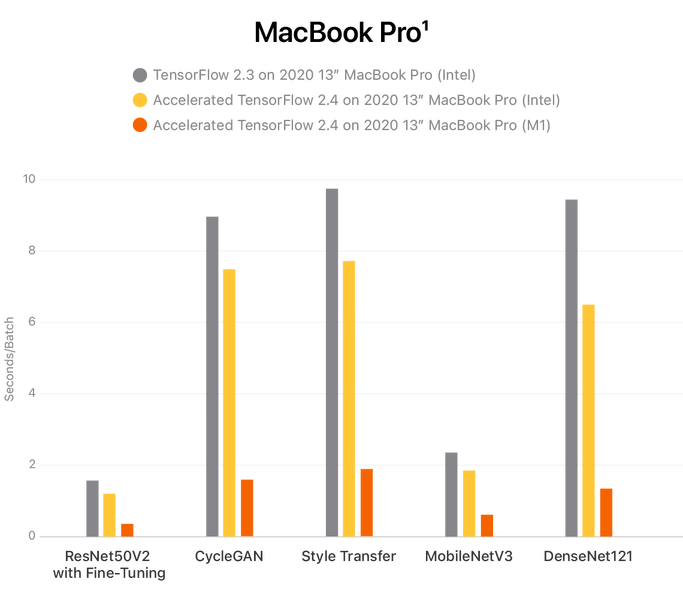
TensorFlow M1 7 GPU
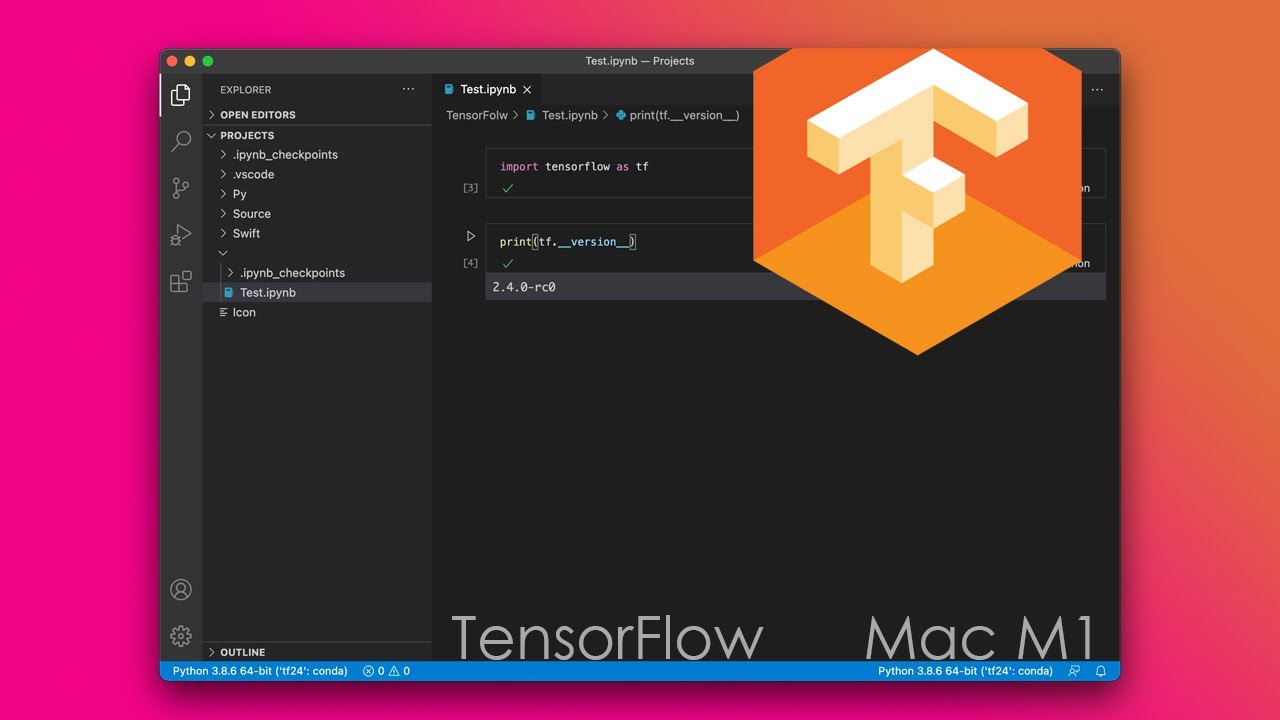
Installing TensorFlow On Mac M1 Under Anaconda Environment YouTube

How To Install TensorFlow And TensorFlow Probability nightly On Mac
TensorFlow M1 7 GPU

Problema De Codificaci n Lindo Programador Clic

Web Machine Learning Setup Apple Mac for Machine Learning with TensorFlow works for all M1 and M2 chips Setup a TensorFlow and machine learning environment on Apple Silicon Macs Works for M1 M1 Pro M1 Max M1 Ultra and M2 Daniel Bourke Dec 7 2021

Web Jul 26 2023 nbsp 0183 32 The M1 chip contains a built in graphics processor that enables GPU acceleration This in turn makes the Apple computer suitable for deep learning tasks One year later Apple released its new M1 variants These are called M1 Pro and M1 Max

Web May 26 2021 nbsp 0183 32 To utilize Apple s ML Compute framework for native hardware acceleration on M1 Macs you need to install Apple s hardware accelerated TensorFlow and TensorFlow Addons for macOS 11 0 This article will show how how to prepare your M1 Mac for developing deep learning projects using TensorFlow

Web Apr 3 2022 nbsp 0183 32 This article provides a detailed guide on how to install Tensorflow on M1 Pro The guide also works for the rest of the M1 variants Requirements The Tensorflow Metal plugin only works with MacOS 12 0 Monterey Some users were able to install it on Big Sur by using a previous tensorflow metal version e g 0 1 2 However you won t notice

Web Install TensorFlow Prerequisites on MacBook Pro M1 Pro You ll need a couple of things installed before you can even think about TensorFlow Homebrew XCode tools and Anaconda You can install the first two through Mac s terminal with
Web Sep 2 2022 nbsp 0183 32 Install TensorFlow on Mac M1 M2 with GPU support 1 Install Xcode Command Line Tool If it s not already installed in your system you can install it by running the following command below in your 2 Install the M1 Miniconda Version 3 Install Tensorflow 4 Install Jupyter Notebook and common Web Mar 17 2022 nbsp 0183 32 This article will discuss how to set up your Mac M1 for your deep learning project using TensorFlow We will also install several other deep learning libraries In other to access the new M1 chip from python you must install a special distribution of python called Miniforge Since the M1 uses a different architecture than Intel with Miniforge
Web Oct 7 2021 nbsp 0183 32 Installation is easy bash Miniforge3 MacOSX arm64 sh If you already have a pre existing conda distribution e g Anaconda or MiniConda there is no need to uninstall it in order to use MiniForge For those familiar with the conda ecosystem only one conda distro can be functional at a given time