Install Remote Server Administration Tools Windows 11 Powershell How To Install Remote Server Administration Tools For Windows RSAT How To Install Windows Remote Server Administration Tools RSAT YouTube Rsat Tools Windows 10 1803 Vancouverstashok Install Remote Server Administration Tools RSAT In Windows 11 YouTube Remote Server Administration Tools For Windows 10 Microsoft Community Hub When you install Drive for desktop on your computer it creates a drive in My Computer or a location in Finder named Google Drive All of your Drive files appear here Any new files or
You can download and install the Chrome web browser at no charge and use it to browse the web Get Google Chrome Download Chrome for Android phones and tablets On your device go to the Apps section Tap Google Play Store The app will open and you can search and browse for content to download
Remote Server Administration Tools For Windows 10 Microsoft Community Hub How To Install Remote Server Administration Tools On Windows Server How To Install Remote Server Administration Tools On Windows 7 Installing Remote Server Administration Tools On Windows 10 Askme4Tech Windows 10 RSAT How To Install Remote Server Administration Tools RSAT On Windows 10 Windows 11 Remote Server Administration Tools RSAT Duh Microsoft Install Remote Server Administration Tools Rsat On Windows 10 Techcult Remote Server Administration Tools For Windows 10 Microsoft Tech Come
Install Remote Server Administration Tools Windows 11 Powershell
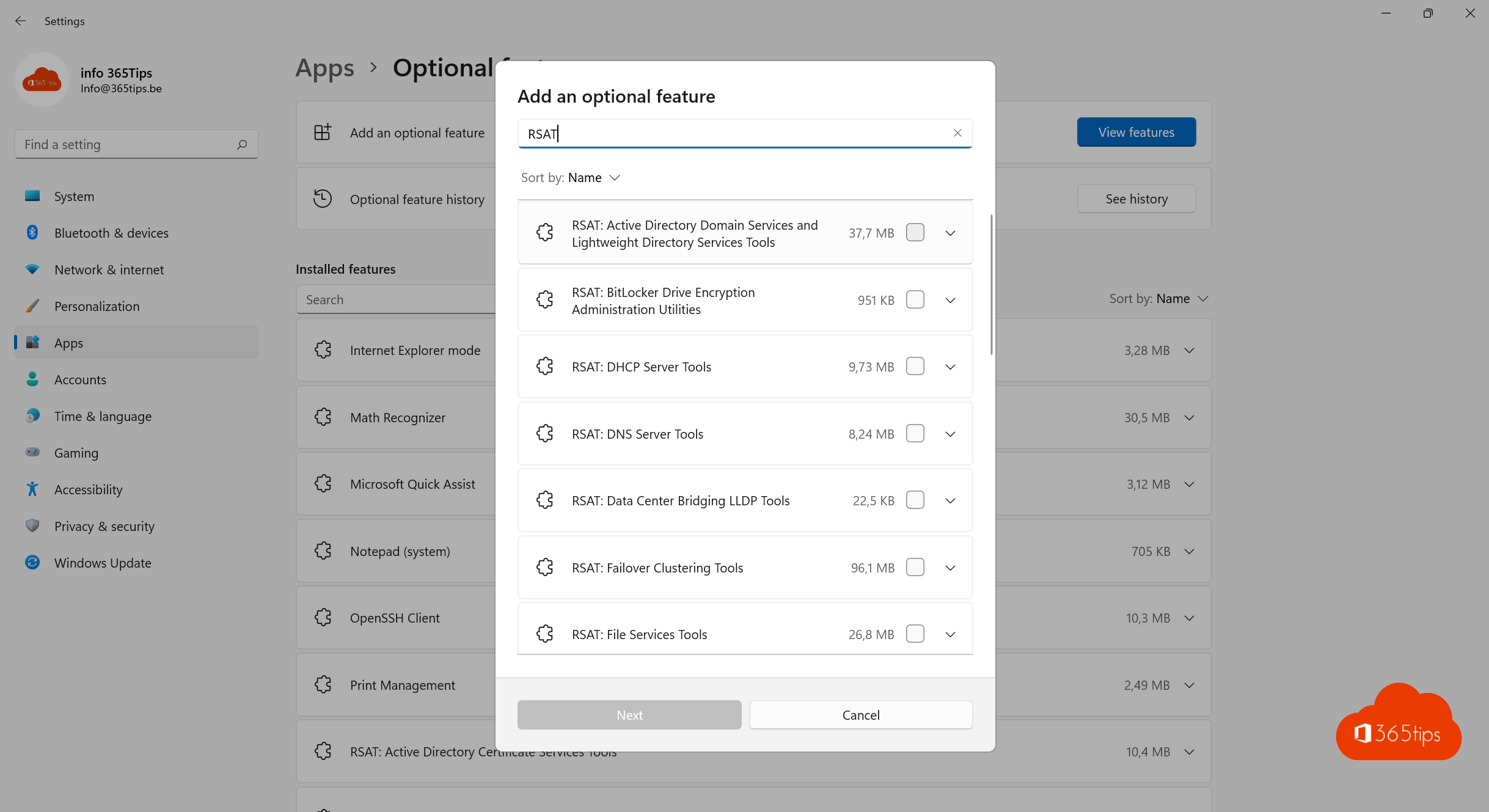 Install Remote Server Administration Tools Windows 11 Powershell
https://365tips.be/wp-content/uploads/2022/01/image-19.png?v=1641325636
Install and set up Drive for desktop Install amp set up Drive for desktop for Windows Important Before you start check that your operating system is compatible with Drive for desktop Tip If
Pre-crafted templates use a time-saving service for producing a varied variety of documents and files. These pre-designed formats and layouts can be used for numerous individual and professional jobs, consisting of resumes, invitations, leaflets, newsletters, reports, presentations, and more, enhancing the content development process.
Install Remote Server Administration Tools Windows 11 Powershell

Windows 11 How To Install RSAT Remote Server Administration Tools
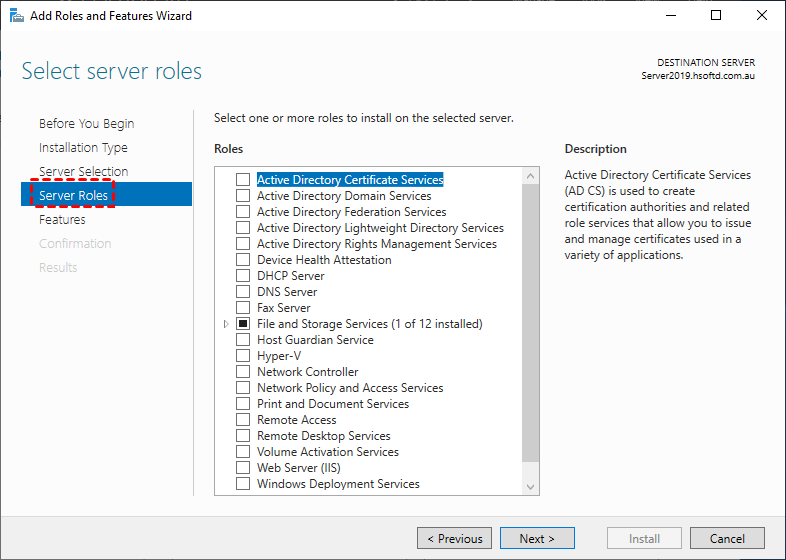
How To Install Remote Server Administration Tools On Windows Server
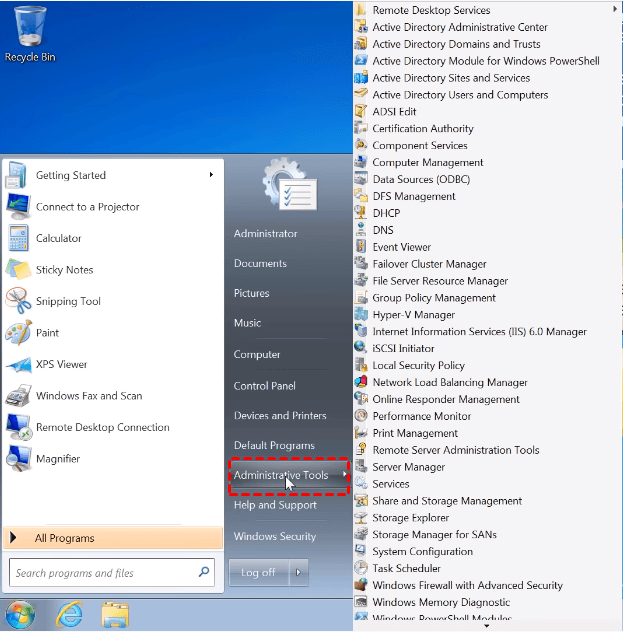
How To Install Remote Server Administration Tools On Windows 7

Installing Remote Server Administration Tools On Windows 10 Askme4Tech

How To Install Remote Server Administration Tools RSAT On Windows 10

Windows 11 Remote Server Administration Tools RSAT Duh Microsoft
Puedes descargar e instalar el navegador web Chrome sin coste econ 243 mico y usarlo para navegar por la Web
Installer Chrome Important Avant de t 233 l 233 charger Chrome vous pouvez v 233 rifier s il est compatible avec votre syst 232 me d exploitation et les autres configurations syst 232 me requises

Official Google Chrome Help Center where you can find tips and tutorials on using Google Chrome and other answers to frequently asked questions

On your iPhone or iPad open App Store In the search bar enter Chrome Tap Get To install follow the on screen instructions If prompted enter your Apple ID password To start

You can download and install the Chrome web browser at no charge and use it to browse the web
[desc-11] [desc-12]
[desc-13]