Install Pytorch From Source Without Conda PyTorch Installation How To Install PyTorch Javatpoint 001 PyTorch How To Install PyTorch With Anaconda And Use It On Colab How To Install PyTorch With CUDA 11 0 VarHowto PyTorch Installation How To Install PyTorch Javatpoint How To Install PyTorch In Windows 10 GitHub The meaning of INSTALL is to set up for use or service How to use install in a sentence
1 to put in place or connect for service or use to install a heating system to install software on a computer 2 to establish in an office position or place 3 to induct into an office or the like Oct 20 2023 nbsp 0183 32 To install a program is to perform all the necessary system configuration steps to make it ready to use It often means running the program s installer which extracts its files into
How To Install PyTorch In Windows 10 GitHub Why You Should Consider PyTorch includes Install And A Few Examples PyTorch Install Quick And Easy YouTube Install Pytorch On Windows GeeksforGeeks Install Pytorch From Source To Python3 7 Centos8 End0tknr s Kipple How To Install PyTorch With CUDA 10 1 VarHowto Install Pytorch GPU And Cuda Pycharm professional Version Under Building PyTorch Without Conda Issue 66034 Pytorch pytorch GitHub How To Install PyTorch 1 6 0 conda Pip VarHowto
Install Pytorch From Source Without Conda
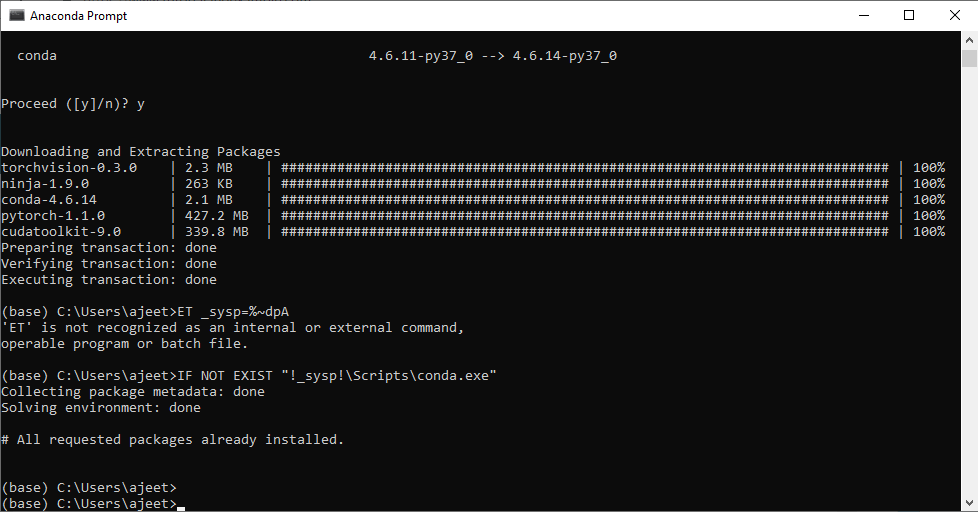 Install Pytorch From Source Without Conda
https://static.javatpoint.com/tutorial/pytorch/images/pytorch-installation16.png
Whether you re a new user or looking to refresh your knowledge this guide will walk you through the process of installing software on Windows 10 From downloading and navigating
Pre-crafted templates offer a time-saving option for producing a diverse series of documents and files. These pre-designed formats and designs can be made use of for various personal and expert tasks, consisting of resumes, invitations, leaflets, newsletters, reports, presentations, and more, streamlining the material development procedure.
Install Pytorch From Source Without Conda

Instalar Pytorch En Linux Barcelona Geeks
Why You Should Consider PyTorch includes Install And A Few Examples
PyTorch Install Quick And Easy YouTube

Install Pytorch On Windows GeeksforGeeks

How To Install PyTorch With CUDA 10 1 VarHowto

Install Pytorch GPU And Cuda Pycharm professional Version Under

How to install programs on Windows from online sources such as from the internet or the Microsoft Store app

If you re using Windows 8 you can download and install software from the Windows Store The Windows Store is meant to simplify the process of locating and installing software from third

Aug 26 2024 nbsp 0183 32 Discover the easy steps to install software on Windows 10 Our complete guide covers everything from downloading to setup ensuring a smooth installation process

Definition of install verb in Oxford Advanced Learner s Dictionary Meaning pronunciation picture example sentences grammar usage notes synonyms and more
Sep 10 2024 nbsp 0183 32 With computer software install installation or install exe creates extracts and moves all the necessary files to run a computer program An install is started by running the
[desc-11] [desc-12]
[desc-13]