Install Python Library From Code Python Google Colab Numpyprint Module Not Found After Pip Install How To Install Any Python Library Or Module For Spyder IDE YouTube Cannot Install Python Libraries On Pycharm Stack Overflow How To Check Installed Libraries In Python YouTube Install Python Library On Pynq Board Via Putty Terminal Support PYNQ Web The most popular way to install Python on Linux is with your operating system s package manager which is a good choice for most users However depending on your Linux distribution Python may not be available through a package manager In this case you ll need to build Python from source code
Web Apr 6 2020 nbsp 0183 32 1 Answer Sorted by 1 Install Python extension provided by Microsoft then add a python virtual environment as described in VS Code documentation python m venv venv Select the virtual env bottom left corner of Web Oct 6 2023 nbsp 0183 32 We re excited to announce the October 2023 release of the Python and Jupyter extensions for Visual Studio Code This release includes the following announcements Python Debugger extension updates Deprecation of Python 3 7 support Lint on change option for Pylint extension Mypy extension reporting scope and daemon
Install Python Library On Pynq Board Via Putty Terminal Support PYNQ How To Install Python Library Using PIP And Command Prompt YouTube How To Install Python Libraries On Pythonanywhere Using Pip Without Any Vs Code Python Install Package Riset Python Keyboard On Press Key Code Example Windows 7 How To Install Python Senturinatomic Pip Install Python Packages Offline On Linux Python Tutorial Draw In Python 2 7 With Turtle Library SEEVER BLOG Pip Install Python Library Lista De Comandos Programador Clic
Install Python Library From Code
 Install Python Library From Code
https://i.stack.imgur.com/scd0e.png
Web Oct 9 2023 nbsp 0183 32 In this interactive session participants will learn how to install and harness the power of Jupyter Notebook a popular tool for data analysis visualization and machine learning Whether you re a beginner or an experienced coder this workshop will guide you through the installation process and help you unleash the full potential of Jupyter
Templates are pre-designed documents or files that can be utilized for various functions. They can conserve time and effort by offering a ready-made format and design for developing different sort of content. Templates can be utilized for personal or professional tasks, such as resumes, invites, leaflets, newsletters, reports, discussions, and more.
Install Python Library From Code
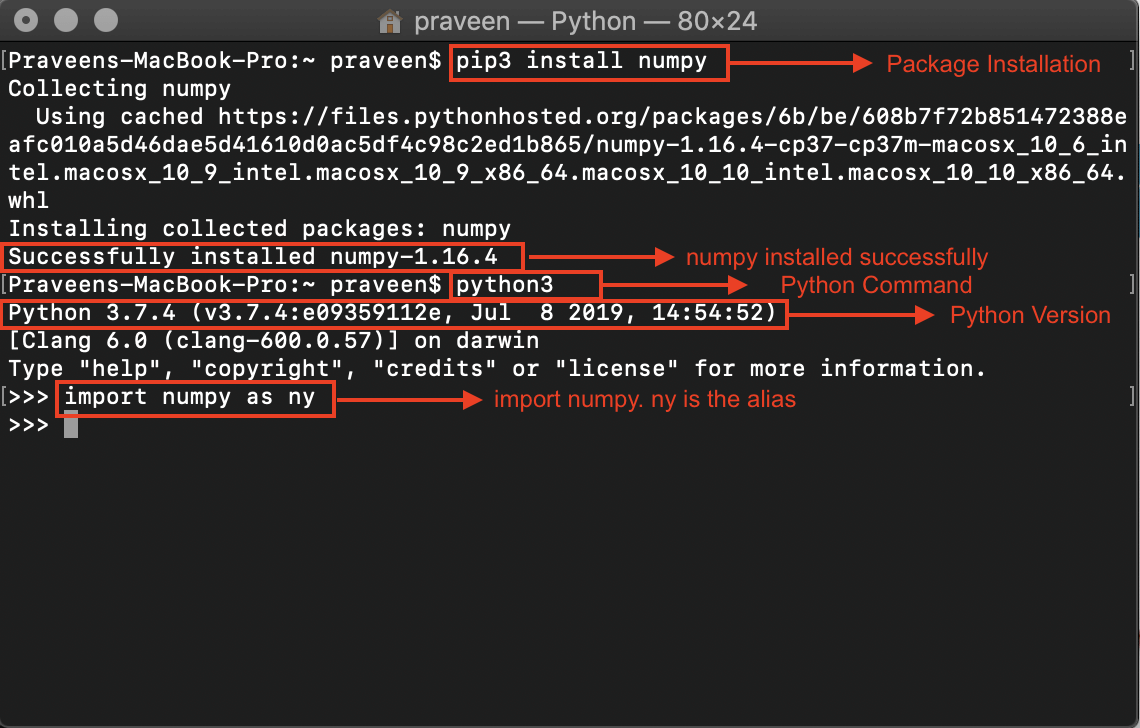
Download Numpy Mac

How To Install Python Library Using PIP And Command Prompt YouTube

How To Install Python Libraries On Pythonanywhere Using Pip Without Any
Vs Code Python Install Package Riset
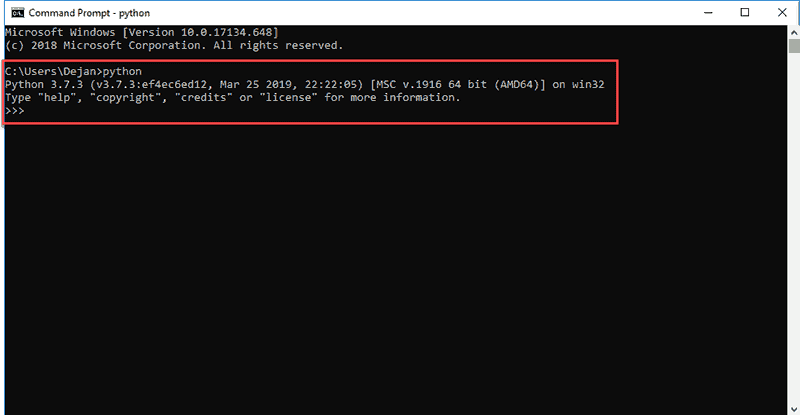
Windows 7 How To Install Python Senturinatomic
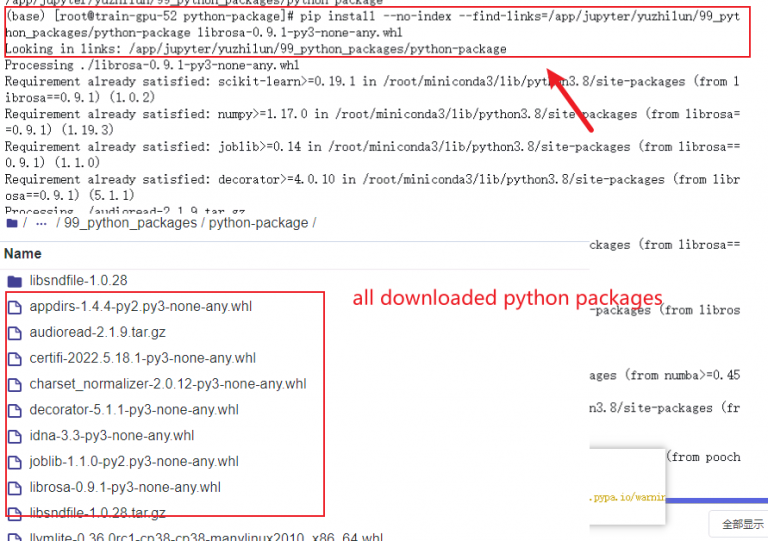
Pip Install Python Packages Offline On Linux Python Tutorial

Web 2 days ago nbsp 0183 32 The following command will install the latest version of a module and its dependencies from the Python Package Index python m pip install SomePackage Note For POSIX users including macOS and Linux users the examples in this guide assume the use of a virtual environment

Web Aug 22 2022 nbsp 0183 32 We have discussed how to install libraries in Python in this article We now know how to install Python library There are various ways by which we can easily install libraries in Python Any Python library can be installed manually in just one step using the command python3 lt FILE NAME gt py install

Web Sep 26 2023 nbsp 0183 32 Contents Requirements for Installing Packages Ensure you can run Python from the command line Ensure you can run pip from the command line Ensure pip setuptools and wheel are up to date Optionally create a virtual environment Creating Virtual Environments Use pip for Installing Installing from PyPI
Web Dec 6 2021 nbsp 0183 32 Run this command on your PC to install the pipreqs library Step 1 Go to the directory in which your python script is present for example assume if we take this code in our directory Step 2 In this directory run the following command that will create a requirement file The requirement file will look like this in our case

Web Aug 1 2019 nbsp 0183 32 Installing using the pip from within python worked for me On the vscode terminal type in python and goto the python prompt At python prompt import pip pip main install quot pandas quot this will install pandas in the current environment quit python prompt and return to vscode terminal
[desc-11] [desc-12]
[desc-13]