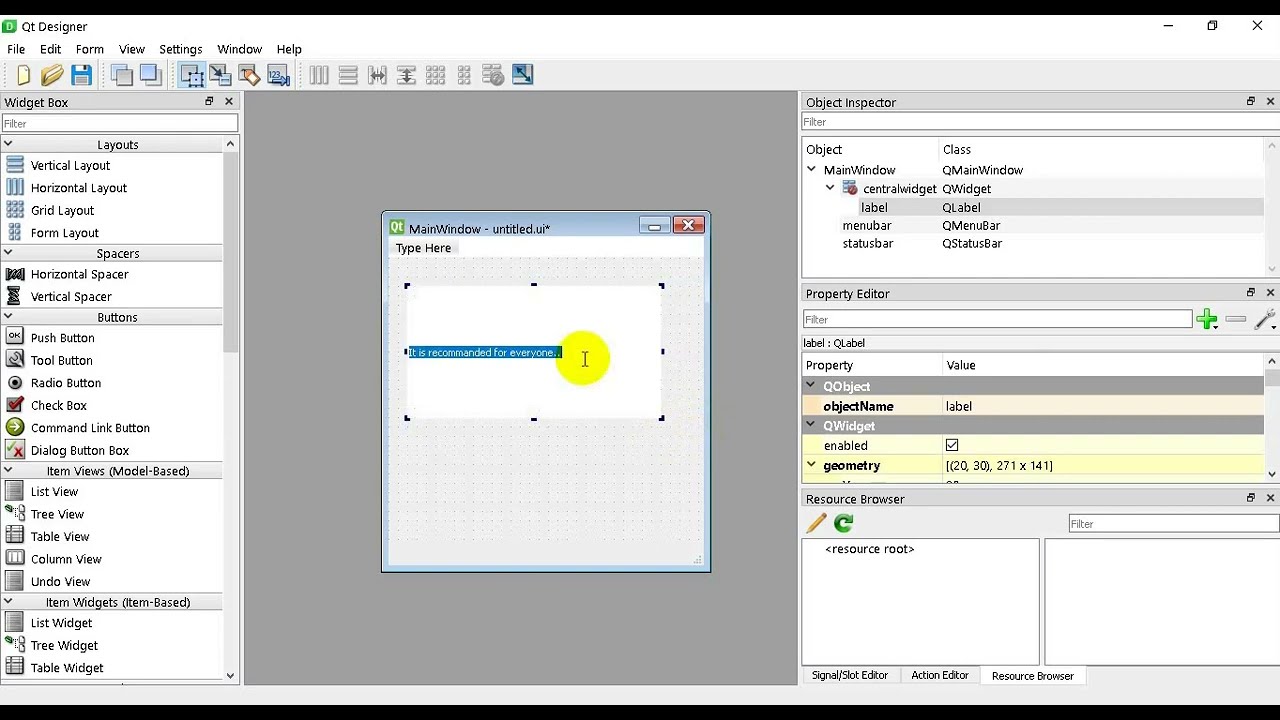
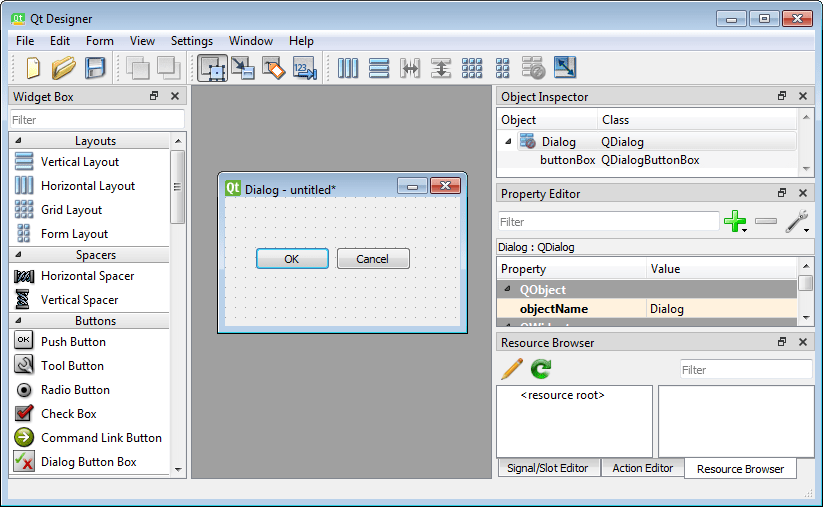
Install Pyqt5 Designer Linux Computer Wertgarantie Content How To Install Pyqt5 Designer And Its Uses Pyuic5 How To Convert Ui L p Tr nh Giao Di n Python V i PyQt5 V Qt Designer VniTeach Gi o Linux Is Great YouTube A Word On Linux Elitism YouTube When you install Drive for desktop on your computer it creates a drive in My Computer or a location in Finder named Google Drive All of your Drive files appear here Any new files or
If you install apps from outside of Google Play your device can send Google information about those apps This information helps Google better protect everyone from harmful apps The Install and set up Drive for desktop Install amp set up Drive for desktop for Windows Important Before you start check that your operating system is compatible with Drive for desktop Tip If
A Word On Linux Elitism YouTube Linux YouTube Security And Linux YouTube Linux Is Linux Scrolller MX Linux BR Start me Linux Logo On A Computer Screen On Craiyon Android How To Use Pyqt5 In Python Riset EPUB Python GUI Erstelle Cross Platform Desktop Applikationen Mit
Install Pyqt5 Designer Linux
 Install Pyqt5 Designer Linux
https://www.wertgarantie.de/sites/default/files/media-images/linux-update-1.jpeg
Microsoft
Pre-crafted templates use a time-saving option for creating a varied variety of files and files. These pre-designed formats and layouts can be utilized for different individual and professional tasks, including resumes, invitations, flyers, newsletters, reports, presentations, and more, enhancing the content creation procedure.
Install Pyqt5 Designer Linux

UI UX Designer

Linux YouTube

Security And Linux YouTube

Linux Is Linux Scrolller

Linux Logo On A Computer Screen On Craiyon

Android
On your iPhone or iPad open App Store In the search bar enter Chrome Tap Get To install follow the on screen instructions If prompted enter your Apple ID password To start
Official Google Chrome Help Center where you can find tips and tutorials on using Google Chrome and other answers to frequently asked questions
Download the installation file again To install Chrome again use the new file If the installation still isn t working use an offline installer Computers with multiple user accounts Computers

On your iPhone or iPad open App Store In the search bar enter Chrome Tap Get To install follow the on screen instructions If prompted enter your Apple ID password To start

On your device go to the Apps section Tap Google Play Store The app will open and you can search and browse for content to download
[desc-11] [desc-12]
[desc-13]