Install Pip Windows 7 How To Upgrade Pip In Windows 7 8 10 YouTube How To Install PIP On Windows Python Pip Install Matplotlib And Scipy Lassaeden How To Install Pip On Windows The Easy Way YouTube How To Run PIP Install From Windows 10 Command Prompt To Install Python Web Jun 9 2022 nbsp 0183 32 We can do this two ways Go to https bootstrap pypa io get pip py and save this file as get pip py in the same folder where Python is located By default the Python installation is stored in the folder AppData The entire path could look like the following C Users User AppData Local Programs Python Python310
Web Dec 17 2019 nbsp 0183 32 Pip is installed by default with most Python distributions but to install pip on Windows you have two options Install a Python distribution like ActivePython which includes pip or Manually install pip with get pip py Download get pip py Navigate to the directory where you installed get pip py Run the following command python get pip py Web pip also supports installing from requirements files which provide an easy way to specify a whole environment to be installed Overview pip install has several stages Identify the base requirements The user supplied arguments are processed here Resolve dependencies What will be installed is determined here Build wheels
How To Run PIP Install From Windows 10 Command Prompt To Install Python Install Pip On Windows Python Pip Windows How To Install PIP On Windows In 6 Steps Liquid Web Ubuntu 20 04 Python Pip How To Install PIP In CMD On WINDOWS YouTube How To Download And Install Python 3 8 With Pip On Windows 10 Linuxbuz Installing Pip With Embeddable Zip Python In Windows Roy Tutorials How How To Upgrade Python Pip In Windows 10 YouTube
Install Pip Windows 7
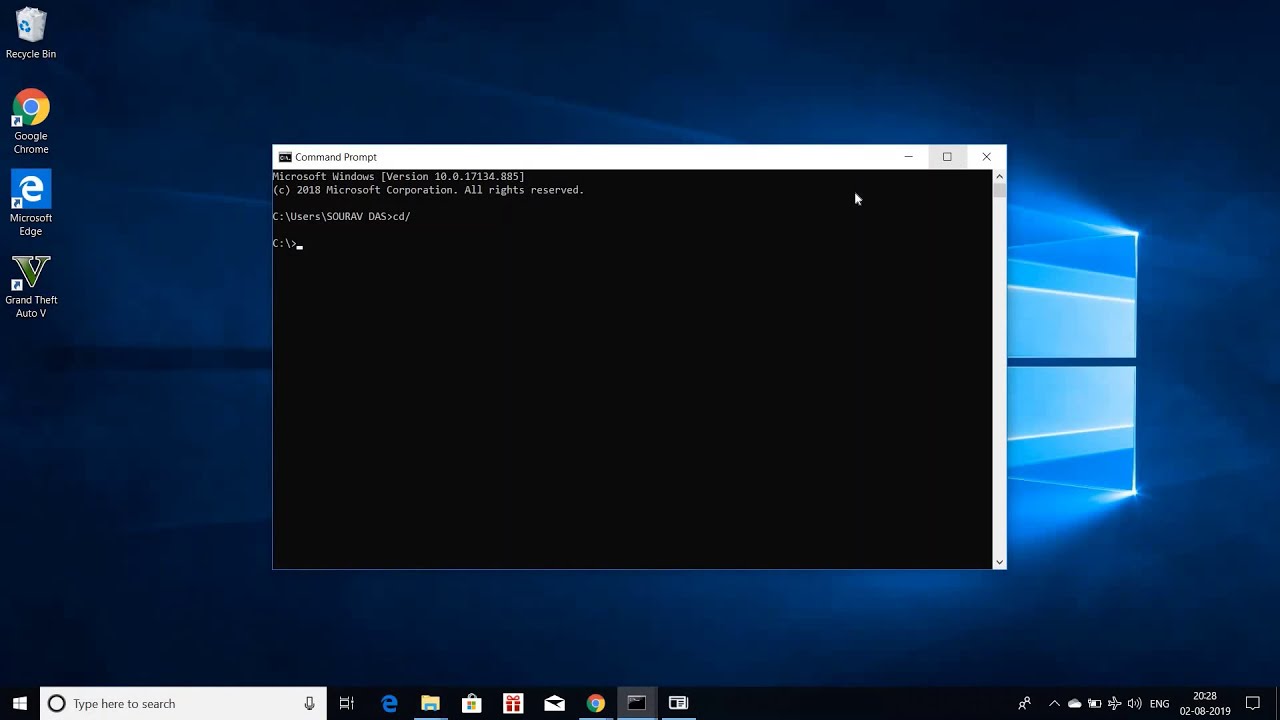 Install Pip Windows 7
https://i.ytimg.com/vi/T09jB1tZeIQ/maxresdefault.jpg
Web When you install pip a pip command is added to your system which can be run from the command prompt as follows python m pip executes pip using the Python interpreter you specified as python So usr bin python3 7 m pip means you are executing pip for your interpreter located at usr bin python3 7
Templates are pre-designed documents or files that can be utilized for numerous purposes. They can conserve effort and time by offering a ready-made format and design for creating various type of content. Templates can be utilized for individual or expert projects, such as resumes, invites, leaflets, newsletters, reports, presentations, and more.
Install Pip Windows 7

How To Install Pip Windows OS Today
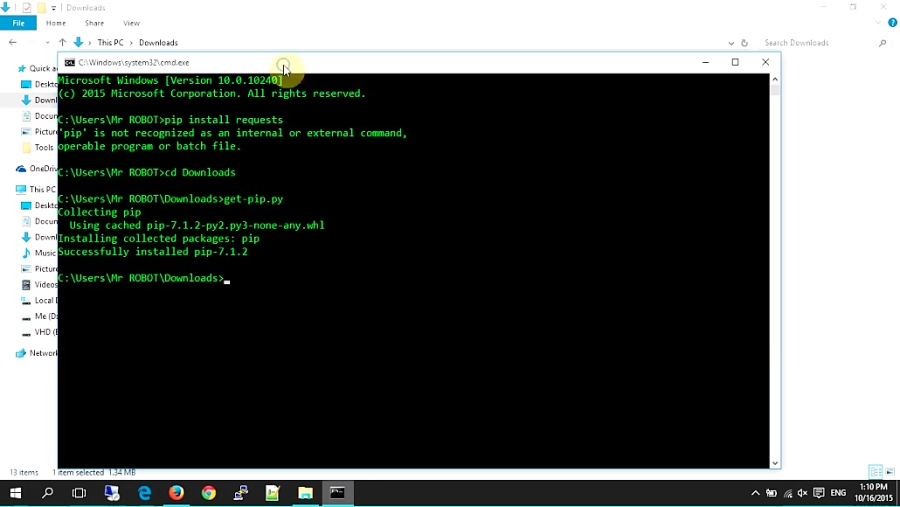
Install Pip On Windows

Python Pip Windows
How To Install PIP On Windows In 6 Steps Liquid Web

How To Install PIP In CMD On WINDOWS YouTube
How To Download And Install Python 3 8 With Pip On Windows 10 Linuxbuz

Web Installing Pip on Windows Download pip 1 2 1 from https pypi python packages source p pip pip 1 2 1 tar gz Extract the pip 1 2 1 tar gz file Change directory to the extracted folder cd lt path to extracted folder gt pip 1 2 1 Run python setup py install

Web Feb 29 2016 nbsp 0183 32 This is one way of installing pip on a Windows system Download the quot get pip quot python script from here https bootstrap pypa io get pip py Save the file as getpip py Run it from cmd python getpip py install
Web Nov 30 2023 nbsp 0183 32 Checking if You Have PIP Installed on Windows Method 1 Install PIP on Windows Using get pip py Step 1 Download PIP get pip py Step 2 Installing PIP on Windows Step 3 Verify Installation Step 4 Add Pip to Path Step 5 Configuration Method 2 Install PIP on Windows Using ensurepip Upgrading PIP for Python on

Web Installing Python pip on Windows Installing pip in Windows is very easy You just need to follow given steps to install pip and some additional steps to finally use it To ensure proper installation and use of pip we need to tick this checklist Download pip Install pip Verify Installation Add pip to environment variables

Web Dec 17 2023 nbsp 0183 32 Latest version Released Dec 17 2023 The PyPA recommended tool for installing Python packages Project description pip is the package installer for Python You can use pip to install packages from the Python Package Index and other indexes Please take a look at our documentation for how to install and use pip Installation Usage
Web Jun 15 2022 nbsp 0183 32 Install Open installer gt select Add Python 3 7 to PATH gt Install Now gt wait for confirmation Next open Command Prompt gt enter print quot Hello World quot Inspect PIP commands by entering C Users acpke gt pip help This article explains how to installPackage Installer for Python PIP on a Windows Vista system and newer Web Apr 23 2014 nbsp 0183 32 1 I want to install pip on Windows 7 First make sure you have installed an official supported version of Python the most reliable way to do this is to install from the official windows installer page Next navigate to this page and then search for pip and you will see Windows installer packages for different versions of pip that correspond
Web Mar 10 2023 nbsp 0183 32 1 Right click on this link and then choose Save link as 2 Now save it as get pip py file in the Downloads folder 3 Next right click on the get pip py file and choose Copy as path 4 Finally open the Terminal and execute it in the below fashion Enter python add a space and then paste the path