Install Openvpn On Windows 11 How To Install And Configure OpenVPN On Windows 11 How To Set Up OpenVPN On Windows 10 1 VPN Buy VPN Service Cheap VPN Yearly Cheapest How To Set Up OpenVPN On Windows 10 1 VPN Buy VPN Service Cheap VPN Yearly Cheapest How To Install Setup And Configure An OpenVPN Service On CentOS 5 Networks And Electronics Windows 8 OpenVPN Install Web Feb 3 2022 nbsp 0183 32 In this article let s see how to Install and configure Open VPN easily on Windows 11 Steps to Download and Install Open VPN 1 Vist the OpenVPN community Downloads Page 2 If your system is 32 bit Choose the Windows 32 bit MSI installer If your system is 64 bit choose Windows 64 bit MSI installer 3 This will start the download
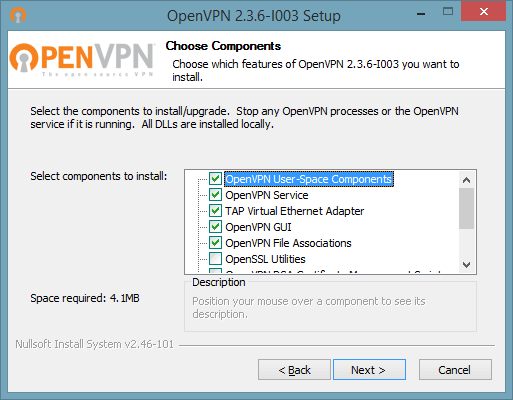
Web Aug 15 2023 nbsp 0183 32 openvpn 2 4 6 zip Windows installer NSIS GnuPG Signature openvpn install 2 4 6 I602 exe Windows Development snapshots The OpenVPN community shares the open source OpenVPN Download the latest version of the open source VPN release OpenVPN 2 6 3 for a secure network Web Step 1 Launch the msi installer for openvpn and click next Step 2 Read and click I Agree to indicate your agreement Step 3 Choose the location to install the program files for the Desktop Client and click Install to begin Step 4 You are now ready to install the Desktop Client ensure TAP Virtual Eth Adapter and OpenVPN GUI are checked
Windows 8 OpenVPN Install How To Install OpenVPN On Firestick 2023 How To Set Up OpenVPN On Windows 10 1 VPN Buy VPN Service Cheap VPN Yearly Cheapest How To Set Up OpenVPN On Windows 10 1 VPN Buy VPN Service Cheap VPN Yearly Cheapest How To Set Up OpenVPN On Windows 7 How To Install Setup OpenVPN On Windows 10 YouTube How To Install OpenVPN On Windows 10 VPNInfo Openvpn Client Download Desktop For Windows Furniturepass Elfoglalt Gy gyszert r Trolibusz Openvpn 64 Bit Download Ki ll t s V letlen Ellens ges
Install Openvpn On Windows 11
 Install Openvpn On Windows 11
https://supporthost.in/wp-content/uploads/2022/02/win11-openvpn-Blog-Banner-600x338.png
Web Jan 9 2022 nbsp 0183 32 In this video we will see How To Install amp Setup OpenVPN on Windows 11 So we will see How to add a OpenVPN for Windows 11 We will add the OpenVPN config file to our Windows 11 fir vpnbook
Templates are pre-designed documents or files that can be utilized for different functions. They can conserve time and effort by offering a ready-made format and layout for creating different type of material. Templates can be used for personal or expert projects, such as resumes, invitations, leaflets, newsletters, reports, discussions, and more.
Install Openvpn On Windows 11
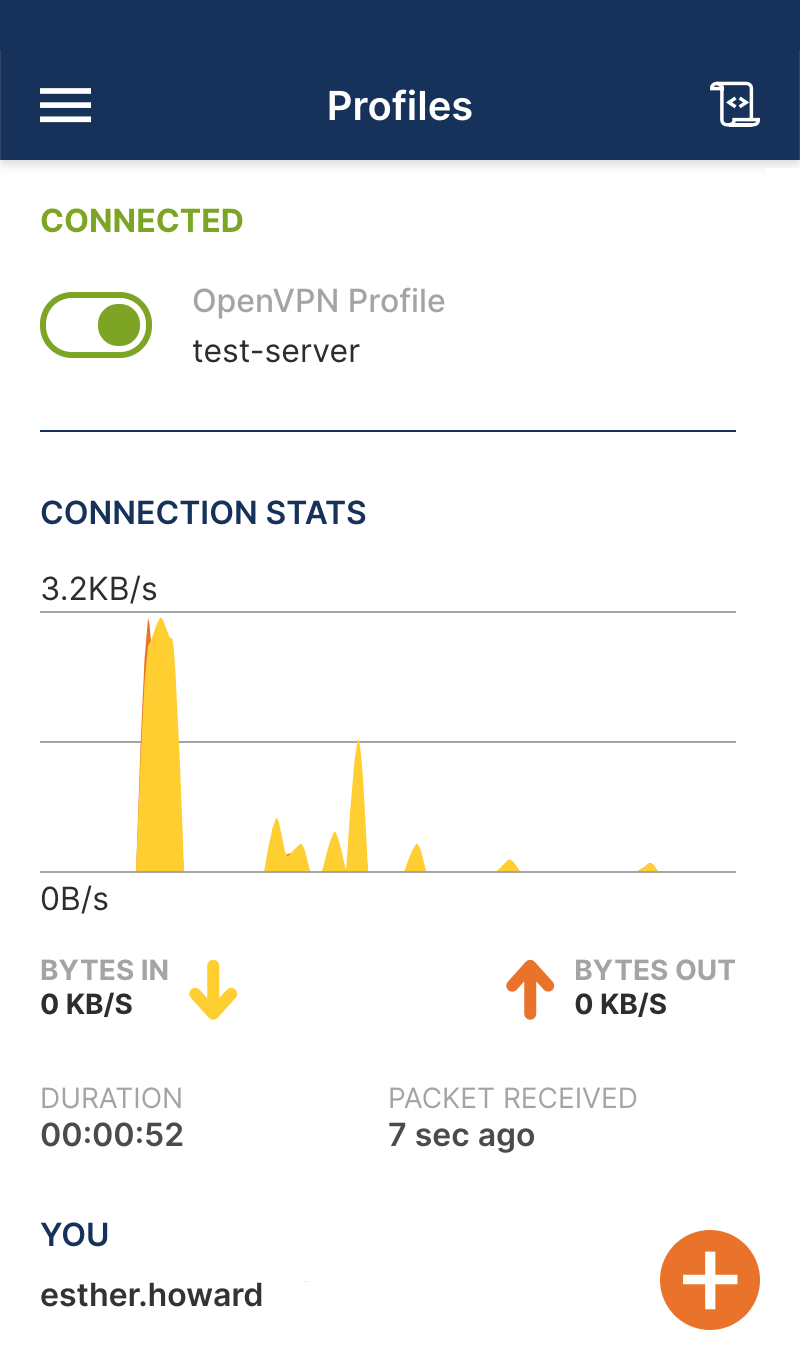
Where Is Openvpn Client Download For Windows 10 Moplacn

How To Install OpenVPN On Firestick 2023
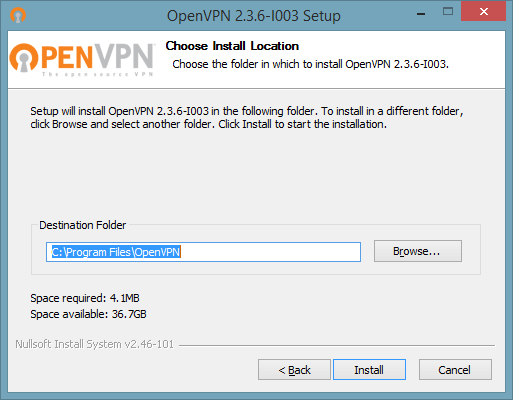
How To Set Up OpenVPN On Windows 10 1 VPN Buy VPN Service Cheap VPN Yearly Cheapest
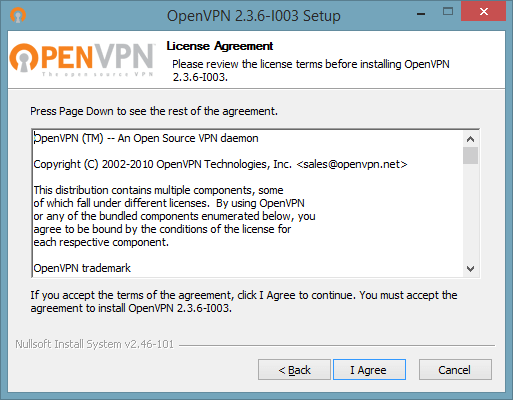
How To Set Up OpenVPN On Windows 10 1 VPN Buy VPN Service Cheap VPN Yearly Cheapest

How To Install Setup OpenVPN On Windows 10 YouTube

How To Install OpenVPN On Windows 10 VPNInfo

Web Feb 5 2022 nbsp 0183 32 In this section we first install the OpenVPN MSI installer on Client PC like Windows 11 After that we will setup OpenVPN client config files Finally start the the OpenVPN connection and test it out Section 5 a OpenVPN Client MSI Install For OpenVPN MSI installation on Client PC follow the same steps described on Section 1
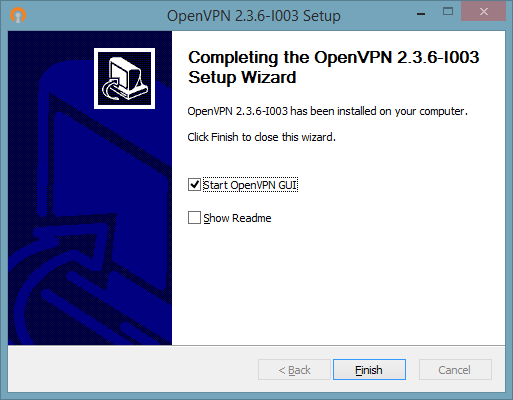
Web Jun 21 2023 nbsp 0183 32 When it comes to commercial VPNs the easiest way to use a VPN in Windows 11 is to install the client application provided by the VPN company of your choice And in this case the easiest
Web Download the official OpenVPN Connect client software developed and maintained by OpenVPN Inc Windows MacOS Linux Android iOS ChromeOS Download OpenVPN Connect for Windows Installation instructions and alternative versions Connect to any compatible server

Web This document provides step by step instructions for configuring an OpenVPN 2 x client server VPN including OpenVPN Quickstart Installing OpenVPN Determining whether to use a routed or bridged VPN Numbering private subnets

Web Apr 19 2023 nbsp 0183 32 To connect to a VPN server use these steps Open Settings Click on Network amp internet Click the VPN page from the right side Click the Connect button for the connection Image credit Future
[desc-11] [desc-12]
[desc-13]