Install Openvpn Network Manager Ubuntu Ubuntu 20 04 Install OpenVPN Client And Connect To VPN On Ubuntu 20 04 ITHOWTOO COM Ubuntu Network Manager YouTube Ubuntu How To Setup OpenVPN Config With TLS On Windows Super User Basic Ubuntu 20 04 OpenVPN Client Server Connection Setup Linux Tutorials Learn Linux Networking Gnome VPN Connecttion add Button Greyed Ask Ubuntu Table of Contents Prerequisites Step 1 Setting Up OpenVPN Server on Ubuntu Step 2 Setup OpenVPN Clients in Ubuntu Step 3 Setup OpenVPN Client in Linux Step 4 Uninstall OpenVPN from Ubuntu Step 1 Setting Up OpenVPN Server on Ubuntu 1 Installing and configuring an OpenVPN server manually is not a simple task from my experience
Step 1 Installing OpenVPN and Easy RSA The first step in this tutorial is to install OpenVPN and Easy RSA Easy RSA is a public key infrastructure PKI management tool that you will use on the OpenVPN Server to generate a certificate request that you will then verify and sign on the CA Server Network Manager Network manager is used by Ubuntu and other Linux distributions to manage network connections It provides a convenient and user friendly method of configuring VPN connections It s used by default by desktop environments like Gnome and KDE
Networking Gnome VPN Connecttion add Button Greyed Ask Ubuntu How To Install OpenVPN In Ubuntu Linux A Tutorial For Newbie Ubuntu Mint OpenVPN On Network Manager SlickVPN Linux Ubuntu Unity SSL OpenVPN Setup My Private Network VPN Ubuntu Mint OpenVPN On Network Manager SlickVPN Openvpn Ubuntu 18 04 How To Install OpenVPN In Ubuntu Linux A Tutorial For Newbie Broadband Internet Computer Help Install Openvpn Network Manager Ubuntu Gnome Erogonkarma Connect OpenVPN With WatchGuard SSL VPN Hack zen werk
Install Openvpn Network Manager Ubuntu
 Install Openvpn Network Manager Ubuntu
https://www.ithowtoo.com/wp-content/uploads/2021/03/openvpn-logo-768x427.png
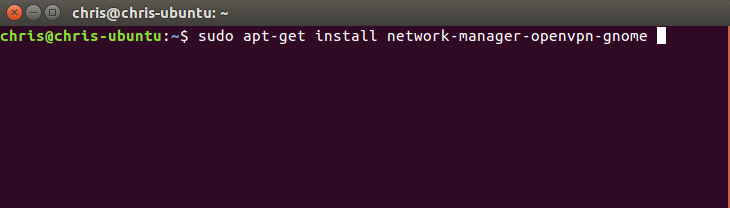
1 Open the terminal 2 Install OpenVPN network manager by entering copy paste into the terminal sudo apt get install network manager openvpn and hit Return or Enter sudo apt get install network manager openvpn gnome and hit Return or Enter 3 Restart the Network Manager systemctl restart NetworkManager 4
Pre-crafted templates offer a time-saving option for developing a varied series of files and files. These pre-designed formats and designs can be utilized for various individual and professional tasks, including resumes, invitations, leaflets, newsletters, reports, discussions, and more, improving the content creation process.
Install Openvpn Network Manager Ubuntu

How To Install And Setup OpenVPN On Ubuntu Ken Favors Com

How To Install OpenVPN In Ubuntu Linux A Tutorial For Newbie
Ubuntu Mint OpenVPN On Network Manager SlickVPN
Linux Ubuntu Unity SSL OpenVPN Setup My Private Network VPN
Openvpn Ubuntu 18 04

How To Install OpenVPN In Ubuntu Linux A Tutorial For Newbie Broadband Internet Computer Help
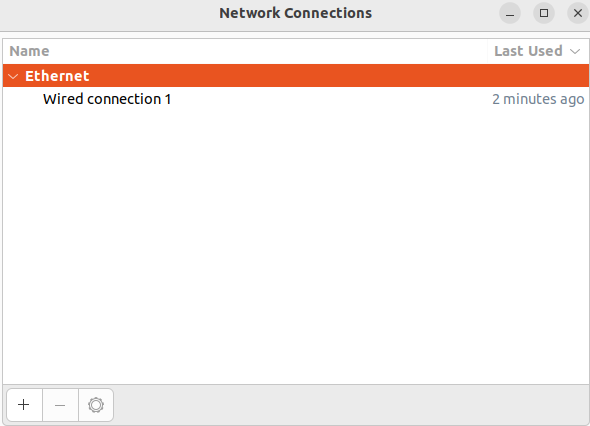
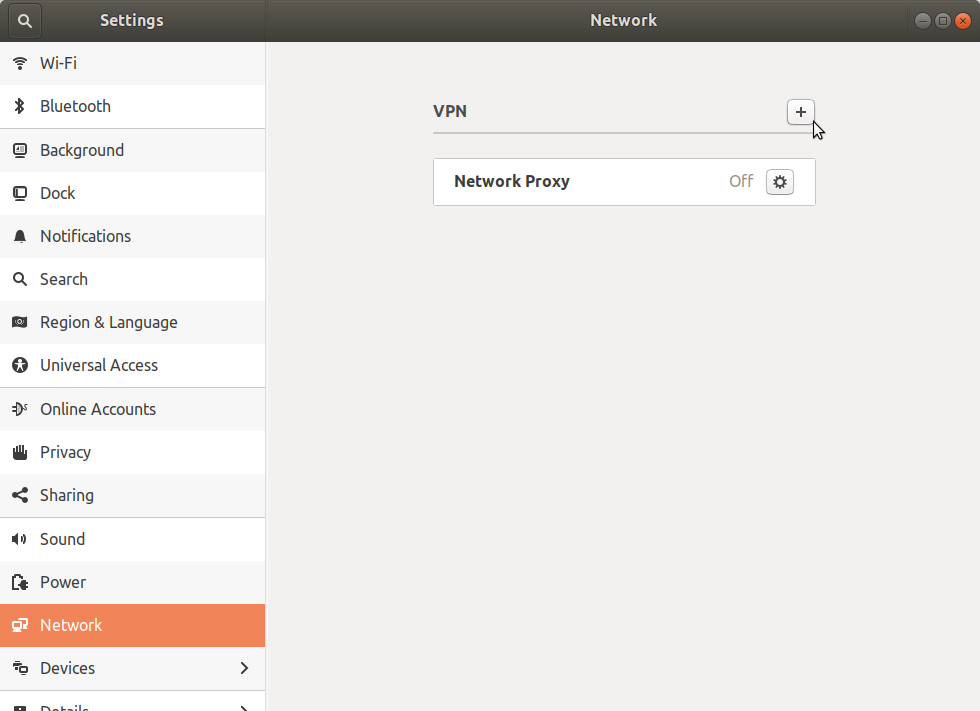
You need to install the OpenVPN Network Manager GUI package before we begin this guide so open up a Terminal window and enter the following code sudo apt install network manager openvpn y Connect OpenVPN with Ubuntu Network Manager Click the Network icon top right of your screen then click Settings

First install the OpenVPN Network Manager plugin sudo apt get install network manager openvpn gnome Open Network Manager click Add and from the opened window select Import a saved VPN configuration under Choose a Connection Type Navigate to your ovpn file jrg Documents vpn config ovpn

1 Visit your CyberGhost VPN online account and login with your CyberGhost Username and Password 2 Click on section VPN from the left side menu scroll down the page and click Configure Device 3 Each server has a configuration file that you will need to create in order to connect to the VPN server

Step 1 Install the Network Manager OpenVPN Plugin To begin open the Terminal application on your Ubuntu system and enter the following command to install the Network Manager OpenVPN plugin bash sudo apt get update sudo apt get install network manager openvpn gnome

Installation NetworkManager should be installed by default on Ubuntu Desktop installs as well as most flavours of Ubuntu To install NetworkManager sudo apt install network manager Network Manager Network Manager aims for Network Connectivity which Just Works
Step 1 Install OpenVPN plugin Type the following apt get command or apt command to install the Gnome NetworkManager OpenVPN plugin under a Debian or Ubuntu Linux For example sudo apt install network manager openvpn gnome openvpn systemd resolved Sample outputs Reading package lists In this tutorial we learn how to install network manager openvpn on Ubuntu 20 04 What is network manager openvpn network manager openvpn is NetworkManager is a system network service that manages your network devices and connections attempting to keep active network connectivity when available It manages ethernet WiFi mobile broadband
Step 1 Check Your IP Address Computer and other devices can get connected to the internet through an IP Internet Protocol address Your location time zone and other details can be found by the IP address A VPN hides your IP address and masks your exact location