Install Nuget Package Visual Studio 2010 Moliti Imitacija Ka iprst C Nuget Serena Politika Barut Visual Studio Nuget Package Manager Console Install Package Visual Studio 2022 Nuget YouTube Install And Manage Packages In Visual Studio Using The NuGet Package Manager Microsoft Learn Install And Manage Packages In Visual Studio Using The NuGet Package Manager Microsoft Learn Install Nuget Package In Visual Studio Mobile Legends The first way is to go to http nuget and click on the Install NuGet button This will download a Visual Studio 2010 extension package Once the download is complete run the package Click on image for larger view Figure 1 The second method can be done from within Visual Studio
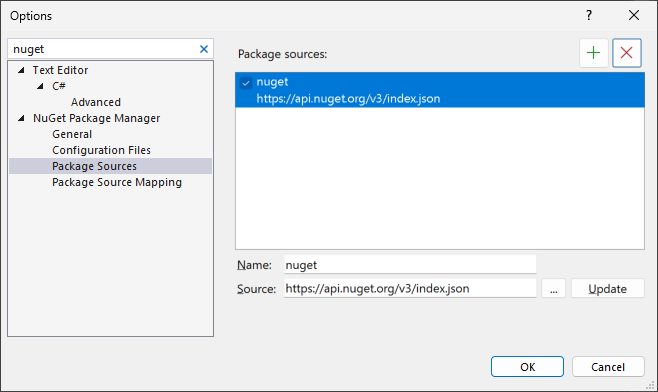
n n n To build and run the app press F5 or select Debug Start Debugging n The following window appears n n n n Select the Click Me button to see the contents of the TextBlock object replaced with JSON text n n n n Related video n n Install and Use a NuGet Package with Visual Studio To manger nuget package in visual studio 2010 we need to download and install an extension NuGet Package Manager then follow these steps to open it in VS 2010 Go to Visual Studio 2010 Menu Tools select Options Click Package Manager Package Sources Verify the following
Install Nuget Package In Visual Studio Mobile Legends Nuget Package Manager A Very Useful Visual Studio 2010 Extension Smallworkarounds Visual Studio 2022 Install Nuget Package Image To U Visual Studio NuGet Microsoft Learn CoderJony Unable To Install NuGet Package As NuGet Packages Are Offline Only In Visual Studio Manage NuGet Packages With The Visual Studio Package Manager Console Microsoft Learn Install Nuget Package In Visual Studio Mobile Legends Installation Documentation Visual Studio How To Use NuGet Package In Visual Studio Code Linux Ubuntu To Add Package
Install Nuget Package Visual Studio 2010
 Install Nuget Package Visual Studio 2010
https://learn.microsoft.com/en-us/nuget/consume-packages/media/package-sources.png
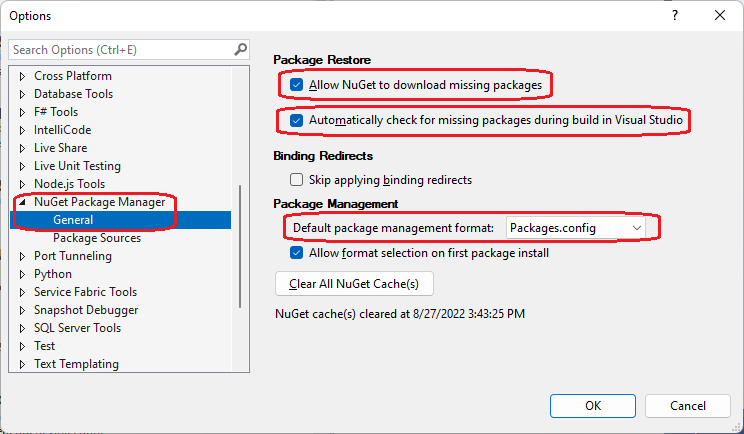
Run the Visual Studio installer and check the option setting under Individual Components Code tools NuGet package manager For more information see Install and manage packages in Visual Studio by using the NuGet Package Manager Note For earlier versions of Visual Studio you can download NuGet extensions at https dist nuget index html
Templates are pre-designed files or files that can be used for different purposes. They can conserve effort and time by providing a ready-made format and design for creating various sort of content. Templates can be utilized for personal or expert tasks, such as resumes, invites, flyers, newsletters, reports, presentations, and more.
Install Nuget Package Visual Studio 2010

Install Nuget Package Visual Studio 2008 Qatarascse

Nuget Package Manager A Very Useful Visual Studio 2010 Extension Smallworkarounds
Visual Studio 2022 Install Nuget Package Image To U
Visual Studio NuGet Microsoft Learn
Manage NuGet Packages With The Visual Studio Package Manager Console Microsoft Learn

Install Nuget Package In Visual Studio Mobile Legends

Solution 1 You ned to have the nuget package manager installed so you need to look at why the Extension Manager is offline I d start by checking you have a working internet connection on the machine and that VS isn t on a blacklist

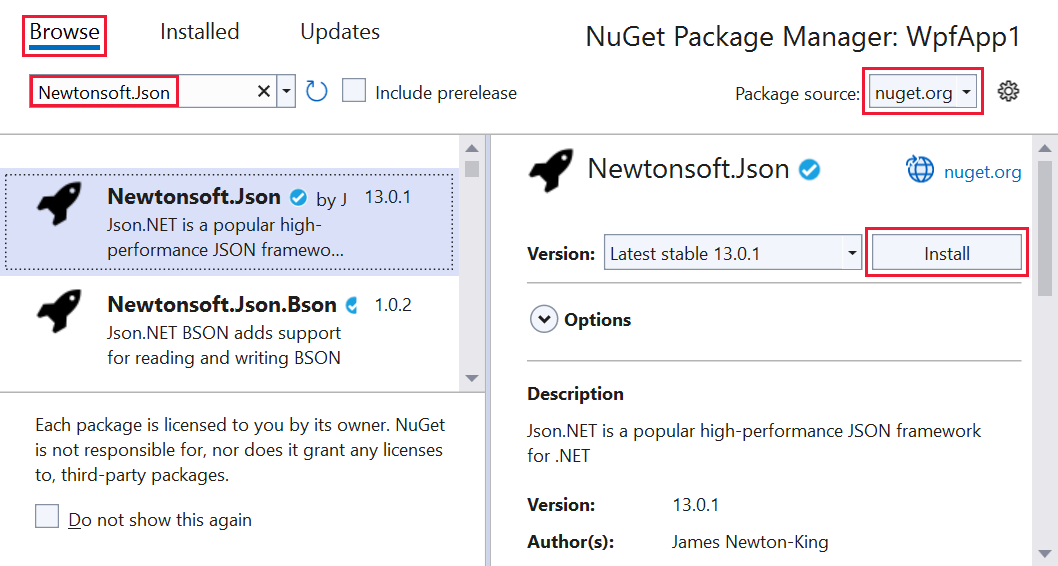
You can install a NuGet package in a Microsoft Visual Studio project by using the NuGet Package Manager the Package Manager Console or the NET CLI This article demonstrates how to create a Windows Presentation Foundation WPF project with the popular Newtonsoft Json package The same process applies to any other NET or NET Core project
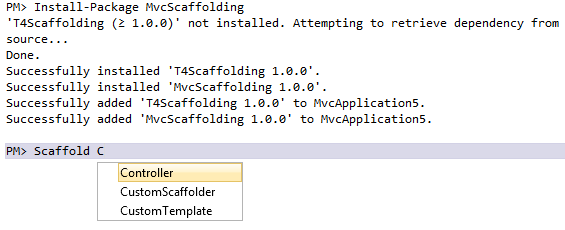
Open your project or solution in Visual Studio and select Tools NuGet Package Manager Package Manager Console to open the Package Manager Console window In the console enter Find Package with a keyword to find the package you want to install For example to find packages that contain the keyword elmah run the following command
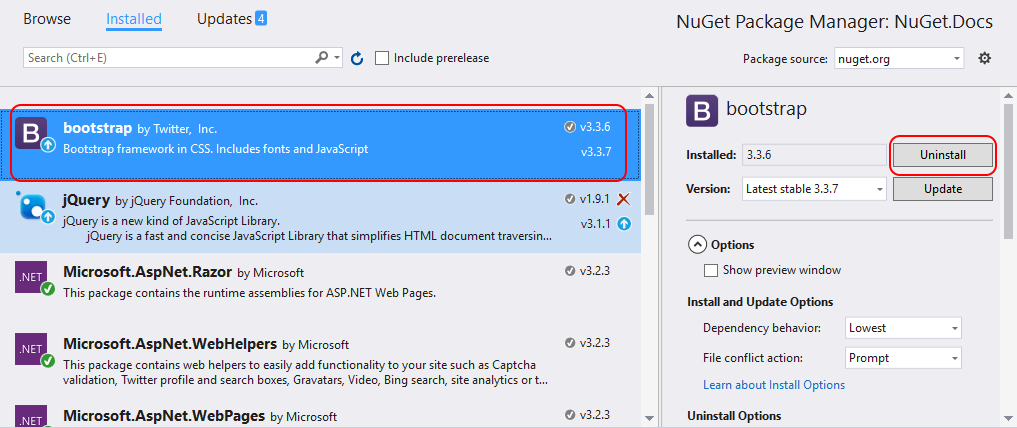
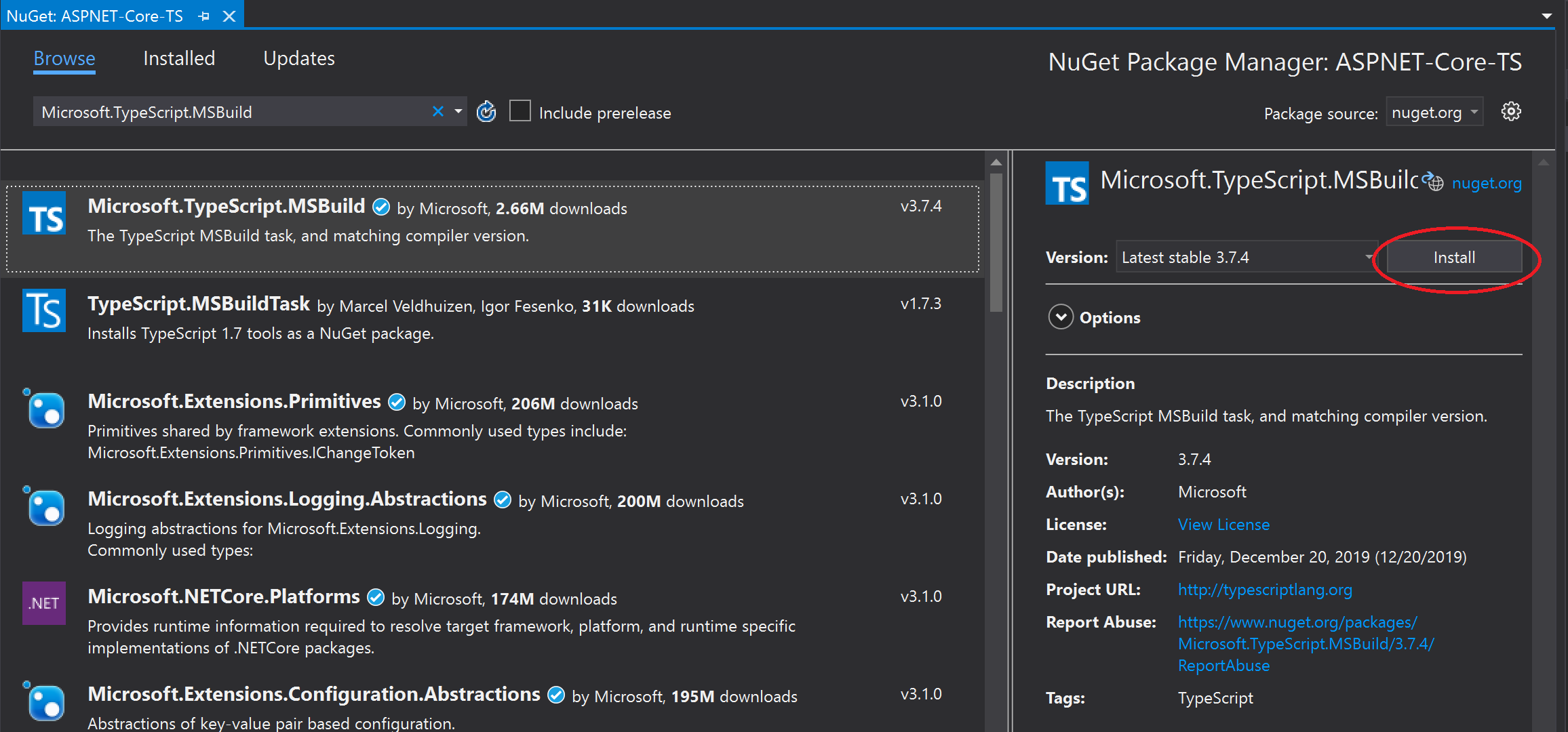
To find and install a NuGet package with Visual Studio follow these steps Load a project in Solution Explorer and then select Project Manage NuGet Packages The NuGet Package Manager window opens Select the Browse tab to display packages by popularity from the currently selected source see Package sources
Works with Visual Studio 2010 2012 More Info Extension for Visual Studio A collection of tools to automate the process of downloading installing upgrading configuring and removing packages from a VS Project
Windows x86 Commandline nuget exe recommended latest v6 8 0 Visual Studio 2017 and above NuGet Package Manager PM UI and PM Console is included with Visual Studio Latest NuGet releases are delivered as part of Visual Studio updates Note nuget exe itself is not included with any version of Visual Studio Download Visual Studio Learn more https learn microsoft training dotnet An introduction to installing and using NuGet packages with the built in Visual Studio package mana
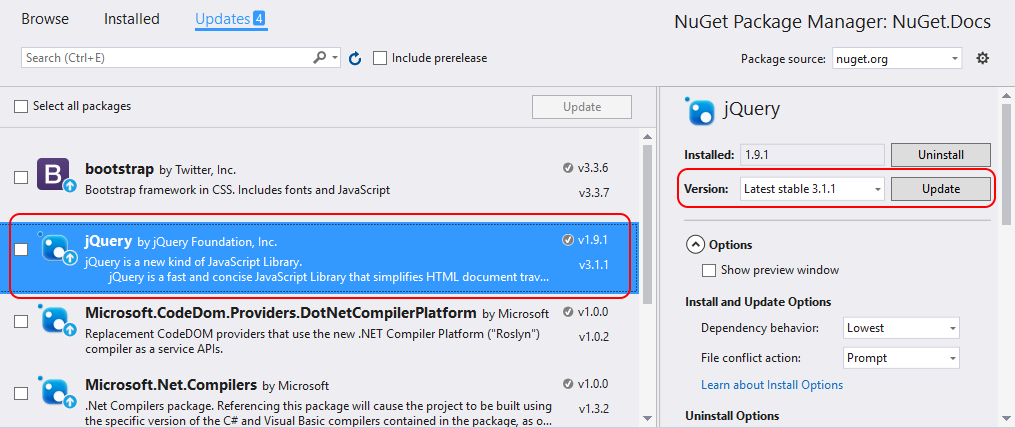
Using Visual Studio go to the Solution Explorer right click in References and select Manage NuGet Packages When the window open you can notice 4 items on the left side Installed packages List of libraries packages already installed Online Packages available for download Updates Updates available for your installed packages