Install Network Manager L2tp Gnome L2TP Linux Ubuntu Ubuntu CSDN Cara Install Dan Konfigurasi L2TP IPSec Client Di Ubuntu Desktop 20 04 C mo Instalar Network Manager L2TP En Ubuntu Aprender Linux L2TP VPN For Linux Layer 2 Tunneling Protocol L2PT Using By WEB 9 rows nbsp 0183 32 Jan 20 2016 nbsp 0183 32 network manager l2tp is a VPN plugin for NetworkManager which provides support for L2TP and L2TP IPsec i e L2TP over IPsec connections After
WEB Jan 18 2023 nbsp 0183 32 You were correct in installing network manager l2tp gnome as it contains the Gtk3 L2TP editor plug in for use with nm connection editor Try the following and see if there was anything which WEB Oct 17 2019 nbsp 0183 32 Be sure to to install network manager l2tp you won t need the GNOME GUI network manager l2tp gnome package sudo apt install network manager l2tp
L2TP VPN For Linux Layer 2 Tunneling Protocol L2PT Using By How To Add The L2TP VPN Option To NetworkManager In Linux TechRepublic How To Setup An L2TP IPsec VPN Client On Linux The Linux Centre Servers ru 498 Network Manager CLI VPN Gihyo jp Install L2TP Client Di Linux WarsCloud Blog Ubuntu 20 04 LTS Razeen s Blog Cara Install Dan Konfigurasi L2TP IPSec Client Di Ubuntu Desktop 20 04 PrivatVPN How To Install Network Manager Linux Ubuntu YouTube
Install Network Manager L2tp Gnome
 Install Network Manager L2tp Gnome
https://nastroisam.ru/2012/linux_l2tp.gif
WEB Add getenv NM L2TP XL2TPD MAX RETRIES to allow setting the xl2tpd max retries value with an environment variable Drop unused ChangeLog file Increase IPsec and
Templates are pre-designed files or files that can be utilized for various purposes. They can conserve time and effort by offering a ready-made format and design for producing various sort of material. Templates can be used for individual or professional projects, such as resumes, invites, flyers, newsletters, reports, discussions, and more.
Install Network Manager L2tp Gnome

Ubuntu Ubuntu CSDN

How To Add The L2TP VPN Option To NetworkManager In Linux TechRepublic

How To Setup An L2TP IPsec VPN Client On Linux The Linux Centre
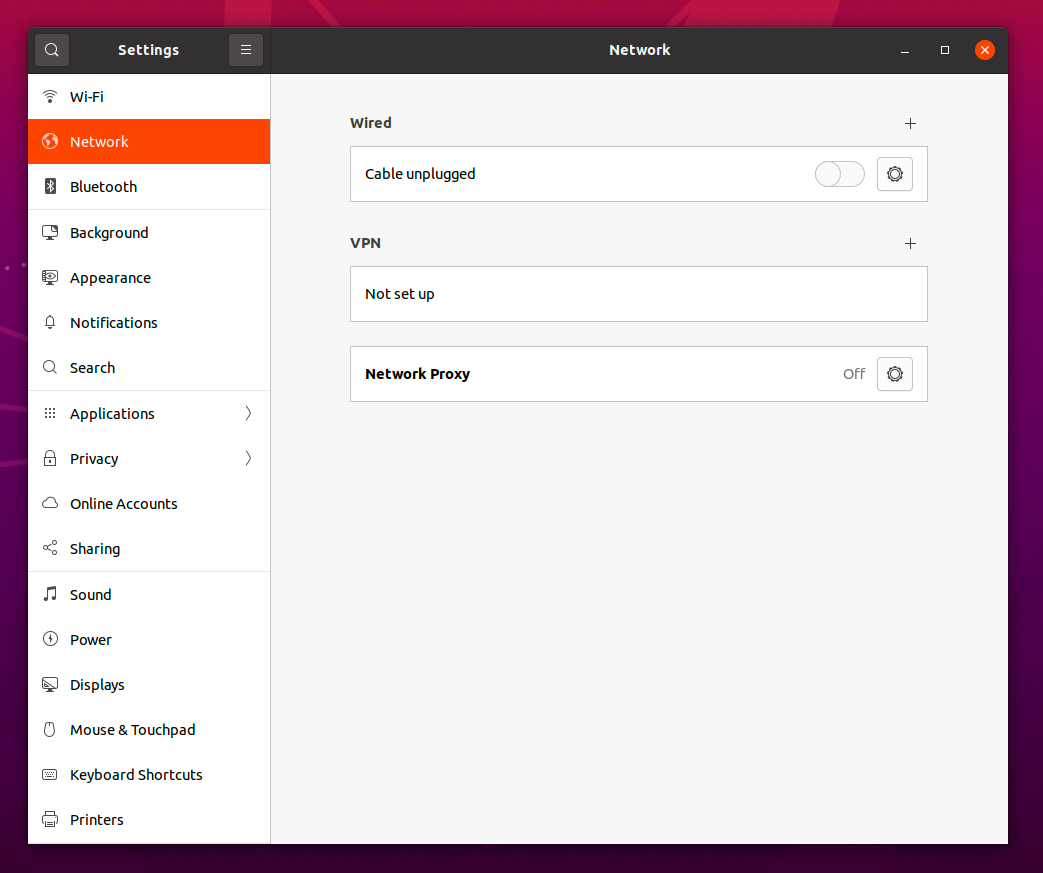
Servers ru

Install L2TP Client Di Linux WarsCloud Blog

Ubuntu 20 04 LTS Razeen s Blog

WEB Aug 14 2018 nbsp 0183 32 Installing Network Manager L2TP in Ubuntu 17 04 and above Ubuntu 17 10 and later including Ubuntu 18 04 ship with network manager l2tp and network
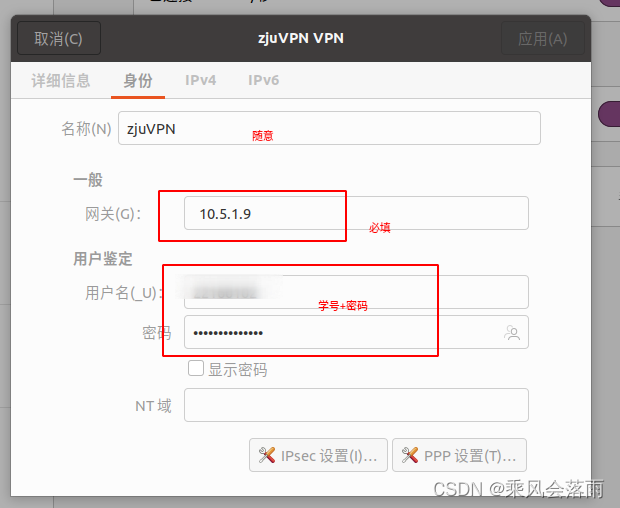
WEB Apr 13 2017 nbsp 0183 32 By default you d be out of luck Fortunately there s a way to add L2TP support for the NetworkManager found on Ubuntu Unity and GNOME desktops which
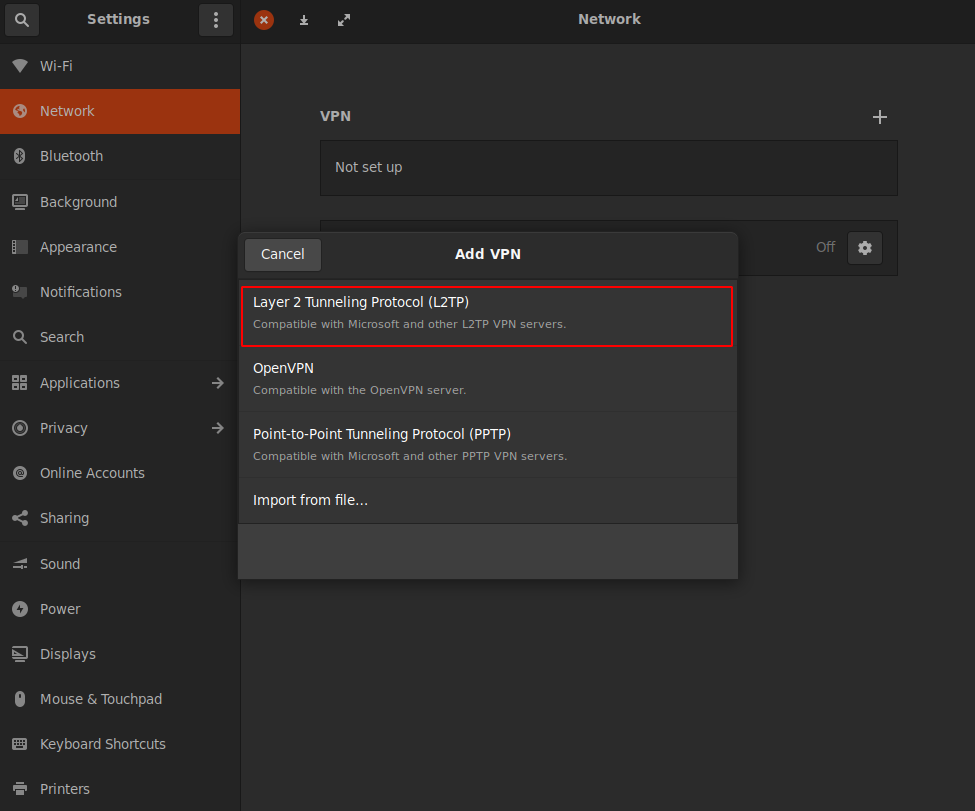
WEB NetworkManager l2tp is a VPN plugin for NetworkManager which provides support for L2TP and L2TP IPSec i e L2TP over IPSec connections For L2TP support it uses xl2tpd

WEB In the Terminal enter this line sudo apt get install network manager l2tp network manager l2tp gnome

WEB This appears to be because you just installed the command line side of NetworkManager s L2TP support In order to use the GUI to configure L2TP VPNs as well you will need to
WEB Sep 8 2019 nbsp 0183 32 Install network manager l2tp sudo apt get updatesudo apt get install network manager l2tpsudo apt get install network manager l2tp gnome Set VPN WEB Installation NetworkManager can be installed with the package networkmanager which contains a daemon a command line interface nmcli and a curses based interface
WEB May 28 2019 nbsp 0183 32 I set up my system according to a tutorial I found on the Internet I basically installed the necessary dependencies sudo apt install network manager sudo apt