Install Msi Silently Command Line Install Msi Command Prompt Jawertokyo MSI File What Is How To Open And Edit It Install Notepad Silently Using Windows Powershell Code2care Msi Silent Install Command Line Siever How To Silently Install Vcredist X64 Exe Menuele Install an extension Important You can t add extensions when you browse in Incognito mode or as a guest Open the Chrome Web Store Find and select the extension you want Select Add
Official Google Chrome Help Center where you can find tips and tutorials on using Google Chrome and other answers to frequently asked questions pip install conda install anaconda prompt pip install conda install 1 101
How To Silently Install Vcredist X64 Exe Menuele How To Install MSI Files Silently LiquidSky X360Sync Silently Install And Register The Desktop Client OS X Axcient How To Silently Install Vcredist X64 Exe Menuele Deploying Sketch Up How To Install MSI Packages Using The Command Line LiquidSky Extract Msi From Wise Installer Command Newlinesoc Msi Silent Install Command Line Renplus How To Silently Install An MSI Package Askit Solutii Si Rezolvari Pentru Diverse Situatii IT
Install Msi Silently Command Line
 Install Msi Silently Command Line
http://jawertokyo.weebly.com/uploads/1/3/3/7/133726427/427227872_orig.png
Tip If you use a work or school account you might not be able to use Google Drive for desktop or your organization might have to install it for you If you have questions ask your administrator
Templates are pre-designed files or files that can be used for numerous functions. They can conserve effort and time by offering a ready-made format and layout for producing different type of material. Templates can be utilized for individual or expert projects, such as resumes, invitations, leaflets, newsletters, reports, discussions, and more.
Install Msi Silently Command Line

How To Install MSI Files Silently LiquidSky

How To Install MSI Files Silently LiquidSky
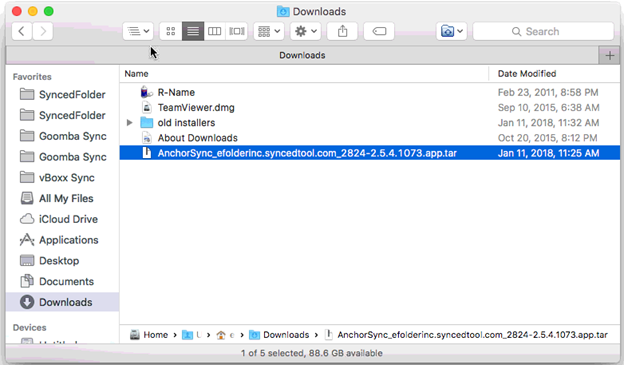
X360Sync Silently Install And Register The Desktop Client OS X Axcient

How To Silently Install Vcredist X64 Exe Menuele

How To Install MSI Packages Using The Command Line LiquidSky

Extract Msi From Wise Installer Command Newlinesoc

How to install Chrome Important Before you download you can check if Chrome supports your operating system and other system requirements

When you install Drive for desktop on your computer it creates a drive in My Computer or a location in Finder named Google Drive All of your Drive files appear here

Can t install because you re not an administrator on Windows If you re not an administrator follow the steps to download and install Google Chrome Learn more about how to fix most

To install or upgrade to the latest version of Google Earth Pro download the application System requirements In order for Google Earth Pro to run on your computer you must have all

Install Chrome On your iPhone or iPad open App Store In the search bar enter Chrome Tap Get To install follow the on screen instructions If prompted enter your Apple ID password To
[desc-11] [desc-12]
[desc-13]