Install Mac Virtual Machine On Windows 10 How To Install Mac Virtual Machine On Windows 10 Licioushopde VisualCron VisualCron Virtual Machine Automation How To Install Mac Virtual Machine On Windows 10 Trueefiles Install Mac Virtual Machine On Windows 10 Savingsnanax How To Install A Virtual Machine On Windows 10 Using Hyper V Now Even Manager Ghana Tips Vrogue First download the latest version of VirtualBox for macOS Click OS X Hosts and the download will begin automatically Open the new DMG file and then double click VirtualBox pkg to open the installer You ll also find the User Manual here as well as the Uninstall tool Click Continue to proceed through the installer
1 Prerequisite 2 Install Mac OS On VirtualBox Virtual Machine Steps 2 1 Create macOS Virtual Machine In VirtualBox 2 2 Configure macOS Virtual Machine To Install macOS Mojave Or High Sierra 2 3 Run VBoxManage Command Before Start Mac OS Virtual Machine 2 4 Start Mac OS Virtual Machine Step 1 Groundwork Preparations Download and extract the macOS Sierra image file 5 GB with any file extractor tools like Winrar or Winzip Next download the latest version of Virtual Box and install it on your Windows 10 machine Installing virtual box is very easy you just have to select the installation directory and keep clicking Next
How To Install A Virtual Machine On Windows 10 Using Hyper V Now Even Manager Ghana Tips Vrogue How To Install Windows 11 On UTM Virtual Machine In M2 Mac N bre Imigr cia Look Windows 10 Full Virtual Box t tne Ob ianstvo Hriech By Install Mac Virtual Machine On Windows Vmware Aslupdate Want To Use The Virtual Machine How To Use Mac OS X On Your Windows Computer LEMP Install Mac Os On Windows 8 Aurorapsado How To Install MacOS On Windows 10 GHacks Tech News How To Create A Virtual Machine With Hyper V Powershell In Windows 10 Www vrogue co To Install Mac Os On Pc Largekop
Install Mac Virtual Machine On Windows 10
 Install Mac Virtual Machine On Windows 10
https://www.parallels.com/blogs/app/uploads/2016/08/GIF2.gif
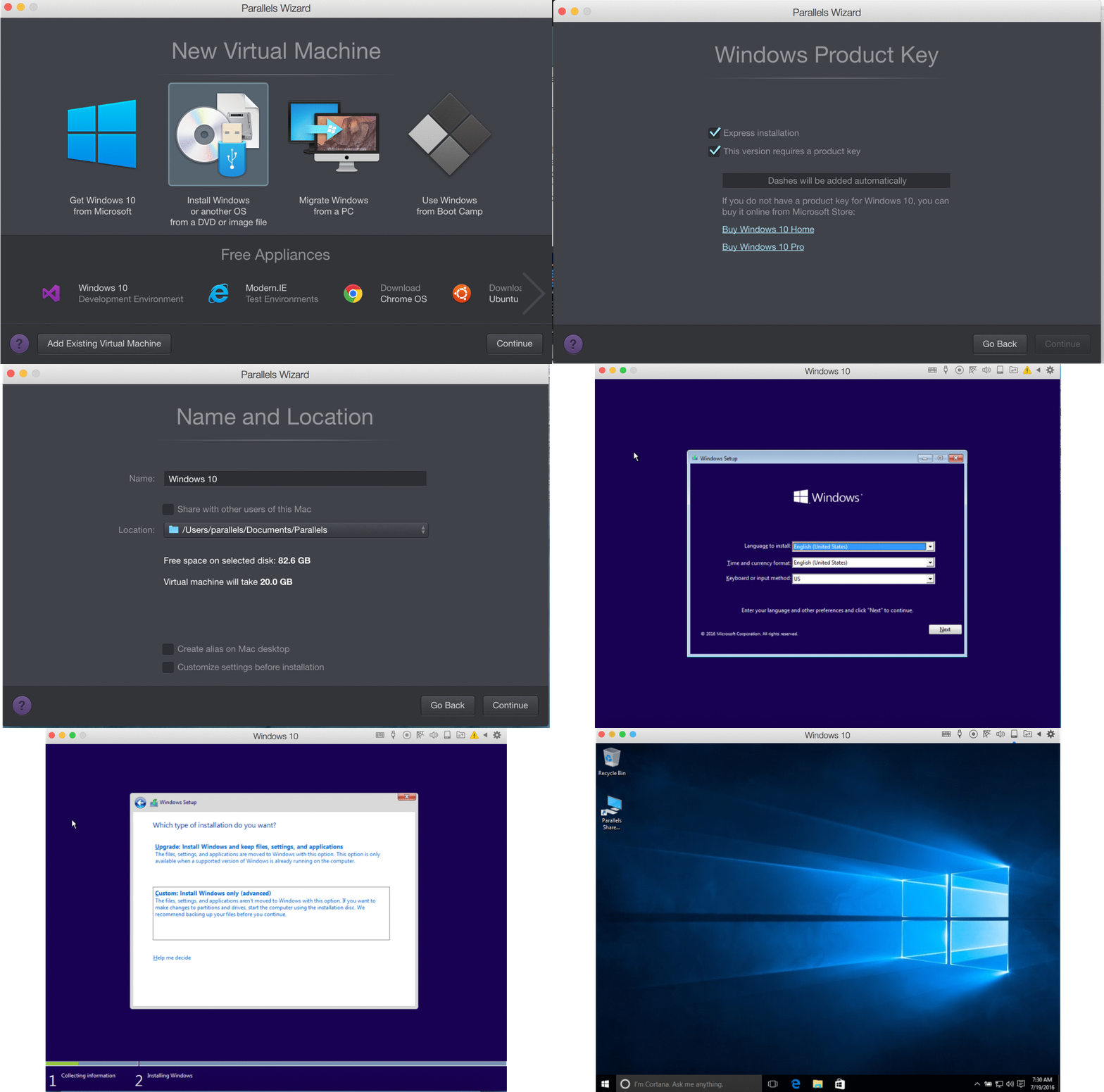
Download Parallels Desktop virtual machine to run Windows on Mac without rebooting or slowing down your Mac plus get over 200 000 Windows apps Easily share files devices and other resources between Windows and Mac Install multiple operating systems such as different versions of Windows Linux copies of macOS and free virtual
Templates are pre-designed files or files that can be utilized for various purposes. They can conserve effort and time by providing a ready-made format and layout for developing various sort of content. Templates can be utilized for individual or expert tasks, such as resumes, invites, flyers, newsletters, reports, presentations, and more.
Install Mac Virtual Machine On Windows 10

How Do I Create A Mac Virtual Machine On Windows 10

How To Install Windows 11 On UTM Virtual Machine In M2 Mac

N bre Imigr cia Look Windows 10 Full Virtual Box t tne Ob ianstvo Hriech By
Install Mac Virtual Machine On Windows Vmware Aslupdate

Install Mac Os On Windows 8 Aurorapsado

How To Install MacOS On Windows 10 GHacks Tech News

Once the download process concludes install VirtualBox on your machine by following the on screen instructions Launch VirtualBox and click the New button Give your virtual machine a Name This

Jul 15 2021 92 Comments Are you interested in running macOS Big Sur or Monterey from a Windows PC If you don t want to spend money on a Mac you can use a virtual machine and still try out macOS thanks to VirtualBox Before you start making assumptions this is not a super complicated Hackintosh setup

Preparatory Work How to Create a MacOS Virtual Machine with VMware Bottom Line Mac Emulator for Windows FAQ Best Mac Emulator for Windows For many years Mac and Windows PC have been two incompatible camps Apple Mac series computers have always been niche products and fewer people use them

Instead of buying a MacBook You could install macOS in a virtual machine on your Windows PC Can I Run macOS on Windows If you re a Windows power user you know you can run Linux or other versions of Windows within Hyper V

Step One Create a macOS High Sierra ISO File Step Two Create Your Virtual Machine in VirtualBox Step Three Configure Your Virtual Machine in VirtualBox Step Four Configure Your Virtual Machine From The Command Prompt Step Five Boot and Run The Installer Step Six Boot Installer Stage Two From the Virtual Hard Drive
Key Takeaways Run Windows within a virtual machine if you have an Apple Silicon M1 M2 or similar chip in your Mac at nearly native speed Alternatively install Windows 10 or a custom Windows 11 ISO image on your Intel Mac using Boot Camp Assistant Step 4 Edit Your Virtual Machine Once you have created your Virtual Machine now it s time to edit it So first tap on Settings Then you should be able to see General to your right hand side so put everything into default there After that under General you should be able to see the System Click that
Once the disk image has downloaded locate it on your Mac mount it and double click the VirtualBox pkg file to install the application You ll need 175MB of free space on your computer to