Install Kali Linux On Virtualbox Windows 11 How to install Kali Linux on VirtualBox in Windows 11 - YouTube How to Install Kali Linux 2022.1 on VirtualBox in Windows 11 ? | Kali Linux on Windows | 2022 - YouTube How to Install Kali Linux on windows 11 using virtualbox - YouTube How to Install Kali Linux on VirtualBox in Windows 11/Windows 10 - YouTube How to install Kali Linux 2021.3 on Virtualbox in Windows 11 | Step By Step Guide For Beginner's - YouTube Here s the latest guide Kali Linux 2023 2 https youtu be 4H4VUg9tRJQThis guide will show you how to install Kali Linux 2022 4 in VirtualBox 7 on a Windo
How to Install Kali Linux in Windows 11 Using VirtualBox 21 February 2023 By Rully Novrianto How to Software Are you looking to take your ethical hacking skills to the next level Kali Linux is a powerful open source platform and one of the most popular operating systems for hackers Steps For Installing Kali Linux on VirtualBox Since these instructions take you through the installation process in a virtual environment you need to ensure you have one set up on your system In this article we are using VirtualBox as it is a simple to use open source virtualization solution
How to install Kali Linux 2021.3 on Virtualbox in Windows 11 | Step By Step Guide For Beginner's - YouTube How To Install Kali Linux 2022 In VirtualBox On Windows 11 PC - GEEKrar How to Install Kali Linux on VMware Workstation in Windows 11? - wikigain How To Install Kali Linux 2022 In VirtualBox On Windows 11 PC - GEEKrar Installing Kali Linux in Virtual Box | Windows 11 Host | Making Full Screen Simple Method | 2022 - YouTube How to Install Kali Linux on VirtualBox in Windows 11 - YouTube Install Kali Linux on VirtualBox - Complete Beginner Guide 2022 How To Install Kali Linux VirtualBox (Complete Guide) - GEEKrar How to install Kali Linux 2020.1 on VirtualBox | by Diyorbek Juraev | Clean Software | Medium
Install Kali Linux On Virtualbox Windows 11
 Install Kali Linux On Virtualbox Windows 11
https://i.ytimg.com/vi/mMOt17uns2w/maxresdefault.jpg
How to Install Kali Linux in VirtualBox on Windows 11 Kali Linux is unquestionably a one of a kind operating system since it is one of the only platforms that can be used freely by both good and
Templates are pre-designed files or files that can be utilized for numerous purposes. They can save effort and time by providing a ready-made format and layout for creating different type of material. Templates can be used for individual or professional projects, such as resumes, invites, flyers, newsletters, reports, discussions, and more.
Install Kali Linux On Virtualbox Windows 11

How to Install Kali Linux Latest version in VirtualBox on Windows 11?

How To Install Kali Linux 2022 In VirtualBox On Windows 11 PC - GEEKrar
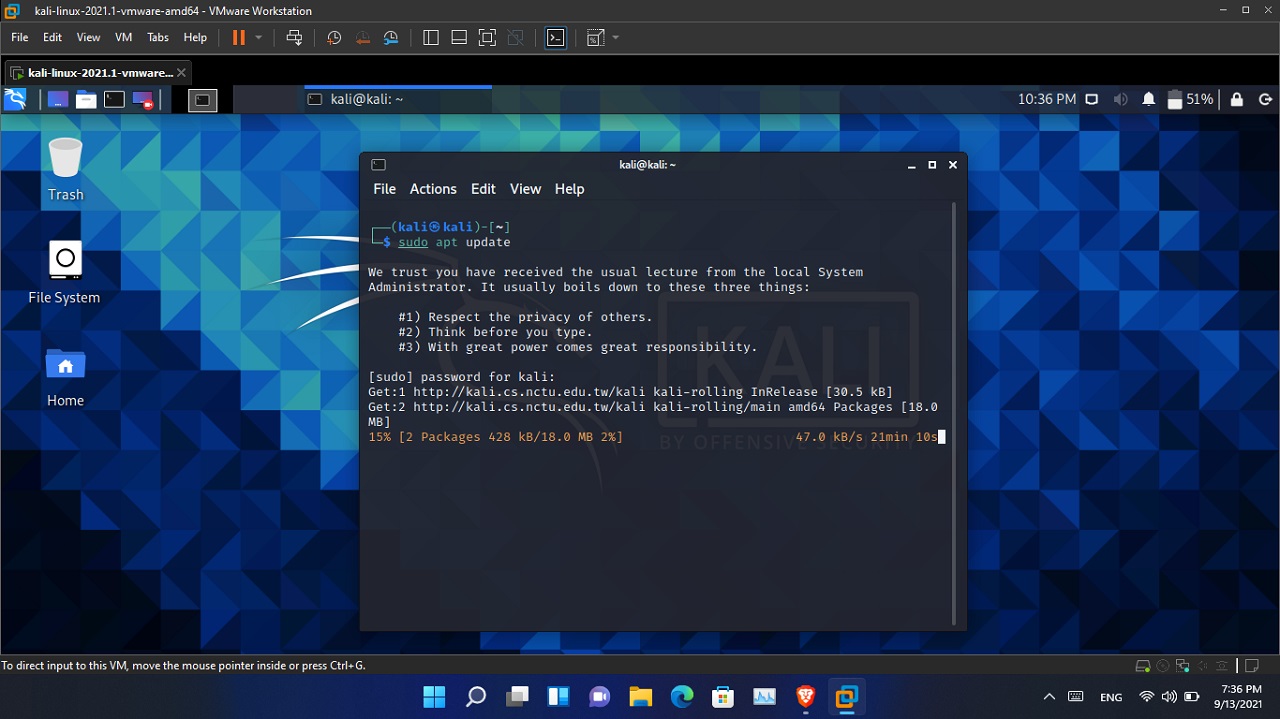
How to Install Kali Linux on VMware Workstation in Windows 11? - wikigain

How To Install Kali Linux 2022 In VirtualBox On Windows 11 PC - GEEKrar
How to Install Kali Linux on VirtualBox in Windows 11 - YouTube
Install Kali Linux on VirtualBox - Complete Beginner Guide 2022

Table of Contents This guide is about virtualizing Kali Linux inside of VirtualBox allowing you to have a Kali VM This is a great way to use Kali as it is completely separate from the host allows you to interact with other VMs as well as the host machine and other machines on the network and allows you to revert to snapshots

In this tutorial you will learn how to install Kali Linux in VirtualBox on a Windows 11 machine Kali Linux is a popular operating system for penetration te

In order to install Kali Linux on VirtualBox on Windows you ll need to download the below given links Download VirtualBox Download VirtualBox Download Kali Linux VirtualBox Image Prebuilt VirtualBox file Download Kali Linux VirtualBox Image Prebuilt VirtualBox file

Click the Search icon on your Windows 11 taskbar and type Control panel in the search field Then click the Control Panel app from the search result When Control Panel opens confirm that View by is set to Category If not click the drop down and select Category After doing that select Programs from the category

Sign in Installing Kali Linux and Windows 11 Operating Systems on Virtualbox Last week as part of my class assignment we started working on an exciting project downloading and
We are going to use a custom Kali Linux image made for VirtualBox specifically You can also download the ISO file for Kali Linux and create a new virtual machine but why do that when you have an easy alternative 1 Download and install VirtualBox Reboot your system Hyper V provides the virtualization technology needed to run Kali Linux https thetechdeck hashnode dev how to update kali linux Download VirtualBox Next download and install VirtualBox on your Windows 11 machine VirtualBox allows you to create and run virtual machines
First you ll need to open the VirtualBox official website in your web browser Choose the appropriate version to install VirtualBox for Windows hosts in this case The download should begin automatically