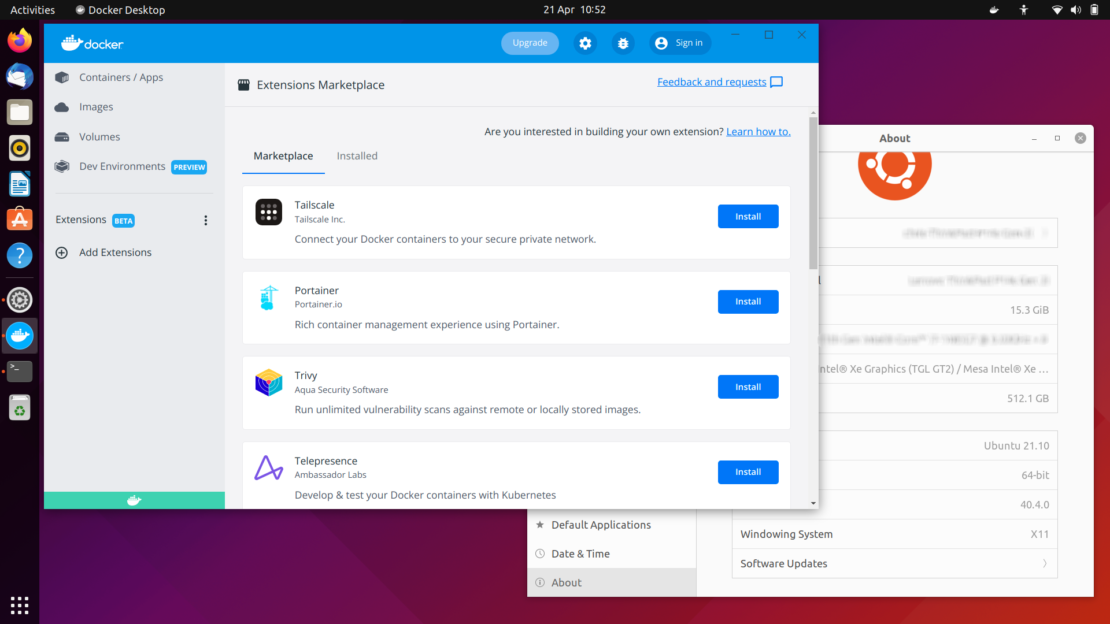
Install Docker Engine On Amazon Linux Install Docker Engine And Docker Compose On Ubuntu Server DevOps Good News Docker Desktop Is Now Here For Linux Users C mo Instalar Docker En Amazon Linux 2 MuyLinux Docker Desktop For Linux Install Docker In AlmaLinux CentOS Rocky Linux OSTechNix To install Docker on an Amazon EC2 instance using an Amazon Linux 2023 AMI Launch an instance with the latest Amazon Linux 2023 AMI For more information see Launching an instance in the Amazon EC2 User Guide for Linux Instances Connect to your instance
To install Docker on Amazon Linux you can use the following command sudo yum install docker y Starting the Docker service After installing Docker you will need to start the Amazon Linux is provided by Amazon Web Services AWS It is designed to provide a stable secure and high performance execution environment for applications running on Amazon EC2 The full distribution includes packages that enable easy integration with AWS including launch configuration tools and many popular AWS libraries and tools
Install Docker In AlmaLinux CentOS Rocky Linux OSTechNix Installing An Apache Web Server With A Custom Web Page On A EC2 How To Install Docker On Amazon Linux 2 NixCraft How Does The Docker Client Authenticate To ECR DevCloud How To Install Docker Desktop On Fedora Linux Install Docker On Mac OS Using Homebrew Ruby On Rails DevOps Day 21 Docker Interview Questions Cara Install Docker CE Pada Amazon Linux Top Questions Answered Docker And Kubernetes I Thought You Were
Install Docker Engine On Amazon Linux
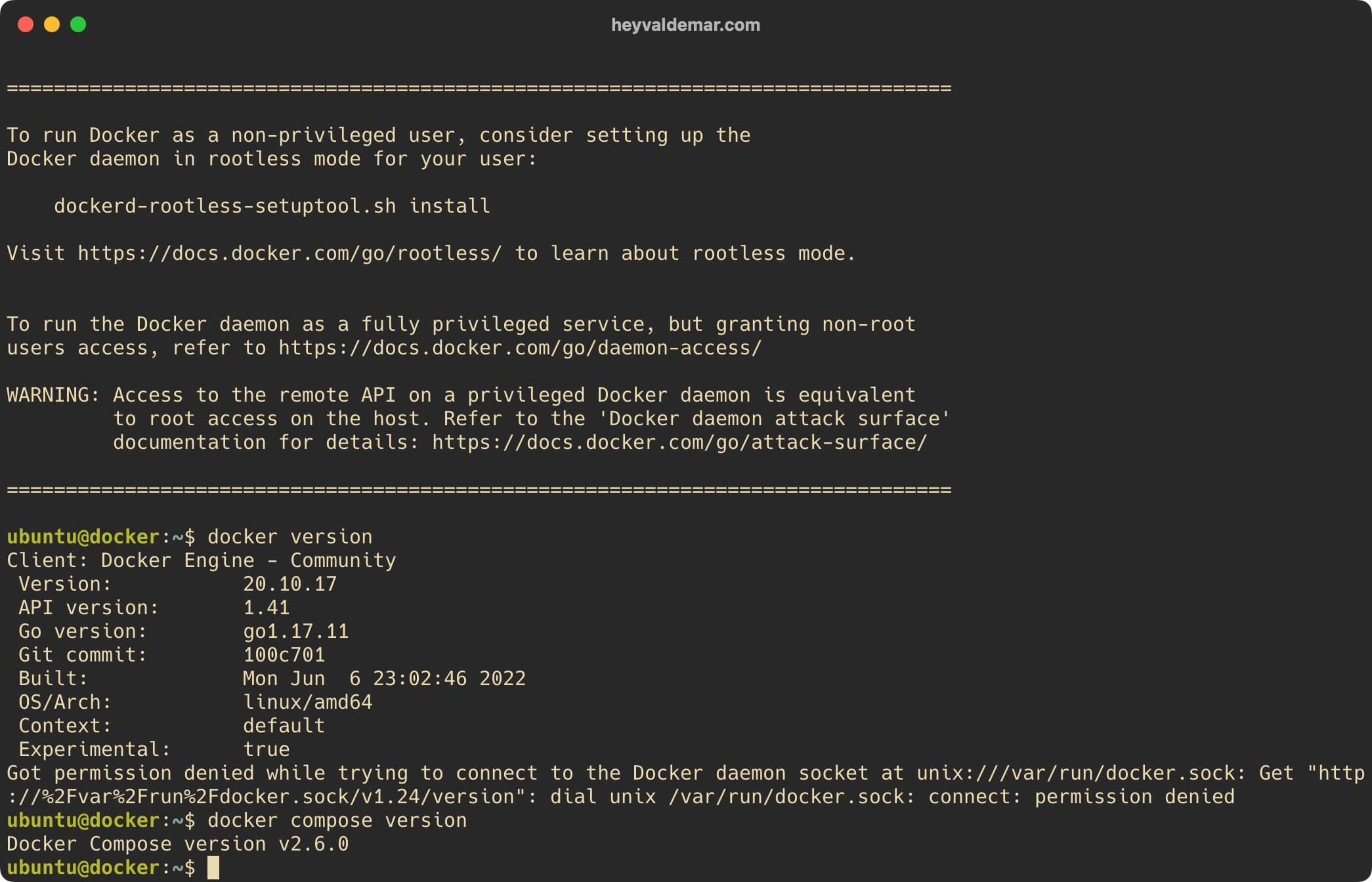 Install Docker Engine On Amazon Linux
https://www.heyvaldemar.com/images/articles/install-docker-engine-and-docker-compose-on-ubuntu-server/install-docker-engine-and-docker-compose-on-ubuntu-server-5.jpg
First exit the container with the command exit Next locate the container ID with the command docker ps a The ID will be a random string of characters such as ffb079663b4b To commit the
Pre-crafted templates use a time-saving solution for creating a varied series of documents and files. These pre-designed formats and designs can be utilized for different personal and expert projects, consisting of resumes, invitations, leaflets, newsletters, reports, presentations, and more, improving the material production procedure.
Install Docker Engine On Amazon Linux
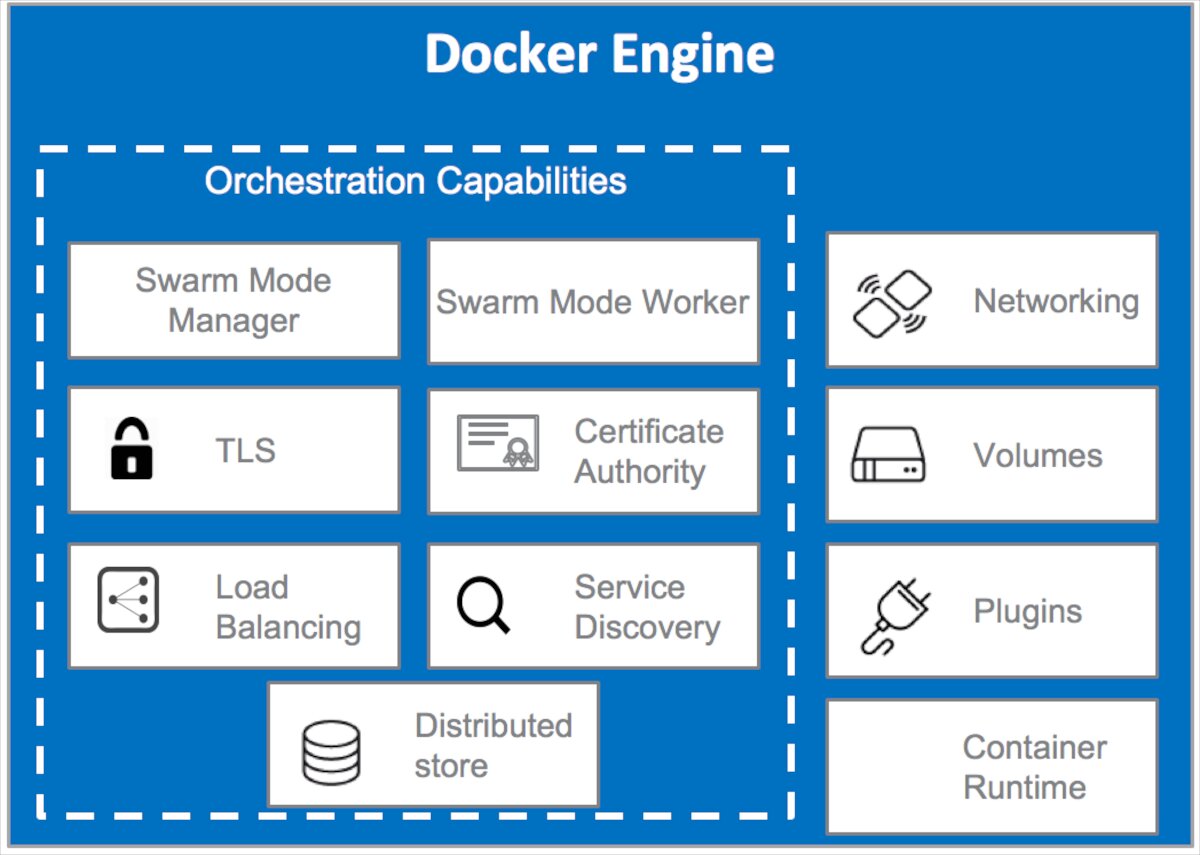
How To Install Docker Engine On CentOS
Installing An Apache Web Server With A Custom Web Page On A EC2

How To Install Docker On Amazon Linux 2 NixCraft

How Does The Docker Client Authenticate To ECR DevCloud

Install Docker On Mac OS Using Homebrew Ruby On Rails
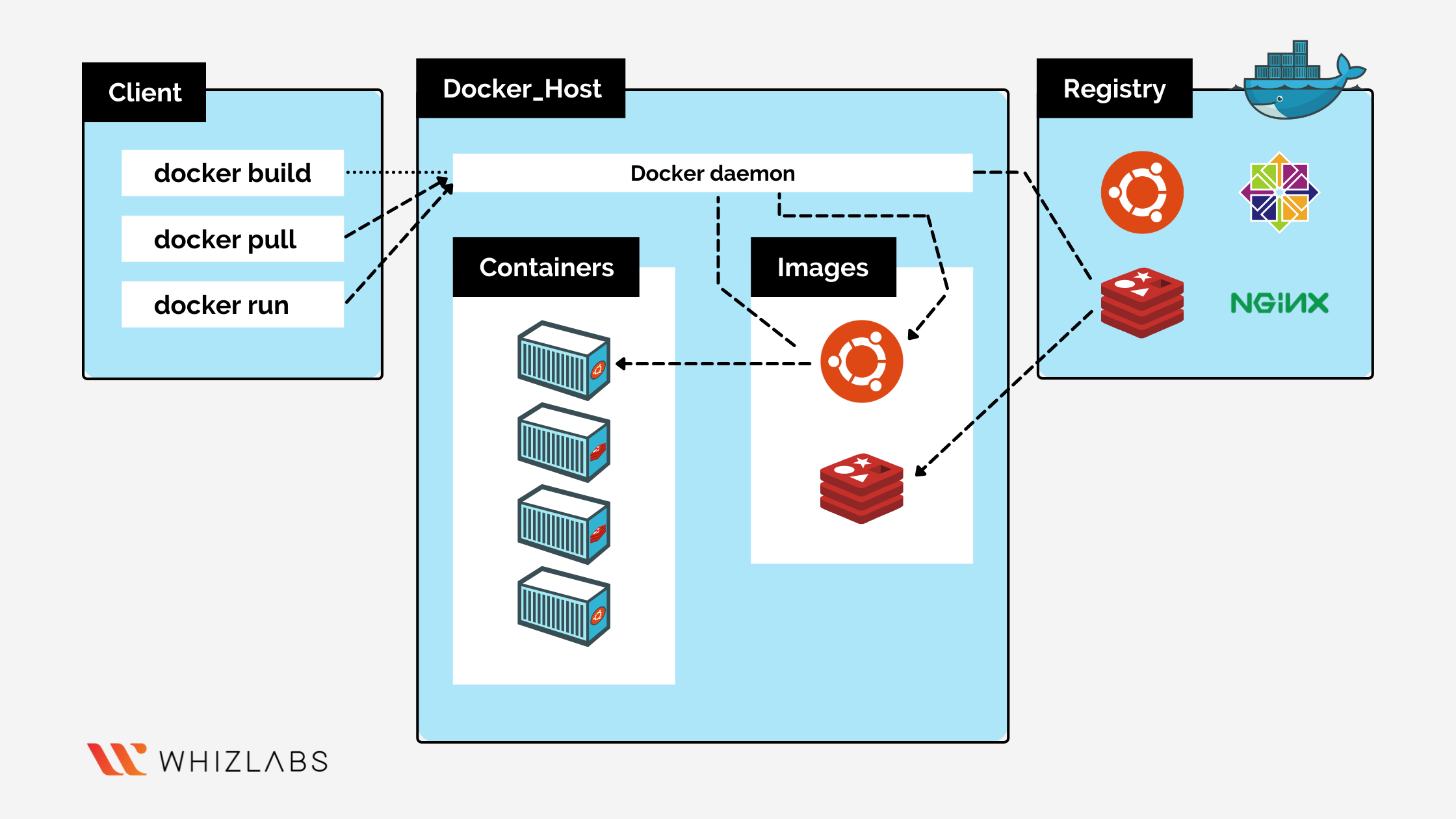
DevOps Day 21 Docker Interview Questions

Every bit helps Join Patreon Installing Docker on Amazon Linux 2 The procedure to install Docker on AMI 2 Amazon Linux 2 running on either EC2 or Lightsail instance is as follows Login into remote AWS server using the ssh command ssh ec2 user ec2 ip address dns name here Apply pending updates using the yum command sudo yum update
How to install Docker on Amazon linux 2023 Stack Overflow How to install Docker on Amazon linux 2023 Ask Question Asked 7 months ago Modified 2 months ago Viewed 10k times Part of AWS Collective 13 I am trying to install docker engine on amazon linux 2023 using the docker ce repo with no luck

Next steps Installing Docker Follow these instructions to install Docker on your operating system Docker is available on many different operating systems including most modern Linux distributions such as CentOS Debian and Ubuntu
Amazon CloudWatch logs logging driver ETW logging driver we recommend that you install Docker Desktop instead For Linux we recommend that you follow the instructions specific for your distribution and download the tgz file relating to the version of Docker Engine you want to install Extract the archive using the tar utility The
Install docker with the command below sudo yum install docker Add group membership for the default ec2 user so you can run all docker commands sudo usermod a G docker ec2 user id ec2 user Enable docker service at boot time sudo systemctl enable docker service Start the Docker service sudo systemctl start docker service
Step 1 Update AL2023 Packages Step 2 Installing Docker on Amazon Linux 2023 Step 3 Start and Enable its Service Step 4 Allow docker to run without sudo Step 5 Create a Container Example Step 6 Docker Uninstallation optional Requirements Run below command to enable the docker resository for amazon linux and install docker Install Docker on Amazon linux sudo amazon linux extras install docker Now the docker is installed successfully on amazon linux 2 Now lets check the docker version which is installed on the linux machine docker version
1 Run system update If you have just installed Amazon Linux 2 then it would be a really good idea to run the system update command This will install the available updates including refreshing of system repository cache sudo yum update 2 Install Docker Engine on Amazon Linux 2 EC2