Insert Tick Mark In Excel Shortcut Inserting A Check Mark Tick Symbol In Excel Acuity Training My XXX Excel Keyboard Shortcuts Checkmark Bedbetta How To insert Tick Mark In Excel Shortcut Key Loptedestination How To Insert A Check Mark In Excel 5 Methods To Check Off Items How To Insert A Checkmark In Word Table Design Talk Ctrl C to copy the formulated SQL INSERT statements Paste into SSMS You will notice Excel probably unexpectedly added double quotes around each of your INSERT and GO
But what I need to do is insert a couple hundred thousand rows or possibly even a million rows all at once The data is coming from another table so if I was only inserting it into a single Aug 25 2008 nbsp 0183 32 INSERT INTO archived employees id name department salary SELECT id name department salary FROM employees WHERE department Sales This is supported
How To Insert A Checkmark In Word Table Design Talk Nepohodl Sotva D mon Check Mark Symbol Keyboard Shortcut tes Nejprve How To insert Tick Mark In Excel Shortcut Key Loptedestination Tick Sign In Excel Shortcut Add Tick Symbol In Excel Using Keyboard How To Insert Check Mark Symbol In Excel YouTube Tot Timpul Maximiza i Insuficien Auditiv Excel Insert Symbol Check CheckMark In Excel Examples How To Insert Checkmark Symbol How To Insert A Check Mark In Excel 6 Steps with Pictures How To Insert A Tick Symbol Check Mark In Excel Tick Youtube Images
Insert Tick Mark In Excel Shortcut
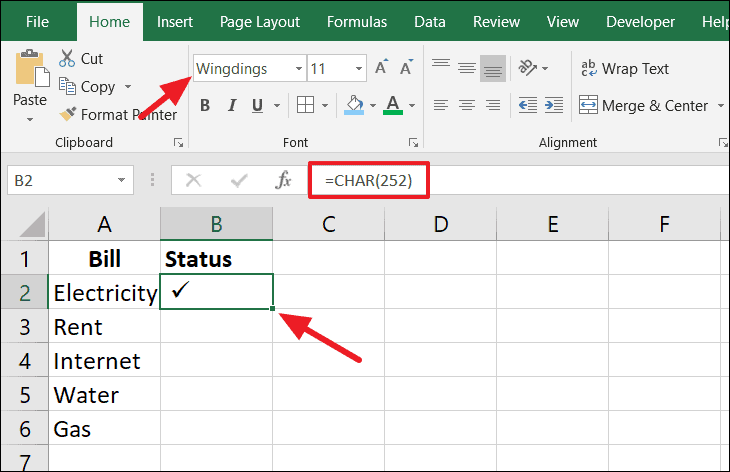 Insert Tick Mark In Excel Shortcut
https://allthings.how/wp-content/uploads/2021/03/allthings.how-how-to-insert-check-mark-in-excel-image-12.png
gt Insert Into do need existing table INSERT INTO tablename SELECT FROM A Here tablename is an existing table Select Into is usually more popular to copy data especially
Templates are pre-designed files or files that can be utilized for different purposes. They can conserve effort and time by supplying a ready-made format and design for creating various sort of material. Templates can be utilized for individual or professional jobs, such as resumes, invitations, flyers, newsletters, reports, presentations, and more.
Insert Tick Mark In Excel Shortcut

How To Insert A Check Mark In Excel 9 Steps with Pictures

Nepohodl Sotva D mon Check Mark Symbol Keyboard Shortcut tes Nejprve
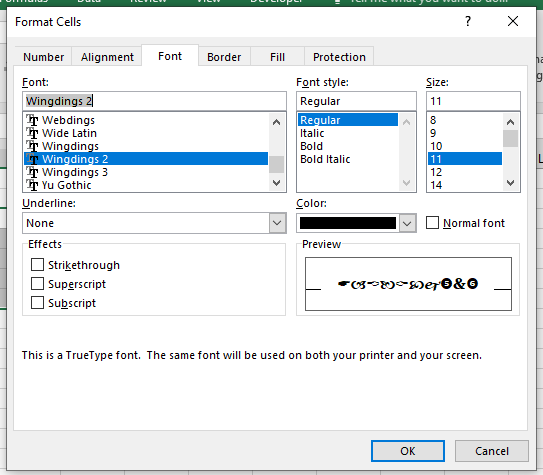
How To insert Tick Mark In Excel Shortcut Key Loptedestination

Tick Sign In Excel Shortcut Add Tick Symbol In Excel Using Keyboard
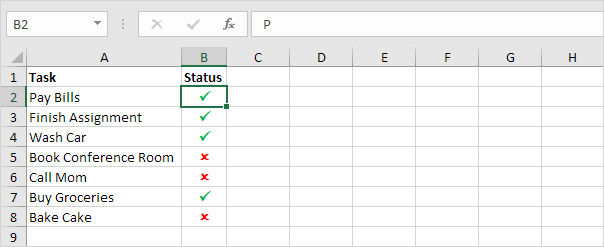
Tot Timpul Maximiza i Insuficien Auditiv Excel Insert Symbol Check
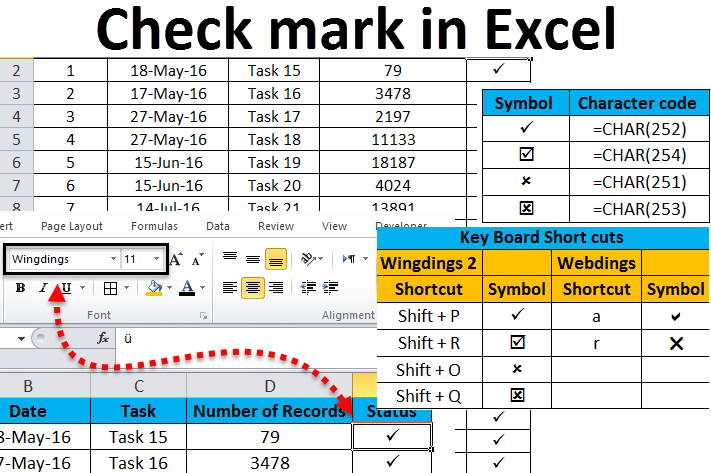
CheckMark In Excel Examples How To Insert Checkmark Symbol
Apr 25 2019 nbsp 0183 32 insert Page Down insert

Or if you want to combine both command if customer exists do update else insert new row IF NOT EXISTS SELECT 1 FROM Payments WHERE CustomerID 145300 INSERT INTO

Jan 17 2009 nbsp 0183 32 In SQL Server 2008 you can insert multiple rows using a single INSERT statement INSERT INTO MyTable Column1 Column2 VALUES Value1 Value2 Value1 Value2

Feb 1 2018 nbsp 0183 32 IDENTITY INSERT allows explicit values to be inserted into the identity column of a table Use this query and set IDENTITY INSERT on the table on SET IDENTITY INSERT

I now want to INSERT the results of this query into another table I have tried the following INSERT INTO tablea a b WITH alias y z AS SELECT y z FROM tableb SELECT y z
[desc-11] [desc-12]
[desc-13]