Insert Tab Space In Excel Cell How to Insert Blank Spaces in an MS Excel Formula : MIcrosoft Excel Tips - YouTube How to put spaces in your data in Excel - YouTube Worksheet tabs - Microsoft Community Hub How to Insert Carriage Return in Excel | WPS Office Academy How to Make Cells Bigger in Excel while Using Multiple Methods - Earn & Excel View all posts by Zach This tutorial explains how to add space between text in a cell in Excel including an example
1 Add Blank Spaces Trailing Text Values in Excel Sometimes when we try to copy adjacent cell values from Excel into Notepad or any text editor chances are the copied values will not be As TAB cannot be displayed in Excel cell instead of using CHAR 9 in order to indent the line I recommend using spaces By using REPT function it will be
How to Make Cells Bigger in Excel while Using Multiple Methods - Earn & Excel How to Indent in Excel How to Customize Ribbon in Excel – Add Own Tabs, Groups, and Options - Earn & Excel Beginners Guide: How To Insert Column Charts In Excel How to Indent Second Line in Excel Cell – A Brief Guide - Earn & Excel How to Copy Paste Tab Delimited Text Into Excel: 10 Steps How to Insert a Check Mark in Excel Easily Tab/Enter Through Input Forms in Excel - Faster/Better Forms in Excel - YouTube 5 Simple Ways to Add Bullet Points in Excel (Shortcut + VIDEO)
Insert Tab Space In Excel Cell
 Insert Tab Space In Excel Cell
https://i.ytimg.com/vi/yn4IhMY7AMc/maxresdefault.jpg
Using the indenting option limits us to the exact number of spaces that are being added from the beginning of our cell to our text We can also define the spaces in
Pre-crafted templates provide a time-saving service for producing a varied series of files and files. These pre-designed formats and layouts can be utilized for numerous individual and expert jobs, consisting of resumes, invites, leaflets, newsletters, reports, presentations, and more, simplifying the material production procedure.
Insert Tab Space In Excel Cell

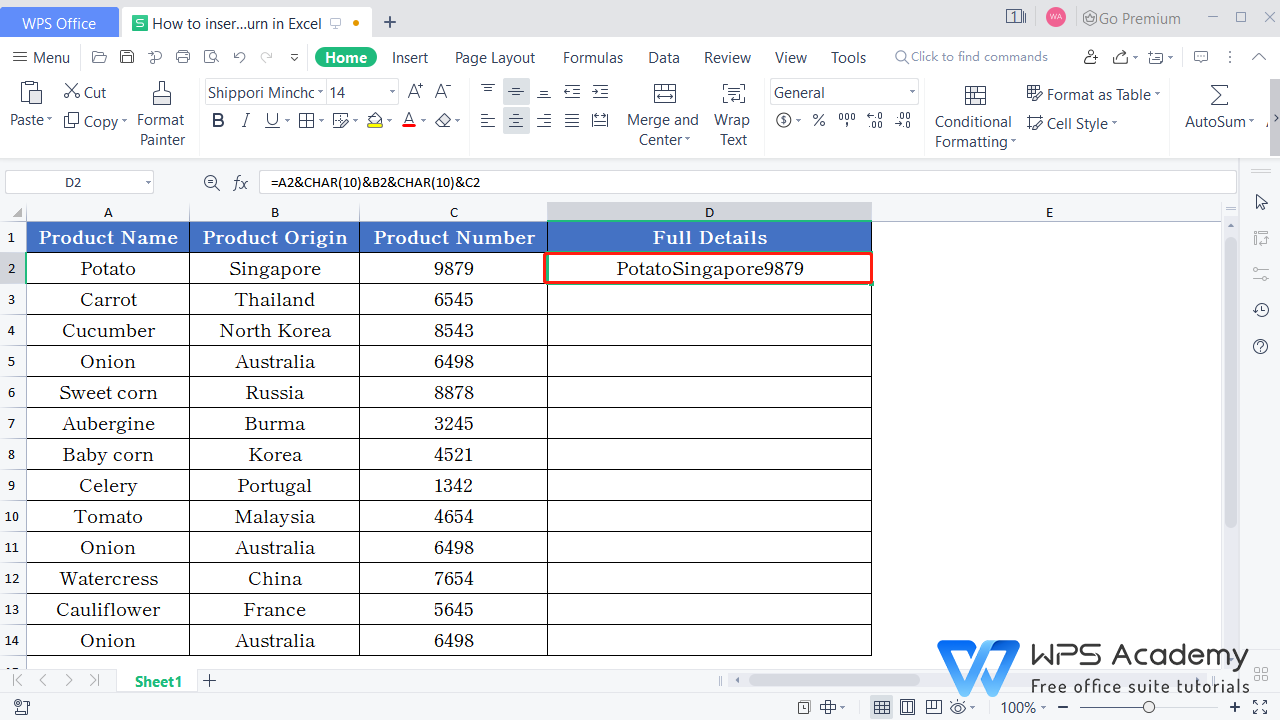
How to Insert Carriage Return in Excel | WPS Office Academy

How to Indent in Excel

How to Customize Ribbon in Excel – Add Own Tabs, Groups, and Options - Earn & Excel

Beginners Guide: How To Insert Column Charts In Excel

How to Copy Paste Tab Delimited Text Into Excel: 10 Steps

How to Insert a Check Mark in Excel

Use Ctrl Tab 8 people found this reply helpful

To start a new line of text or add spacing between lines or paragraphs of text in a worksheet cell press Alt Enter to insert a line break Double click the cell in which you want to insert a line break Click the location inside

How to Insert a Tab Character In a Cell By Ty Arthur Fact Checked Insert a tab character into a spreadsheet cell When you are adding data to any of the cells in your
In this article we showed how to remove tab space from Excel We showed 5 different methods for this I hope this will satisfy your needs Please give your suggestions and feedback in the comment box

Tabs are not displayed in Excel The tabs when copied in are still there just not displayed One will need to replace them with spaces This can be done in another
If you have only a few cells you can add spaces by moving your mouse in the cell and continuously pressing the space bar on your keyboard When you need to add spaces Key Takeaways Adding space in Excel cells can enhance the readability and organization of your data The space character and cell formatting options are
The easiest way to insert a tab in an Excel cell is by adding manual space Follow the simple steps below Double click on the target cell for example B5 Position