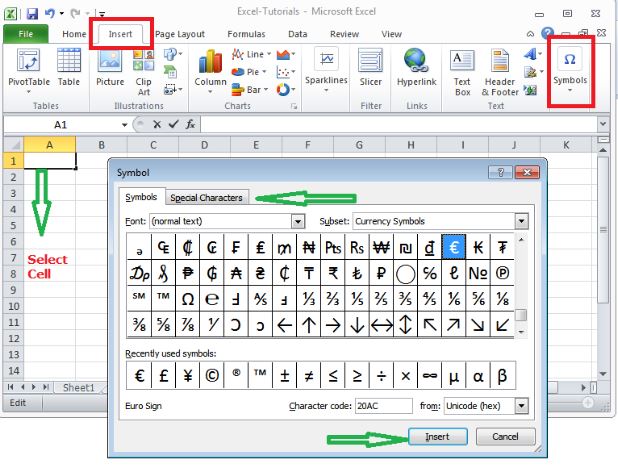
Insert Symbol In Excel Based On Cell Value Caustico Giardino Argine How To Insert Done Symbol In Excel Pickering How To Insert Symbol In Excel 6 Simple Techniques In 2022 Excel Excel Vba To Insert Multiple Rows Based On Cell Value How To Excel At Highlight An Entire Row In Excel Based On A Cell Value Using VBA In Excel Increment A Gradient Colour Based On Cell Value Stack Verkko 30 jouluk 2016 nbsp 0183 32 Method 3 Symbol Feature in Excel Except for the above two methods you can also use the symbol features that built in Excel Click a cell where you need to insert the symbol And then
Verkko Insert row below based on cell value with VBA To insert row based on cell value by running VBA please do as below steps 1 Press Alt F11 keys simultaneously and a Microsoft Visual Basic for Applications Verkko 27 marrask 2016 nbsp 0183 32 You can of course add or change functionality like restricting the addition of multiple entries by adding ElseIf Cells r 1 Value Cells Row 1 Value
In Excel Increment A Gradient Colour Based On Cell Value Stack How To Insert Symbol In Excel Shortcut Excel Vba To Insert Multiple Rows Based On Cell Value How To Excel At Excel Symbols Guide Perbuilding Insert Rows In Excel Based On Cell Value With VBA 2 Methods Excel Change The Row Color Based On Cell Value Change Chart Color Based On Value In Excel SexiezPicz Web Porn Insert Rows In Excel Based On Cell Value With VBA 2 Methods VBA Macro To Insert Row In Excel Based On Criteria 4 Methods
Insert Symbol In Excel Based On Cell Value
 Insert Symbol In Excel Based On Cell Value
https://www.w3schools.blog/wp-content/uploads/2019/08/word-image-12.jpg
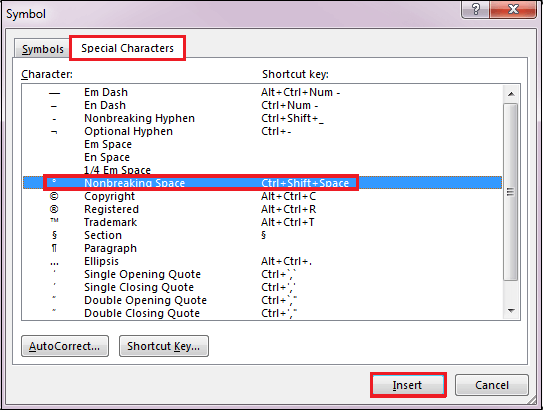
Verkko Start with selecting the cell where you want the symbol to appear Go to the Insert tab find the section Symbols and select Symbols You ll see a pop up window with
Templates are pre-designed files or files that can be used for various purposes. They can save effort and time by providing a ready-made format and design for developing different sort of material. Templates can be utilized for individual or expert tasks, such as resumes, invites, leaflets, newsletters, reports, presentations, and more.
Insert Symbol In Excel Based On Cell Value

How To Change Background Color In Excel Based On Cell Value Ablebits
How To Insert Symbol In Excel Shortcut

Excel Vba To Insert Multiple Rows Based On Cell Value How To Excel At
Excel Symbols Guide Perbuilding
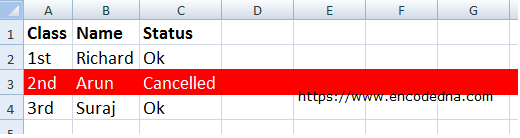
Excel Change The Row Color Based On Cell Value
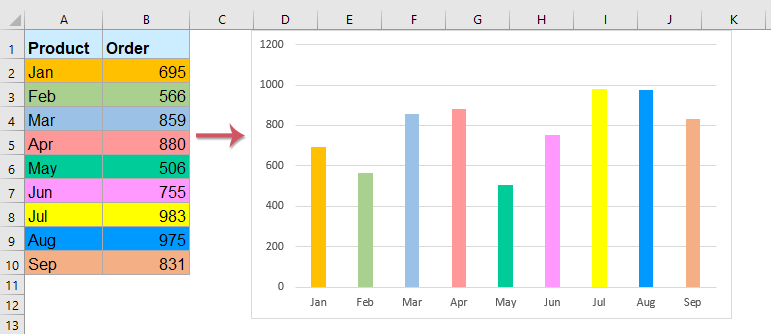
Change Chart Color Based On Value In Excel SexiezPicz Web Porn
Verkko 22 syysk 2021 nbsp 0183 32 This tutorial will teach you how to quickly add strings to multiple cells using formulas and automate the work with VBA or a

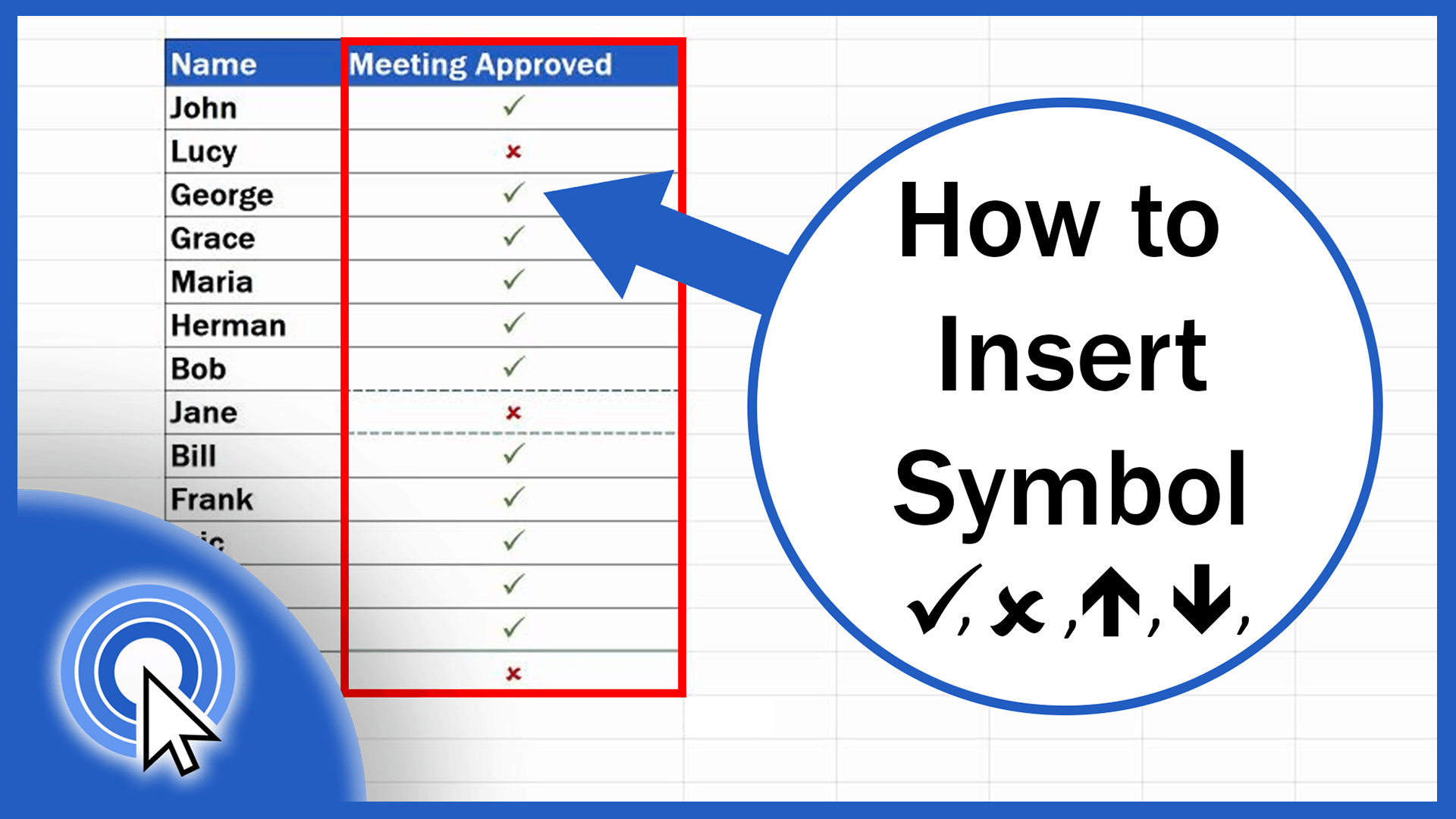
Verkko 18 kes 228 k 2020 nbsp 0183 32 Create Custom Symbols in Excel Now that you have understood the structure of how to use number format code let s use that knowledge and learn how to

Verkko 21 syysk 2015 nbsp 0183 32 1 Formulas do not insert rows If a range of cells has been prepopulated with a formula that formula can return a zero length string e g quot quot which
Verkko 3 jouluk 2022 nbsp 0183 32 Country name in Column A must match the name of the image imageFullName quot C Users marks Documents Flags quot amp Cells i 1 1 Value amp quot png quot Change the fill of the chart Series Change Chart

Verkko 27 huhtik 2006 nbsp 0183 32 RE How do I insert symbol conditional on cell values how about an IF statement if a1 gt 10 quot smile quot quot no smile quot quot Ivan Taklew quot wrote gt I want to set up a
Verkko 29 lokak 2023 nbsp 0183 32 How to Add or Subtract Based on Cell Value in Excel 3 Methods Here I will describe 3 suitable methods to Add or Subtract based on cell values in Excel Verkko Last updated Oct 23 2023 Get FREE Advanced Excel Exercises with Solutions Populating a list based on cell value in Excel means automatically adding
Verkko 25 tammik 2023 nbsp 0183 32 Inserting a Note based on Cell Value Ask Question Asked 9 months ago Modified 9 months ago Viewed 158 times 0 I m trying and failing at getting excel