Insert Line Break In Excel Cell Formula How To Add New Line In A Cell In Excel Line Break How To Easily Insert A Line Break In An Excel Cell Insert Line Break In Excel Add More Line In Cell Excel Unlocked Line Breaks In Excel Enter Find And Remove Them Easily Professor Excel Line Break In Excel Cell YouTube WEB We can easily add a line break with a formula using the concatenation operator amp along with the CHAR function in excel This post will provide a step by step guide on how to use the function together with the operator
WEB Jan 29 2021 nbsp 0183 32 To add a line break first click inside the cell or cells where you want to add a break Click once more in the precise location where you want to insert the break Because our example uses first and last names WEB Jun 19 2024 nbsp 0183 32 Excel has multiple ways to start or insert a new line within a cell The easiest one is to use the keyboard shortcut Alt Enter while entering values Apart from that there are ways to use it with a formula
Line Break In Excel Cell YouTube Line Break In Excel Cell Healthy Food Near Me How Do You Insert Line Break In Excel SoftwareKeep How To Insert A Line Break In Excel YouTube How To Insert A Line Break In A Cell In Excel 2013 YouTube How To Insert Edit Or Remove Page Breaks In Microsoft Excel How To Insert A Page Break In Excel Daniels Gaince Insert Line Breaks In A Cell During Wrap Text In Excel YouTube How To Insert A Line Break Using Formula In Excel
Insert Line Break In Excel Cell Formula
 Insert Line Break In Excel Cell Formula
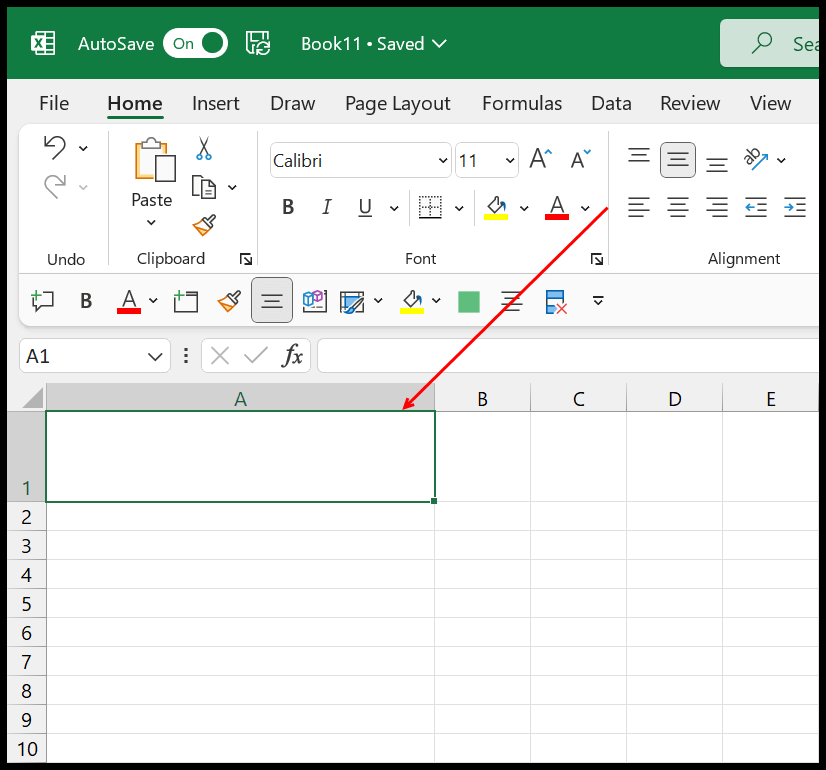
https://excelchamps.com/wp-content/uploads/2022/09/1-add-anew-line.png
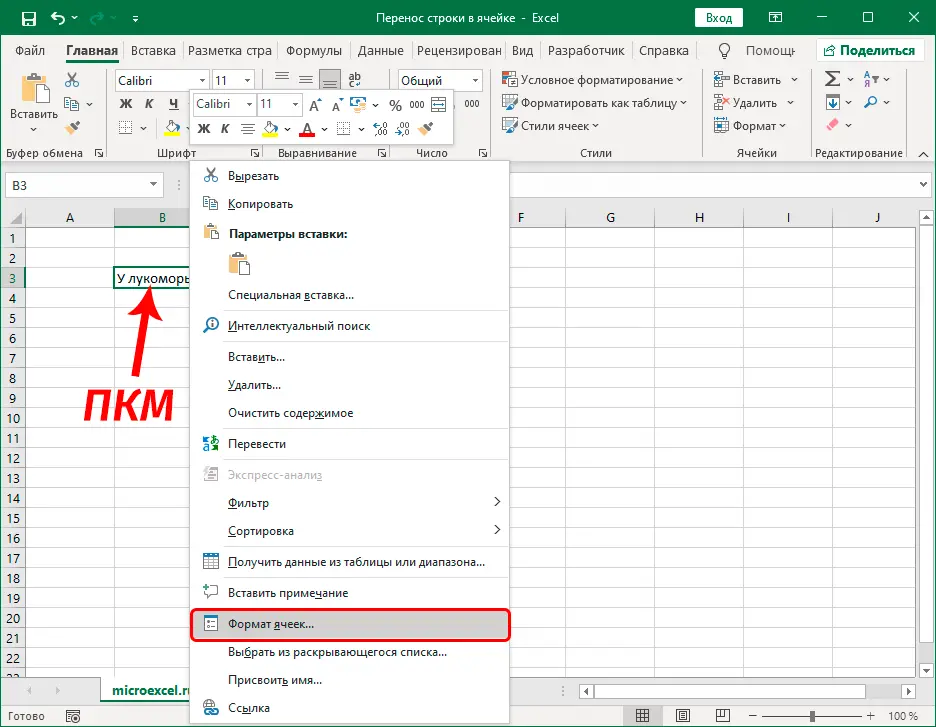
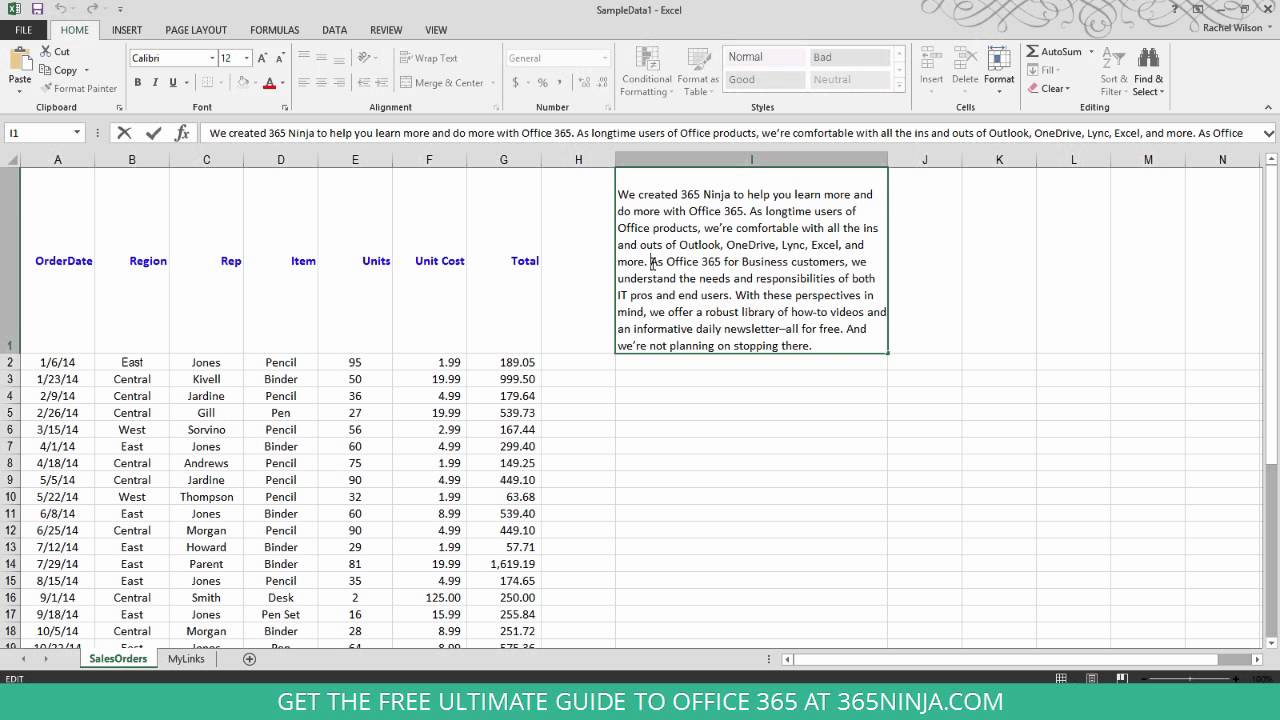
WEB To add spacing between lines or paragraphs of text in a cell use a keyboard shortcut to add a new line Double click the cell in which you want to insert a line break Click the
Templates are pre-designed documents or files that can be used for different purposes. They can save time and effort by providing a ready-made format and layout for developing various kinds of material. Templates can be utilized for individual or professional tasks, such as resumes, invitations, leaflets, newsletters, reports, discussions, and more.
Insert Line Break In Excel Cell Formula

Add A Line Break In Cell Contents Using Excel Formula Kazam Raza
Line Break In Excel Cell Healthy Food Near Me

How Do You Insert Line Break In Excel SoftwareKeep
How To Insert A Line Break In Excel YouTube
How To Insert Edit Or Remove Page Breaks In Microsoft Excel
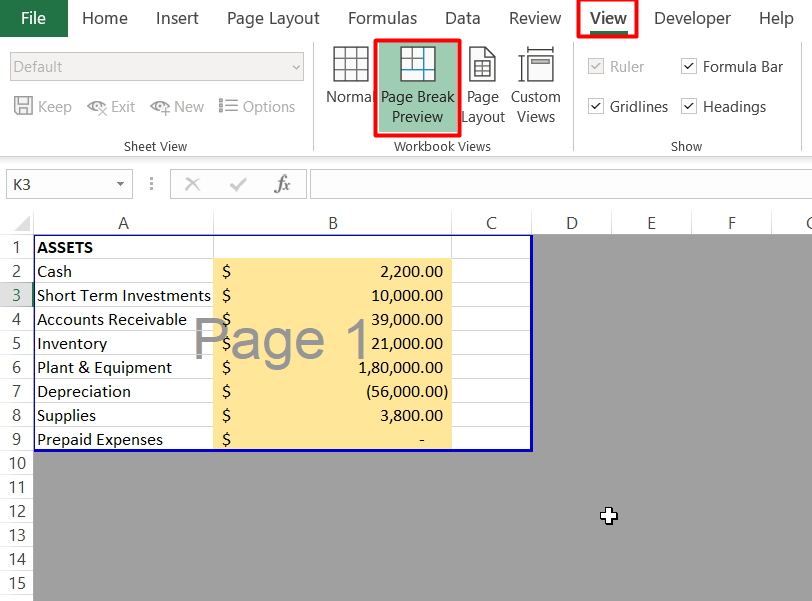
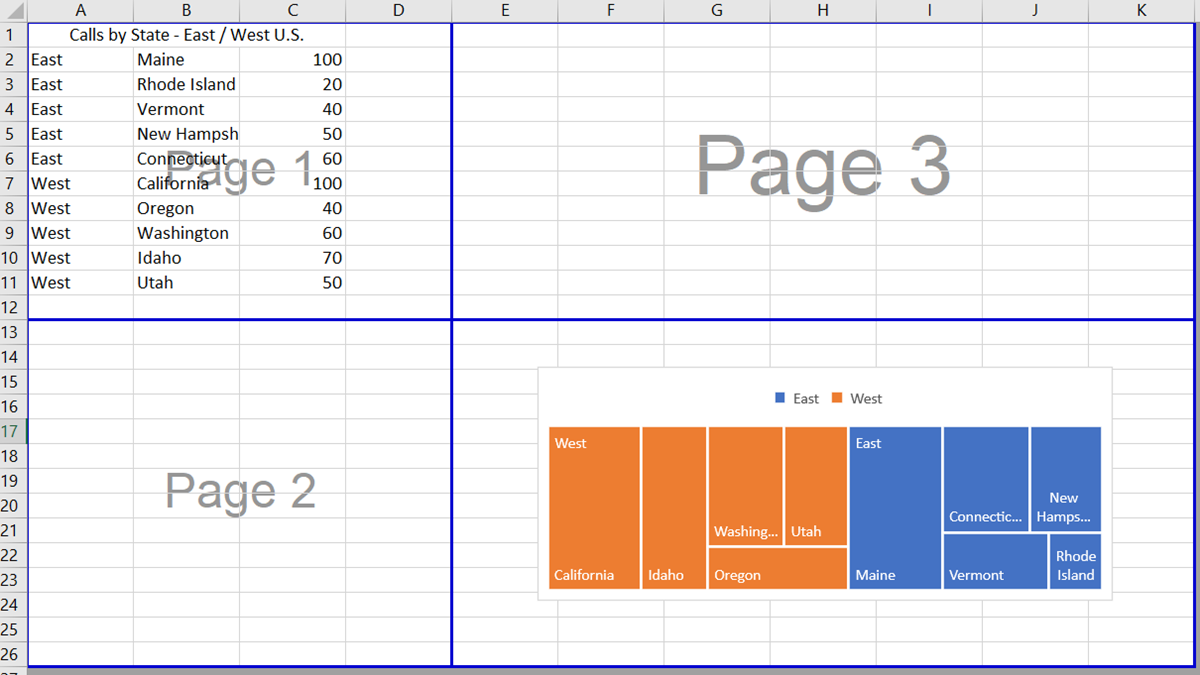
How To Insert A Page Break In Excel Daniels Gaince

WEB May 23 2015 nbsp 0183 32 Use this formula UPPER B 8 amp quot quot amp PROPER C 8 amp quot amp quot amp CHAR 10 amp UPPER B 9 amp quot quot amp PROPER C 9 and enable text wrapping in the cell with the formula or EDIT 1 There are four things at

WEB Apr 28 2024 nbsp 0183 32 Understanding how and where to strategically place line breaks not only enhances formula readability but also streamlines the debugging process and enhances
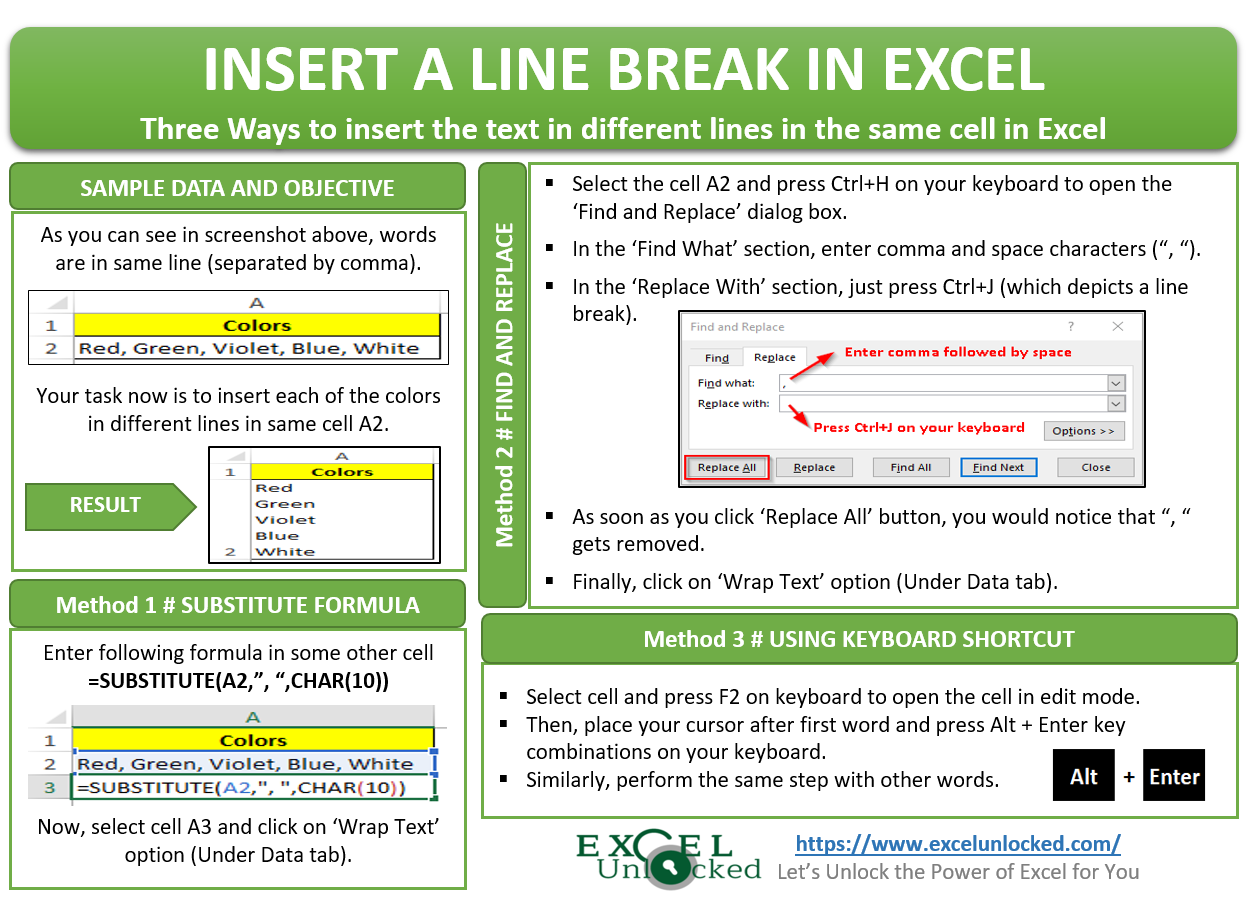
WEB Aug 30 2023 nbsp 0183 32 The tutorial will teach you three quick and easy ways to add a line break in Excel cell use a shortcut to type multiple lines Find amp Replace feature to add a carriage

WEB How to Insert a Line Break using Formula in Excel So normally we use ALT ENTER key combination to add a line break in excel within a cell This command wraps the text and adds an excel line break each time
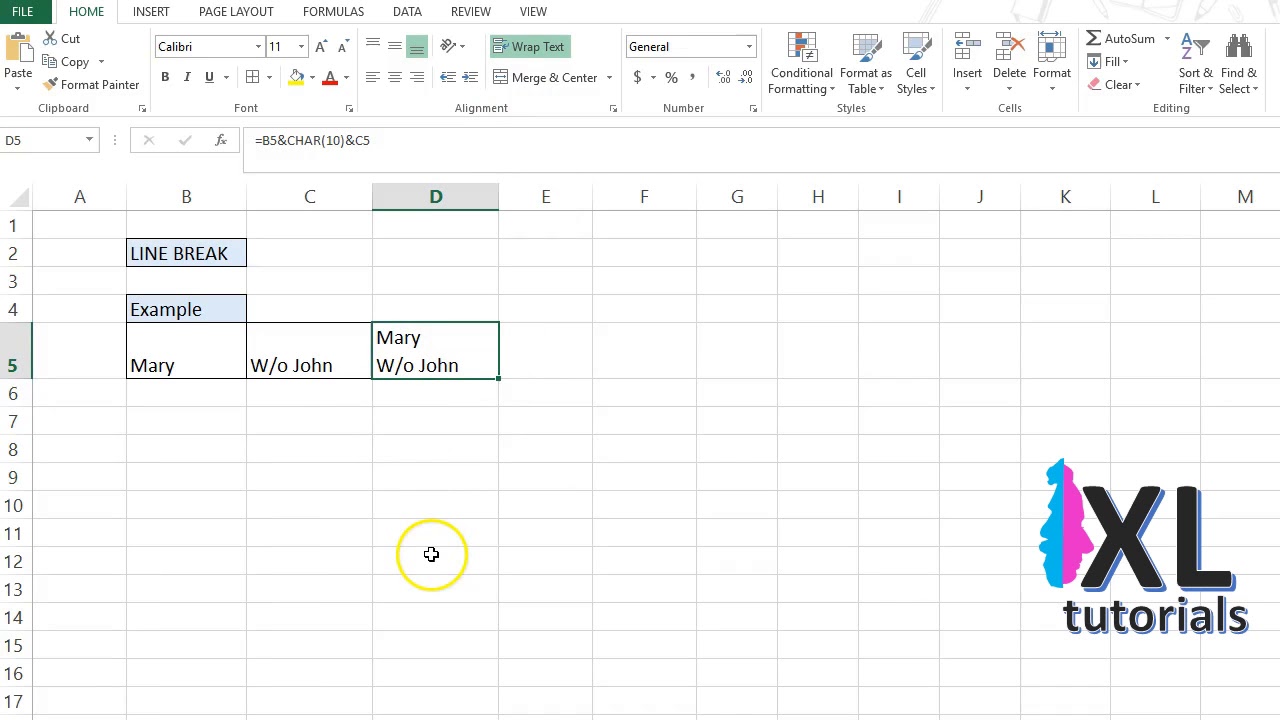
WEB A line break in Excel can be used to end the current line and start a new line in the same cell Here is a trick to insert Line Breaks in Excel Formulas
WEB Aug 8 2011 nbsp 0183 32 To add a line break between the text and the total amount use the Excel CHAR function with the number 10 The amp operator is included too to join the line WEB There are two ways to insert line breaks in Excel They are using the keyboard shortcut or a formula The shortcut keys to insert line breaks in Excel are Alt Enter and the shortcut
WEB May 31 2024 nbsp 0183 32 To add a line break in an Excel formula s result use the Excel CHAR function with number 10 as the code use the amp ampersand operator to combine the