Input Data Into Excel Calendar Excel Calendar Drop Down A Quick And Easy Way To Input Dates How Do I Create A Chart In Excel Printable Form Templates And Letter How To Create A Calendar Selection In Excel Printable Form Templates How To Input Data Into All Selected Cells At Once In Excel YouTube How To Input Data Into Excel Spreadsheets Using Your Phone s Camera Web Click the Download button on the template page open the template file in Excel and then edit and save your calendar Note By default a template file download goes into the
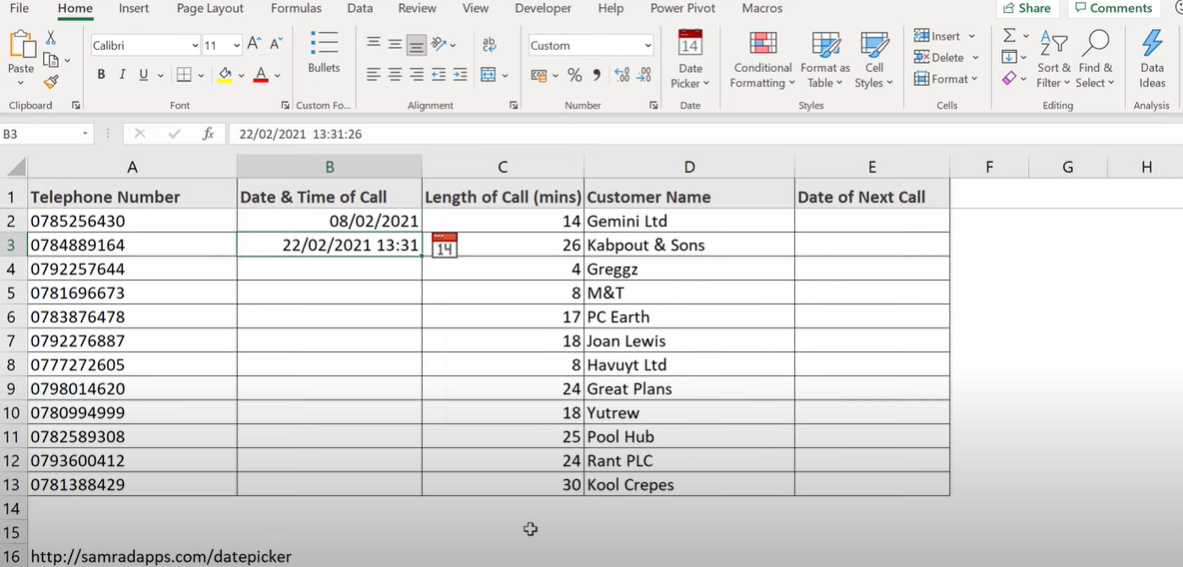
Web Sep 23 2022 nbsp 0183 32 To insert a calendar in Excel using a template open Excel and select New gt Calendar Choose a calendar preview it and select Create You can also go to File gt Options gt Customize Ribbon gt Web Mar 22 2023 nbsp 0183 32 Insert a date in Excel via a drop down calendar Date Picker Add or subtract the required units in Excel Pick your dates in Excel pop up calendar And easily calculate them in place Get two month view
How To Input Data Into Excel Spreadsheets Using Your Phone s Camera Current Unemployment Rates For States And Historical Chegg Solved How To Store HTML User Input Data Into Excel 9to5Answer How To Enter Data In Microsoft Excel MicrosoftExcel How To Input Data Into Excel Spreadsheets Using Your Phone s Camera How To Input Data Into Excel Spreadsheets Using Your Phone s Camera How To Input Data Into Excel Spreadsheets Using Your Phone s Camera How To Input Data Into Excel Spreadsheets Using Your Phone s Camera How To Enter Data In Microsoft Excel MicrosoftExcel
Input Data Into Excel Calendar
 Input Data Into Excel Calendar
https://www.projectcubicle.com/wp-content/uploads/2022/09/datex.png
Web FREE Template How to Make an Interactive Calendar in Excel FREE Template By Sumit Bansal FREE EXCEL TIPS EBOOK Click here to get your copy If you like to plan ahead and make a weekly or monthly
Pre-crafted templates offer a time-saving solution for developing a varied variety of documents and files. These pre-designed formats and layouts can be used for numerous personal and expert tasks, including resumes, invites, flyers, newsletters, reports, discussions, and more, enhancing the material creation process.
Input Data Into Excel Calendar

Assessments Brandie s Portfolio
Current Unemployment Rates For States And Historical Chegg

Solved How To Store HTML User Input Data Into Excel 9to5Answer

How To Enter Data In Microsoft Excel MicrosoftExcel
How To Input Data Into Excel Spreadsheets Using Your Phone s Camera
How To Input Data Into Excel Spreadsheets Using Your Phone s Camera
Web Jan 16 2020 nbsp 0183 32 Sample Data of Master Sheet This is the quot Master quot sheet that is a compilation of the 7 project sheets and has an added column to pull the data as I would like it to be displayed in the calendar into a single

Web Jul 19 2021 nbsp 0183 32 Converting excel data into a printable calendar template My work runs about 200 events per year These are listed in an excel spreadsheet However they also have a word template which has the
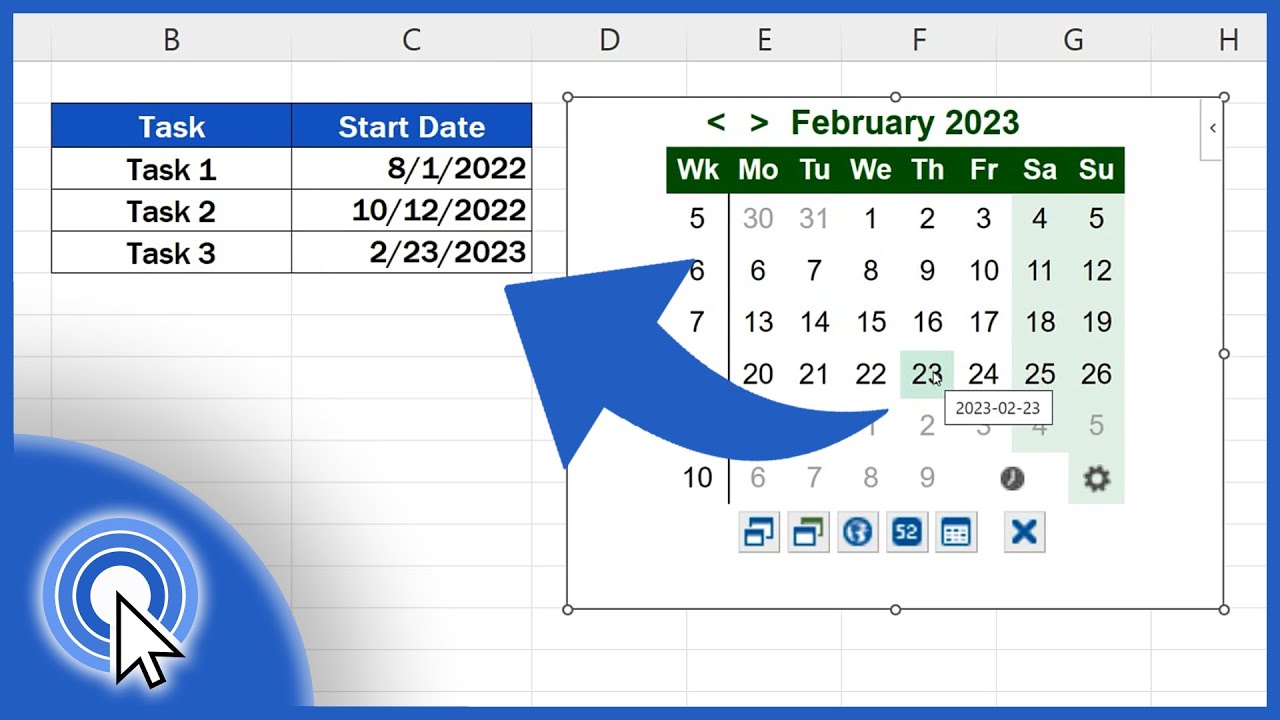
Web Windows macOS Web You can download calendar templates with useful and creative themes when you click File gt New in Excel Select Search for online templates type calendar and select the magnifying glass Click

Web Sep 20 2023 nbsp 0183 32 Follow these steps to insert an inbuilt calendar in Excel 1 Go to the File menu 2 A file menu screen will appear Select the New option from the list 3 Click on Calendars which is located just below

Web Aug 8 2022 nbsp 0183 32 The first step to inserting a calendar in Excel is to open the Microsoft Excel program on your computer or mobile device You can open a new file by pressing the
Web Nov 3 2023 nbsp 0183 32 To create a calendar in Excel follow these steps 1 Open a new Excel worksheet 2 Go to the File tab and select New 3 In the Search for online templates Web Jul 21 2022 nbsp 0183 32 To create the calendar follow these steps Microsoft Excel 2003 Create a workbook On the Tools menu point to Macro and then select Visual Basic Editor On
Web With WinCalendar you can easily convert calendar appointment or date data into graphical calendars in Excel Import can be done by Excel csv file or by Excel Range Besides Monthly Calendar WinCalendar