Important Verb Forms V1 V2 V3 Study Forms List Of English Verbs V1 V2 V3 Examples Artofit Meet Past Participle Form Hybrid Crinum Is Good 50 Verb Forms V1 V2 V3 V4 V5 EngDic Check your device settings Important To get Gmail notifications turn on device notifications Settings can vary by phone or tablet For more info contact your device manufacturer On your
Delete a message in a conversation Important To group messages together as a conversation turn on conversation view Open the message Next to Reply click More Delete this message Gmail only stores one copy of each message so there are no real duplicates A message can have multiple labels though and be visible from multiple views just as there are many ways to
50 Verb Forms V1 V2 V3 V4 V5 EngDic V3 V1 V2 V3 Forms Of Verbs Image To U English Grammar Pdf Teaching English Grammar Past Tense Of Catch 1000 V1 V2 V3 V4 V5 Verb Forms Download PDF English Grammar Pdf 50 Verb Forms V1 V2 V3 V4 V5 Artofit Verb Forms V1 V2 V3 V4 V5 Pdf English Grammar Here Verb 47 OFF Verb Forms Artofit Verb 3 V1 V2 V3 Verb Form List In English English Grammar
Important Verb Forms V1 V2 V3
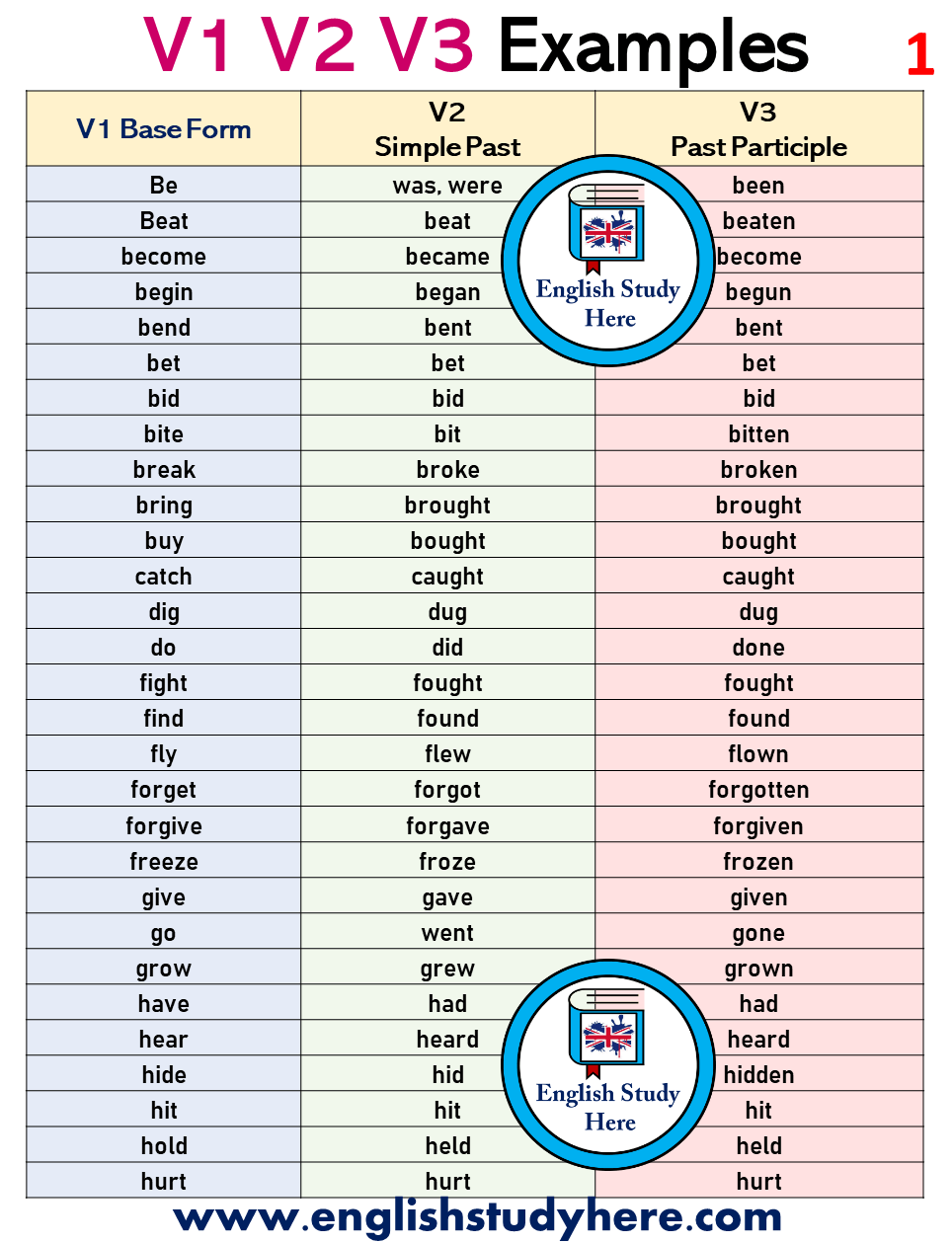 Important Verb Forms V1 V2 V3
https://englishstudyhere.com/wp-content/uploads/2019/03/V1-V2-V3-Examples.png
Dec 21 2019 nbsp 0183 32 Help Center Community Gmail 169 2025 Google Privacy Policy Terms of Service Community Policy Community Overview Program Policies Enable Dark Mode
Templates are pre-designed files or files that can be utilized for various purposes. They can save effort and time by offering a ready-made format and design for producing different type of material. Templates can be utilized for individual or expert jobs, such as resumes, invitations, flyers, newsletters, reports, presentations, and more.
Important Verb Forms V1 V2 V3
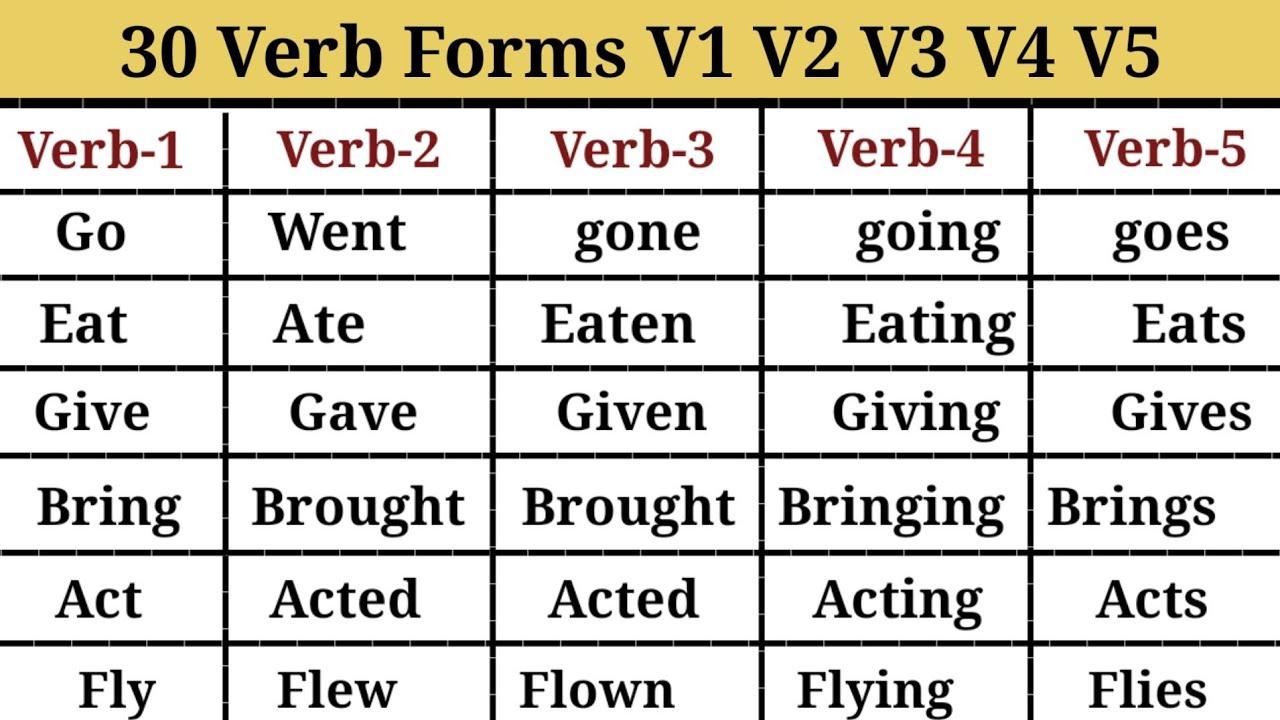
English Grammar Verb Forms V1 V2 V3 V4 V5 100 Words PDF 45 OFF
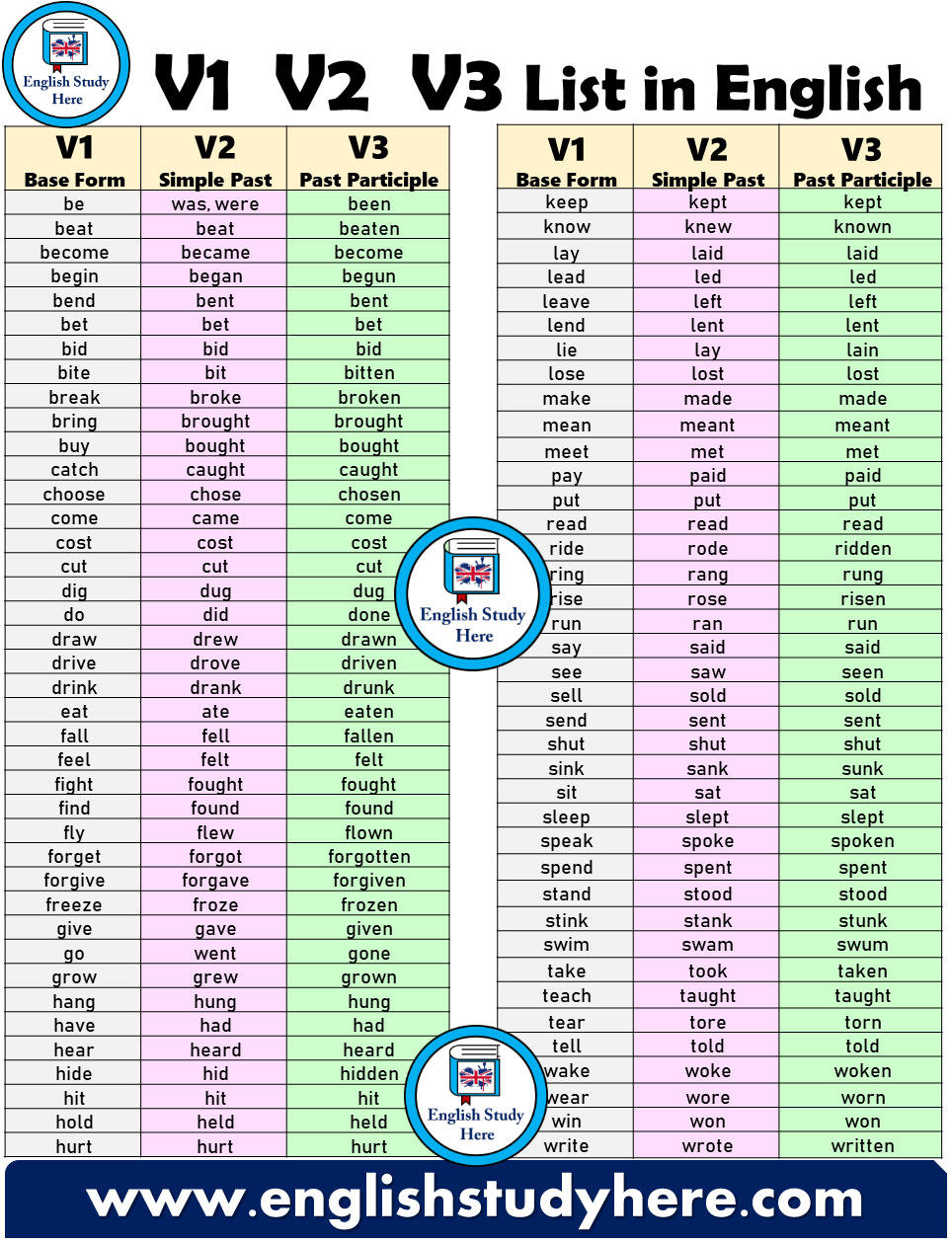
V3
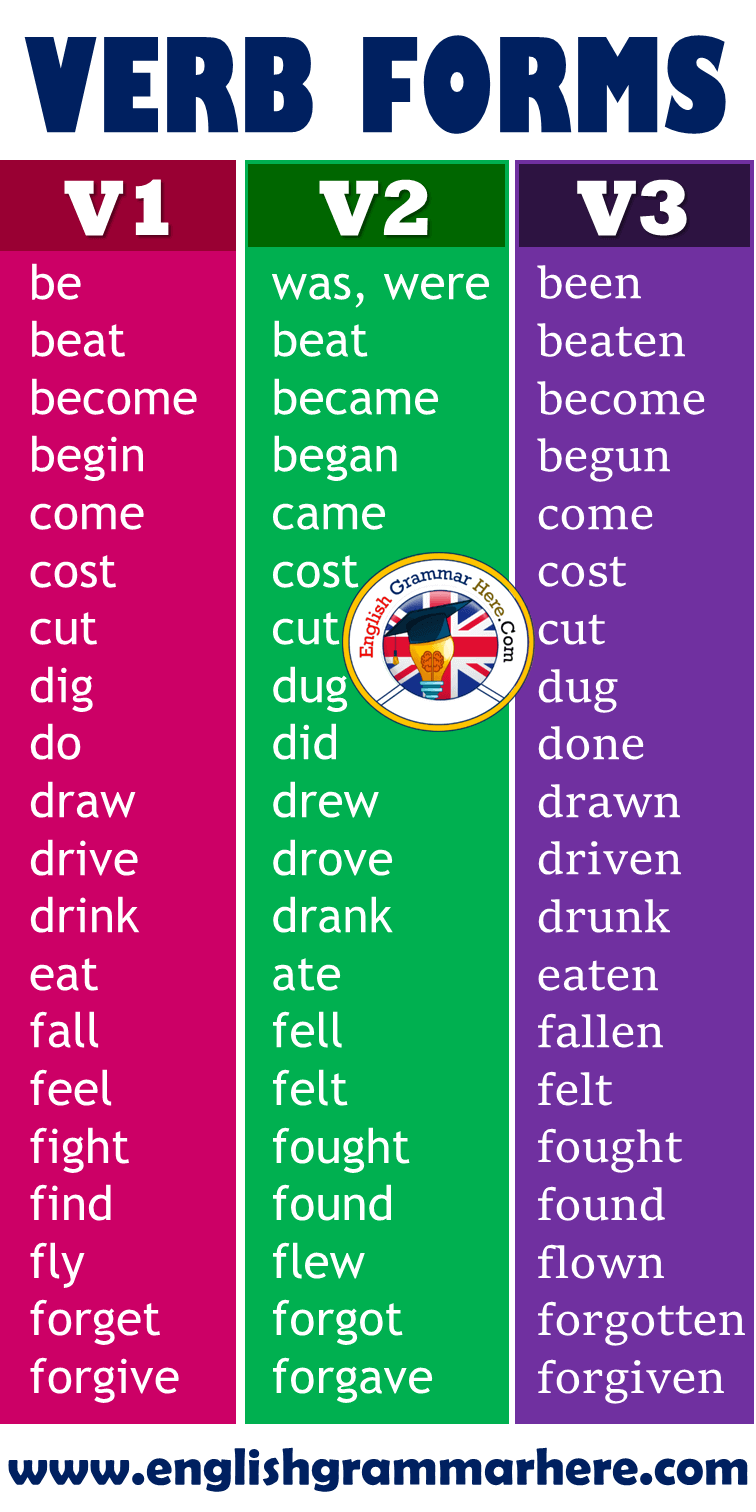
V1 V2 V3 Forms Of Verbs Image To U

English Grammar Pdf Teaching English Grammar Past Tense Of Catch

50 Verb Forms V1 V2 V3 V4 V5 Artofit
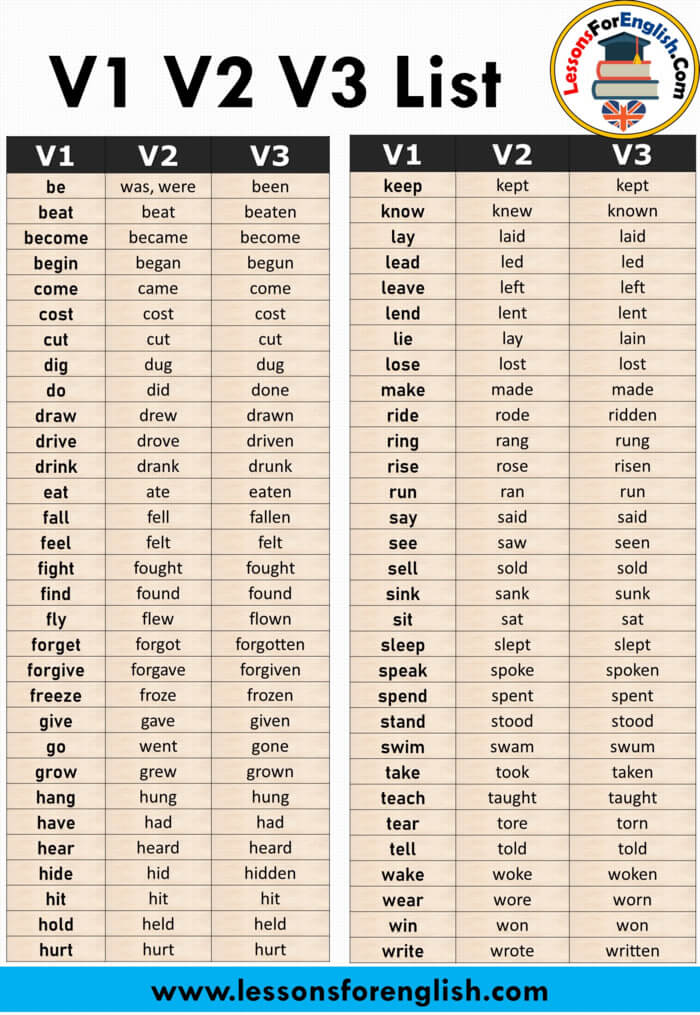
Verb Forms V1 V2 V3 V4 V5 Pdf English Grammar Here Verb 47 OFF

But It is happening when I delete any mail from Important label It s deleting also from inbox label and even I can t see that mail in All mails as you mentioned quot If we delete any mail from any

All Emails Copied into quot Important quot Folder Hi Everyone I am finding that all of the emails from my inbox are automatically copied into my quot important quot mail folder I have tried changing the

When you Archive a message the only thing that does is remove the Inbox label from the message The original message is still in All Mail along with all your other messages and you

How to install Chrome Important Before you download you can check if Chrome supports your operating system and other system requirements

Add classification labels to your email to indicate that it contains sensitive or important content For example if your email contains confidential information your organization s data policy
[desc-11] [desc-12]
[desc-13]