Import Excel Into Power Apps Easiest Way To Insert Custom SVG Images Into Power Apps YouTube A Deep Dive Into Microsoft Power Apps YouTube 2 Ways To Insert Dates Into Excel Using Power Automate Power Apps Guide Templates Discover UI Inspiration Ideas Through Import Excel Into Pdf Gaiforever Verkko 24 toukok 2023 nbsp 0183 32 Add a button to the screen Reset Button in the screenshot below The expression on the button is as follows OnSelect
Verkko 18 lokak 2023 nbsp 0183 32 You re in the right place quot Turn a Spreadsheet into a Dataverse Power Apps Project Easily quot is your go to guide for taking those first steps Designed with Verkko 15 elok 2020 nbsp 0183 32 Hello everyone I am trying to Add static data to my app by uploading an Excel file Then I am creating a collection with that data but I am having problems I
Import Excel Into Pdf Gaiforever How To Import Tasks From Excel Into Planner With Power Automate Microsoft Power Platform A Deep Dive Dig Into Power Apps Power Power Apps Guide Templates Discover UI Inspiration Ideas Through Import Excel Into Quickbooks Desktop From Excel Stashokbytes A Deep Dive Into Power Apps Portal YouTube Power Apps Excel Style Editable Table Part 2 Matthew Devaney How Create Editable Excel Like Table In PowerApps YouTube Excel Import From PDF
Import Excel Into Power Apps
 Import Excel Into Power Apps
https://i.ytimg.com/vi/lkJKstzSESg/maxresdefault.jpg
Verkko 16 toukok 2020 nbsp 0183 32 Create an Excel file using some sample records as below Open the Excel file go to the Home tab Click on Format as Table option and select any table
Templates are pre-designed files or files that can be utilized for various functions. They can save time and effort by supplying a ready-made format and layout for producing various sort of material. Templates can be utilized for individual or expert tasks, such as resumes, invites, flyers, newsletters, reports, discussions, and more.
Import Excel Into Power Apps

How To Turn Your Excel Spreadsheets Into Power Apps
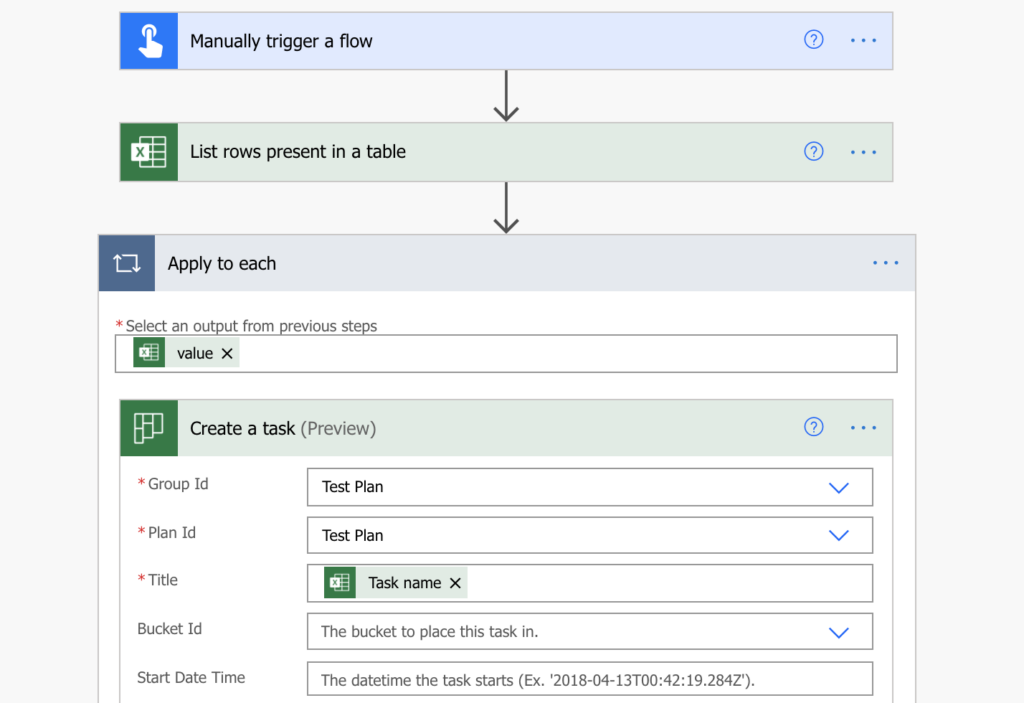
How To Import Tasks From Excel Into Planner With Power Automate

Microsoft Power Platform A Deep Dive Dig Into Power Apps Power
Power Apps Guide Templates Discover UI Inspiration Ideas Through

A Deep Dive Into Power Apps Portal YouTube
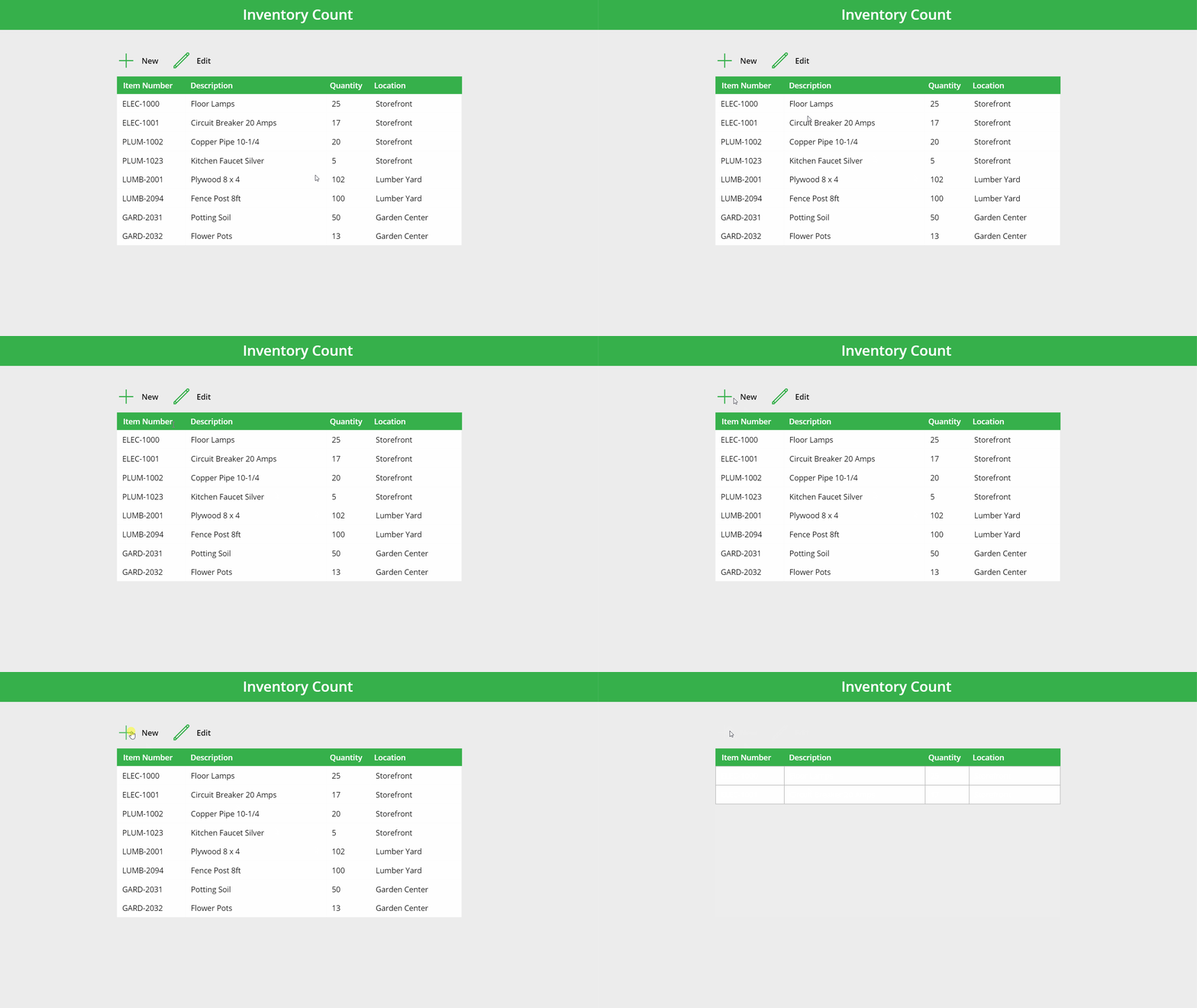
Power Apps Excel Style Editable Table Part 2 Matthew Devaney

Verkko 2 elok 2023 nbsp 0183 32 Excel is a connection that becomes a data source when added to Power Apps To connect to Excel from Power Apps follow these three steps Step 1

Verkko 4 maalisk 2022 nbsp 0183 32 Review mapping Import data that s stored somewhere else into your model driven app using the import feature in Power Apps Every table has required columns that must exist in your input

Verkko 25 hein 228 k 2023 nbsp 0183 32 Import from an Excel or CSV file There are two ways to import data from Excel Option 1 Import by creating and modifying a file template Option 2
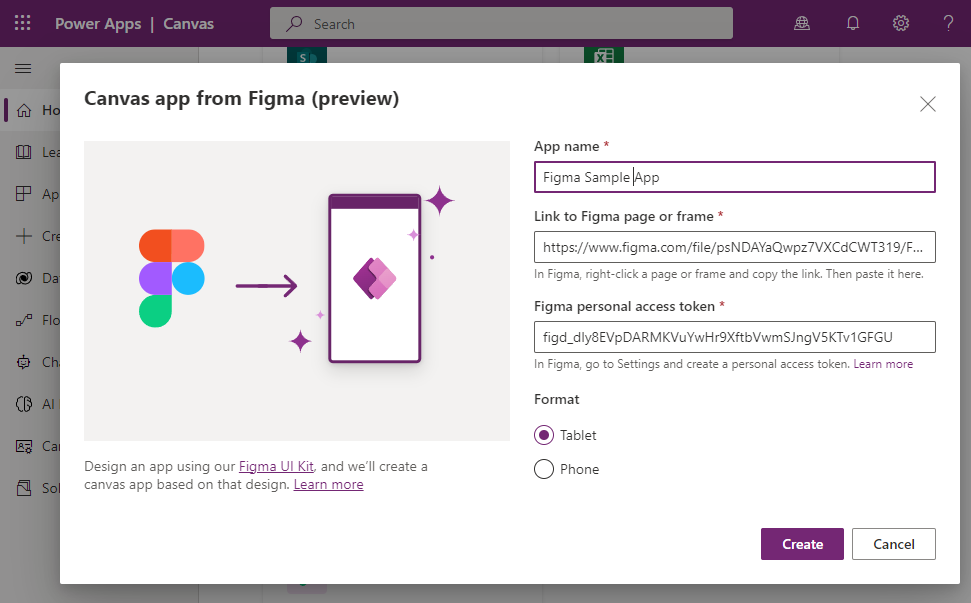
Verkko 2 elok 2023 nbsp 0183 32 Upload an Excel file to create an app Sign in to Power Apps From the home screen select Start with data gt Upload an Excel file Select Select from device

Verkko 23 toukok 2023 nbsp 0183 32 Upload Your Excel File Select the Excel file from your device that you want to transform into a Power App 4 Create Your App After uploading you ll see
Verkko 23 syysk 2019 nbsp 0183 32 Right now I ve standardized the excel template so it can be copy and pasted directly into sharepoint but I d like to intergrate this into a function inside of the Verkko 11 08 2021 10 47 PM Hi paras bangde I was an Excel macro developer now turned PowerApps developer I have converted 3 excel applications into PowerApps and I
Verkko 19 toukok 2022 nbsp 0183 32 I am building a power app The user receives an excel sheet of a shipment every week and he has to create a shipment in the app The excel sheet