If Cell Is Blank Then Return Value Conditional Formatting If Cell Is Blank Then Return Value Or Blank In Excel YouTube If Cell Is Blank Excel Formula Exceljet How To Return Value If Cell Is Blank 12 Ways ExcelDemy Try These Hacks Instead If Cell Is Blank Then Return Value Or VLOOKUP If Blank Return Blank Excel Formula Exceljet Web Sometimes you need to check if a cell is blank generally because you might not want a formula to display a result without input In this case we re using IF with the ISBLANK
Web To return a blank result i e display nothing based on a conditional test you can use the IF function with an empty string quot quot In the example shown the formula in E5 is IF B5 quot a quot C5 quot quot As the formula is copied down Web Sep 3 2015 nbsp 0183 32 3 Answers Sorted by 3 Create a new conditional format and use this formula AND A 1 quot quot COUNTA 1 1 gt 1 and then quot Format quot gt quot Fill quot and choose your
VLOOKUP If Blank Return Blank Excel Formula Exceljet Excel Conditional Formatting For Blank Cells Excel Formula If Cell Contains Text Then Return Value In Another Cell Conditional Formatting For Blank Cells Examples And Excel Template Plo a S Kutijama I Brkovima U Excelu Jednostavan Vodi Za Excel Conditional Formatting In Excel Based On The Contents Of Another Cell If A Cell Is Blank Then Copy Another Cell In Excel 3 Methods ExcelDemy If Cell Is Blank Then Return Value Or Blank In Excel YouTube Solved DAX If Value Is Blank Then Put Value Else Put Valu
If Cell Is Blank Then Return Value Conditional Formatting
 If Cell Is Blank Then Return Value Conditional Formatting
https://i.ytimg.com/vi/1cRoXH09S_A/maxresdefault.jpg
Web Conditional formatting is applied using IF THEN logical test only It must return TRUE for conditional formatting to be applied For example if you want to apply conditional formatting using a condition that If a cell
Templates are pre-designed documents or files that can be utilized for different purposes. They can save effort and time by offering a ready-made format and layout for developing various kinds of material. Templates can be utilized for personal or expert tasks, such as resumes, invitations, leaflets, newsletters, reports, presentations, and more.
If Cell Is Blank Then Return Value Conditional Formatting
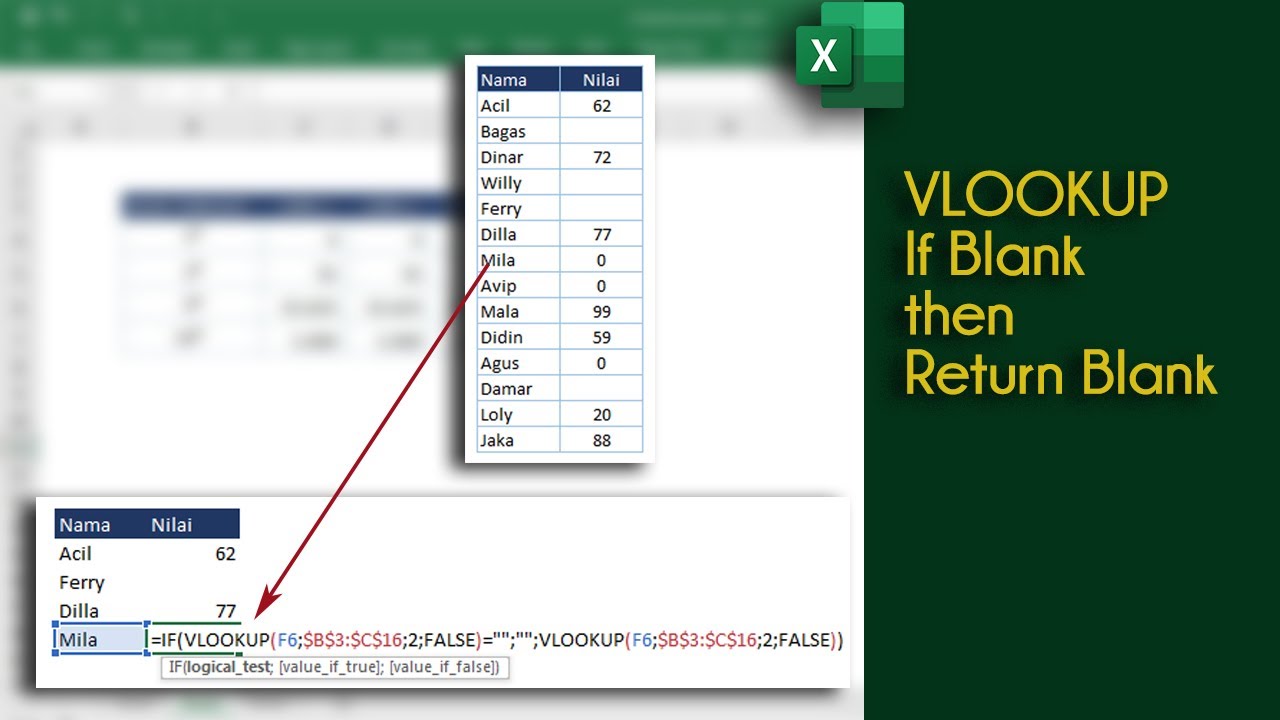
VLOOKUP If Blank Then Return Blank YouTube
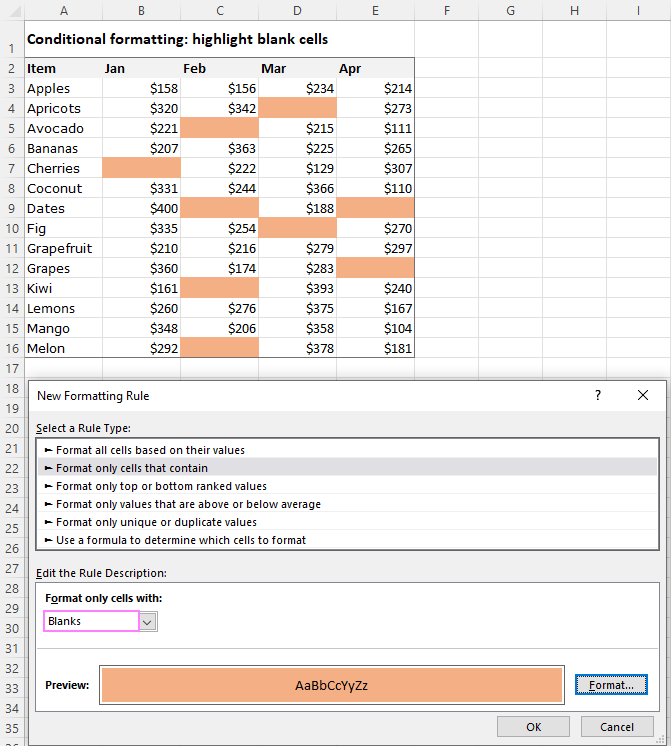
Excel Conditional Formatting For Blank Cells
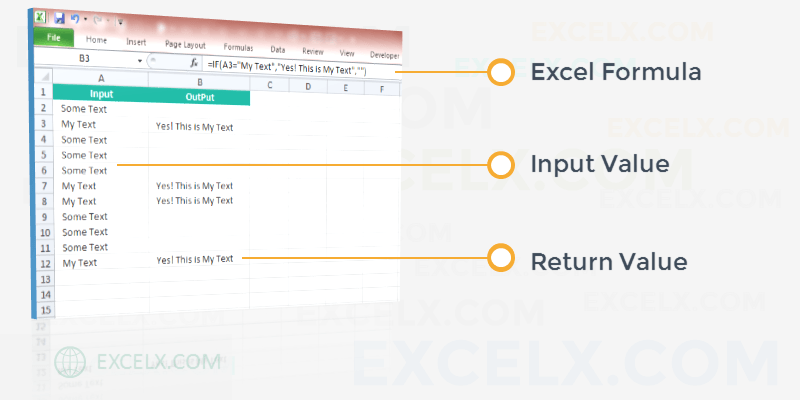
Excel Formula If Cell Contains Text Then Return Value In Another Cell
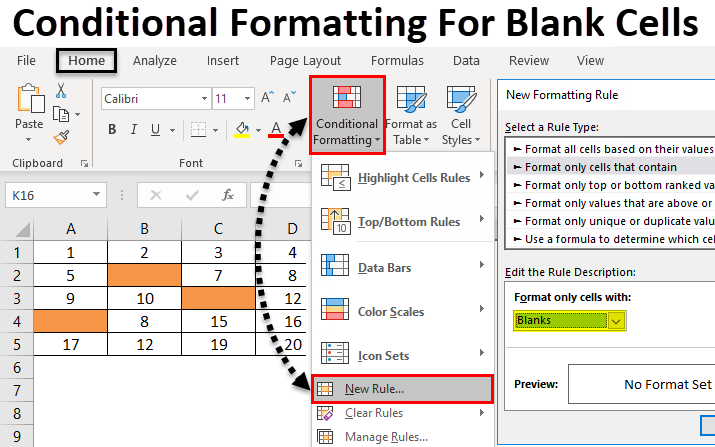
Conditional Formatting For Blank Cells Examples And Excel Template
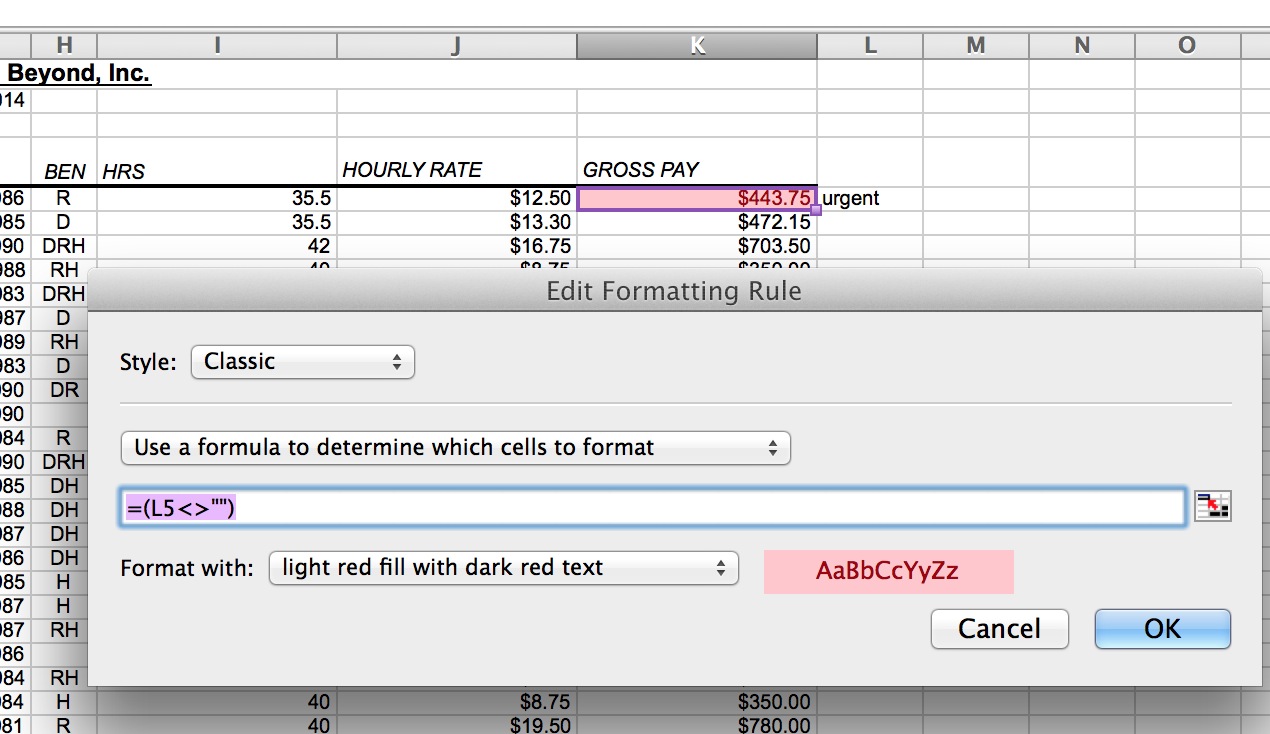
Conditional Formatting In Excel Based On The Contents Of Another Cell
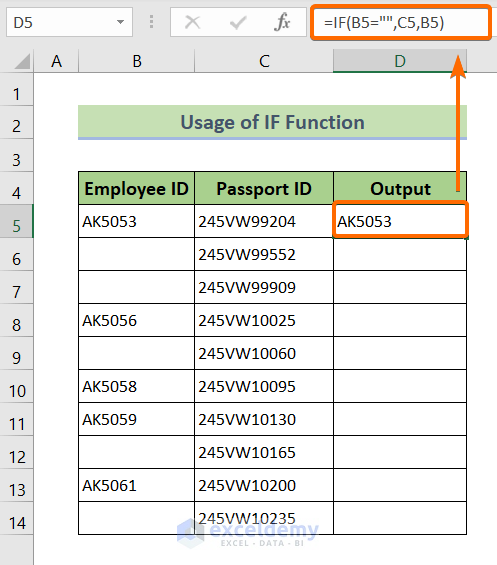
If A Cell Is Blank Then Copy Another Cell In Excel 3 Methods ExcelDemy

Web In the example shown conditional formatting has been applied to the range E5 E14 with this formula OR B5 quot quot C5 quot quot D5 quot quot If B5 or C5 or D5 is blank the formula returns TRUE and triggers the rule Note

Web Dec 21 2023 nbsp 0183 32 Conditional Formatting to Row Using the COUNTBLANK Function If Another Cell Is Blank In addition you may need to highlight the whole row if any cell is blank in the row Luckily you can do this using

Web Generic formula IF A1 quot quot quot blank quot quot not blank quot Explanation In the example worksheet column D contains a date when a task is completed If the task is not yet complete the cell in column D will be empty blank

Web In this case we re using IF with the ISBLANK function IF ISBLANK D2 quot Blank quot quot Not Blank quot Which says IF D2 is blank then return quot Blank quot otherwise return quot Not Blank quot

Web We can use the conditional formatting approach for cells that do not contain any valueor for blank cells This step by step tutorial will assist all levels of Excel users on how to apply conditional formatting to blank
Web You can use conditional formatting in Excel to quickly highlight cells that contain values greater less than a specified value For example highlighting all cells with sales value Web Sep 15 2023 nbsp 0183 32 Steps to Use Blank Cell Option in Conditional Formatting First select the range where you have data Afterward go to the Home Tab gt Conditional Formatting
Web Dec 24 2023 nbsp 0183 32 Steps To begin select the cell where you want to apply the function We are selecting the blank cell D5 Then select the Home tab After that go to Conditional