Hwmonitor Gpu Utilization Limit 1 Gpu Scaling Amd Radeon Settings Berlindaresume Reduce Cpu Usage Skit jp Remnant 2 GPU Performance Isn t Great Even With An Nvidia RTX 4090 HWMonitor 1 50 Neowin What Should Your GPU Utilization Be Different Workloads Explored Go to solution Solved by ICantThinkOfAnyGoodName May 14 2015 Utilization limit is at 100 when the card lowers its clock because it s not fully utilized This usually happens when you aren t playing a game or doing other stuff that utilizes your GPU Have you checked whether it stays at 1 while playing a game
The HWMonitor screenshots above were taken with Dying Light 2 running these next screenshots are with CS GO running The problem with Dying Light 2 was my GPU had utilization limit on which I m assuming it meant its not being fully utilized hence my horrible FPS drops CSGO on the otherhand I got a different problem it seems Reliable Voltage Complete Guide to Resolve 50 Off http bit ly DavinciResolve HalfOff Learn Video Editing Complete Guide to DaVinci Resolve Course 5 O
What Should Your GPU Utilization Be Different Workloads Explored HWMonitor 1 48 Released GPU Compare UPDATED November 2023 Qnnit The Best Platform For Pixel Based Computing Is DroneData GPU Systeem Conval Gyors t M rn k k S tor Gpu Preview Illustrator Felid zi Vminek A K p t GPU Utilization And MPI User Discussions GROMACS Forums AMD Radeon RX 570 Review The Best Graphics Card You Can Buy Under 200 NVIDIA GeForce RTX 3060 Ti Full Specs Leak Out Confirmed To Feature
Hwmonitor Gpu Utilization Limit 1
 Hwmonitor Gpu Utilization Limit 1
https://www.techpowerup.com/img/tkfYjxiXm9xX3mfs.jpg
HWMonitor is a hardware monitoring program that reads PC systems main health sensors voltages temperatures fans speed The program handles the most common sensor chips like ITE IT87 series most Winbond ICs and others In addition it can read modern CPUs on die core thermal sensors as well has hard drives temperature via S M A R T and video card GPU temperature
Pre-crafted templates use a time-saving option for creating a diverse variety of files and files. These pre-designed formats and designs can be utilized for various individual and professional jobs, consisting of resumes, invites, leaflets, newsletters, reports, discussions, and more, streamlining the material production process.
Hwmonitor Gpu Utilization Limit 1

HWMonitor GPU FAN PWM

HWMonitor 1 48 Released

GPU Compare UPDATED November 2023 Qnnit

The Best Platform For Pixel Based Computing Is DroneData
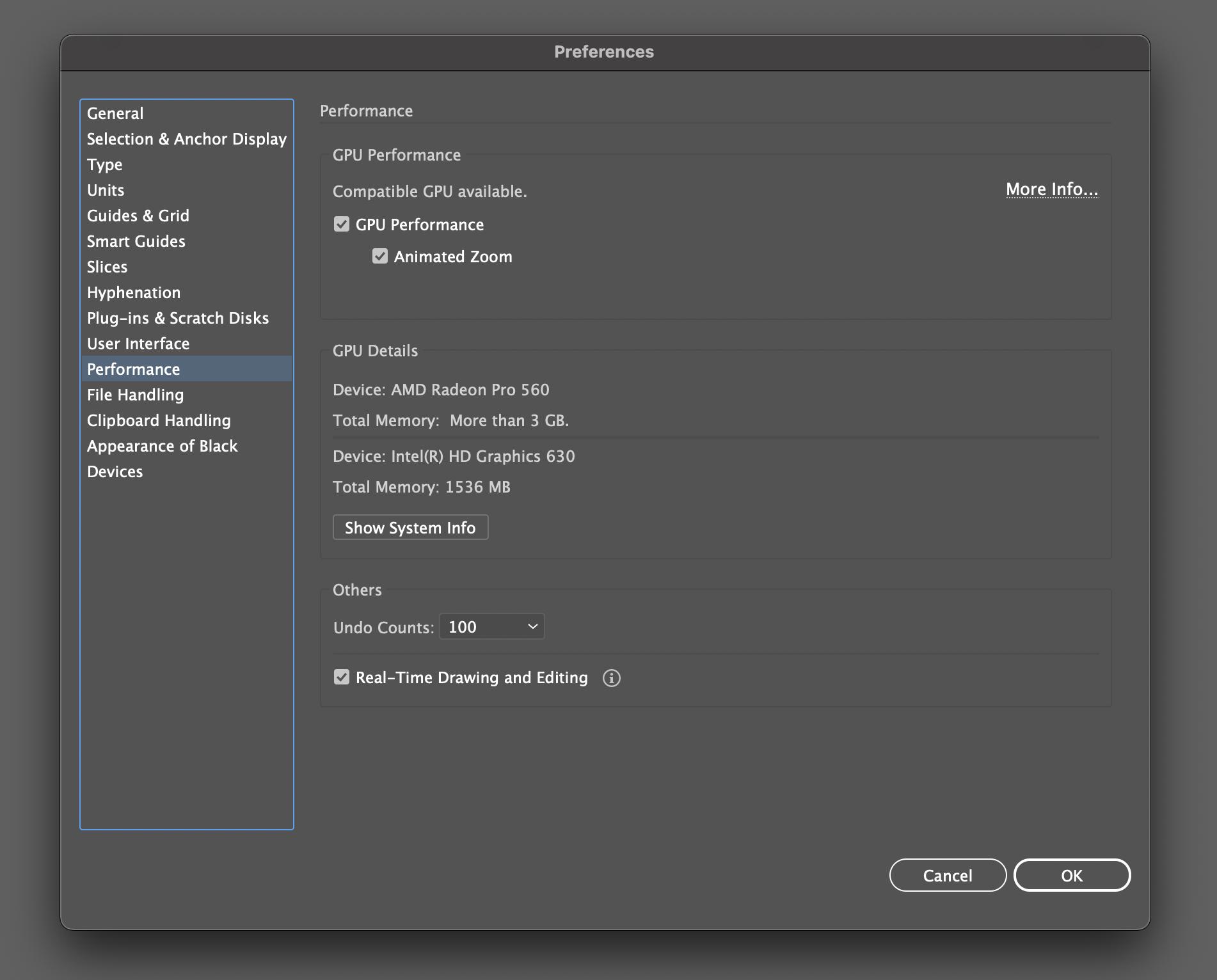
Gyors t M rn k k S tor Gpu Preview Illustrator Felid zi Vminek A K p t

GPU Utilization And MPI User Discussions GROMACS Forums

Utilization Limit will only show a 1 if that is what s limiting the GPU performance well and apparently it also shows 1 at idle mine does the same Odd Since you are showing 55 percent utilization on the GPU in that screen shot you are not at the limit 99 100 percent So the monitoring software is reporting correctly

The GPU has reached its power limit and hence reduced the clocks to remain within the limit L Llewellynf Member Jan 24 2020 5 I also have Performance Limit Utilization permanently on Yes Thanks for the question Llewellynf I understand there s not enough load

When the power limit does go to 1 the Utilization limit will go to 0 vice versa Havent noticed any frame drops Play Cod Warzone on highest settings 1440p and still get around 110fps GPU usage doesn t seem to ever reach 100 s sticks maybe highest to 40 if not slightly higher Ryzen 3900x 64GB Ram 2070 Super FE AIO etc
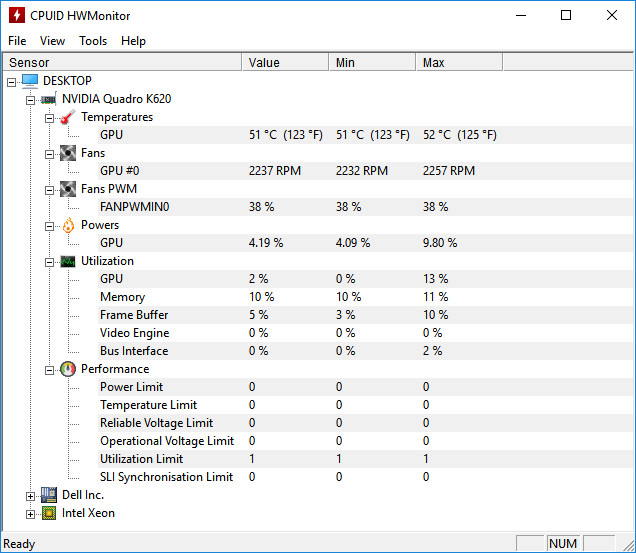
GPU utilisation limit on 1 on HWMonitor even when playing a game Troubleshooting Title I didn t know what this was at first but it s basically something that limits the GPU clocks when you re not doing anything so the card consumes less when idle from what i understood except that it s also doing it in game which it shouldn t taking
GPU Zotac Geforce GTX 1660 TI EMP 70 max I think its my PSU 5 y old and its mars or wtv really cheap brand but i will get a new and good one tomorrow and i hope that does the trick and i wont get more random restarts So i was using HWMonitor to check temp and i saw that in my GPU the utilization limit is always in 1
There s a section at the bottom of the GPU portion that says Performance with categories like Power Limit Temperature Limit etc My GTX 970 didn t have any of these The Power Limit one in general keeps popping on during gaming and I can t seem to find any info on what it means I m assuming it means it s getting insufficient power Online Users Forum Subscriptions Hi friends I have searched throughout the internet and only seen a post or two that wasn t super definitive about this So I m hovering on utilization limit on my Cpu primarily when not gaming Im using HW monitor to monitor my data and also hit reliable voltage limit when I m playing 4k max sett
Nov 15 2015 2 Assuming your graphical settings are optimal for your video card its GPU usage should be at 99 100 constantly If settings are below your GPU capabilities you will see a lower number like 40 60 or70 regardless of which it should be constant and not varying Memory usage will heavily rely on the game engine your resolution