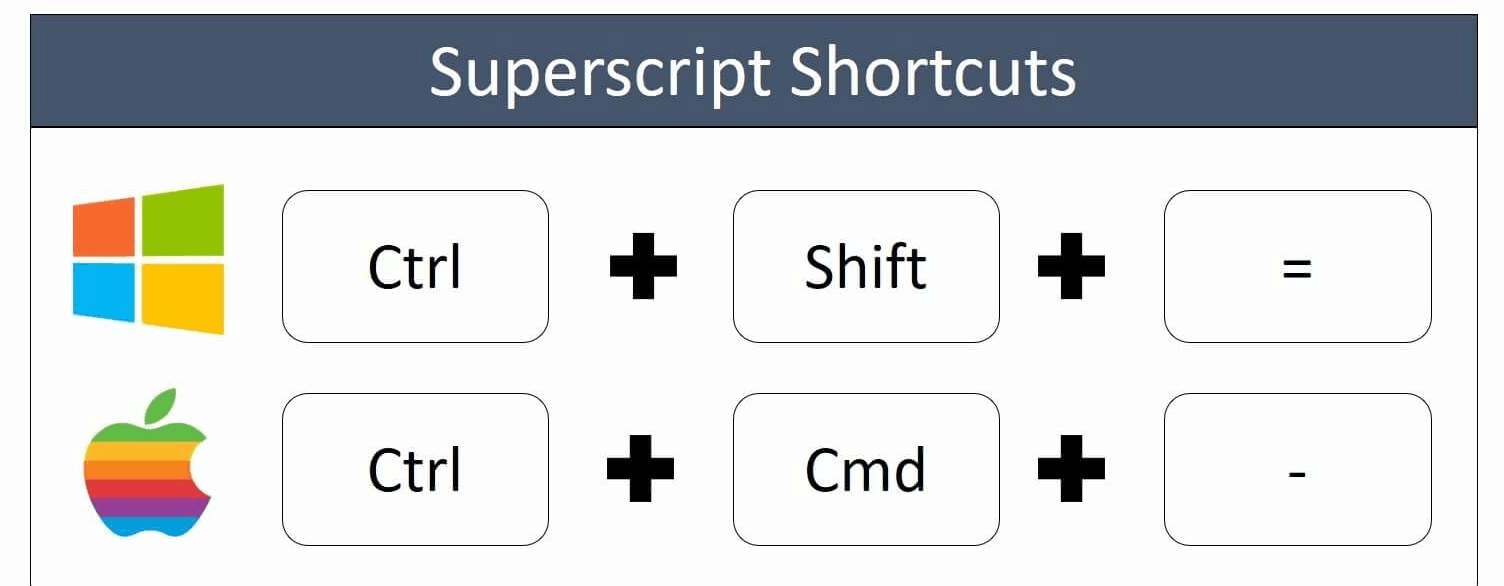
How To Write Superscript In Word Equation How To Write A Subscript And Superscript In Word Betsascse Ideallalaf How To Give Subscript And Superscript In Word Microsoft Word How To Make A Superscript Luliwrite How To Write Superscript In Google Docs Archives PickupBrain Be Smart How To Make A Superscript On Blackboard Lulihell Web For superscript press Ctrl Shift and the Plus sign at the same time For subscript press Ctrl and the Equal sign at the same time You can also format text as superscript or subscript by selecting options in the Font dialog box as described in the next procedure
Web Learn how to easily add subscripts and superscripts into your Microsoft Word documents These are great for adding math equations into documents as well as f Web Aug 26 2019 nbsp 0183 32 About Press Copyright Contact us Creators Advertise Developers Terms Privacy Policy amp Safety How YouTube works Test new features NFL Sunday Ticket Press Copyright
How To Make A Superscript On Blackboard Lulihell Superscript In Powerpoint Equation Editor Stashokecono Wskillo blogg se How To Make Superscript In Word Equation Shortcut For Subscript And Superscript In Word Ascsecu Insert Subscript And Superscript In Word 2016 Homelasem How To Give Subscript And Superscript In Word Caqwenetworks Superscript Keyboard Shortcuts On Mac Holoserinspire 3 Best Ways To Add A Superscript Or Subscript In Microsoft Word Guiding Tech Keyboard Shortcut For Subscript Word Equation Sypor
How To Write Superscript In Word Equation
 How To Write Superscript In Word Equation
https://how2foru.com/wp-content/uploads/2021/01/screenshot-how-to-superscribe-numbers-in-word-1024x312-1.png
Web Try it If you need to use an equation add or write it in Word Select Insert gt Equation or press Alt To use a built in formula select Design gt Equation To create your own select Insert gt Equation gt Insert New Equation Use your finger stylus or
Templates are pre-designed files or files that can be utilized for numerous functions. They can save time and effort by offering a ready-made format and layout for producing various type of content. Templates can be utilized for personal or expert tasks, such as resumes, invitations, leaflets, newsletters, reports, presentations, and more.
How To Write Superscript In Word Equation
How To Superscript And Subscript Word Excel And PowerPoint
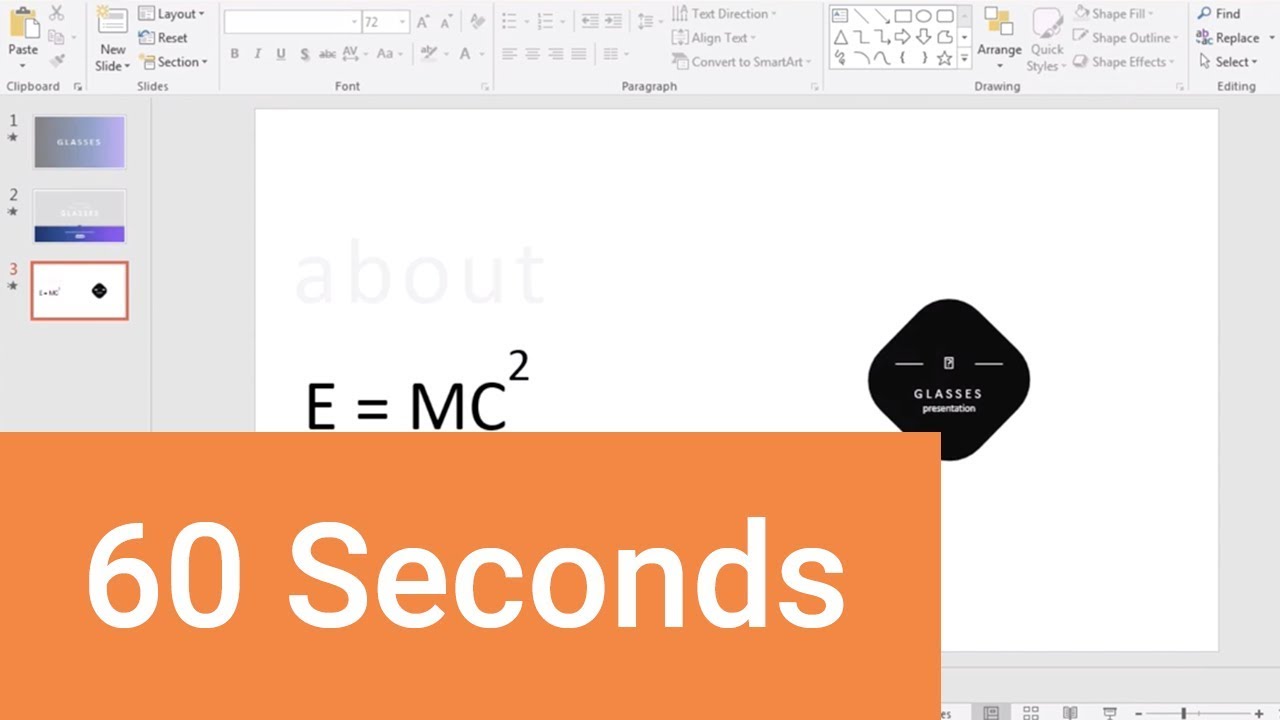
Superscript In Powerpoint Equation Editor Stashokecono
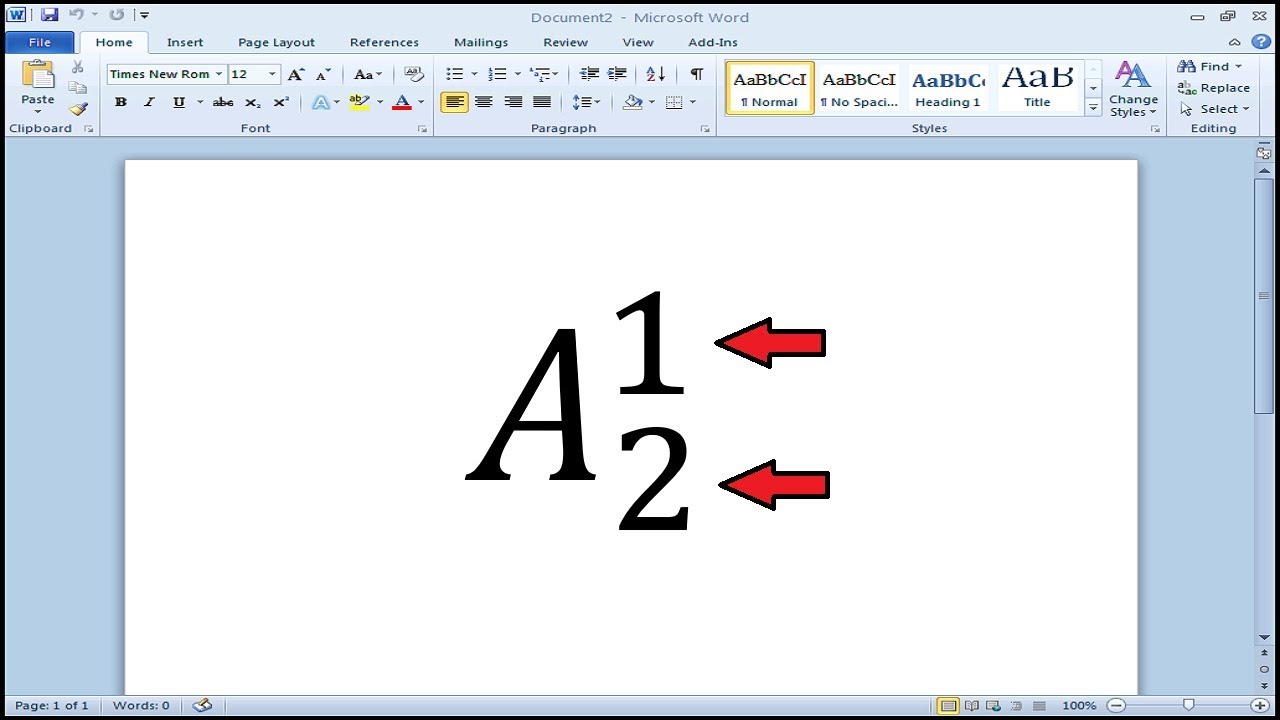
Wskillo blogg se How To Make Superscript In Word Equation
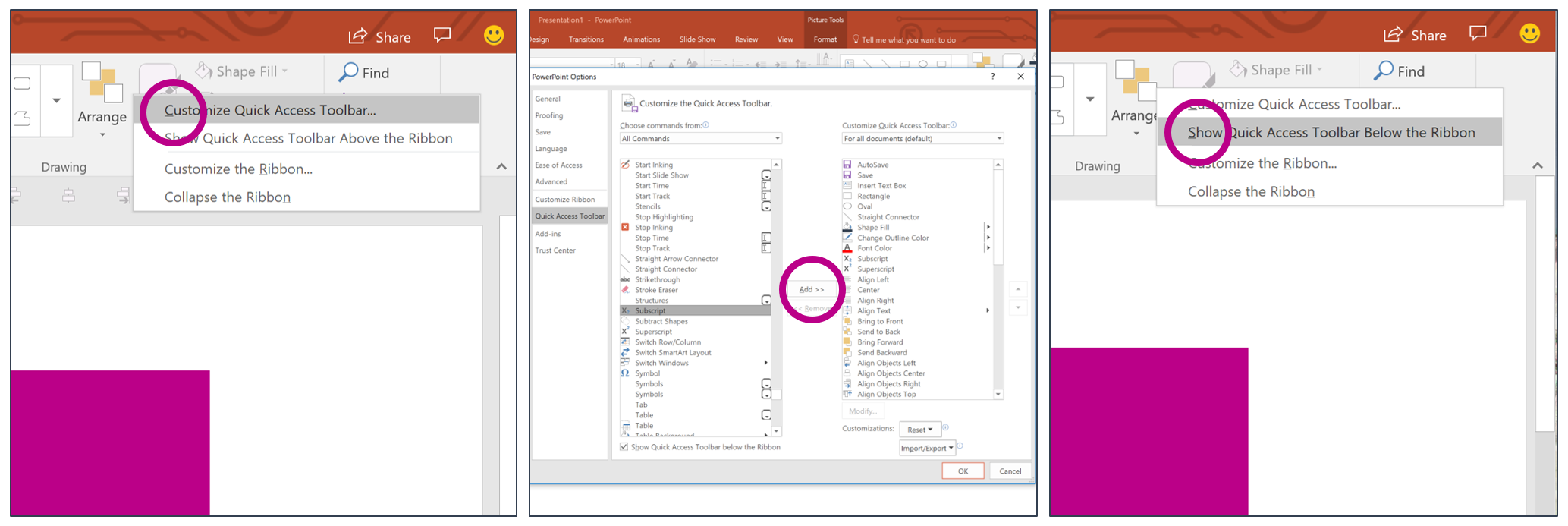
Shortcut For Subscript And Superscript In Word Ascsecu
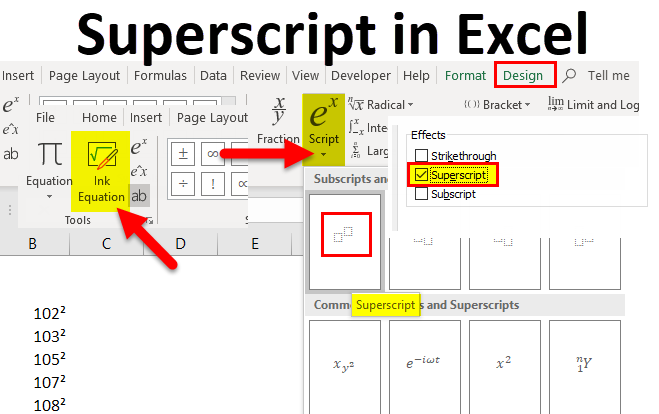
How To Give Subscript And Superscript In Word Caqwenetworks
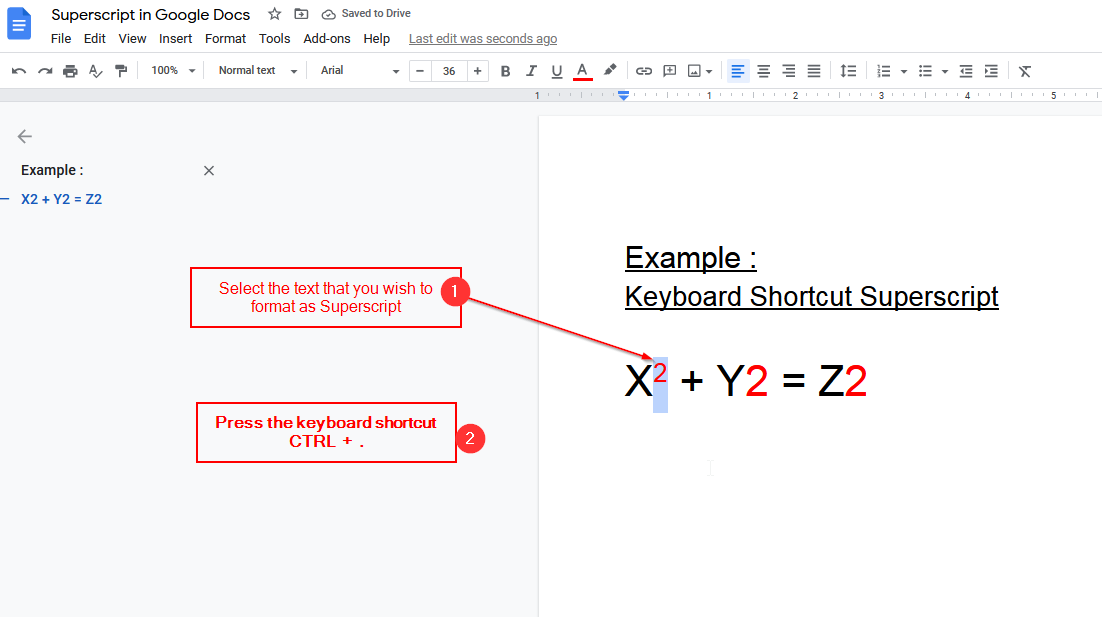
Superscript Keyboard Shortcuts On Mac Holoserinspire

Web Apr 15 2016 nbsp 0183 32 Use subscript and superscript in equation of Microsoft Word

Web Jan 14 2023 nbsp 0183 32 1 Place your cursor where you want to insert the superscript or subscript Or select the existing text that you want to format as a superscript or subscript 2 Type the keyboard shortcut Superscript Ctrl Shift Control Shift and the plus sign Subscript Crtl Control and the equal sign

Web Apr 7 2010 nbsp 0183 32 To subscript a character in equation editor 1 Type an underscore 2 Press the space bar 3 This creates a small dotted box in the subscript 4 click on the box and type the text that has to go in the subscript To Superscript Repeat all above steps with a carat instead of an underscore Note The above was tried on Microsoft word 2013
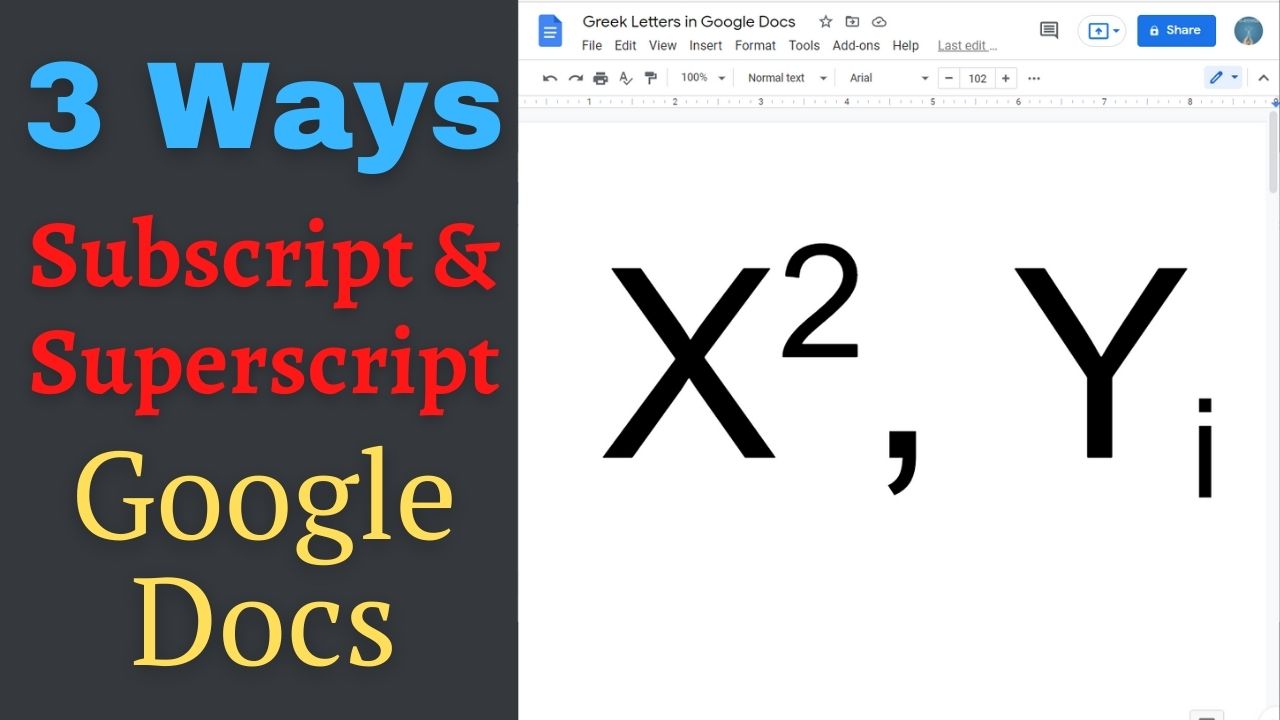
Web For superscript press Ctrl Shift and the Plus sign at the same time For subscript press Ctrl and the Equal sign at the same time Do not press Shift Tip You can also format text as superscript or subscript by selecting options in the Font dialog box as described in the next procedure

Web Oct 14 2022 nbsp 0183 32 To apply superscript press Ctrl Shift equal sign To apply subscript press Ctrl equal sign Note We re using the equal sign at the top of the keyboard To remove or turn off superscript or subscript using a keyboard shortcut Select the text number or symbol with superscript or subscript you want to remove
Web 6 days ago nbsp 0183 32 Ask a new question BG Bob Gr 252 n Created on March 20 2023 Word Equation Mode Superscript amp Subscript amp Fractions Slash don t work anymore In an equation Word no longer automatically create fractions or autocompletes after pressing space when using or or Other autocompletes as alpha still work I have tried Web Aug 26 2020 nbsp 0183 32 Shortcut to get equation editor in Ms Word and Power Point is Alt i e hold down Alt key while typing Although you can also click on Equations under the Insert Tab to get it Spaces is an important part of Math AutoCorrect shortcut
Web Oct 22 2010 nbsp 0183 32 I also know of the CTRL CTRL SHIFT shortcuts to toggle superscript subscript modeoutside of equation editor When in equation editor those shortcuts do not work and instead I have to click on the Script button from the ribbon