How To Write Input Code In Python Reading Input In Python And Converting Keyboard Input YouTube Python User Input From Keyboard Input Function AskPython How To Make Qr Code In Python Language Python Programming Language Writing Our First Line Of Code In Python YouTube Append To A File Code In Python Examples Python Coding Tutorial You can easily work with your files with Google Drive for desktop You can also Keep local files safe Your computer files are securely stored in the cloud Keep files up to date across
Remove unwanted programs on your computer Before you reset your browser settings check your computer for unwanted programs Learn how to reset your browser settings Record the email addresses from people who fill out your form When someone takes your survey they will be required to enter their email address before they submit the form Collect verified
Append To A File Code In Python Examples Python Coding Tutorial Programming For Beginners Learn To Code In Python Skill Success Generate QR Code In Python Data Science Learning Science And Technology Coding In Python How To Ask For User Input In Python A Complete Guide How To Comment In Python FREE TUTORIAL UPDATED 2024 Getting Started With Python Programming How To Begin Writing Code In Write The Following Short Piece Of Code In Python Brainly How To Take Numeric Input In Python FREE 2024 DerryCode
How To Write Input Code In Python
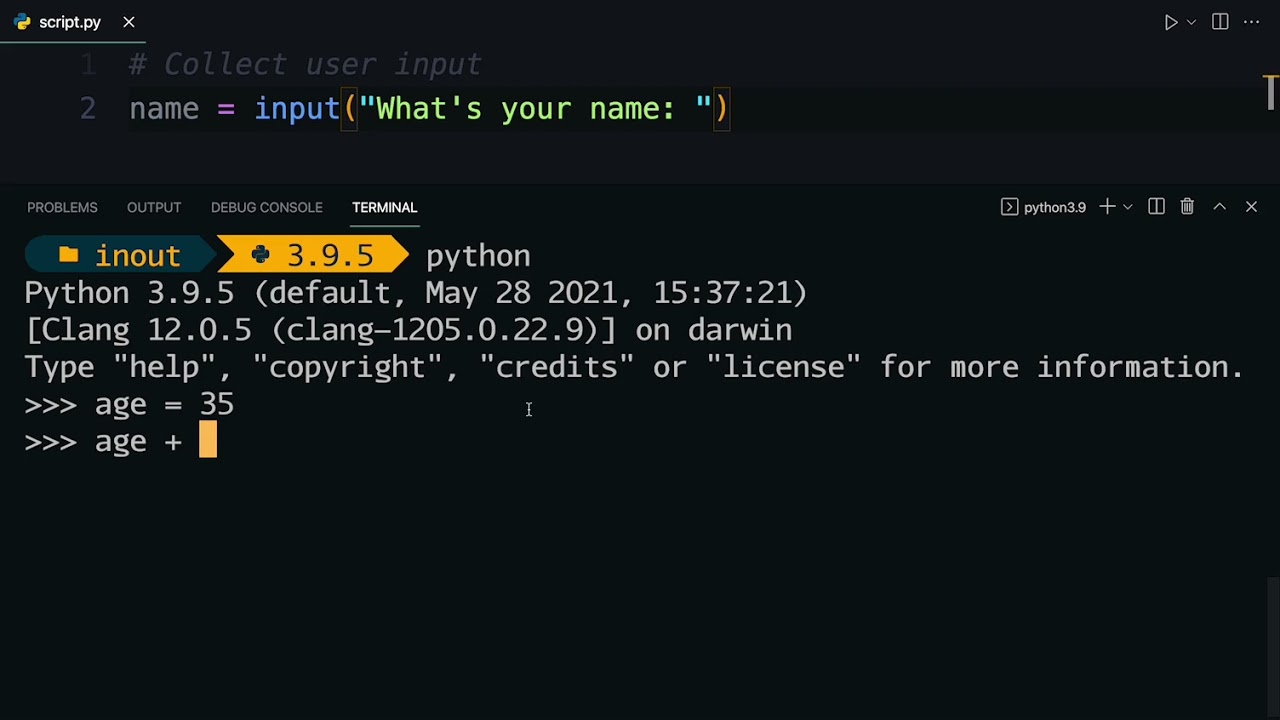 How To Write Input Code In Python
https://i.ytimg.com/vi/TOMFAD8e8j8/maxresdefault.jpg
You can take a picture screenshot or record a video of your phone s screen After you capture your screen you can view edit and share the image or video Important Some of these steps
Templates are pre-designed documents or files that can be used for different purposes. They can conserve time and effort by providing a ready-made format and layout for creating different type of material. Templates can be used for individual or expert tasks, such as resumes, invitations, flyers, newsletters, reports, presentations, and more.
How To Write Input Code In Python

PYTHON HOW TO WRITE MY FIRST CODE IN PYTHON VARIABLES STRINGS AND

Programming For Beginners Learn To Code In Python Skill Success
Generate QR Code In Python

Data Science Learning Science And Technology Coding In Python
How To Comment In Python FREE TUTORIAL UPDATED 2024
Getting Started With Python Programming How To Begin Writing Code In

Sign in to Gmail Tip If you sign in to a public computer make sure to sign out before you leave the computer Learn how to sign in on a device that s not yours

To find your username follow these steps You need to know A phone number or the recovery email address for the account The full name on your account Follow the instructions to

Important Before you set up a new Gmail account make sure to sign out of your current Gmail account Learn how to sign out of Gmail From your device go to the Google Account sign in

Important When you create a Google Account for your business you can turn business personalization on A business account also makes it easier to set up Google Business Profile

On your computer open Chrome At the top right click More Delete browsing data Choose a time range like Last hour or All time Select the types of information you want to remove Click
[desc-11] [desc-12]
[desc-13]