How To Use Slideshare App Download Ppt From Slideshare App In Word Format Adviceloxa SlideShare Downloader Download SlideShare Presentations In PPT PDF How To Use Guest Feedback To Grow Your Business Slideshare App In Windows 8 Sugarberlinda How To Use The Template Powerpoint Google Slides 3 6 To find any of these features tap your profile picture or initial Location Sharing Choose who can find your location and whose location you can find on Google Maps Settings Manage your Wi Fi
To find your username follow these steps You need to know A phone number or the recovery email address for the account The full name on your account Follow the instructions to confirm it s your The activity based personalization setting allows Google Photos to show you even more personalized memories based on how you interact with features in Photos To further personalize your memories
How To Use The Template Powerpoint Google Slides 3 6 How To Download SlideShare Slides PPT PDF Without Login For Free How To Download Slideshare PPT Robots SlideShare For Android Download Slideshare Ppt Downloader For Android Loversyellow SlideShare APK For Android Download 10 Apps For Making A Great Slideshow Presentation On The Go Paste SlideShare APK For Android Download HOW TO DOWNLOAD SLIDESHARE PRESENTATION ON MOBILE NO APP REQUIRED
How To Use Slideshare App
 How To Use Slideshare App
https://i.ytimg.com/vi/p6e-IvywUL0/maxresdefault.jpg
Google Slides is an online presentation app that lets you create and format presentations and work with other people Step 1 Create a presentation To create a new presentation
Templates are pre-designed documents or files that can be utilized for different functions. They can conserve effort and time by providing a ready-made format and design for developing various kinds of material. Templates can be utilized for individual or professional jobs, such as resumes, invites, leaflets, newsletters, reports, discussions, and more.
How To Use Slideshare App
What Is Slideshare App Howinfinity

How To Download SlideShare Slides PPT PDF Without Login For Free

How To Download Slideshare PPT Robots

SlideShare For Android Download

SlideShare APK For Android Download
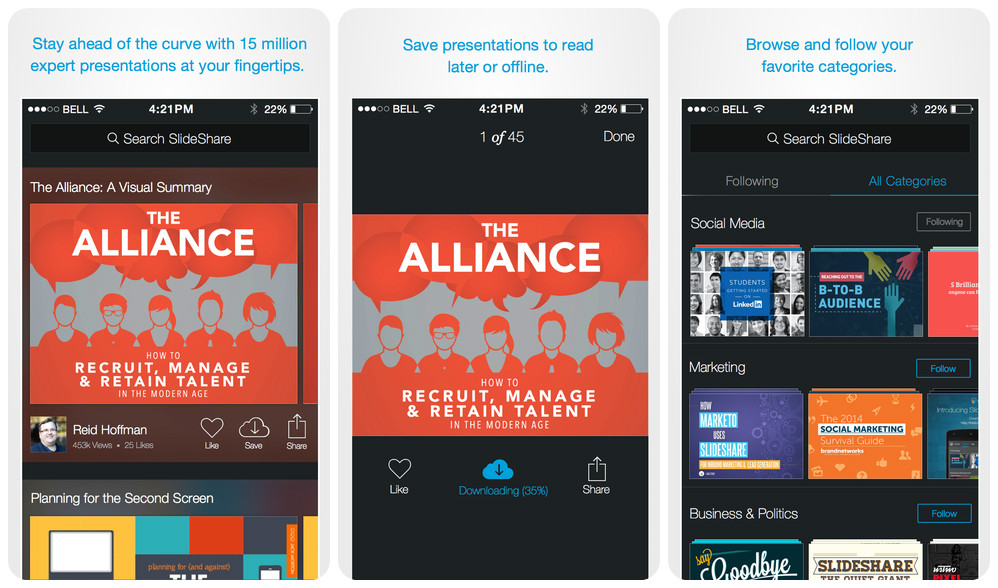
10 Apps For Making A Great Slideshow Presentation On The Go Paste

Sign in to Gmail Tip If you sign in to a public computer make sure to sign out before you leave the computer Learn how to sign in on a device that s not yours

How to install Chrome Important Before you download check if Chrome supports your operating system and you ve met all other system requirements

Want advanced Google WoTo edit a document On your computer open a document in Google Docs To select a word double click it or use your cursor to select the text you want to change Start
Create an account Tip To use Gmail for your business a Google Workspace account might be better for you than a personal Google Account With Google Workspace you get increased storage
Important When you create a Google Account for your business you can turn business personalization on A business account also makes it easier to set up Google Business Profile which helps improve
[desc-11] [desc-12]
[desc-13]