How To Use Rest Api In Java Building A REST API In Python Home Automation 02 YouTube Implementing API Gateway In Microservices Spring Cloud API Gateway What Is Rest Api And How It Works Infoupdate Top 6 Most Popular API Architecture Styles YouTube RESTful API Official Gmail Help Center where you can find tips and tutorials on using Gmail and other answers to frequently asked questions
When you add and verify your Business Profile customers can find your business on Search and Maps To make sure your business is eligible to show up on Google verify your Business Google is stuck as my homepage Google won t change your homepage settings without your permission Reset your homepage Choose a browser above then follow the steps to replace
RESTful API What Is REST API In Java Guide With Examples Blog Camunda Forum REST API REST API RMM Spring Rest Api Flow Diagram Makeflowchart Rest Api Diagram Lupon gov ph CSE 154 Lecture What Is A REST API SitePoint Rest Architecture Diagram What Are Different Rest Architectu
How To Use Rest Api In Java
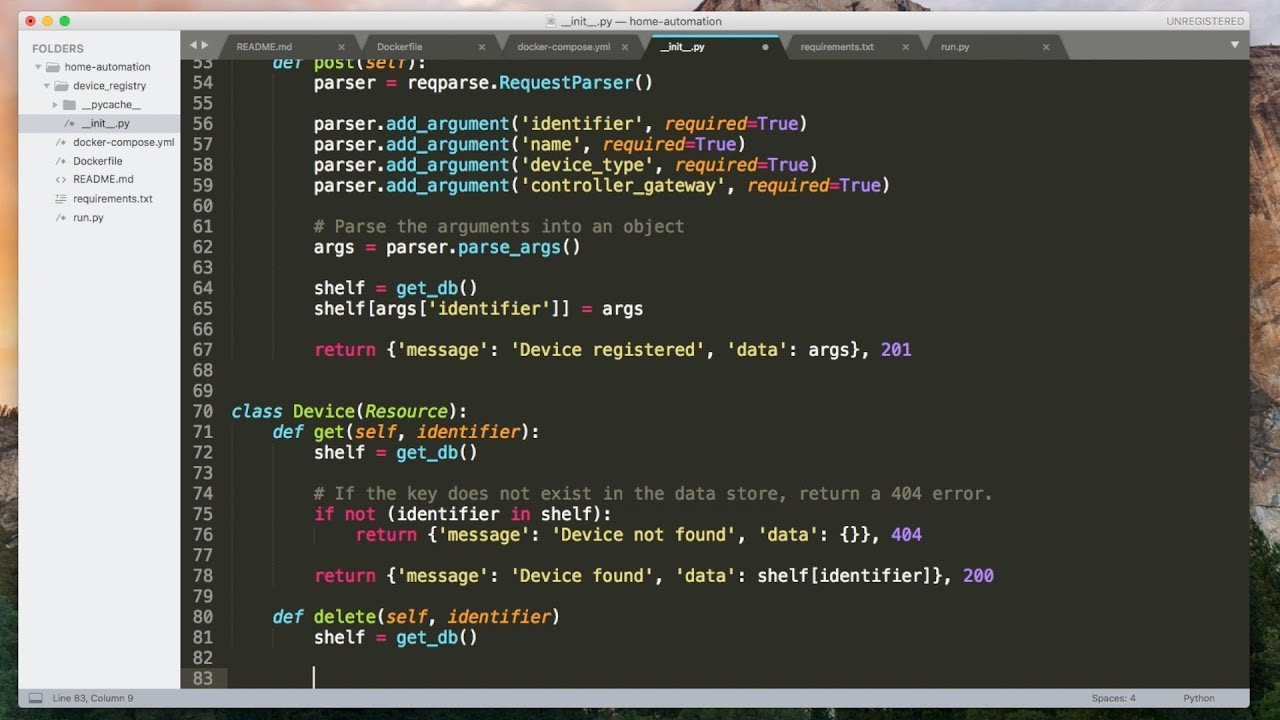 How To Use Rest Api In Java
https://i.ytimg.com/vi/4T5Gnrmzjak/maxresdefault.jpg
Official Google Account Help Center where you can find tips and tutorials on using Google Account and other answers to frequently asked questions
Templates are pre-designed files or files that can be used for numerous functions. They can conserve effort and time by providing a ready-made format and layout for producing different type of material. Templates can be used for personal or professional projects, such as resumes, invites, leaflets, newsletters, reports, discussions, and more.
How To Use Rest Api In Java
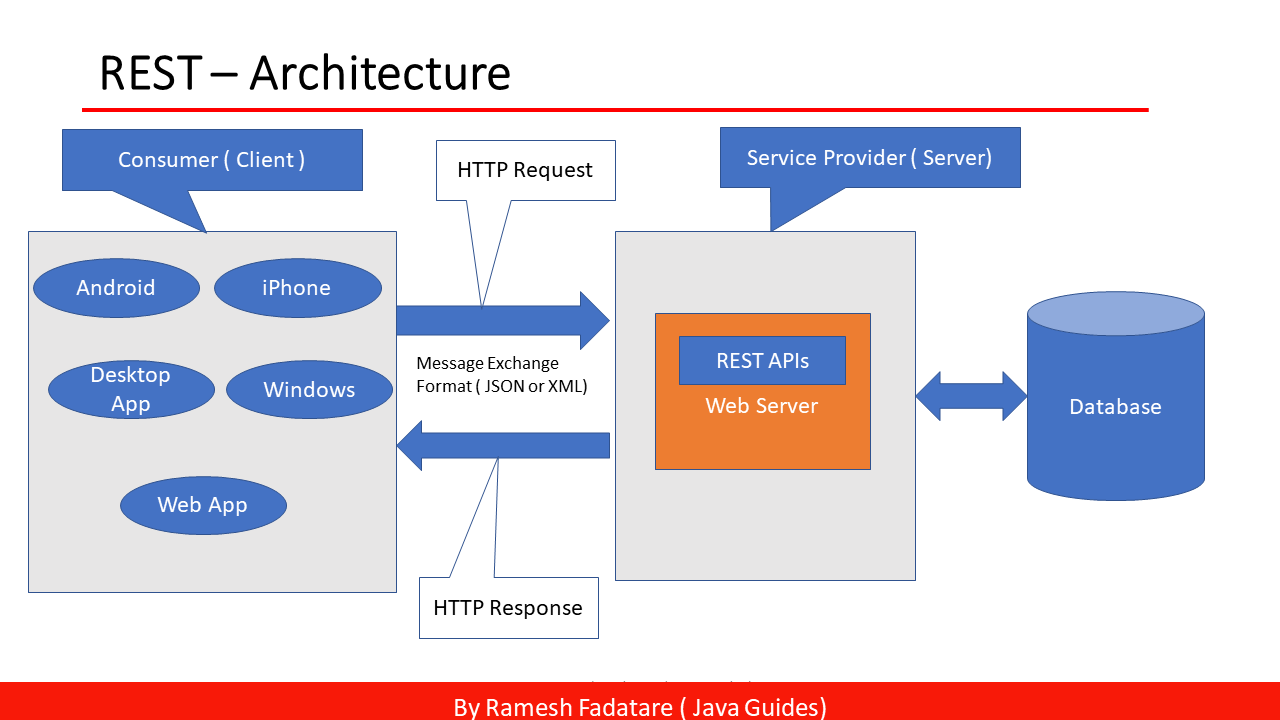
Rest Api

What Is REST API In Java Guide With Examples Blog Camunda Forum

REST API
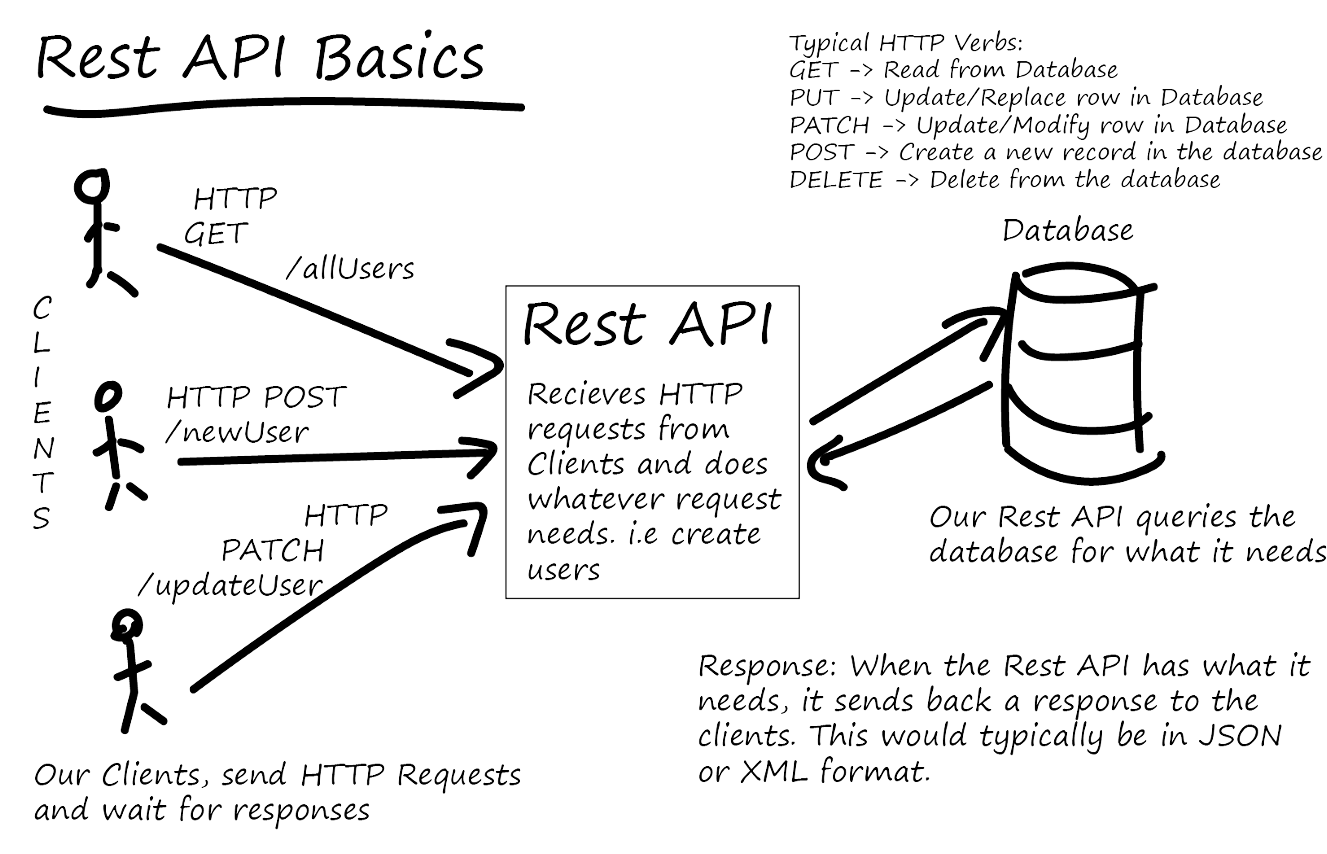
REST API RMM
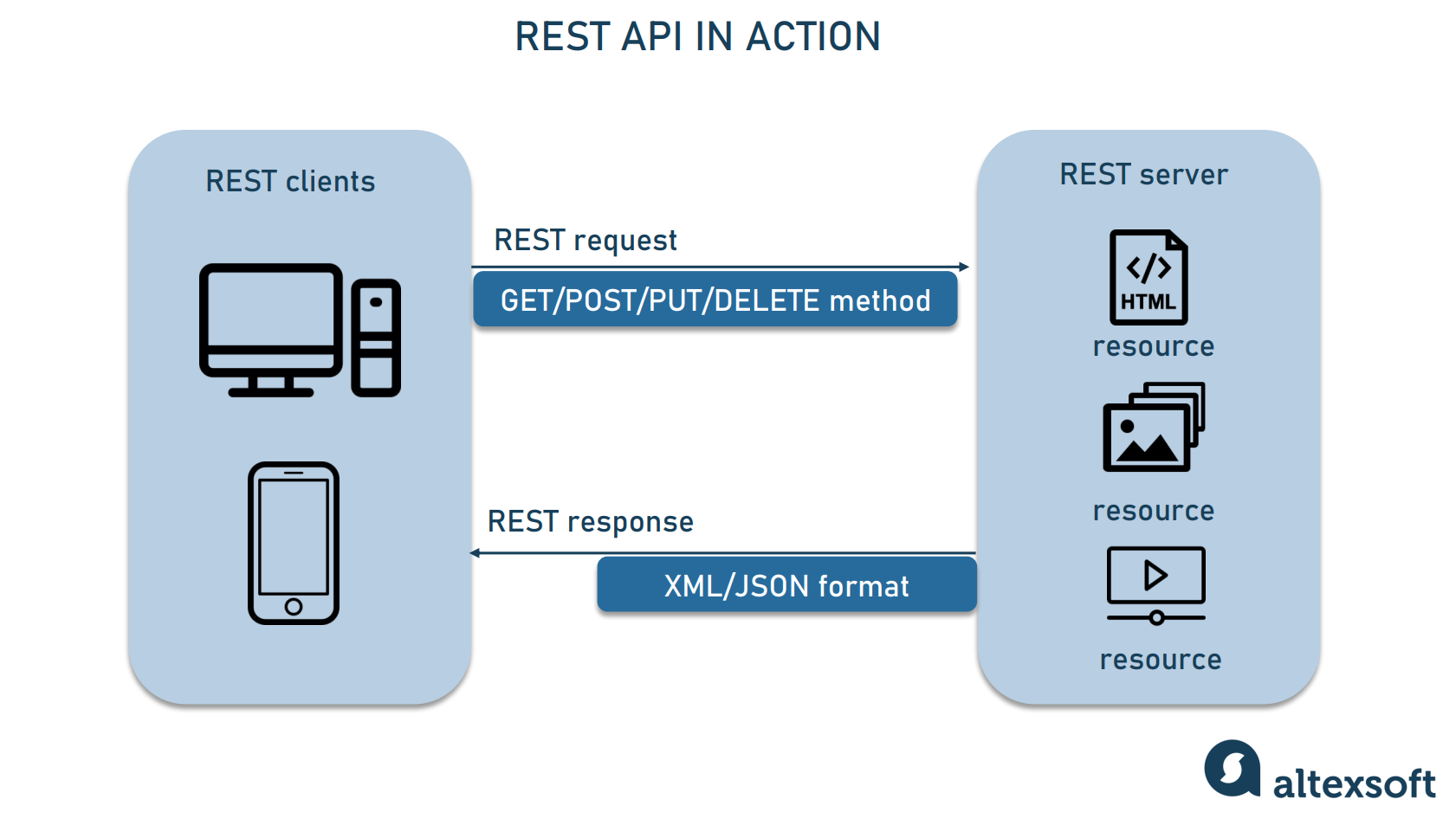
Rest Api Diagram Lupon gov ph
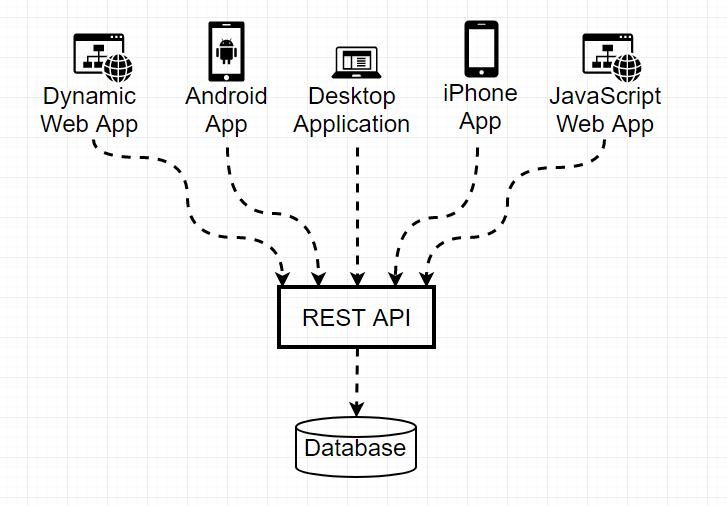
CSE 154 Lecture

Important Before you set up a new Gmail account make sure to sign out of your current Gmail account Learn how to sign out of Gmail From your device go to the Google Account sign in

Important Before you start check that your operating system is compatible with Google Drive for desktop Tip If you use a work or school account you might not be able to use Google Drive
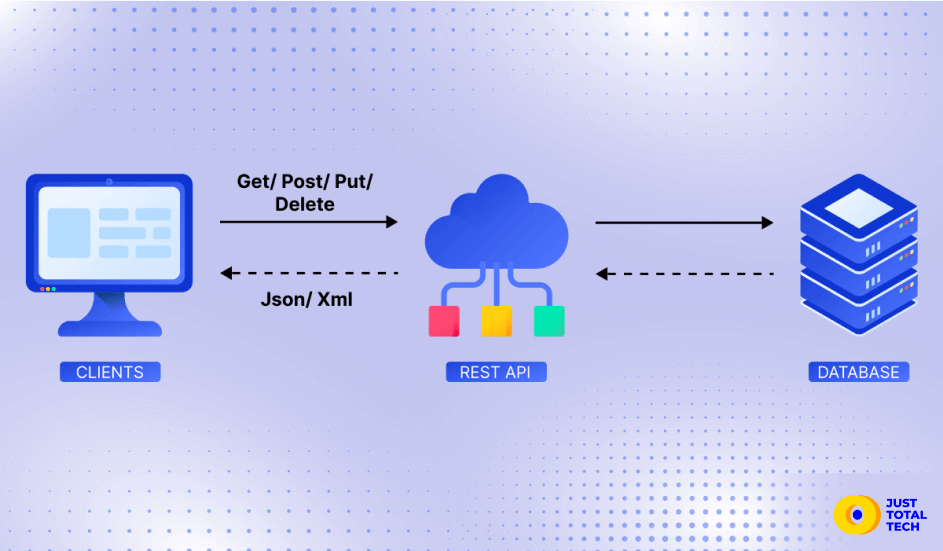
Important Some of these steps work only on Android 15 and up Learn how to check your Android version Some of these steps only work on devices with supporting hardware For more info

To edit a document On your computer open a document in Google Docs To select a word double click it or use your cursor to select the text you want to change Start editing To undo
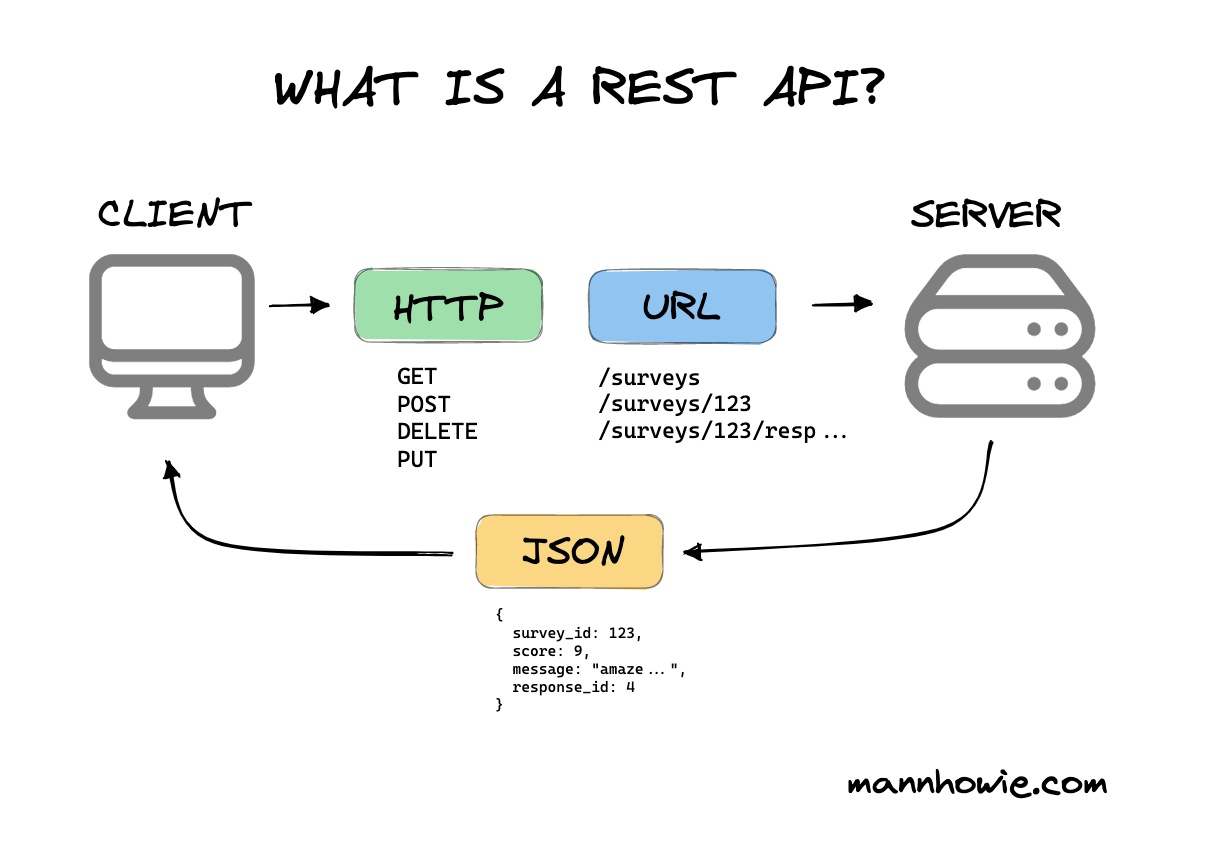
How 1 How are your parents 2 How is the weather today
[desc-11] [desc-12]
[desc-13]