How To Use Microsoft Lists As A Database Getting Started With Microsoft Lists Add Or Edit List Items YouTube Gantt Charts In SharePoint Online Microsoft Lists Modern List View Microsoft Lists In Teams The Ultimate Guide YouTube Getting Started With Microsoft Lists Create Or Change The View Of A What Is The Maximum Size Of Paper In Microsoft Word Quora 54 OFF How to install Chrome Important Before you download you can check if Chrome supports your operating system and other system requirements
When your account reaches its storage limit you won t be able to upload or create files in Drive send or receive emails in Gmail or back up photos or videos to Google Photos If you re over Record the email addresses from people who fill out your form When someone takes your survey they will be required to enter their email address before they submit the form Collect verified
What Is The Maximum Size Of Paper In Microsoft Word Quora 54 OFF Ms Planner Templates Prntbl concejomunicipaldechinu gov co Formularios Microsoft Comment Utiliser Les Listes Microsoft Pour La Gestion Et Le Suivi Du Sharepoint List Templates Desk Management Microsoft Lists Office 365 Desk Management 7 Ways To Organize Your Workflow Using Microsoft Lists 7 Ways To Organize Your Workflow Using Microsoft Lists 7 Ways To Organize Your Workflow Using Microsoft Lists
How To Use Microsoft Lists As A Database
 How To Use Microsoft Lists As A Database
https://i.ytimg.com/vi/yufDQqExJO0/maxresdefault.jpg
Official Gmail Help Center where you can find tips and tutorials on using Gmail and other answers to frequently asked questions
Templates are pre-designed files or files that can be utilized for numerous purposes. They can conserve time and effort by providing a ready-made format and design for producing various type of content. Templates can be used for personal or expert projects, such as resumes, invitations, leaflets, newsletters, reports, discussions, and more.
How To Use Microsoft Lists As A Database

Lists Microsoft

Ms Planner Templates Prntbl concejomunicipaldechinu gov co

Formularios Microsoft

Comment Utiliser Les Listes Microsoft Pour La Gestion Et Le Suivi Du
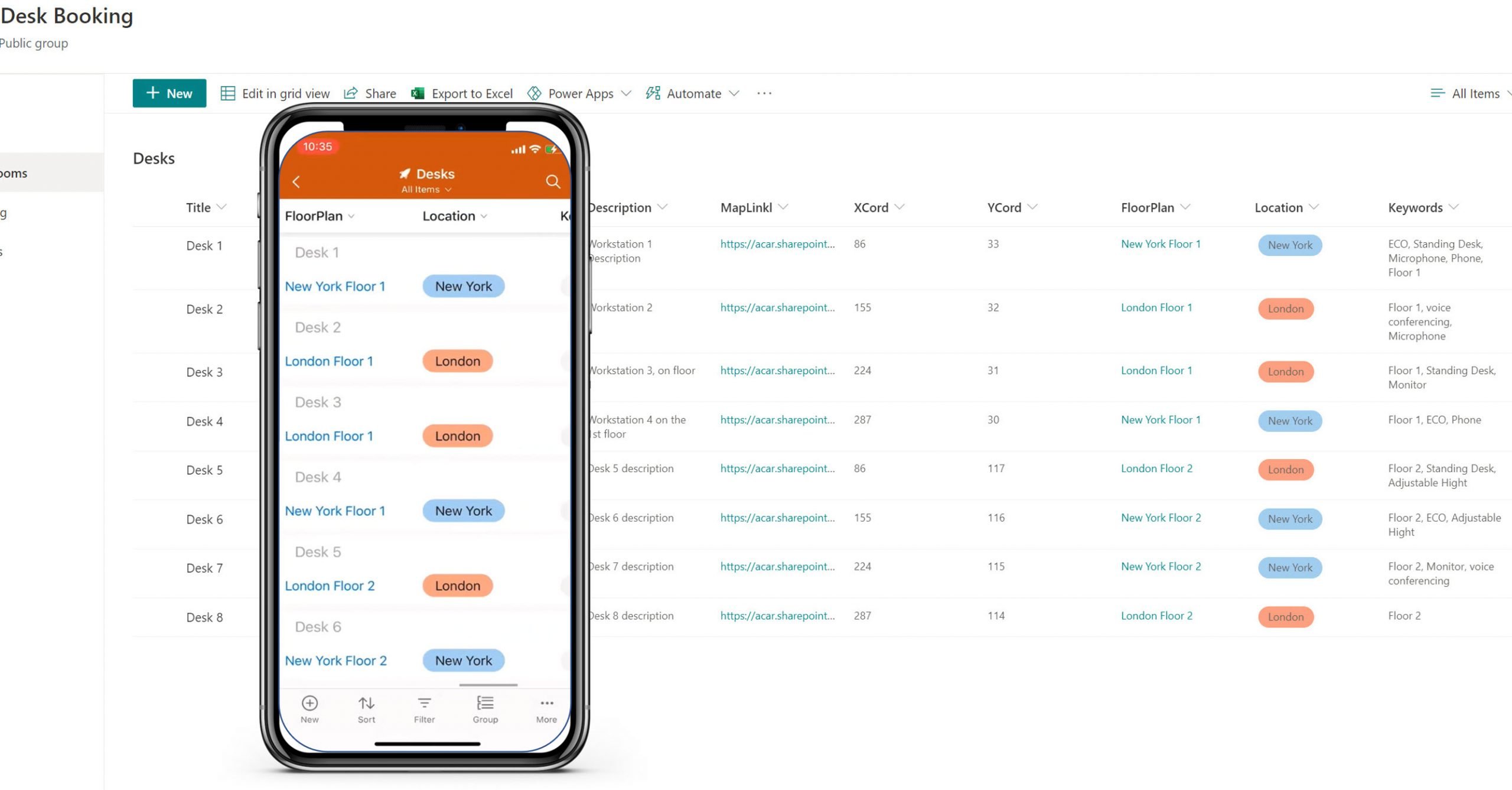
Desk Management Microsoft Lists Office 365 Desk Management
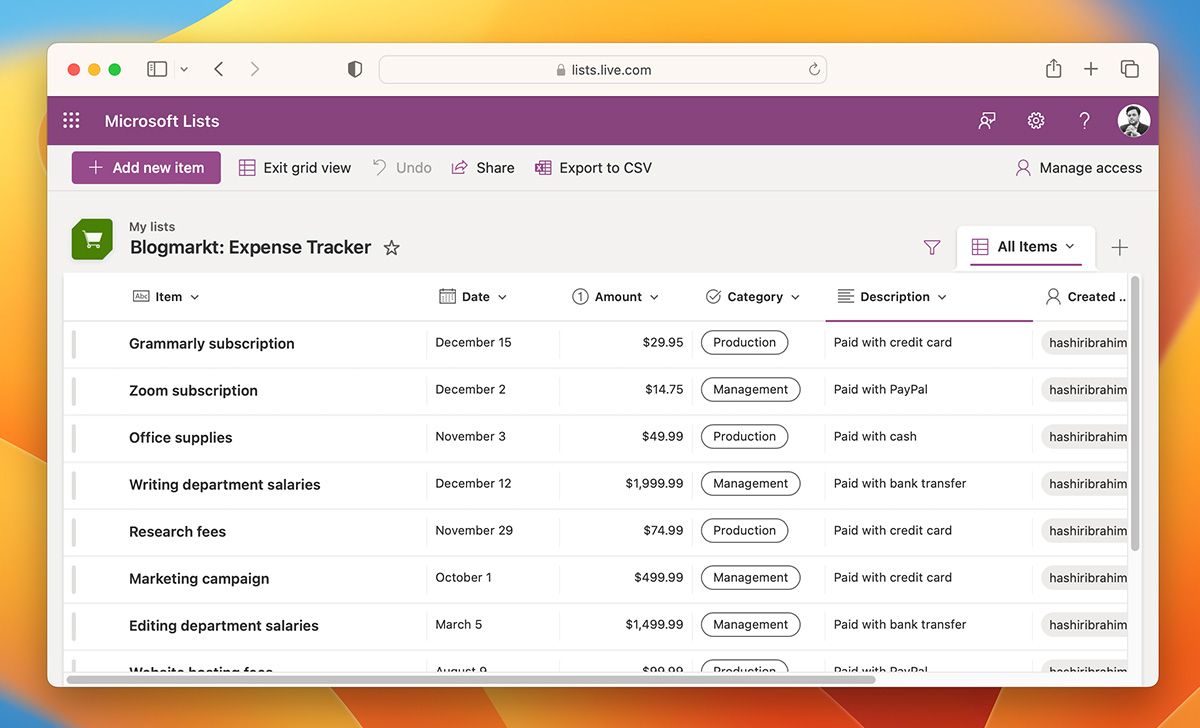
7 Ways To Organize Your Workflow Using Microsoft Lists

How to install Chrome Important Before you download check if Chrome supports your operating system and you ve met all other system requirements

Sign in to Gmail Tip If you sign in to a public computer make sure to sign out before you leave the computer Learn how to sign in on a device that s not yours

Create an account Tip To use Gmail for your business a Google Workspace account might be better for you than a personal Google Account With Google Workspace you get increased

You can use Google Forms to create online surveys quizzes and forms send them to others to fill out and then analyze their responses in real time To edit forms and analyze responses with

Learn how to change more cookie settings in Chrome For example you can delete cookies for a specific site In other browsers If you use Safari Firefox or another browser check its support
[desc-11] [desc-12]
[desc-13]