How To Use Html Using Notepad How To Insert A Picture In Notepad What Is Mark Down How To Add Background Image In Coreldraw Design Talk How To Use Notepad To Insert Images In HTML PeterElSt Screenshot Of Writing HTML Code In Notepad Windows 10 Taken On 17 September 2016 Notepad How To Add A Graphic To An HTML Notepad Doc What Is Mark Down Web May 6 2024 nbsp 0183 32 Open a text editor You can use any text editor that came pre installed on your system to write HTML On Windows you can open Notepad On Mac open TextEdit Use the following steps to open a text editor Windows Click the Windows Start icon Type quot Notepad quot Click Notepad Mac Click the magnifying glass in the upper right corner
Web Oct 18 2023 nbsp 0183 32 In this tutorial we take a look at how to create a simple webpage that you can write in HTML HTML5 in the Windows Notepad application Step 1 Open Notepad app Step 2 Now let s create a simple webpage for your Website lt DOCTYPE html gt lt html gt lt head gt lt title gt My Simple Website lt title gt lt head gt lt body gt lt h1 gt Welcome to My Web 5 min read 183 Mar 30 2022 Photo by Mars on Unsplash Hypertext markup language HTML is a web based programming language for creating webpages It forms the skeletal structure of any webpage
How To Add A Graphic To An HTML Notepad Doc What Is Mark Down How To Make A Website Using Notepad How To Use Notepad For Javascript Vsekings How To Create Html Form Using Notepad In Just 3 Minutes Otosection How To Insert A Picture In Notepad What Is Mark Down Html Notepad Download Falasink How To Use Textedit On My Website Deltaleisure Notepad La Mode Toujours COM2055 Web Design 2 CTS Media Studies
How To Use Html Using Notepad
 How To Use Html Using Notepad
https://cdn.whatismarkdown.com/1664361488052.jpg
Web HTML is the coding language that web page is written in In contrary to the popular belief you don t need any special software to create a web page All you need is a text editor such as
Pre-crafted templates offer a time-saving solution for developing a varied range of files and files. These pre-designed formats and layouts can be used for numerous personal and expert tasks, including resumes, invites, flyers, newsletters, reports, discussions, and more, enhancing the content creation process.
How To Use Html Using Notepad

How To Create A Web Page Design Using Notepad What Is Mark Down
How To Make A Website Using Notepad
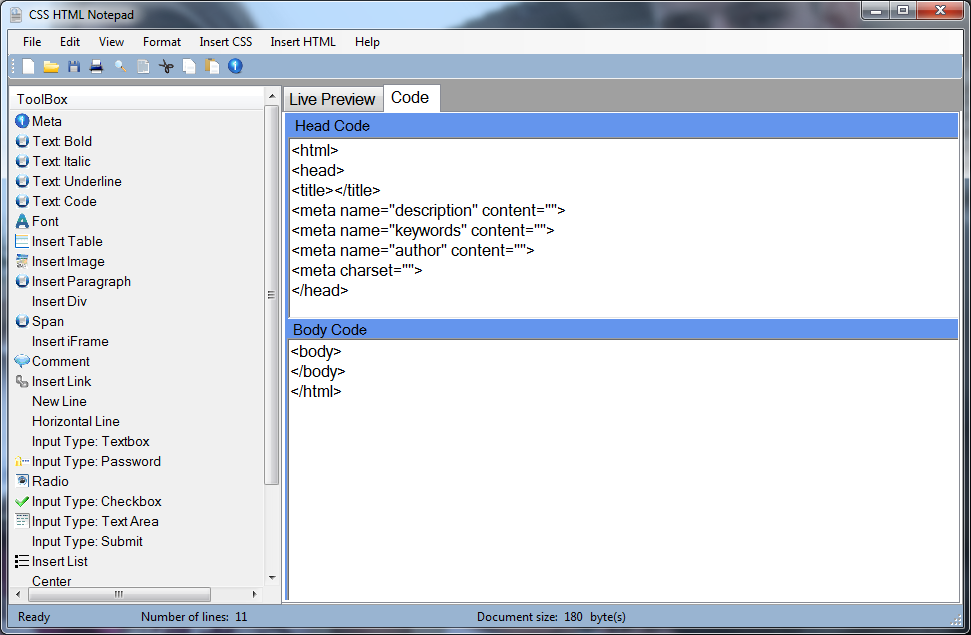
How To Use Notepad For Javascript Vsekings

How To Create Html Form Using Notepad In Just 3 Minutes Otosection
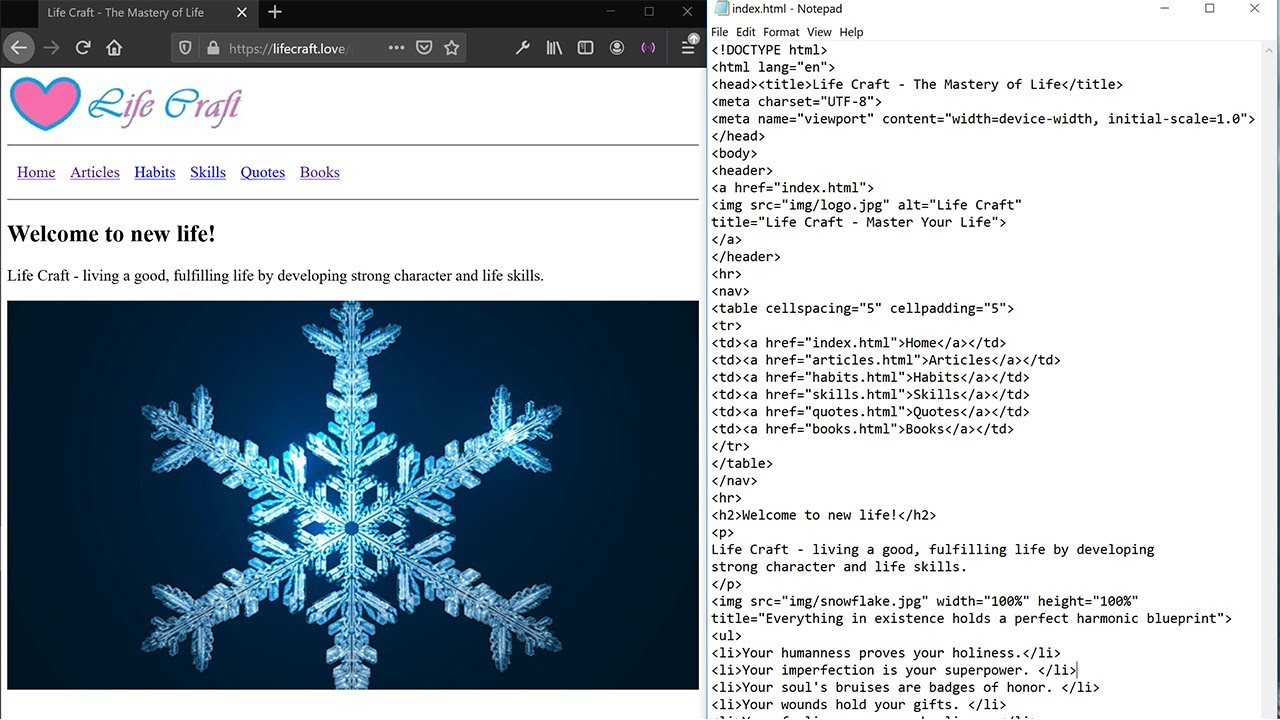
Html Notepad Download Falasink
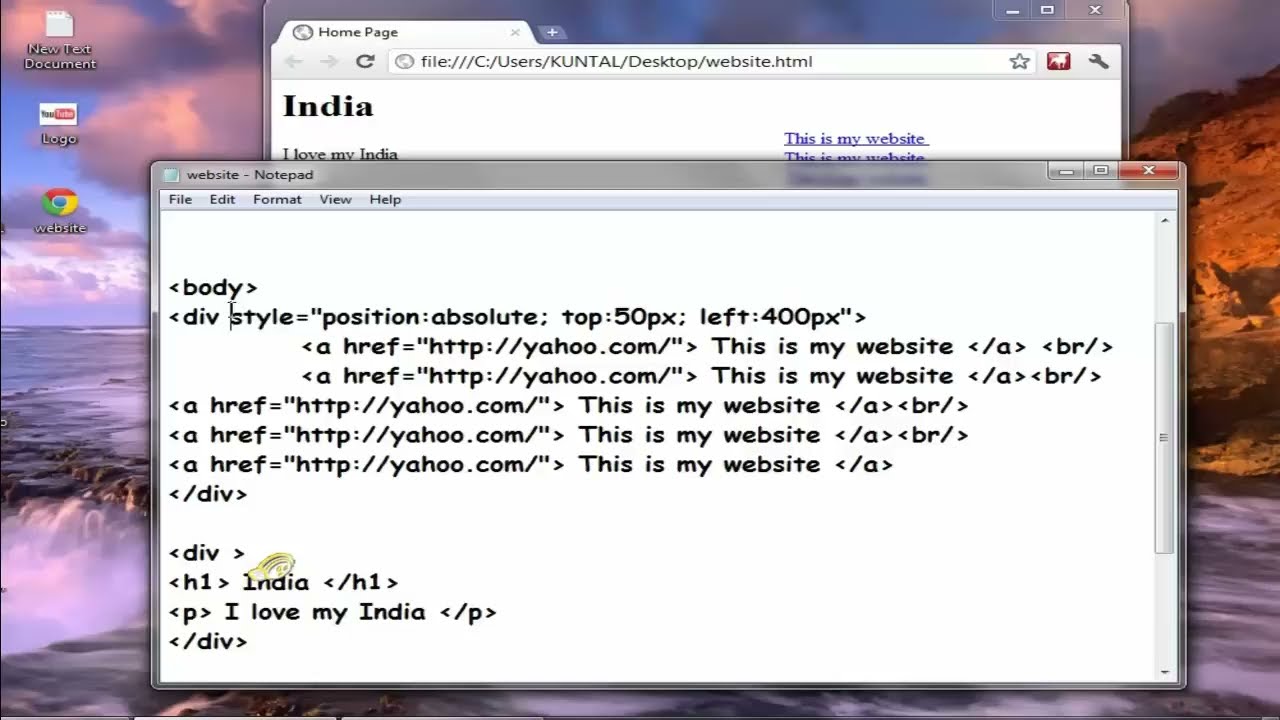
How To Use Textedit On My Website Deltaleisure

Web Learn HTML Using Notepad or TextEdit Web pages can be created and modified by using professional HTML editors However for learning HTML we recommend a simple text editor like Notepad PC or TextEdit Mac We believe that using a simple text editor is a good way to learn HTML
Web Open Start gt Programs gt Accessories gt Notepad Step 2 Create a New Document Go to Notepad Menu File gt New A New blank document will be opened and you can start writing your first HTML Program here Step 3 Write Some HTML code or Program Write some HTML code If you do not know about HTML Yet read few chapters in HTML

Web Sep 24 2022 nbsp 0183 32 1 Write an HTML code in Notepad To begin this process you must write your code in Notepad or copy it from somewhere else and paste it into the tool Click on the Search icon located on

Web Apr 29 2014 nbsp 0183 32 Creating an HTML file in Notepad YouTube Dan Gardner Computing At School 1 93K subscribers 659K views 9 years ago more How to easily use Notepad to create an HTML file

Web Learn how to create and style web pages with HTML the standard markup language for the web W3Schools HTML Tutorial offers easy and interactive examples exercises quizzes and references to help you master HTML Whether you are a beginner or a professional you will find something useful in this tutorial
Web The reason I decided to create this HTML tutorial video is to first present an introduction to HTML for people who aren t familiar with it The second reason Web Feb 2 2024 nbsp 0183 32 Step 1 Open a text editor On a computer running the Windows operating system you ll usually use Notepad or Notepad whereas macOS users will use TextEdit and ChromeOS users will use Text Windows Open Start quot smallUrl quot quot https www wikihow images 0 07 Windowsstart png quot quot bigUrl quot quot images thumb 0 07 Windowsstart png 30px
Web Do not use Microsoft Word or any other word processor when writing HTML code only an HTML editor or at the very least your machine s built in notepad is suitable for the task Secondly ensure that you ve installed a number of different browsers such as Chrome and Firefox in order to preview your upcoming creation Creating Your First HTML Webpage