How To Use Git Add Remote Git Add Remote Animationlader Difference Between git Add A git Add And git Add u Become Jan David Narkiewicz Developer Git Adding Remote Origin To A Local What Is Git Add GeeksforGeeks What Is Git Add GeeksforGeeks WEB Adding a remote repository To add a new remote use the git remote add command on the terminal in the directory your repository is stored at The git remote add command takes two arguments A remote name for example origin
WEB You can use the git remote add command to match a remote URL with a name For example you d type the following in the command line git remote add origin lt REMOTE URL gt This associates the name origin with the REMOTE URL You can use the command git remote set url to change a remote s URL Choosing a URL for your WEB Learn how to add a new remote to your Git repository in this comprehensive guide that provides instructions on creating shortcuts to existing remotes and more
What Is Git Add GeeksforGeeks Apuntes De Git David Poza Git Config How To Use Git Config W3Docs Git Online Tutorial Learn How To Use Local And Remote Repositories In Git YouTube How To Git Add All Files Git How To Add All Modified File To Commit How To Add A Remote In Git Learn Version Control With Git Learn How To Use The Git Add Command All Interactive Undo Initialize Git Add Remote Origin And To Set Default Upstream By Git Push How To Use Git Push W3Docs Online Git Tutorial
How To Use Git Add Remote
 How To Use Git Add Remote
https://cdn.nerdschalk.com/wp-content/uploads/2021/09/git-logo.png
WEB What does Git remote do git remote v git remote manages the set of remotes that you are tracking with your local repository Common git remote commands git remote v List the current remotes associated with the local repository git remote add name URL Add a remote git remote remove name Remove a remote What is origin
Pre-crafted templates use a time-saving service for developing a diverse variety of documents and files. These pre-designed formats and layouts can be utilized for different personal and professional projects, consisting of resumes, invitations, leaflets, newsletters, reports, presentations, and more, enhancing the content production procedure.
How To Use Git Add Remote
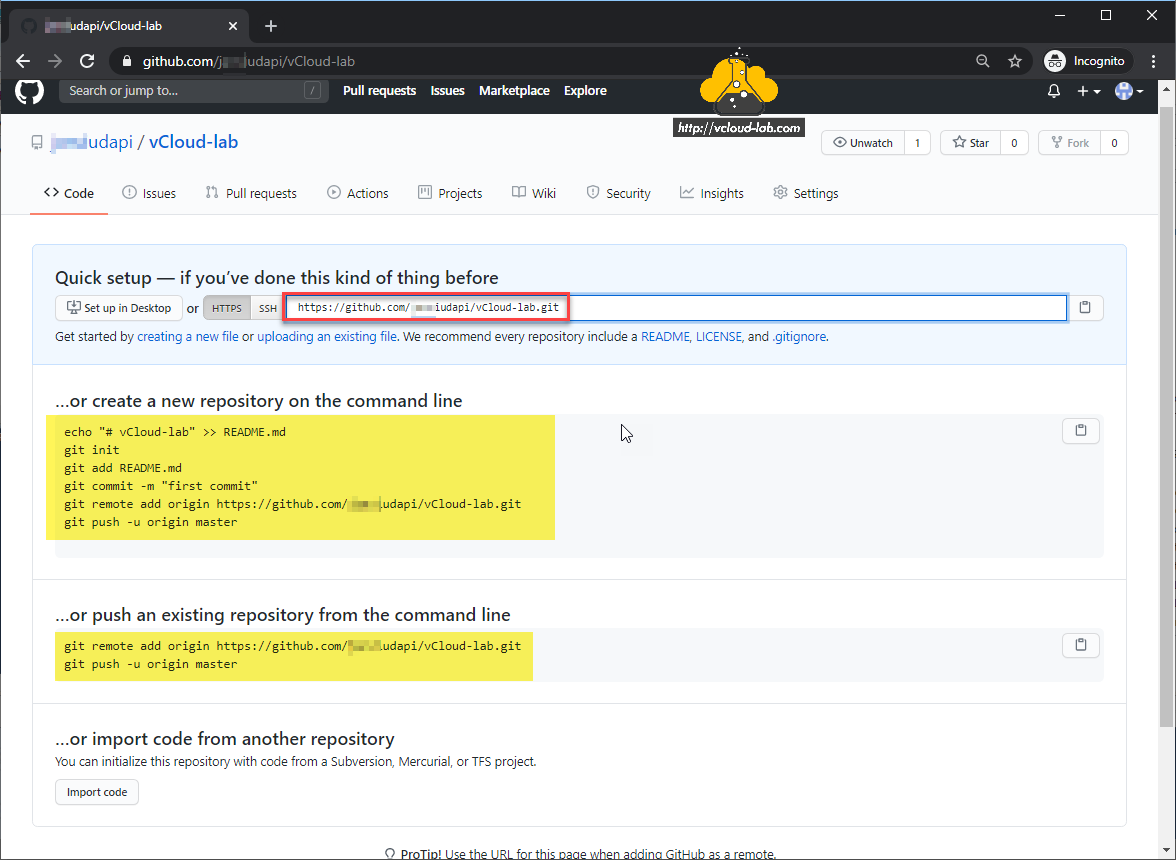
Git Add Remote After Init Stormauctions
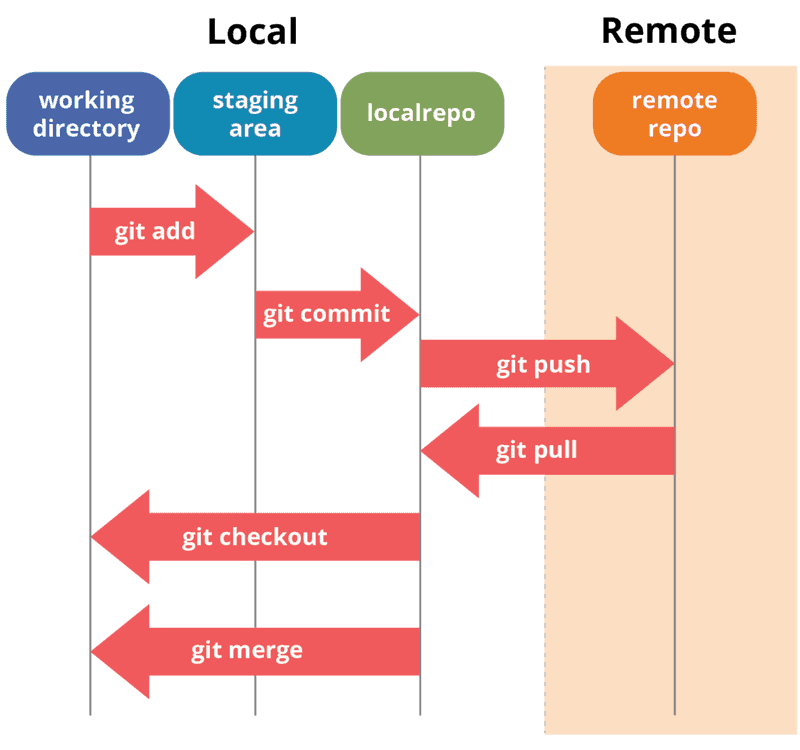
Apuntes De Git David Poza

Git Config How To Use Git Config W3Docs Git Online Tutorial
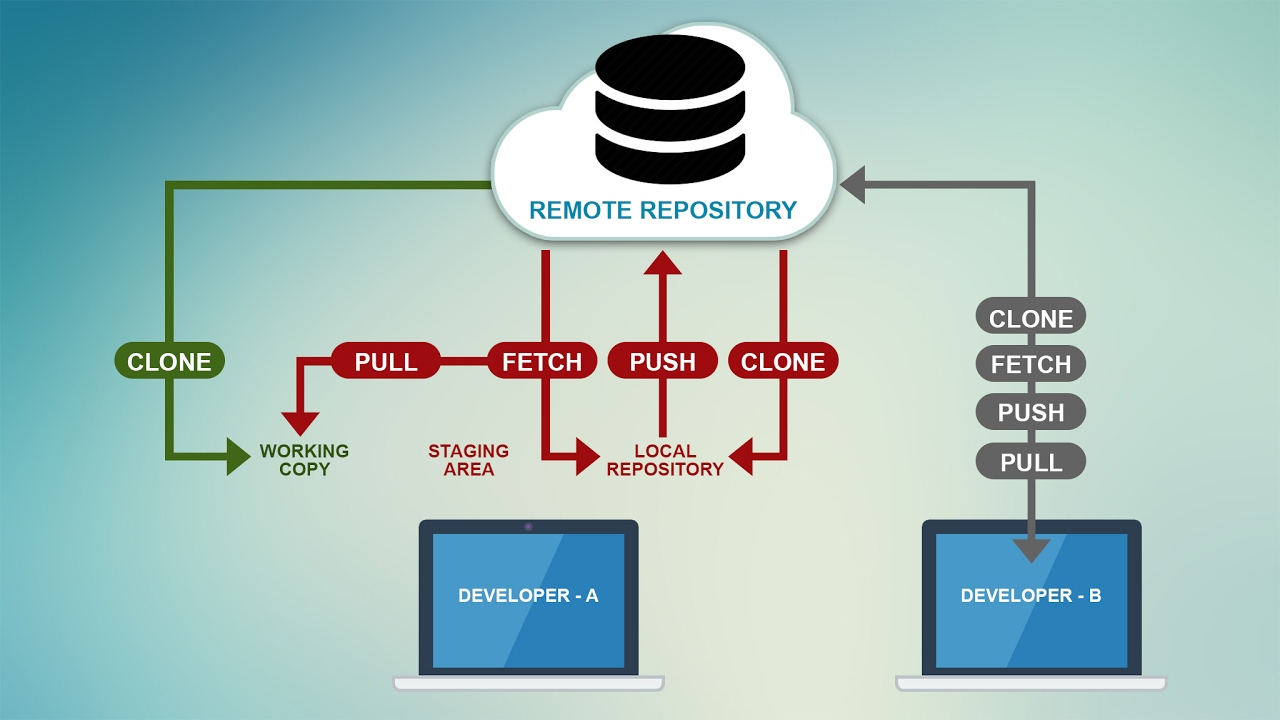
Learn How To Use Local And Remote Repositories In Git YouTube
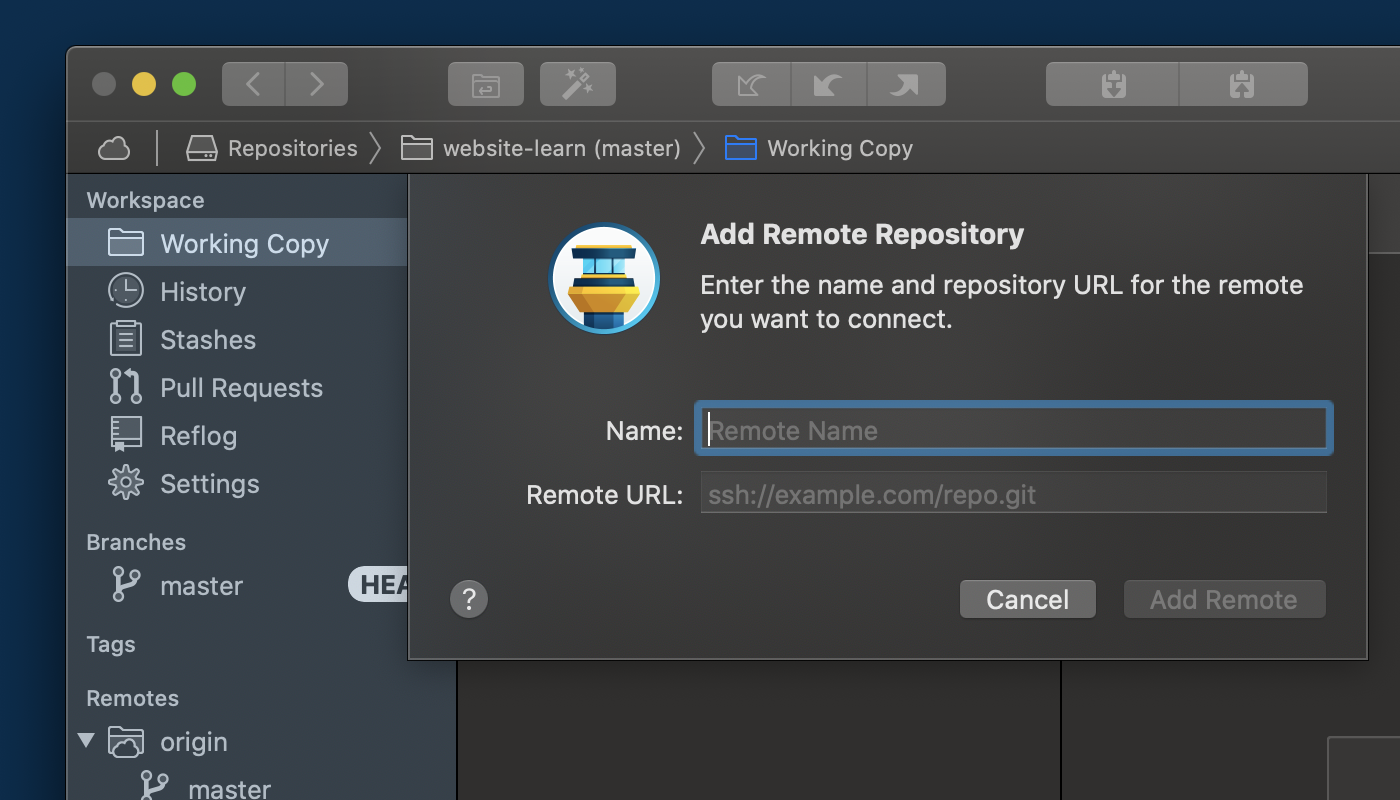
How To Add A Remote In Git Learn Version Control With Git
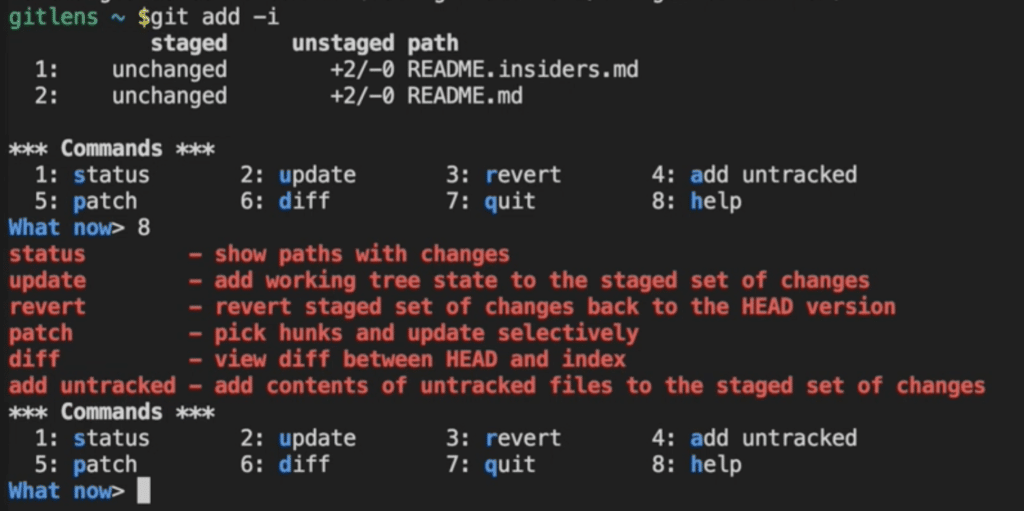
Learn How To Use The Git Add Command All Interactive Undo

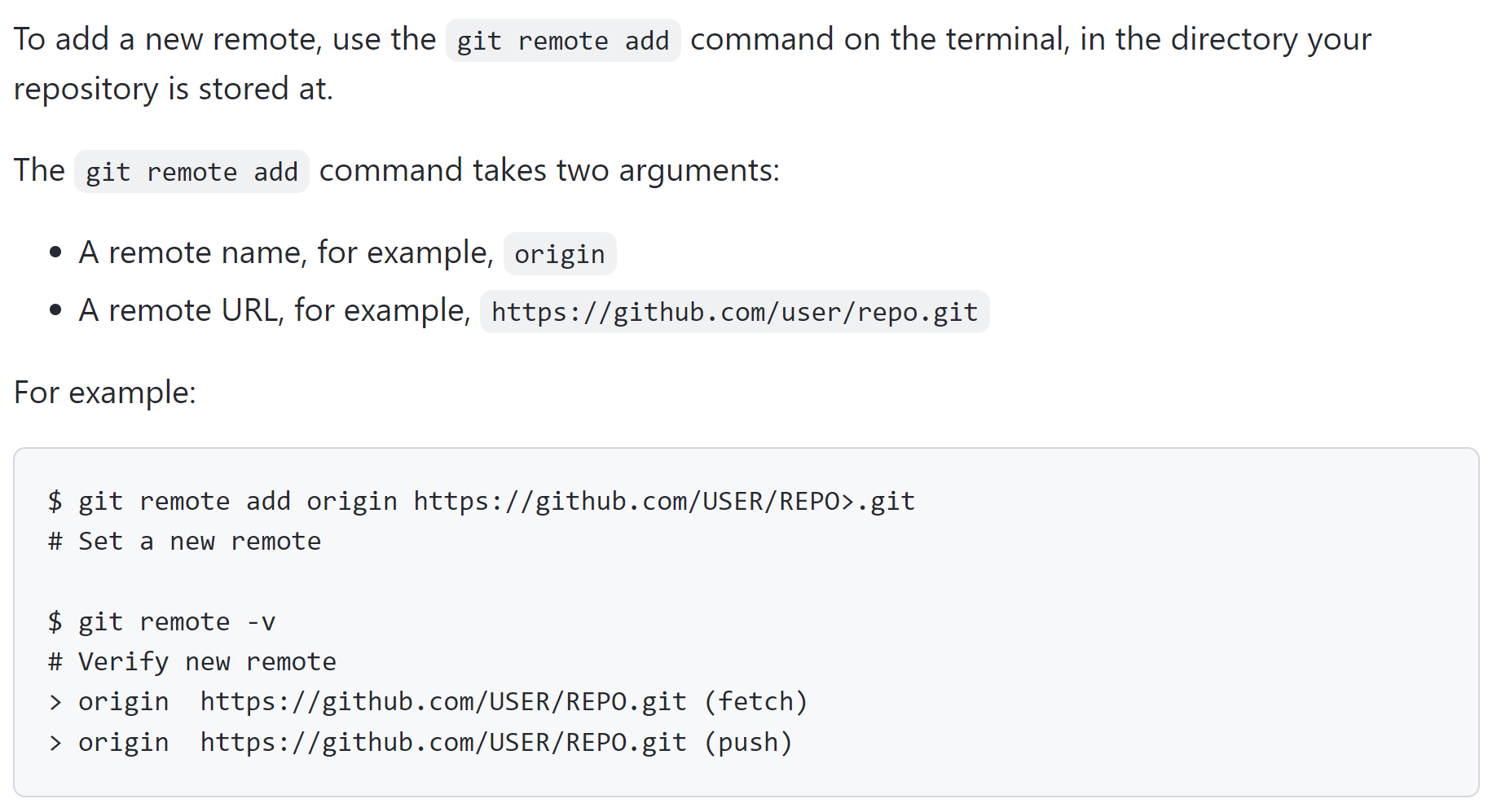
WEB To add a new remote use the git remote add command on the terminal in the directory your repository is stored at The git remote add command takes two arguments A remote name for example origin A remote URL for example https github OWNER REPOSITORY git For example
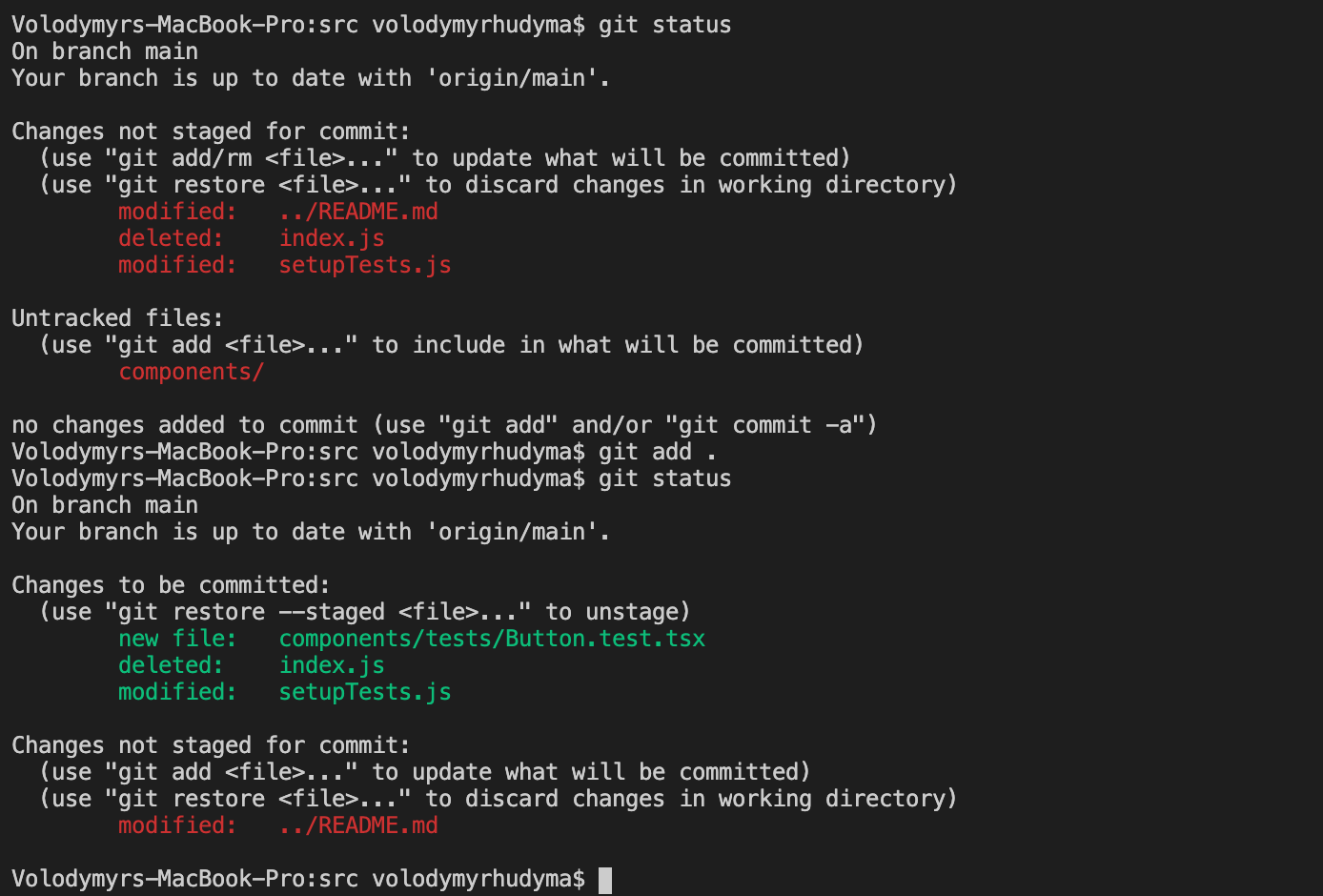
WEB Here s how to add a new remote explicitly To add a new remote Git repository as a shortname you can reference easily run git remote add lt shortname gt lt url gt
WEB Feb 28 2023 nbsp 0183 32 The git remote add command is used to add a new remote repository to the local Git repository This command creates a new remote reference in the local repository s configuration pointing to the specified URL If the remote reference already exists it will be updated with the new URL
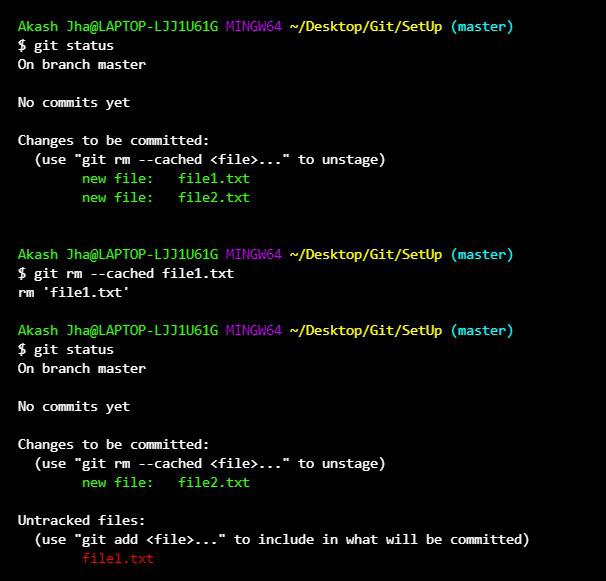
WEB Oct 22 2021 nbsp 0183 32 Once you have the URL you can add it with a name usually quot origin quot if this is the primary remote git remote add origin https github username reponame git Once set up you can push and pull from it by specifying the remote name and remote branch git push remote master git fetch pull remote master
WEB Add a remote named lt name gt for the repository at lt URL gt The command git fetch lt name gt can then be used to create and update remote tracking branches lt name gt lt branch gt With f option git fetch lt name gt is run immediately after the remote information is set up With tags option git fetch lt name gt imports every tag from the
WEB You do that by running git remote add alias url That adds url under a local remote named alias example git remote git remote add github email protected schacon hw git git remote v WEB Dec 9 2012 nbsp 0183 32 You can add as many upstream repo address you want with git remote add from quot Git Basics Working with Remotes quot When cloning one is added for you named origin Does it mean that the same project commons lang could be
WEB Use git remote add origin when you need to add a new remote repository Use git remote set url origin when you need to change the URL of an existing remote repository