How To Use Git Add For Multiple Files What Is Git Add GeeksforGeeks 6 Steps To Use Git Rebase In Your Projects Leon Mastering Git How To Effectively Use Git Flows For Version Control In Your Data Products What Is Git Add GeeksforGeeks Git add Alternatively you can use the following command to add all the files in a directory including nested directories to the Git
Use the git add Command to Add Multiple Files in Git There are a few different methods to add multiple files to our repository using the Git add filename selects that file and moves it to the staging area marking it for inclusion in the next commit You can select all files a directory
What Is Git Add GeeksforGeeks GIT 1 CodingBucks Dev Blog How To Use Git Part 1 How To Git Add All Files Git How To Add All Modified File To Commit Git Branching Merging And Github Rebase Learn How To Use The Git Add Command All Interactive Undo Free Online Course How To Use Git And GitHub Udacity How To Use Git A Beginner s Guide Commit Changes To A Git Repository TestingDocs
How To Use Git Add For Multiple Files
 How To Use Git Add For Multiple Files
https://media.geeksforgeeks.org/wp-content/uploads/20220915183058/GitAdd2.jpg
This command can be performed multiple times before a commit It only adds the content of the specified file s at the time the add command is run
Templates are pre-designed documents or files that can be used for numerous purposes. They can save time and effort by providing a ready-made format and design for producing different sort of material. Templates can be used for individual or expert jobs, such as resumes, invites, leaflets, newsletters, reports, discussions, and more.
How To Use Git Add For Multiple Files
How To Use Git Merge Beginners Guide HackerNoon
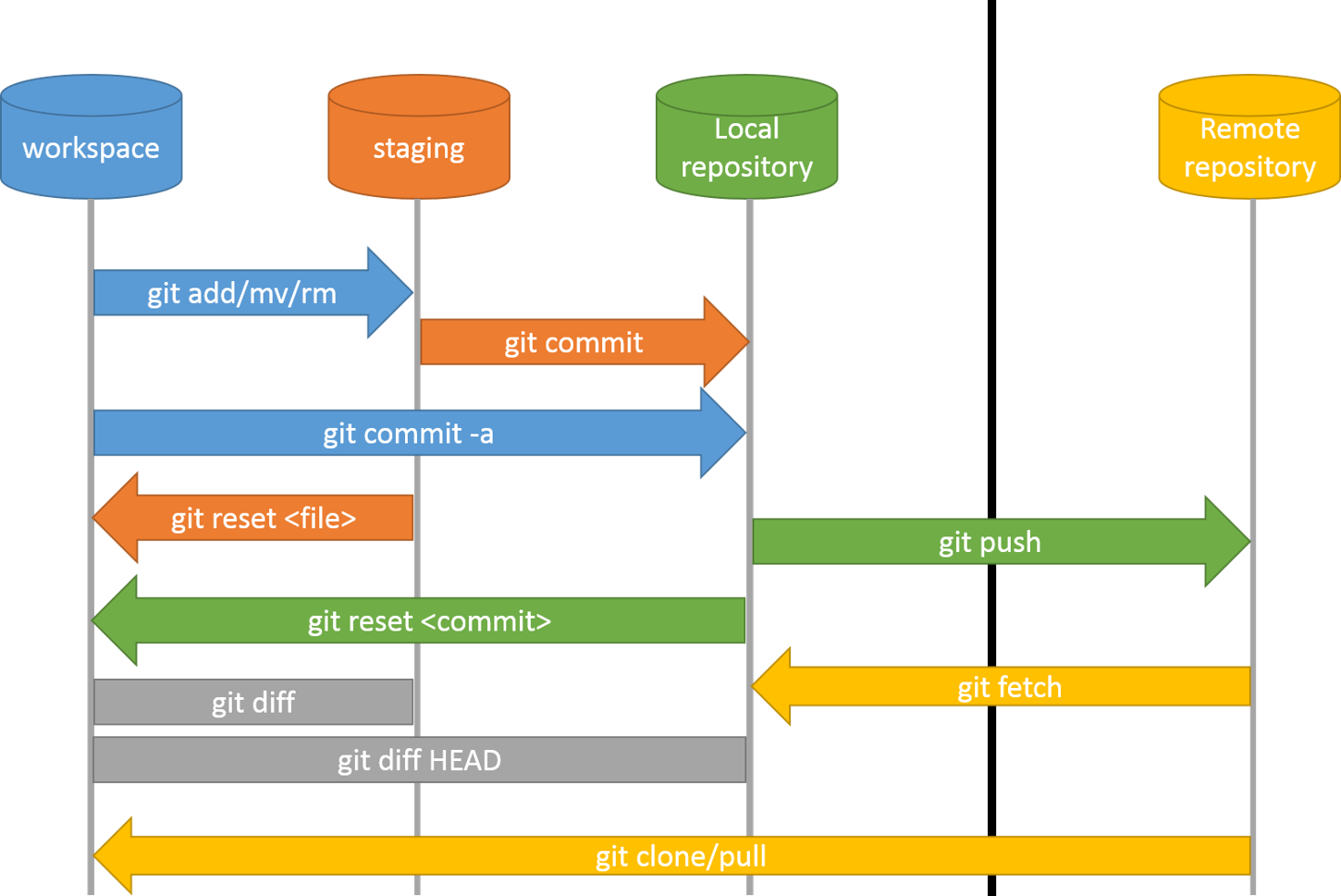
GIT 1 CodingBucks Dev Blog

How To Use Git Part 1
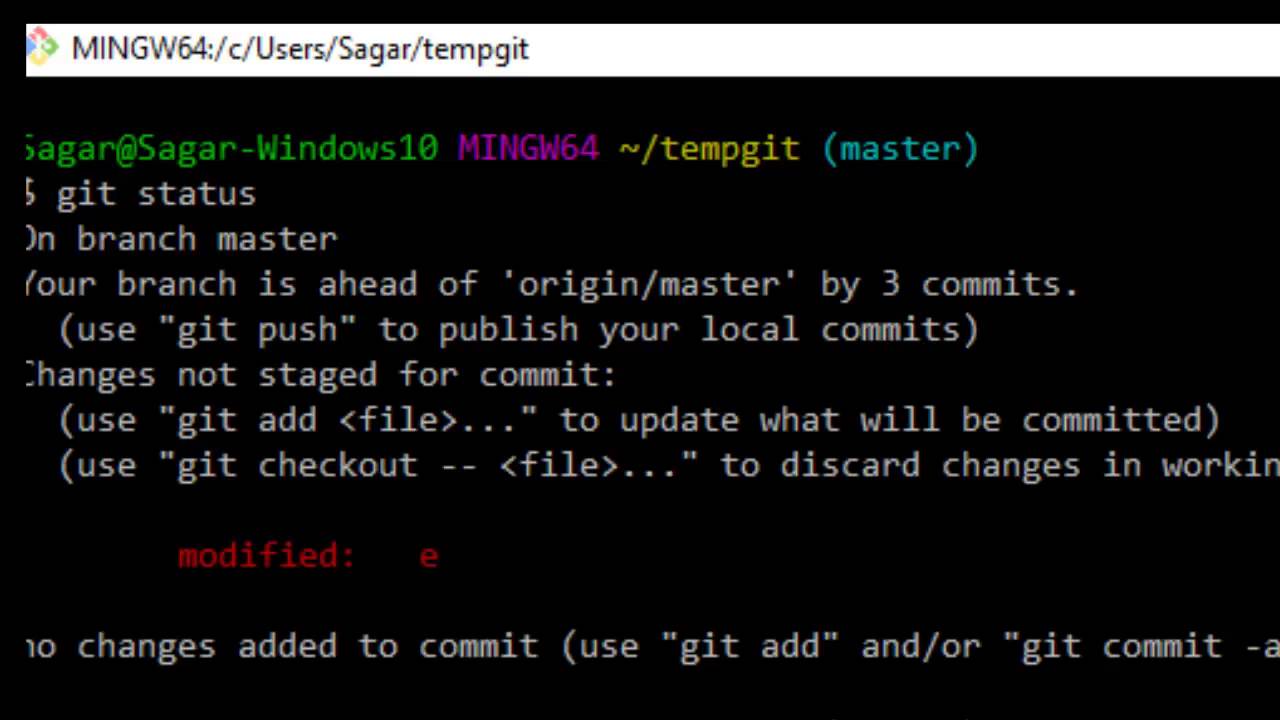
How To Git Add All Files Git How To Add All Modified File To Commit
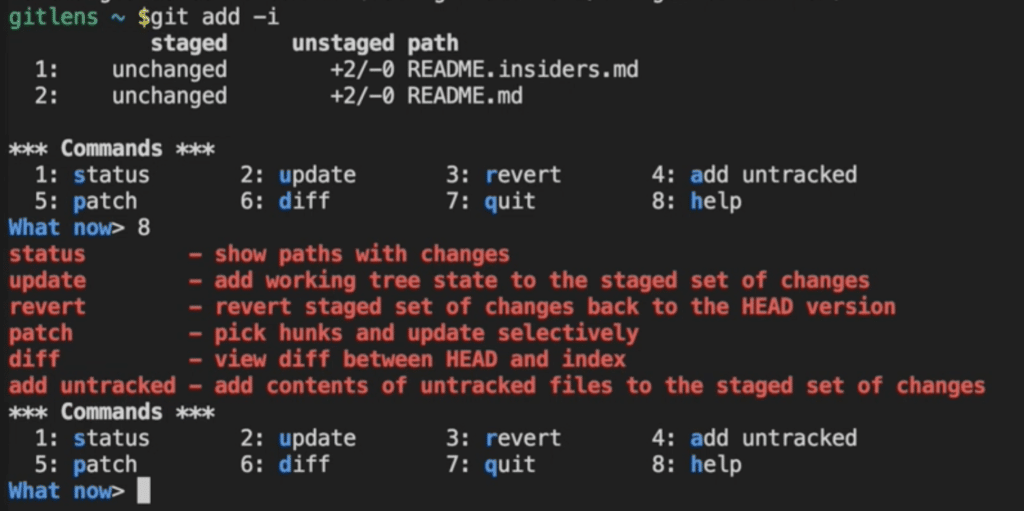
Learn How To Use The Git Add Command All Interactive Undo

Free Online Course How To Use Git And GitHub Udacity
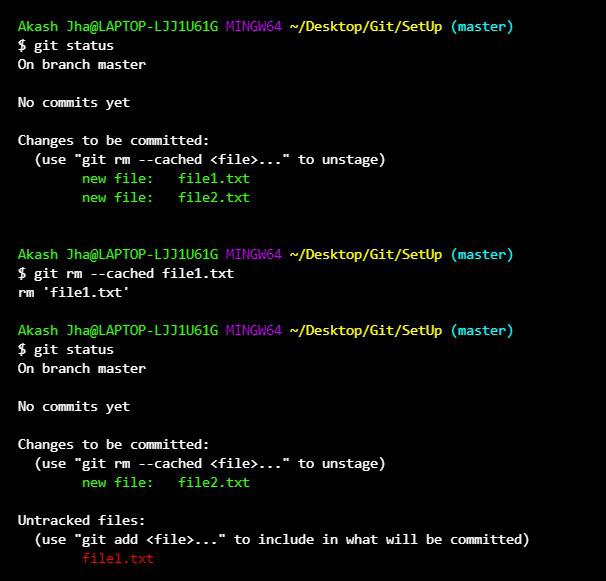
To add multiple files in Git first navigate to the directory where the untracked files are present and execute the git add command with the required files

1 Answer You can add all the files using the git add command like below for all the files you want to add which will add all your files to the staging area

The easiest way to add all files to your Git repository is to use the git add command followed by the A option for all git add A

Enter git add all at the command line prompt in your local project directory to add the files or changes to the repository Enter git status
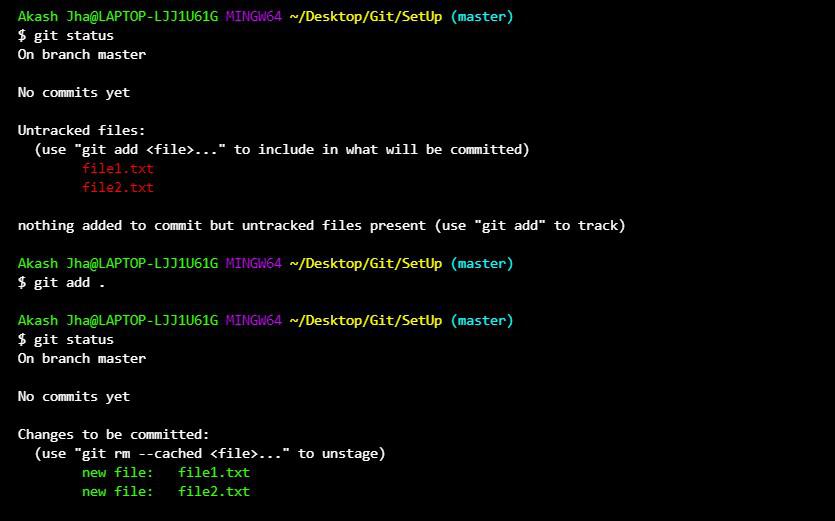
Use the git add in the same format command followed by a list of space separated filenames Include paths if in other directories e g
Begin an interactive staging session that lets you choose portions of a file to add to the next commit This will present you with a chunk of changes and prompt Learn how to add all files to the staging area in git
In order to add all deleted and modified files only to your staging area you have to use the git add command followed by the u option