How To Use Bitbucket With Git How To Use Bitbucket With Git BlogsHub Deploy A Website To S3 And CloudFront With Bitbucket Pipelines H ng D n S D ng Bitbucket C B n How To Use Bitbucket YouTube What Is Bitbucket And How To Use It YouTube How To Change File Extension txt zip csv word xlsx In Windows BlogsHub Web A brief overview of Bitbucket Bitbucket Cloud is a Git based code hosting and collaboration tool built for teams Bitbucket s best in class Jira and Trello integrations are designed to bring the entire software team together to execute on a project
Web Need just the basics We ve got you covered with everything about the benefits of version control to basic Git commands and workflows Version Control Software Learn about the benefits of version control tools Git Tutorials Learn Git with Bitbucket in these tutorials Bitbucket for DevOps Bitbucket Pipelines for CI CD Web Feb 11 2013 nbsp 0183 32 I use bitbucket daily Log on to bitbucket Set up a repository Click clone in the webapp in your repository and copy the command to your clipboard Paste the command into your terminal assuming you have git installed Copy all files for your project into the directory you cloned type git push and enter your bitbucket password Done
How To Change File Extension txt zip csv word xlsx In Windows BlogsHub How To Send Email From Xampp Localhost BlogsHub How To Change File Extension txt zip csv word xlsx In Windows BlogsHub How We Use Bitbucket To Build Bitbucket How To Create A New Repository And Push Code In Github BlogsHub How To Create A New Repository And Push Code In Github BlogsHub Git Commands Git Clone Delete Branch And Delete Repository BlogsHub Git Commands Git Clone Delete Branch And Delete Repository BlogsHub Creating A CI CD Pipeline Between Jenkins And Mobile Cloud Services A Team Chronicles
How To Use Bitbucket With Git
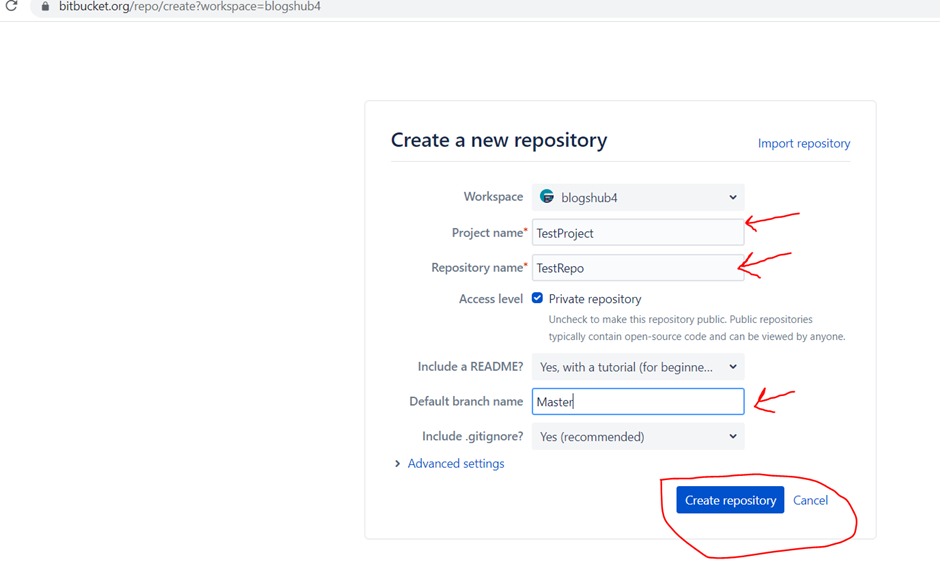 How To Use Bitbucket With Git
https://blogshub.co.in/wp-content/uploads/2023/03/image-4.png
Web Sep 6 2021 nbsp 0183 32 Git Tutorial Git Crash Course using BitBucket Emad Zaamout 4 61K subscribers 143K views 2 years ago Tutorials Git Tutorial Git Crash Course using BitBucket Welcome back In this
Pre-crafted templates use a time-saving option for developing a diverse range of documents and files. These pre-designed formats and layouts can be used for different personal and expert tasks, including resumes, invitations, flyers, newsletters, reports, discussions, and more, improving the content production procedure.
How To Use Bitbucket With Git
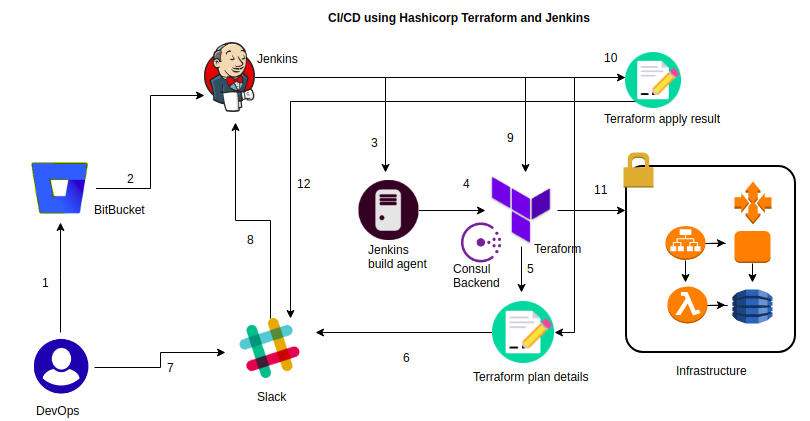
Immutable Infrastructure CI CD Using Hashicorp Terraform And Jenkins DZone DevOps 2022
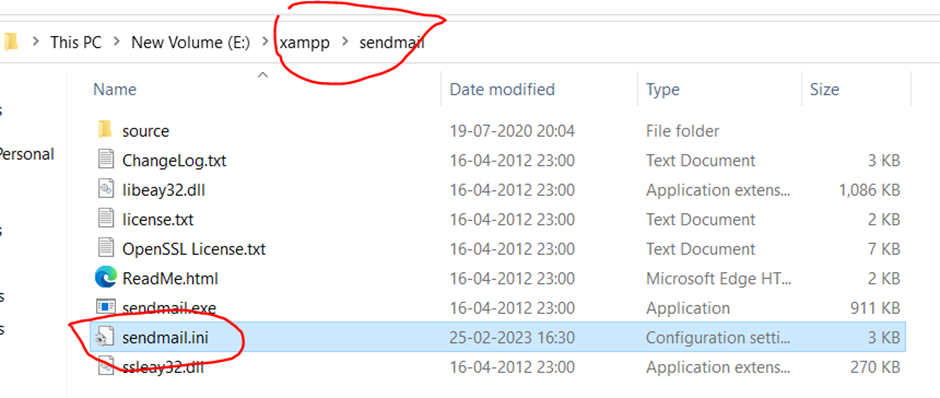
How To Send Email From Xampp Localhost BlogsHub
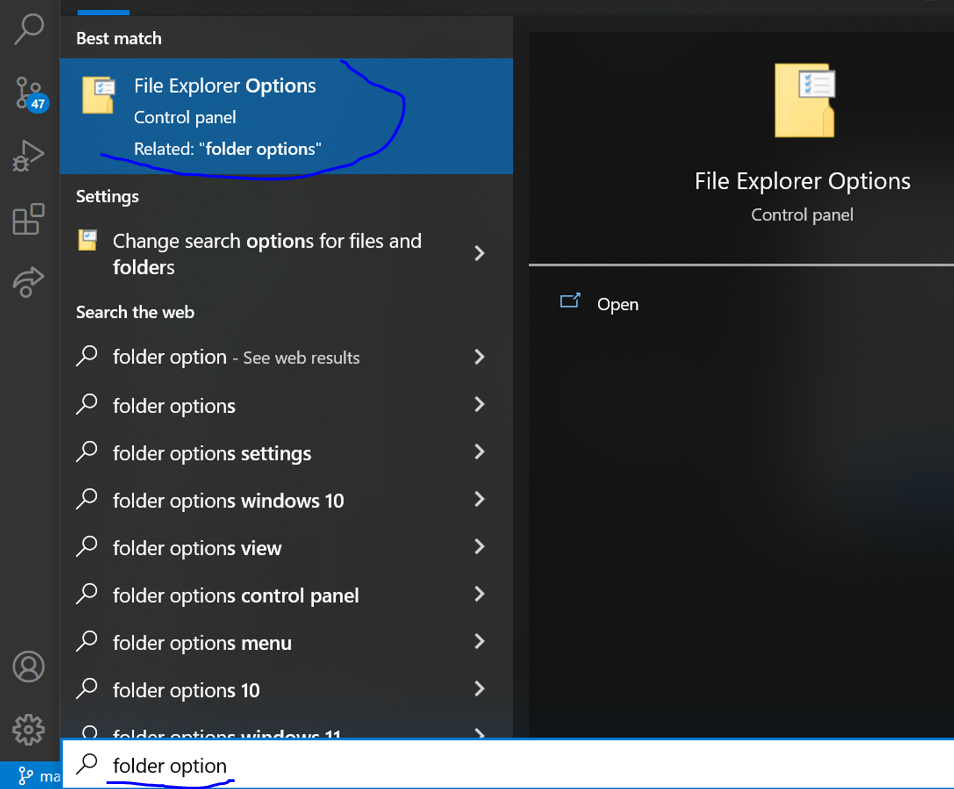
How To Change File Extension txt zip csv word xlsx In Windows BlogsHub
How We Use Bitbucket To Build Bitbucket

How To Create A New Repository And Push Code In Github BlogsHub
Git Commands Git Clone Delete Branch And Delete Repository BlogsHub
Web Use a Git branch to merge a file Step 1 Create a branch and make a change Create a branch where you can add future plans for the space station that you aren t ready to commit When Step 2 Merge your branch fast forward merging Step 3 Push your change to Bitbucket You are done

Web Nov 23 2021 nbsp 0183 32 Working on BitBucket using Git Step 1 Clone the repository into your local machine Step 2 Copy and paste the link in the terminal after typing git clone Step 3 Check your progress by typing git status command into the terminal Step 4 Creating and adding a file to your Bitbucket repository

Web This guide will give you a tour of the parts of Bitbucket you ll use a lot so you should also have Git installed and be familiar with basic Git commands and how Git works New to Git No worries we got you covered

Web This tutorial will teach you the basics of creating working in reviewing and merging branches using Git and Bitbucket Cloud

Web Apr 18 2019 nbsp 0183 32 Step 1 Install Git Enter git version at the command line to check if you already have Git installed Depending on your operating system For Windows Download the Git installer To open a command window go to Git Bash vbs from the Git folder of the Programs directory For Mac Download the Git installer
[desc-11] [desc-12]
[desc-13]