How To Use Alt Codes On Macbook Pin Alt Codes For Bullets Symbols And Other Special Characters Pictures How To Use Alt Codes To Input Music Symbols Alt Codes Symbols Laptop Keyboards YouTube Repair ALT Codes Not Working On Windows 10 Windows Bulletin Tutorials Alt Codes For Mac Braziltree Opens the Utilities folder in Finder Command Shift D Opens the Desktop folder in Finder Command Shift I When in Safari this shortcut copies the URL opens Mail app and creates a new email with the copied URL pasted as a link in a message Command Option M Minimizes all open windows showing Desktop
Depending on the computer you have or the Apple keyboard you use the Alt key might not seem so easy to find to begin with Instead of clearly saying Alt some keyboards have the key instead and some have both However many Apple keyboards have neither when this is the case you ll see a button called Option Rest assured all of these buttons perform exactly the same functions But still it does function like Alt The shortcuts for the same are a bit different In this guide I will help you with using Alt Key functions If you are using macOS 12 Monterey then do bookmark the keyboard shortcut list below Mac has two Options Alt keys they are located in line with the Command button
Alt Codes For Mac Braziltree Alt Shortcuts Alt Shortcuts Keyboard Symbols Alt 25 Inspirational Alt Codes Quick Reference Guide Alt Codes For Entering Mathematical Symbols Alt Codes For Computer Keyboard Shortcut APK For Android Download Alt Code Chart Image Alt Code Chart Picture Graphic Photo Windows 10 Alt Tab Not Working Properly Muslifinal Rocki s Rock n Blog ALT Codes Computer Shortcuts Computer Basics Computer Knowledge
How To Use Alt Codes On Macbook
 How To Use Alt Codes On Macbook
https://i.pinimg.com/originals/99/e0/8b/99e08bbb9e46cc770069464288f096d5.gif
Have you ever pressed the Alt key on your Apple keyboard and wondered why nothing happened Normally pressing Alt by itself will not execute a system command However by combining it with other keys you can access the third assignment of keys and many common special characters
Templates are pre-designed files or files that can be utilized for various functions. They can save time and effort by providing a ready-made format and layout for creating different kinds of material. Templates can be utilized for individual or expert projects, such as resumes, invitations, flyers, newsletters, reports, presentations, and more.
How To Use Alt Codes On Macbook

The ALT Codes

Alt Shortcuts Alt Shortcuts Keyboard Symbols Alt
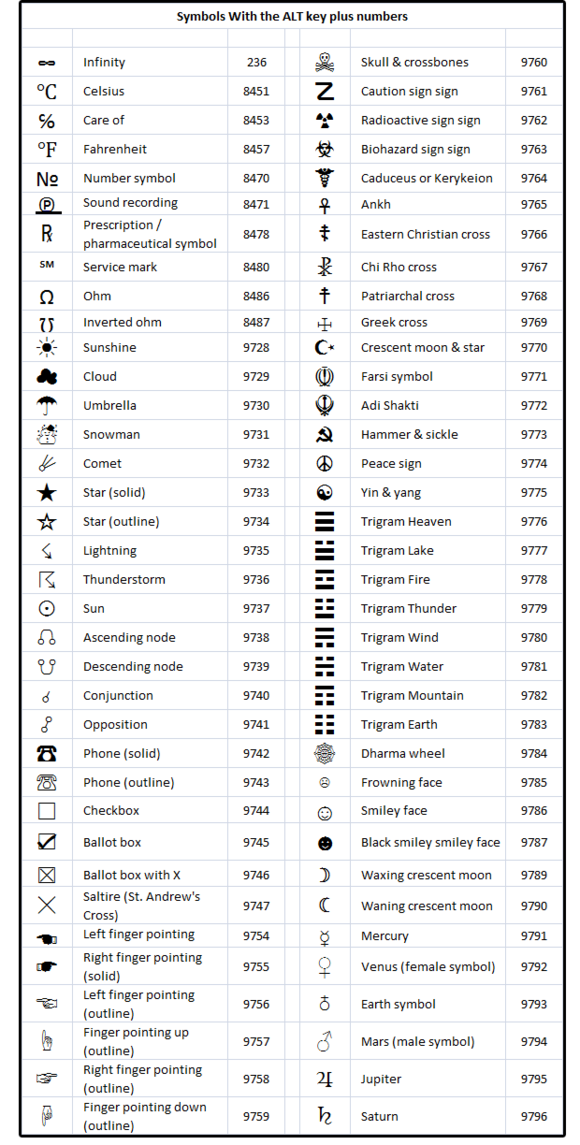
25 Inspirational Alt Codes

Quick Reference Guide Alt Codes For Entering Mathematical Symbols

Alt Code Chart Image Alt Code Chart Picture Graphic Photo
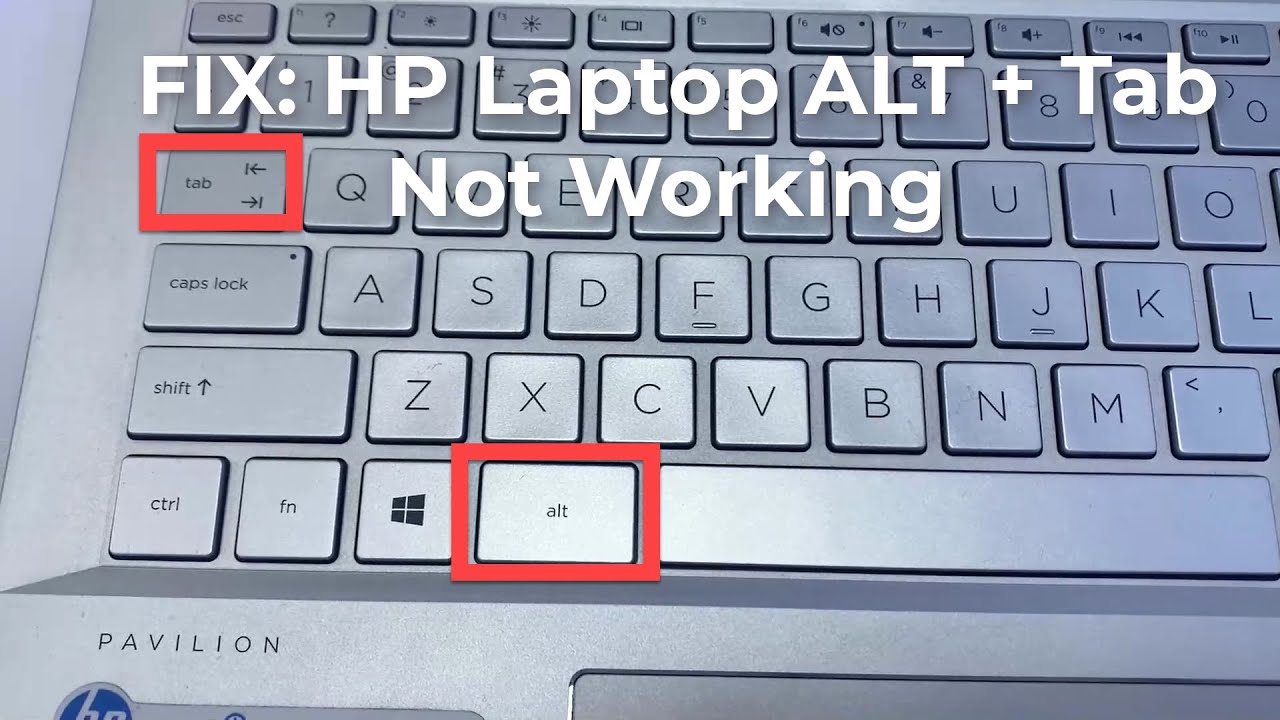
Windows 10 Alt Tab Not Working Properly Muslifinal

Many users do not know that they can also use alt code shortcuts in Apple s MacBook and iMac computers The default Apple keyboard also has two alt keys on the keyboard layout They are named as Option on the keys with the small name alt on it These alt keys are one of the hidden gems in Apple keyboard less used by most of the Mac users

On keyboards made for Windows PCs use the Alt key instead of Option and the Ctrl key or Windows logo key instead of Command Some keys on some Apple keyboards have special symbols and functions such as for display brightness keyboard brightness and more
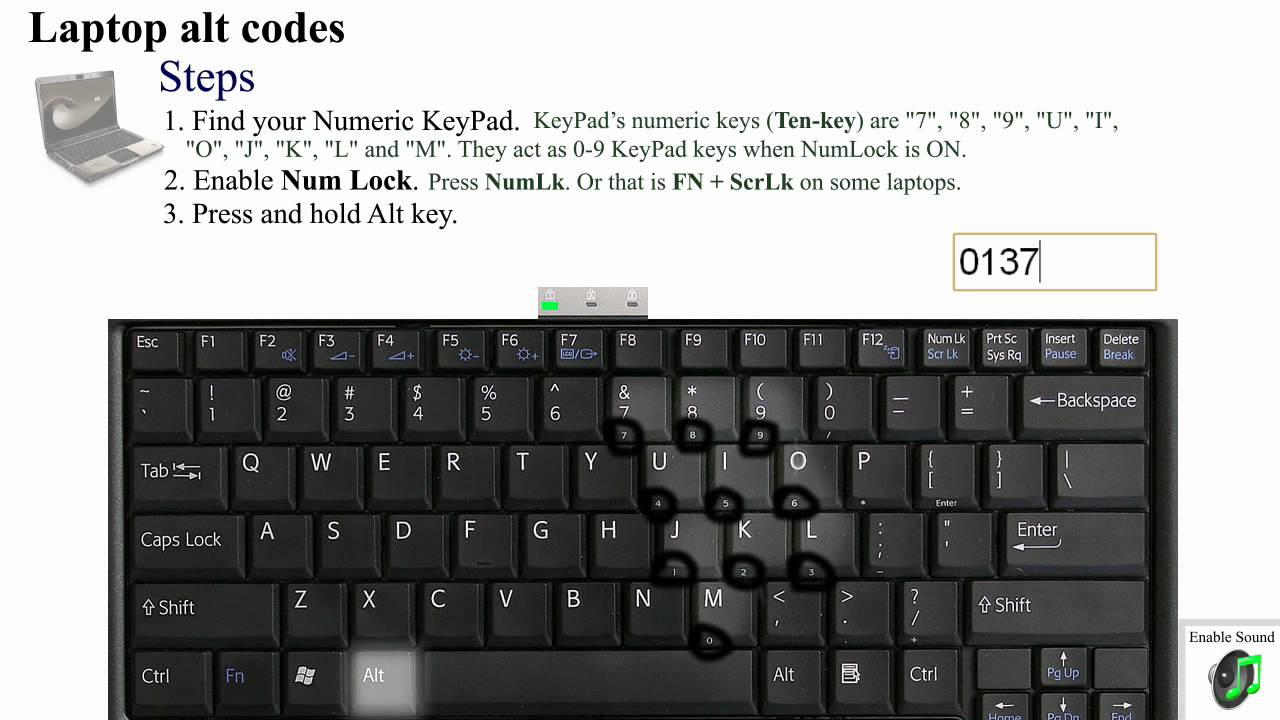
To use alt codes on Mac computers use the Option key instead of the Alt key Option codes for accented letters symbols and special characters work differently on Mac computers as you press Option the accent then the letter For example to create an n with a tilde the alt code is Option n

You can use either the right or left Option key but the AltGr key is accessible using Command Option Using a Mac keyboard in a Windows environment or looking for Mac equivalents of Windows shortcuts Here s a quick guide to using Apple s version of the Alt key and the shortcuts that depend on it What is the Alt Key on Mac
Using Mac Using Linux Chromebook Q A Tips Warnings Do you want to type symbols with your keyboard on Windows Mac Linux or Chromebook These are specifically known as Alt Codes and you can use them on almost any computer or laptop This wikiHow article teaches you how to type symbols using the Alt key on your keyboard
Open up Keyboard settings Switch to the Input tab Make sure you put a checkmark on the box labeled Show Input menu in menu bar That s one part done Now let s look at how to type special characters Firstly move the cursor to the right side of the menu bar and click on the Input menu icon The Option key the Alt key equivalent on Mac serves a number of crucial functions depending on the keystroke combinations you use and the software you open Here is a list of common shortcuts that uses the Alt key on Mac Option Command P Hide or show the path bar of a file in Finder Option Shift Command Delete Empty the Trash without
Click on the Input Menu icon which will now be on the right side of your menu bar Select Show Keyboard Viewer A visual of your keyboard will appear on your screen If you press on the