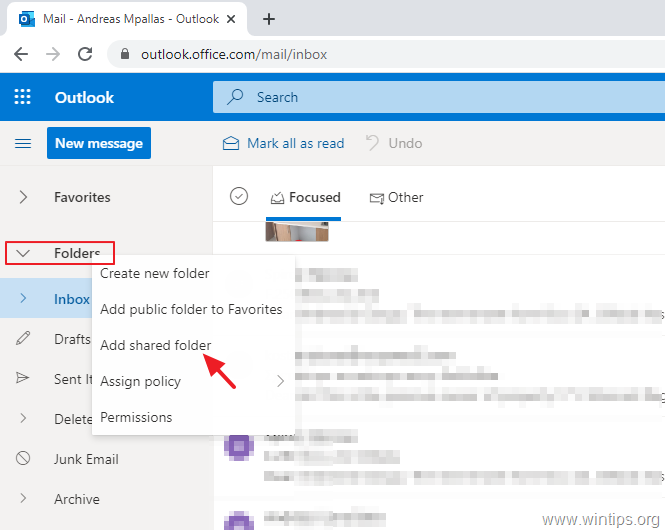
How To Use A Shared Document How To Access A Shared Mailbox In Outlook Web App Printable Forms How To Make An Excel File Shared In Sharepoint Profitver How To Share A Google Docs File As A View Only Quora Can I Still Access A Shared Document If The Person Who Shared It How To Make A Shared Document In Excel 2010 Natural Buff Dog Web Oct 16 2021 nbsp 0183 32 Enter the name of your contact or email address of the person you ll share with You can enter more than one person if you like Just note that if you do share with more than one person and adjust the
Web Use Google Docs to create and collaborate on online documents Edit together with secure sharing in real time and from any device Web Select the file you want to share Share Enter the email address you want to share with If you use a work or school account you can share with suggested recipients
How To Make A Shared Document In Excel 2010 Natural Buff Dog How To Divide A Shared Kids Room Casa Kids Room Divider Ideas The Beginning Of A Shared Document Download Scientific Diagram Video A Practical Model For Managing A Shared Service Offering TCG Can I Share Word Documents Lasopahyper OneDrive Will Soon Allow You To Add Shortcuts To Shared Folders PPT HOW TO MAKE A SHARED DOCUMENT MULTIPLE PEOPLE CAN EDIT AT SAME How To Create A Shared Document How To Share A Word Document CustomGuide
How To Use A Shared Document
 How To Use A Shared Document
https://www.wintips.org/wp-content/uploads/2020/05/image-61.png
Web Apr 26 2023 nbsp 0183 32 1 Go to Google Docs Go to the Google Docs website using any web browser on your computer 2 Sign in Under the Sign In box type in your Gmail email
Pre-crafted templates offer a time-saving solution for producing a varied series of files and files. These pre-designed formats and layouts can be made use of for numerous personal and professional projects, including resumes, invitations, flyers, newsletters, reports, discussions, and more, simplifying the material development process.
How To Use A Shared Document
Share Excel File Online Excel

How To Divide A Shared Kids Room Casa Kids Room Divider Ideas

The Beginning Of A Shared Document Download Scientific Diagram
Video A Practical Model For Managing A Shared Service Offering TCG
OneDrive Will Soon Allow You To Add Shortcuts To Shared Folders
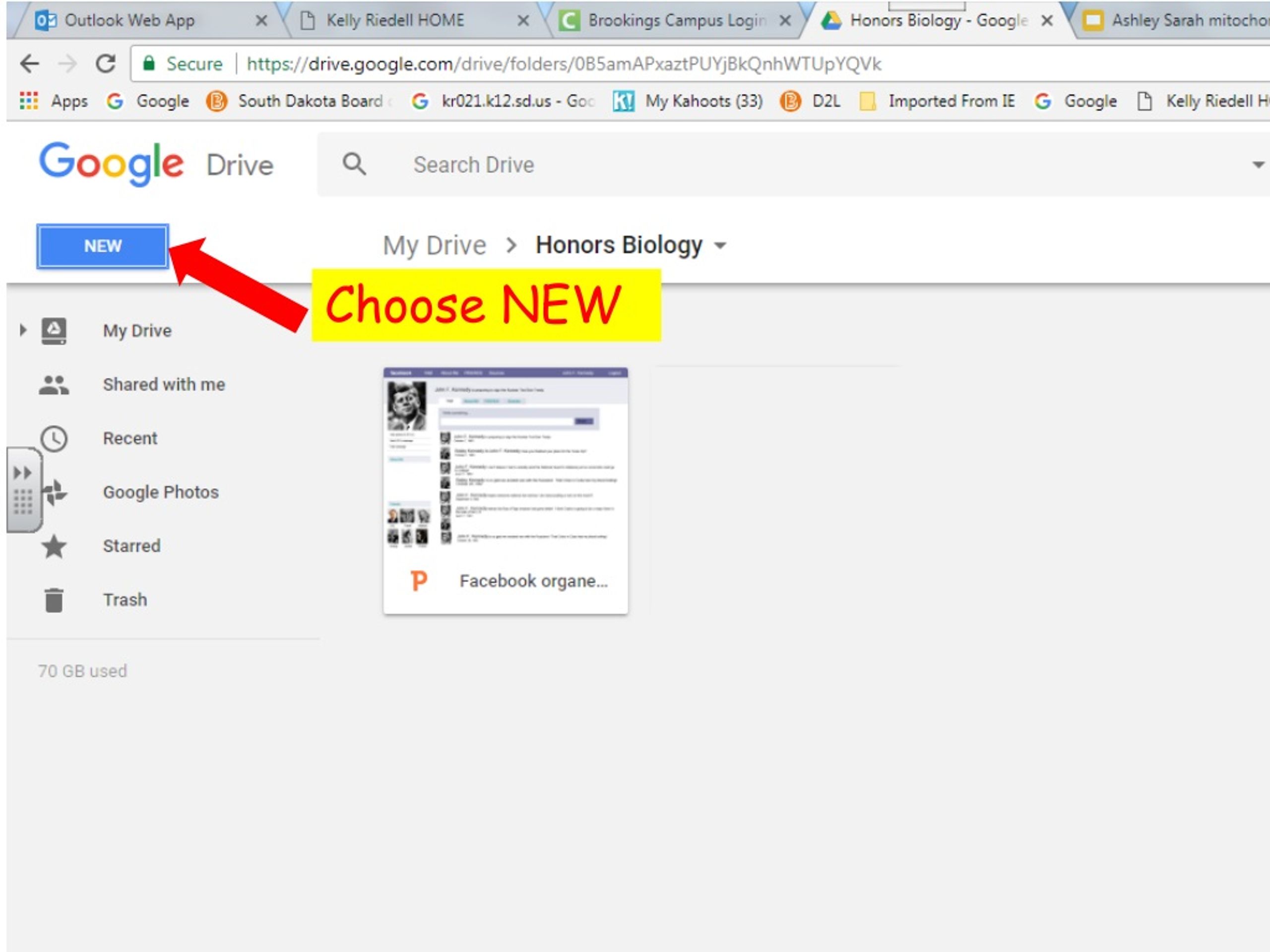
PPT HOW TO MAKE A SHARED DOCUMENT MULTIPLE PEOPLE CAN EDIT AT SAME

Web As you work in Microsoft 365 it s simple to share your documents Select Share and then select Link settings Choose the permissions you want choose if you want to Allow
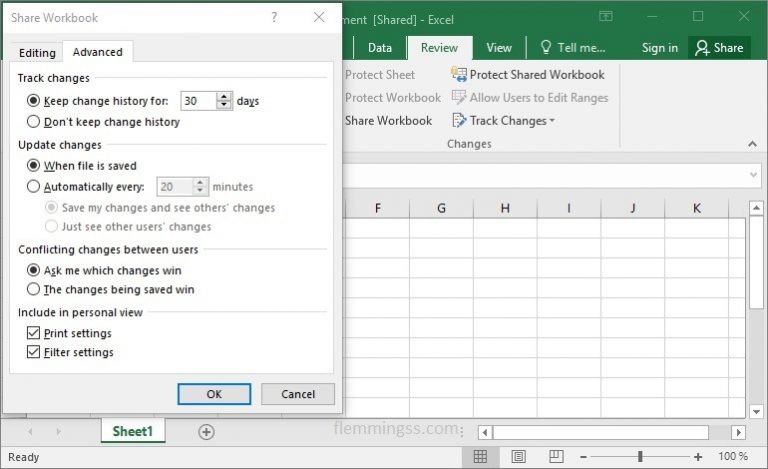
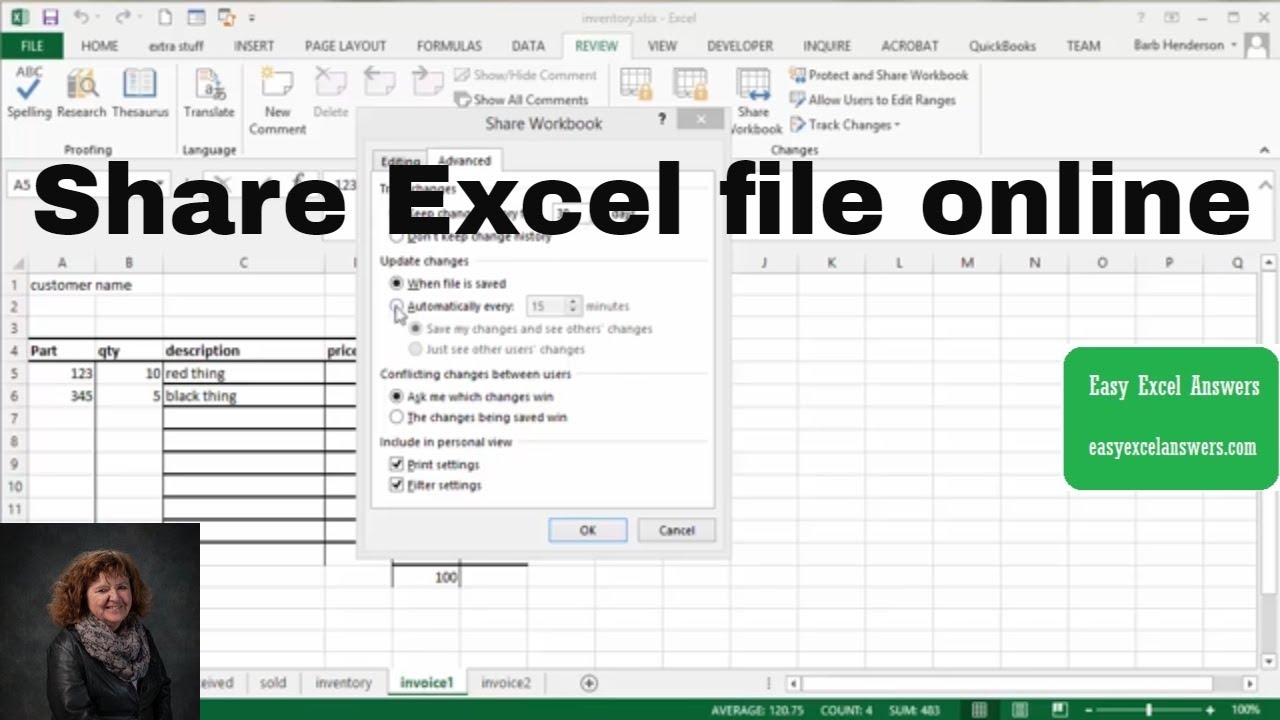
Web Open the document you want to share Click File gt Save As On the Save As page double click the location you want to use your SharePoint document library a location on
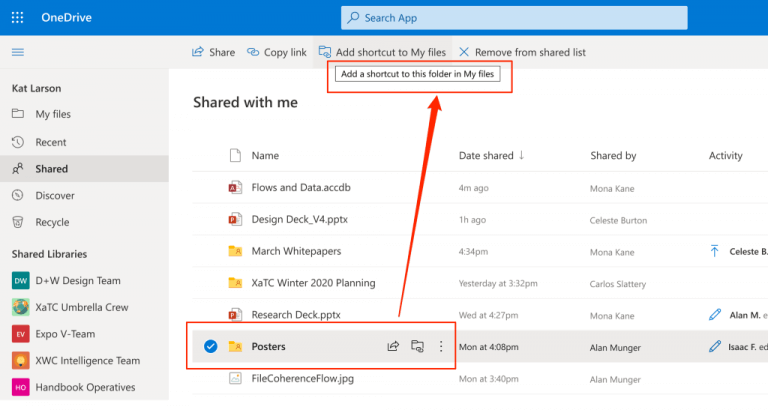
Web Use OneDrive as a cloud backup to share your files and folders with others Learn how to control permissions allow editing or set expiration dates

Web In the top right corner above the ribbon click Share gt Share Save your document in OneDrive if it s not already there Note The Share window displays if your document is

Web Share your documents to collaborate and co author with others A key to collaborating and co authoring is sharing your documents In SharePoint OneDrive and Microsoft 365
Web Google Docs Editors Help Google Docs Editors Share and work with others Share with a group of specific people Allow general access to the file Choose whether people can Web Nov 9 2016 nbsp 0183 32 Step 1 How to Share a Document in Google Docs To see your current share setting when you have a document open in Google Docs simply hover over the Share
Web Jun 7 2021 nbsp 0183 32 The process for sharing is the same whether you re sharing a single document or a folder filled with files Every document in Google Drive is private by