How To Uncomment Code Using Keyboard Visual Studio Shortcuts Comment Ascsetheatre Shortcut Key To Comment Uncomment Blocks Of Code In VBA Keyboard Shortcut For Comment Uncomment In Java YouTube Visual Studio Keyboard Shortcut EugeneChiang Pycharm s Comment Uncomment Command Stack Overflow WEB Sep 24 2023 nbsp 0183 32 Understanding how to quickly and efficiently uncomment code in Visual Studio is a crucial skill for developers Whether you re debugging or reviewing changes this guide walks you through the different methods from keyboard shortcuts to toolbar usage ensuring you optimize your coding sessions
WEB Dec 6 2023 nbsp 0183 32 Shortcut Keys for Commenting in Visual Studio Code 1 Ctrl Toggle Line Comment Revolutionize your code commenting with a single keystroke Highlight a line press Ctrl and watch as Visual Studio Code effortlessly toggles line comments Efficiency at your fingertips 2 Alt Shift A Toggle Block Comment WEB Aug 27 2023 nbsp 0183 32 Windows Alt Shift A Mac amp Ubuntu Ctrl Shift A Applying OS Specific Shortcuts On Windows Comment lines with CTRL K C and uncomment with CTRL K U On Mac Use CMD K C to comment and CMD K U to uncomment lines Universal Shortcut Use Ctrl on Windows or Command on Mac to toggle
Pycharm s Comment Uncomment Command Stack Overflow Visual Studio Code Comment And Uncomment Code Shortcut Or Hotkeys Visual Studio Code Comment And Uncomment Code Shortcut Or Hotkeys How To Uncomment Multiple Lines Visual Studio Code Tutorial YouTube Comment uncomment Block Of Python Code Using IDLE YouTube Allow To Change The Keyboard Shortcut To Comment uncomment Code Solved Eclipse MAC Comment Uncomment Keyboard 9to5Answer Visual Studio Code Comment And Uncomment Code Shortcut Or Hotkeys Pycharm s Comment Uncomment Command Stack Overflow
How To Uncomment Code Using Keyboard
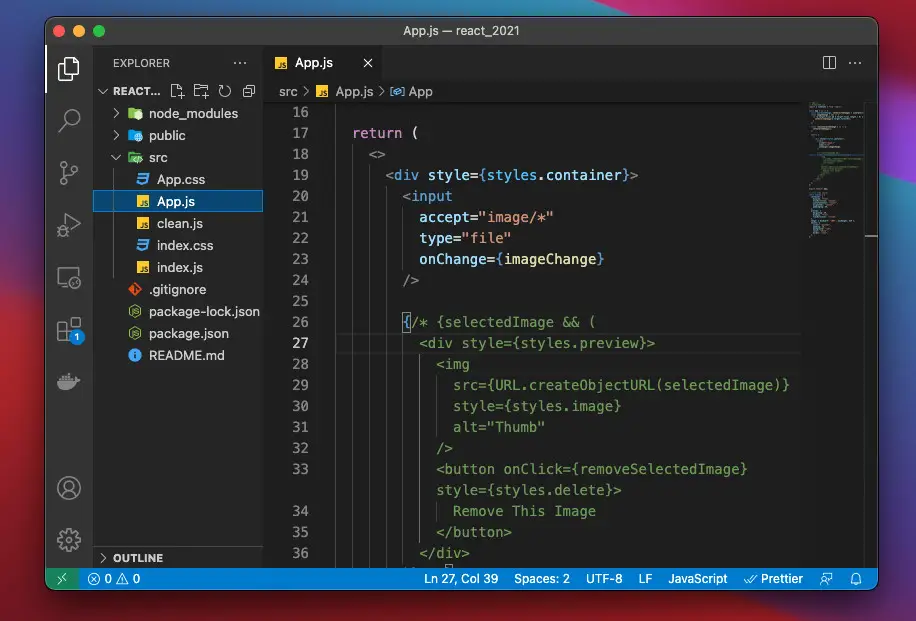 How To Uncomment Code Using Keyboard
https://www.kindacode.com/wp-content/uploads/2021/08/Screen-Shot-2021-08-04-at-16.27.10.jpg
WEB Mar 9 2021 nbsp 0183 32 Use the keyboard shortcut below depending on your operating system to comment the code Uncomment the code by repeating the same steps and using the same keyboard shortcut Windows amp Chromebook Users Ctrl
Templates are pre-designed files or files that can be utilized for various purposes. They can save time and effort by supplying a ready-made format and layout for producing different type of material. Templates can be utilized for personal or professional tasks, such as resumes, invites, flyers, newsletters, reports, discussions, and more.
How To Uncomment Code Using Keyboard

Visual Studio Code Comment And Uncomment Code Shortcut Or Hotkeys

Visual Studio Code Comment And Uncomment Code Shortcut Or Hotkeys

Visual Studio Code Comment And Uncomment Code Shortcut Or Hotkeys

How To Uncomment Multiple Lines Visual Studio Code Tutorial YouTube

Allow To Change The Keyboard Shortcut To Comment uncomment Code

Solved Eclipse MAC Comment Uncomment Keyboard 9to5Answer

WEB Apr 3 2019 nbsp 0183 32 If you are using visual studio as your IDE you can use the following Ctrl K C to commment and Ctrl K U to uncomment If using pycharm or VS Code Use Cntrl to comment and uncomment

WEB Jul 17 2018 nbsp 0183 32 In windows system below commands works for me for comment and uncomment in VS CODE CTRL K to comment OR CTRL to comment CTRL to uncomment

WEB Oct 6 2019 nbsp 0183 32 Learn how to quickly comment and uncomment code in Visual Studio using keyboard shortcuts This video shows you how to toggle between single line and multi line comments and how to customize the
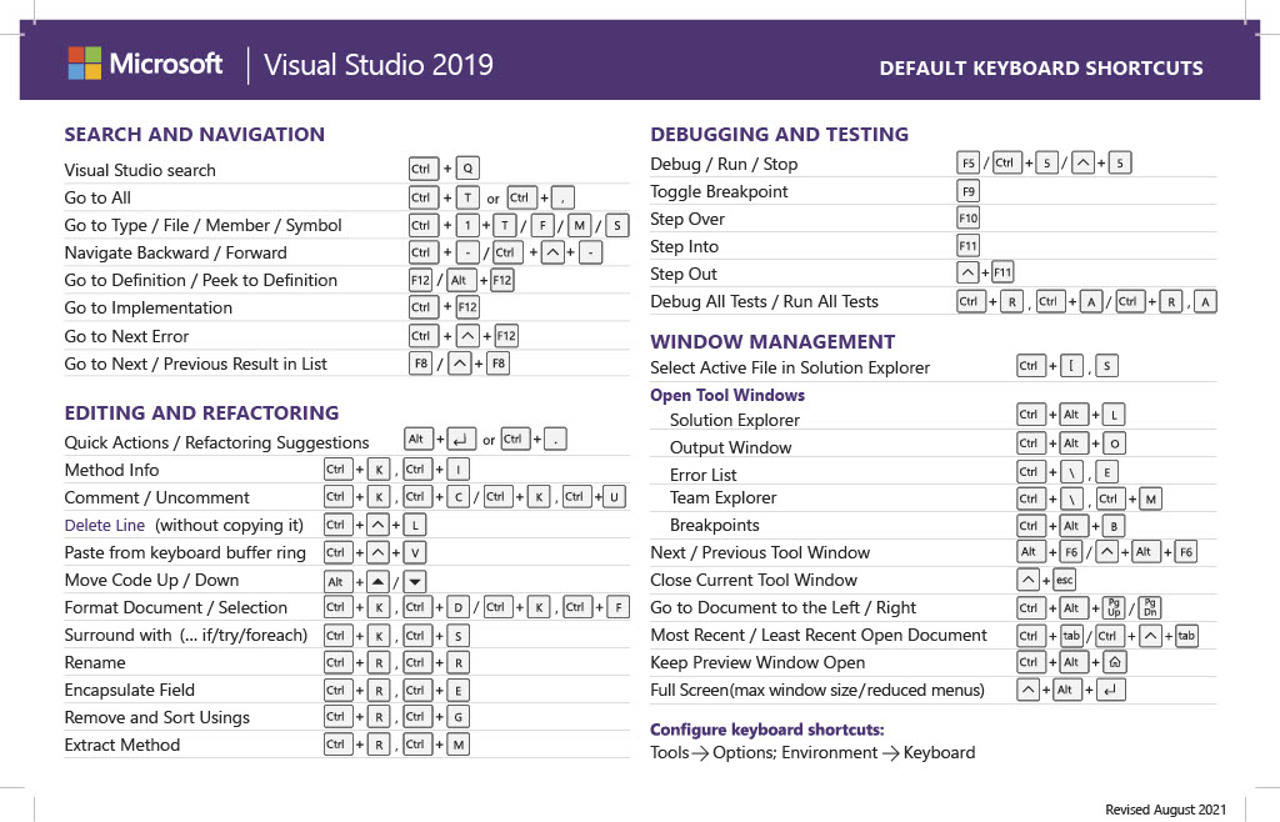
WEB Dec 26 2023 nbsp 0183 32 Using the keyboard shortcut Press Ctrl Shift to uncomment the current line of code Using the context menu Right click on the line of code you want to uncomment and select Uncomment Using the editor s command palette Press Ctrl Shift P and type uncomment

WEB Nov 30 2023 nbsp 0183 32 To uncomment a line of code use the following shortcut Ctrl Shift This will remove the comment from the selected line of code Comment multiple lines of code To comment multiple lines of code you can use the following shortcut Ctrl K C This will add a comment to each of the selected lines of code
WEB Mar 3 2023 nbsp 0183 32 To uncommen t a block of code use your mouse to select it and then use the key combination Ctrl K then Ctrl U if you re on Windows Command K then Command U if you re on a Mac You can also use Ctrl the slash key to comment and uncomment lines of code on Windows Command to comment and uncomment WEB The easiest way to uncomment multiple lines of code is to use the Ctrl Shift C keyboard shortcut This shortcut will uncomment all of the lines that are currently selected in the code editor To use this shortcut simply select the lines of code that you want to uncomment and then press Ctrl Shift C
WEB Windows Ctrl Mac Command You can also uncomment using the same command Select the code that is currently commented out and execute the shortcut It should become un commented again Magic Once you do it a few times it will become muscle memory and boost your productivity I use this command constantly and can t imagine not having it