How To Turn Off Proxy On Macbook Solved How To Turn Off Proxy On IPhone And Best Alternative How To Turn Off Proxy Explained Screenshots What Happens If I Turn Off Proxy The Daily VPN How To Turn Off Automatic Audio And Video Playback In Chrome How Do I Turn Off Screen Time On My IPhone Is It Bad To Turn It Off On your Mac use Firewall settings to turn on the firewall in macOS to prevent unwanted connections from the internet or other networks Learn how to block connections to your Mac with a firewall To change these settings choose Apple menu System Settings click Network in the sidebar then click Firewall on the right
Troubleshooting How to disable proxy settings in Safari Last updated October 18 2022 If you can t connect to the internet while the VPN is on it is possible that you are using a proxy server This guide will show you how to disable proxy settings in Safari A proxy server is an intermediary between your computer and the internet I notice Automatic Proxy Configuration is enabled with an address to a pac proxy I guess put in I simply uncheck Automatic Proxy Configuration I click OK and Apply I am able to access the software now play a game or download an app etc Soon usually just a few minutes the proxy is magically enabled checkbox is checked again
How Do I Turn Off Screen Time On My IPhone Is It Bad To Turn It Off 2015 Macbook Pro Won T Turn On Clipslasopa Proxy Settings For IPhone Or IPad SOAX Blog Setting Proxy On MacBook Tips For MacOS Users In 2023 Solved How To Turn Off Proxy On IPhone And Best Alternative How To Turn Off Proxy Methods Disadvantages How To Use A Proxy In Microsoft Edge Hot Sex Picture How To Setup Proxy On Windows 11 YouTube How To Turn Off Proxy On IPhone Terecle
How To Turn Off Proxy On Macbook
 How To Turn Off Proxy On Macbook
https://s3.amazonaws.com/www-itopvpn-com2/blog/20220829/1661755023216825.png
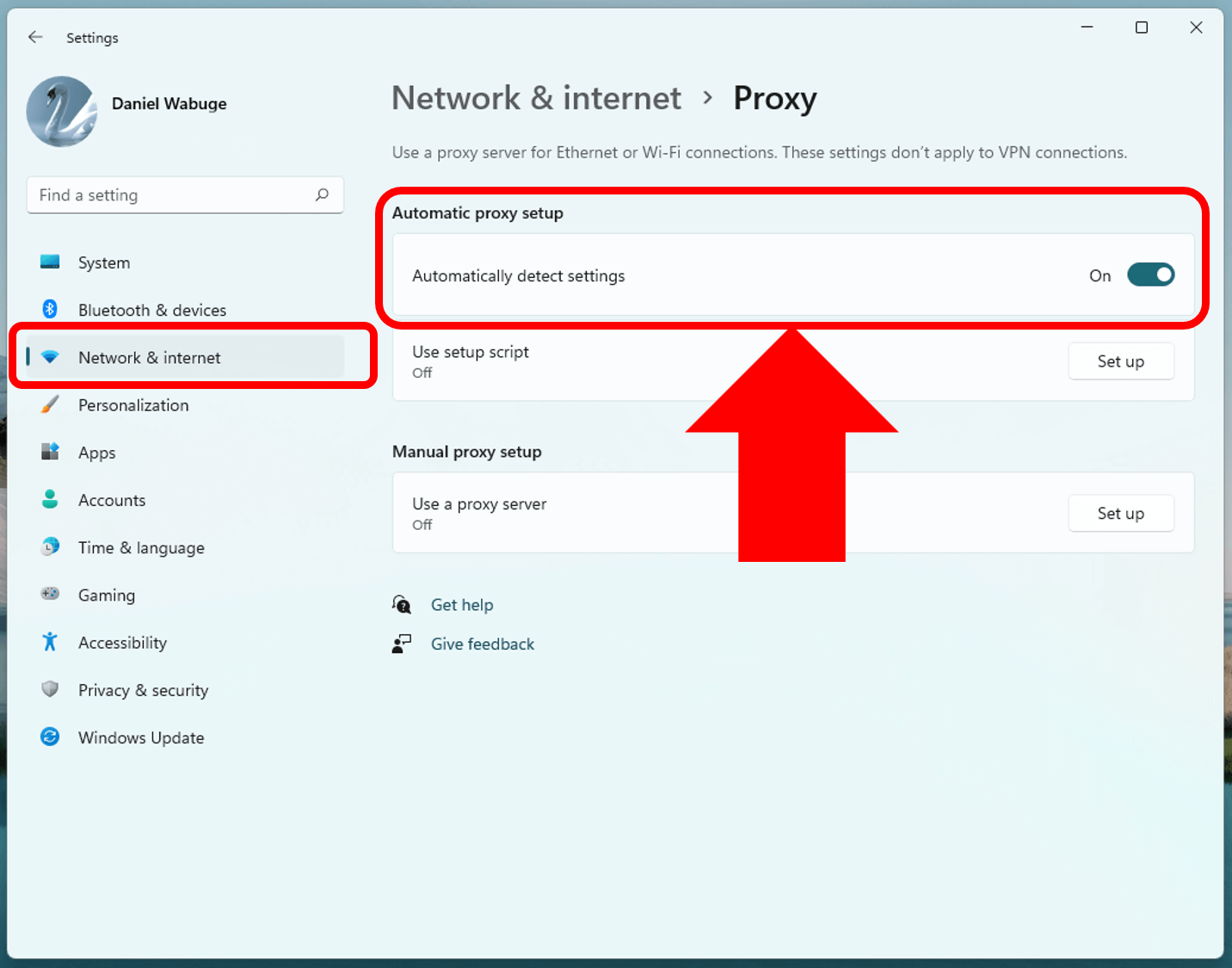
Open the Settings app by clicking on the Start menu and selecting the gear icon or by pressing Windows key I In the Settings window click on Network Internet In the left sidebar select Proxy In the right pane under the section Manual proxy setup toggle off the switch for Use a proxy server
Pre-crafted templates use a time-saving option for developing a varied range of documents and files. These pre-designed formats and layouts can be utilized for various personal and expert tasks, including resumes, invitations, flyers, newsletters, reports, discussions, and more, improving the content creation procedure.
How To Turn Off Proxy On Macbook

How To Turn Off Proxy Explained Screenshots

2015 Macbook Pro Won T Turn On Clipslasopa

Proxy Settings For IPhone Or IPad SOAX Blog

Setting Proxy On MacBook Tips For MacOS Users In 2023

How To Turn Off Proxy Methods Disadvantages
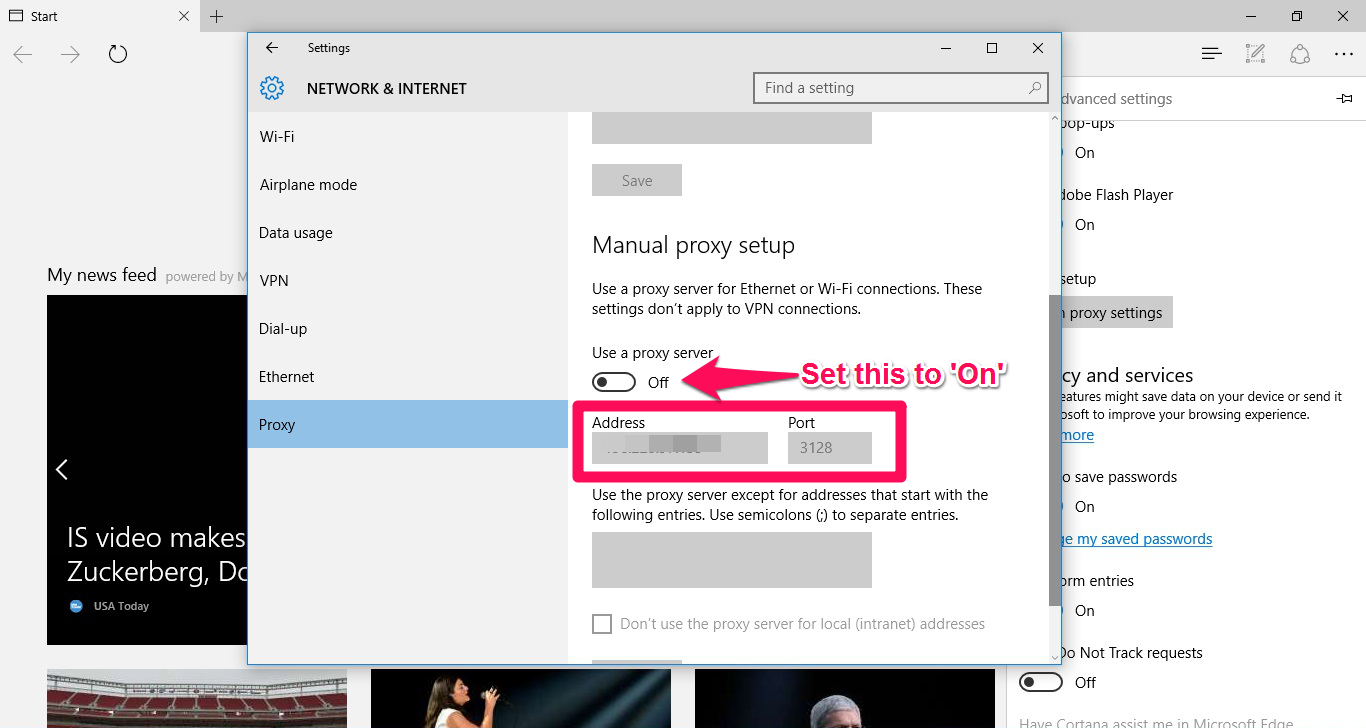
How To Use A Proxy In Microsoft Edge Hot Sex Picture

Click the Apple menu and select System Settings from the dropdown Select Network in the left pane and click Wi Fi Turn on Wi Fi and stay connected to a network Click Details on the connected Wi Fi network and select Proxies on the left Toggle off all the proxy settings you see here and click OK Browse the Internet Without Restrictions
Step 1 Click the Apple icon then select the System Preference option Step 2 Select Network Step 3 From the left pane select the network service you wish to disable the proxy settings on then click the Advanced button Step 4 Select the Proxies tab then uncheck all protocols under Select a protocol to configure then click OK once done Done

Go to System Preferences Network Click on the Location dropdown menu Choose Edit Locations Click on the add button and give the location a name I would suggest you give it a name that s related to the proxy Now that you ve setup a new location go through the networking configuration ensuring you set the relevant proxy setting under

Here s a simple guide if you re using MacOS and want to turn off the proxy 1 Click on the Apple icon on the menu bar 2 From the dropdown list select System Preferences 3 Ways to Turn Off Proxy on a Mobile Device Much of the internet traffic comes from mobile devices If you want to turn off proxy using your iOS or Android devices
1 Click the Apple icon then select the System Preference option 2 Select Network 3 From the left pane select the network services you wish to disable the proxy settings on then click the Advanced button 4 Select the Proxies tab then uncheck all protocols under Select a protocol to configure then click OK once done
There are many ways to set up a proxy server depending on your needs and your level of permissions Auto Proxy Discovery detects if the proxy is necessary and configures it automatically To If you are in the habit of moving your MacBook between networks then it might be more convenient to use System Preferences Network to set up a second location one with the proxies and one without Go to System Preferences Network select Airport from the list down the left then click on the Location combo box and select Edit Locations
To disable the proxy networksetup setwebproxystate wi fi off This is equivalent to setting the proxy via mac system settings Network wi fi Advanced Proxies Web proxy Set system wide SOCKS5 proxy networksetup setsocksfirewallproxy wi fi localhost 1080 networksetup setsocksfirewallproxystate wi fi on To disable the socks proxy use