How To Stop A Program From Running In Vs Code How To Stop A Program From Running When Windows Starts Skype Steam How To Disable A Program From Running As Administrator 6 Ways To Stop A Program Running On Raspberry Pi Chip Wired How To Stop A Program From Running Automatically When Computer Starts How To Stop A Program From Running Automatically When Windows Starts Web Nov 3 2021 nbsp 0183 32 how to stop running code in visual studio Tiny Posers Press Control C That s the shortcut from the default Terminal app and it also works in VS Code Add Own solution
Web Sep 4 2021 nbsp 0183 32 update the problem was with my vs code terminal and its fixed I know that ctrl alt M stops the code but for example when I run something like this in Visual Studio Code it doesn t stop automatically def login y x input Hi what s your name s nHi s y y return x print login sajjad Web Sep 13 2018 nbsp 0183 32 The easiest way to pause or break execution to inspect a line of code is to use a breakpoint a tool that allows you to run your code up to a specified line before stopping Breakpoints are an essential aspect of debugging which is the process of detecting and removing errors and bugs from your code
How To Stop A Program From Running Automatically When Windows Starts How To Stop A Program From Running At Start Up On Windows 7 Quick How To Find Programs Running On Startup Windows 7 Loungedad How To Stop A Program In Python Python Tutorial For Beginners How To Stop A Program From Running Automatically When Computer Starts Dart How To STOP A Program In DartPad Stack Overflow 5 Methods To Stop A Program Running On Raspberry Pi How To Block A Program From Internet Access Mandy Miller How To Stop A Program In Python With Example CodeBerry
How To Stop A Program From Running In Vs Code
 How To Stop A Program From Running In Vs Code
https://i.ytimg.com/vi/ekemyPGlU6E/maxresdefault.jpg
Web Apr 25 2022 nbsp 0183 32 How do I stop a cell that s running in VS Code The Stop button does nothing at all nor does Ctrl C Since I took this screenshot the cell chugged along for another 10 minutes until I finally gave up and had to restart VS Code
Templates are pre-designed documents or files that can be used for numerous purposes. They can conserve effort and time by supplying a ready-made format and layout for creating various type of content. Templates can be used for individual or professional projects, such as resumes, invitations, leaflets, newsletters, reports, discussions, and more.
How To Stop A Program From Running In Vs Code
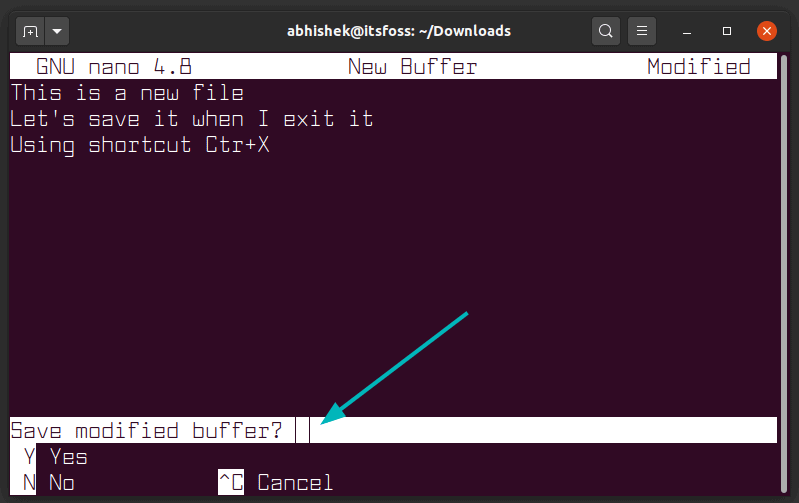
How To Stop A Program In Linux Terminal

How To Stop A Program From Running At Start Up On Windows 7 Quick

How To Find Programs Running On Startup Windows 7 Loungedad

How To Stop A Program In Python Python Tutorial For Beginners

Dart How To STOP A Program In DartPad Stack Overflow

5 Methods To Stop A Program Running On Raspberry Pi

Web Jun 15 2016 nbsp 0183 32 There s currently no key shortcut to terminate a running task You can however create your own shortcut for it Go to File gt Preferences gt Keyboard Shortcuts and add your shortcut to the keybindings json Here s example code quot key quot quot ctrl shift alt t quot quot command quot quot workbench action tasks terminate quot Share Follow edited

Web May 17 2018 nbsp 0183 32 5 Answers Sorted by 26 There should be a trashcan at the top of the integrated terminal window Clicking the trashcan will kill the window and the processes You can also try ctrl Z or ctrl D Share Improve this answer Follow edited May 19 2018 at 1 25 answered May 17 2018 at 20 46 Natsfan 4 209 4 22 29 3

Web Jun 28 2021 nbsp 0183 32 When I debug a code I can see a stop button But when I simply run a code I dont see one I have to manually kill the terminal or use the task manager to stop the code Is there any alternative to stop the code having infinite loops from running without having to kill the terminal

Web Aug 14 2021 nbsp 0183 32 Instead you can stop the app or command by pressing Ctrl Alt M i e Ctrl Option M for Mac users Sample JavaScript code to demonstrate this const http require http http createServer req res gt res write Hello World res end listen 5000 gt console log Server running

Web Aug 18 2020 nbsp 0183 32 Is there anyway to stop running to code without closing vscode everytime This thread is archived New comments cannot be posted and votes cannot be cast 5 comments Best McNerdius 3 yr ago ctrl c in terminal shift f5 if debugging should work 1 Adventurous Tomato57 2 yr ago Thanks man 1 W monroy 2 yr ago
Web Here is the launch configuration generated for Node js debugging quot version quot quot 0 2 0 quot quot configurations quot quot type quot quot node quot quot request quot quot launch quot quot name quot quot Launch Program quot quot skipFiles quot quot lt node internals gt quot quot program quot quot workspaceFolder app js quot Web May 13 2023 nbsp 0183 32 Should you want to stop your code from running the shortcut is Ctrl Alt M Pressing F1 also lets you choose the Stop Code Run option This option is also available in the editor
Web Nov 20 2020 nbsp 0183 32 Just make your code run in the terminal instead To do this 1 Make sure you have code runner extension installed 2 Goto File gt Preferences gt Settings gt Extensions gt Run Code configuration and under that scroll down to search for Code Runner Run in Terminal and check that option If you are not able to