How To Start Windows Server 2016 From Command Prompt Get Genuine Online Activation For Windows Server 2016 From Factory Direct How To Configure A Software Update Point To Use SSL For Communicating With WSUS All About Windows Server 2016 Remote Desktop Services Quick Start Marketsstashok How To Start Windows 10 In Safe Mode Gadgetswright Windows Server 2016 Inside Out Pdf Libribook Hey I was installing Windows Server 2016 when the setup got stuck in Command Prompt It has already been like this for 2 days and I need a better example of help other than YouTube other apps and other sites I wanted to finish the installation so
StartInteractiveScan May ask for user input and or open dialogues to show progress or report errors RestartDevice Restart device to finish installation of updates ScanInstallWait Combined scan download and install ResumeUpdate Resume update installation on boot If your server won t boot hence the need for F8 then you can boot off of a Windows Server install DVD and select REPAIR YOUR COMPUTER option the Troubleshooting then Command Prompt Once you have a Command Prompt as an administrator open enter the following commands which are self explanatory bcdedit set bootmgr displaybootmenu yes
Windows Server 2016 Inside Out Pdf Libribook Download Windows Server 2016 Meter Nepresn Teleskop Bootovacie Usb Cmd Prijate n Chodba Vo ne How To Start Stop And Restart Windows Server Update WSUS Services Via PowerShell And CMD SOLVED How To Change Command Prompt To PowerShell On The Start Menu Of Windows Server 2016 Or How To Enter Safe Mode From Command Prompt Windows 10 Purchaseper Windows Server 2016 Active Directory Setup Part 1 VirtuallyInclined How To Start Selenium Standalone Server From Command Prompt SOLVED How To Start Settings App From Command Line In Windows 10 Up Running Technologies
How To Start Windows Server 2016 From Command Prompt
 How To Start Windows Server 2016 From Command Prompt
https://www.aoxunsoftware.com/uploads/65523dd01.jpg
In some cases we don t get system restart button in GUI but we still can restart the remote server using the command line This article will help you to reboot Windows system using command prompt CLI Command to Restart Windows Server Simply use r switch with shutdown command to reboot windows server using command line Here are various
Pre-crafted templates provide a time-saving service for developing a varied variety of documents and files. These pre-designed formats and designs can be used for numerous individual and expert jobs, including resumes, invites, leaflets, newsletters, reports, presentations, and more, improving the material production process.
How To Start Windows Server 2016 From Command Prompt

Windows Server 2016 Standard May 2022 Free Download
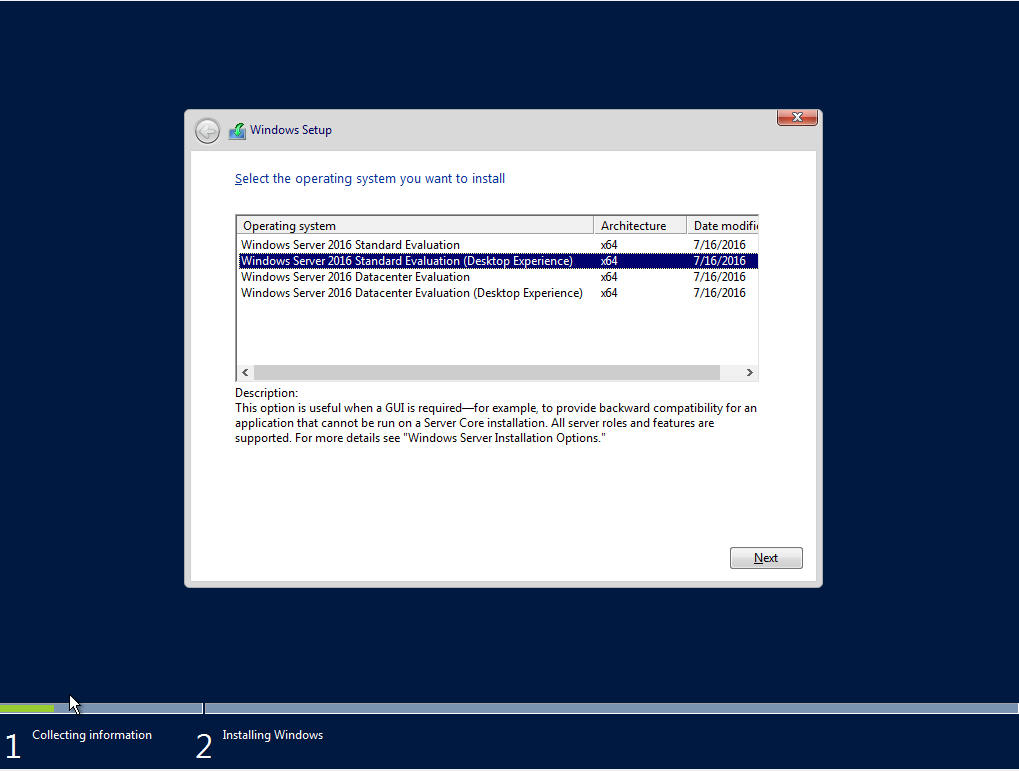
Download Windows Server 2016
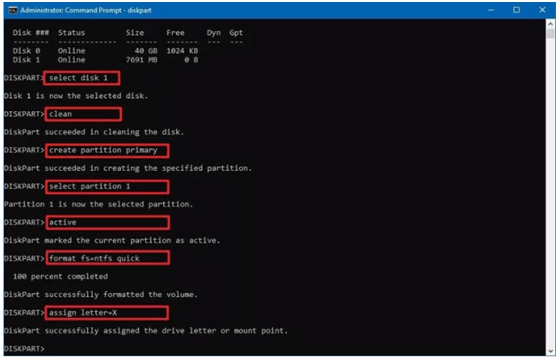
Meter Nepresn Teleskop Bootovacie Usb Cmd Prijate n Chodba Vo ne

How To Start Stop And Restart Windows Server Update WSUS Services Via PowerShell And CMD

How To Enter Safe Mode From Command Prompt Windows 10 Purchaseper
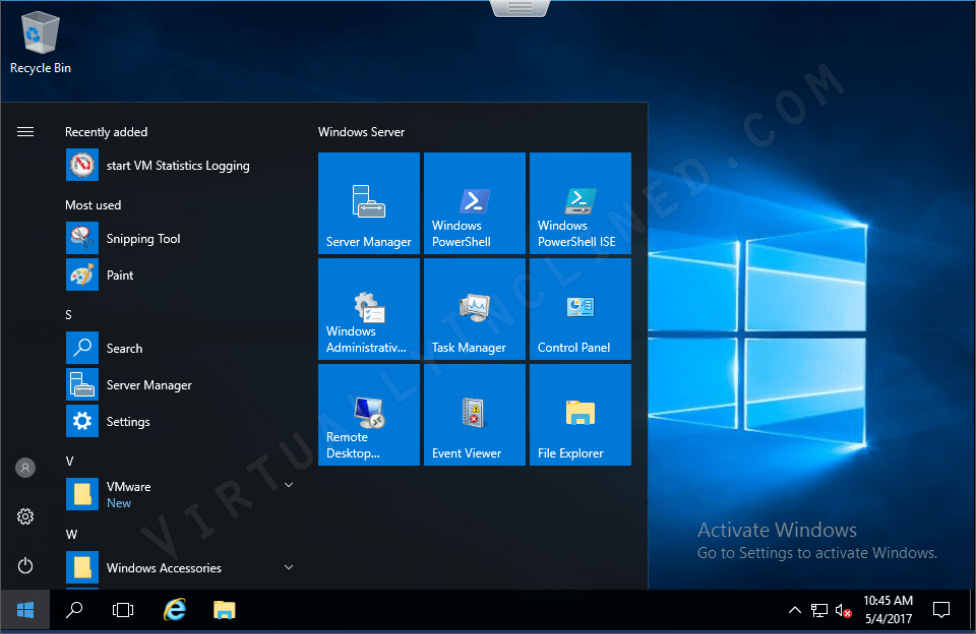
Windows Server 2016 Active Directory Setup Part 1 VirtuallyInclined

Step 1 Open the Command Prompt 1 Press Ctrl Alt Del 2 The system should present a menu click Task Manager 3 In the Task Manager window click More Details 4 Click the File menu then click Run new task 5 In the field type cmd exe then check the box to create the task with administrator privileges Click OK 6
What command do you use to launch Server Manager from CMD or powershell in Windows Server 2012 R2 I have a few servers that are running without the Graphical Shell and sometimes I close server manager by accident The only way I know how to get it back is to log out in again Frustrating Thanks local offer Windows Server 2012 R2 star 4 6
Hi everyone today I installed Windows server 2016 from Microsoft s website to try and learn active directory The bottom line is after it installed all my laptop is showing now is the command prompt as seen in the attached image I can t access anything else Please help me get my laptop back to normal Labels tech support IMG 20190312 221728 jpg
At the command prompt that you get when you log in type powershell and press Enter to run PowerShell Then run the following command Install WindowsFeature Server Gui Shell Restart The first part is the Install WindowsFeature PowerShell cmdlet that tells Windows to install a feature of Windows Server

1 Boot the Server from a Windows Installation Media DVD or USB 2 At the Windows Setup screen press SHIFT F10 to access command prompt or choose Next Repair your computer Troubleshoot Advanced Options Command Prompt 3 In command prompt type the following commands in order bcdedit set bootmgr displaybootmenu yes
Syntax 1394Debug channel BaudRate baudrate Examples setup 1394debug 1 baudrate 115200 Applicability Expand table Remarks The default value for channel is 1 baudrate specifies the baud to use when Windows transfers data during debugging The default value is 19200 but can also be set to 57600 or 115200 AddBootMgrLast Once you have opened a command prompt as an administrator enter the following commands 1 2 bcdedit set bootmgr displaybootmenu yes bcdedit set bootmgr timeout 10 Restart your server and press F8 Hits 4048 Category Troubleshooting Tags safe mode
How to Open Server Manager via Command Prompt 1 Open Command Prompt Start Run cmd or PowerShell 2 Type ServerManager and press Enter Server Manager should open That was easy This article applies to Windows Server 2016 Windows Server 2012 Windows Server 2008 This entry was posted in Tech Support VPS Hosting Windows Server Windows VPS